I've looked at the properties of the elements, and the code blocks, and even changing code etc, and I cannot seem to figure out why this one student's Map Tour App is zooming out every time until it cannot zoom any longer when using the Destination Listpicker or the My location button. But the zoom slider works as expected...
I tried it on her iOS phone, my iOS phone, and an Android tablet. My device works fine with all the other students' apps
Thank you!
ZoomIssueMapTour.aia (3.6 KB)
Oh and I enabled the zoom + and - and those work correctly...
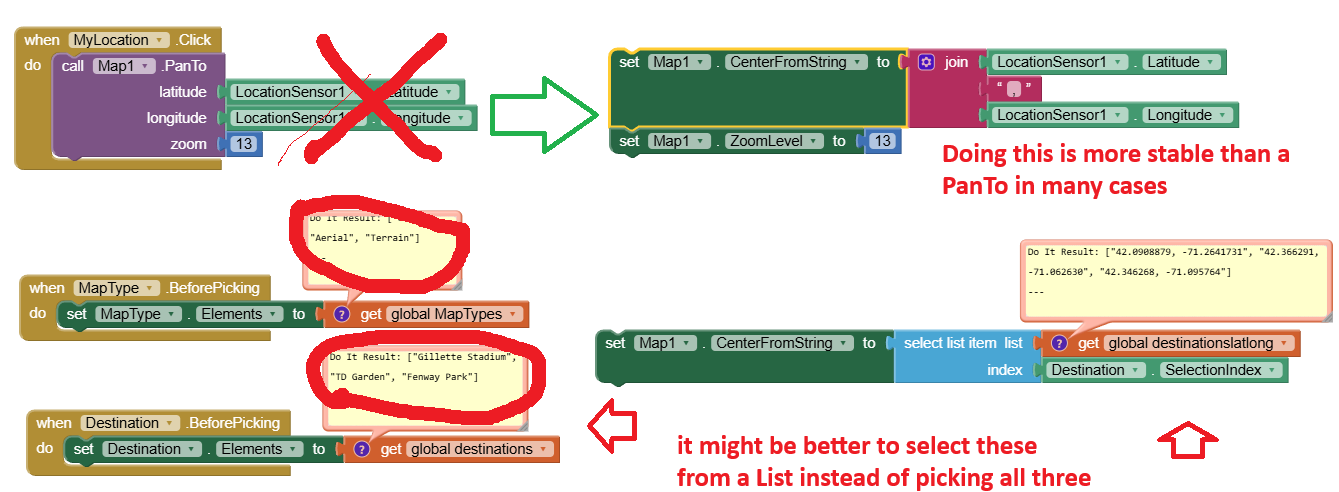
some ideas that might ameliorate some of your student's issues. Here solution is certainly not conventional use of the ListPicker.
The zoom issue "zooming out every time until it cannot zoom any longer when using the Destination Listpicker or the My location button might be due to here un-conventional of the LP.
- I found that the slider was too close to the Map. Sometimes when I select slider, I drag fingers to other parts of the screen. I.E. the Map, the Destination button, the Map TypeButton, MyLocation. When any of these are 'selected' accidentally, you have problems. Partial solution is to move the slider away from the map. I used a Label and set its height to 10% of screen height

Also of note is if you select Areal or Terrain for the map type the user cannot return to Roads. This behavior started happening about a month ago. Short story, it you select anything but Roads, user cannot later return to Roads. This appears to be an OpenStreetMap issue. Solution is not to allow any type except Roads until MIT finds a solution. I un-abled the MapType Button.to prevent use of the Button. 
This may only be an issue with Android 13 and 16 (I have 13); see Map NOT displayed - #2 by TIMAI2
Also these are complex ways of selecting from a List Picker. Doing so may be creating issues regarding timing and settings on other controls.. Simpler to select from a List
Steve,
Thank you for your comments! And for looking at the code so closely
The problem we are trying to figure out is that when we click on the destinations listpicker or the my location button, the map zooms out.
And, actually, when you use the different map types, it does not have the same problem with zooming out.
In addition, the slider works for zooming in. So the app does zoom in using that option.
I updated the code to see if different Ideas would work. For example, if I forced the zoom level to be 12 as the first block in the my location event, then when I press the my location button, it would zoom in to 12 instead of out. But once I removed it, it would only zoom out.
I also changed the my location code to be user long and user lat etc., and it still zoomed out.
This is the only one in the whole class that behaves this way. On all devices we tried.
I’m thinking it could be a property but I cannot seem to locate the issue 
Sincerely,
Kerri
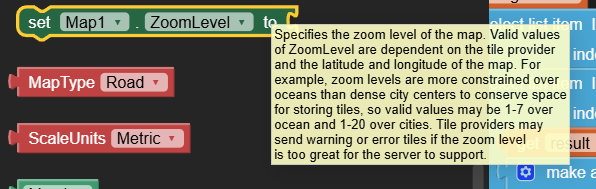
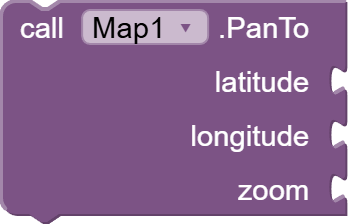

Possibly checking Map Property Enable is affecting the behavior of zoom. When this is checked the user can his/her fingers on the map to change zoom. Just un-check the property and see what happens. At present, this app has MANY ways of changing the zoom. Perhaps the student has one method too many?
Instead of concentrating on what is wrong with her app (too many methods that 'collide' with one another) you might concentrate on what methods WORK with out issue on the other student's apps.  .
.
One way to debug this app is to redo it from a fresh start . Use a singlezoom method to change zoom with one method that works flawlessly, make a copy of the app and save. Make a copy and add method and see the app still works.Keep adding other methods until you are tired of this nonsense or you find the flaw. Then let us know.  what you discover.
AI controls sometimes get buggy when several controls are used that have a similar function and you try to make them work together.
I think this might help. We have all followed the tutorial in our class from Mobile CSP. This is the only one in the class behaving this way.
I even changed it all to be equal to the suggested code blocks in the book, but it still zooms out.
Perhaps starting over is the best advice, but I do like trying to figure out what happened 
Thanks!
Kerri
https://community.appinventor.mit.edu/uploads/short-url/qr5dx18dxCoETljAzUF95BuBl53.pdf