Elmar
October 16, 2026, 5:08pm
1
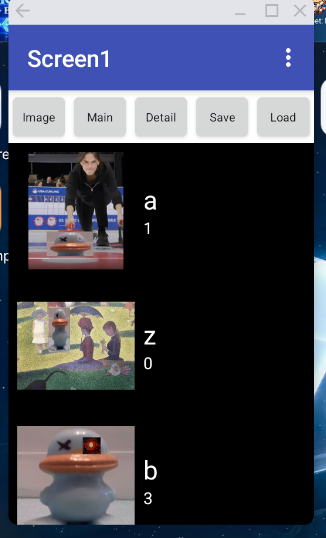
I have a ToDo list with listview.
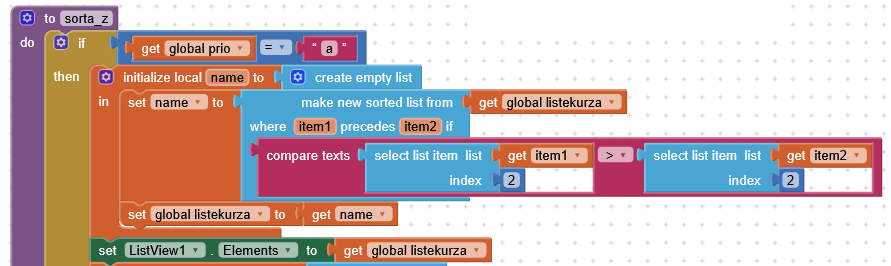
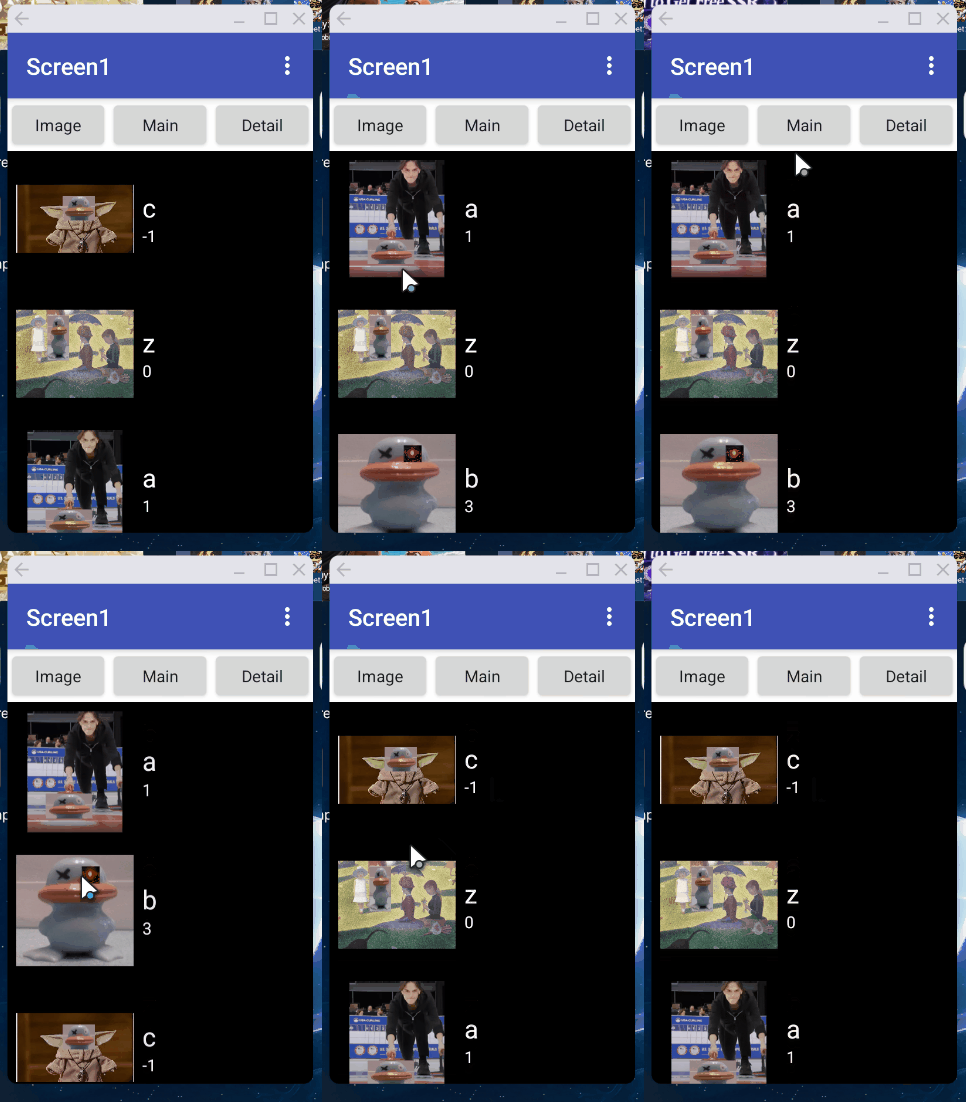
No I want to sort the listview entries simply using main text.
I can sort by date using index 3, date is detail text, this is working. Listview layout is vertical with maintext and detailtext.
Sorting main text with index 1 or 2 is not successful.
I store the main and detail text by list, i guess there is some index missing in the list of lists.
How can i sort listview by main text?
Elmar
October 17, 2026, 9:46am
4
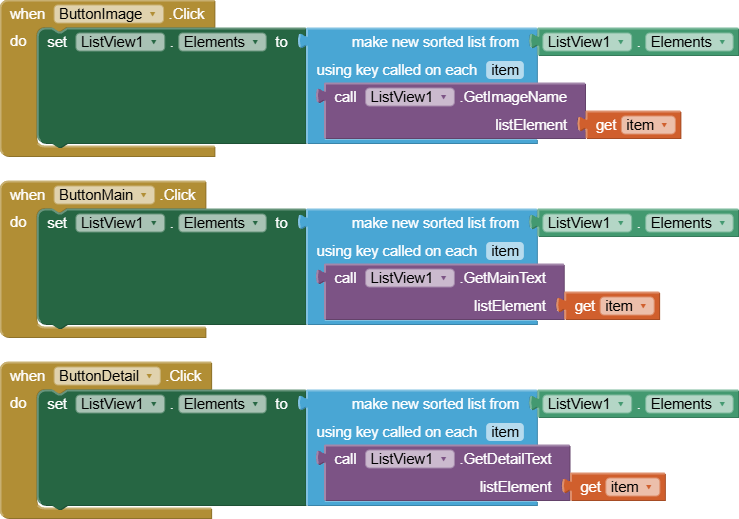
Thank you ABG, i try the using key called block.
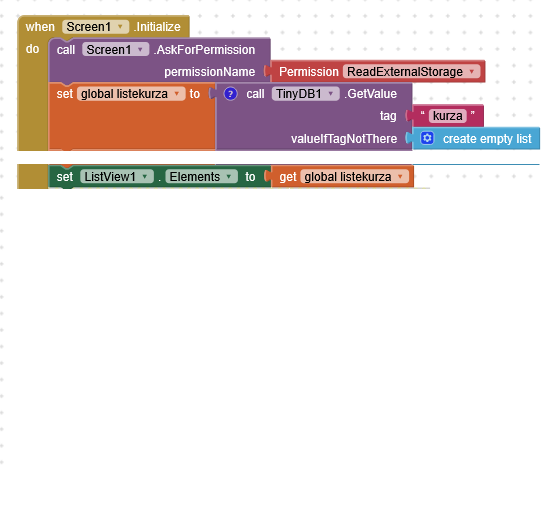
I also want to store the listview with TinyDB, but the listview is empty after initialize screen1 ?
Without using extensions.
ABG
October 17, 2026, 11:53am
5
ListView Elements have a secret proprietary structure, subject to arbitrary change as the ListView evolves.
So it's not a good idea to try to save them directly to Tinydb.
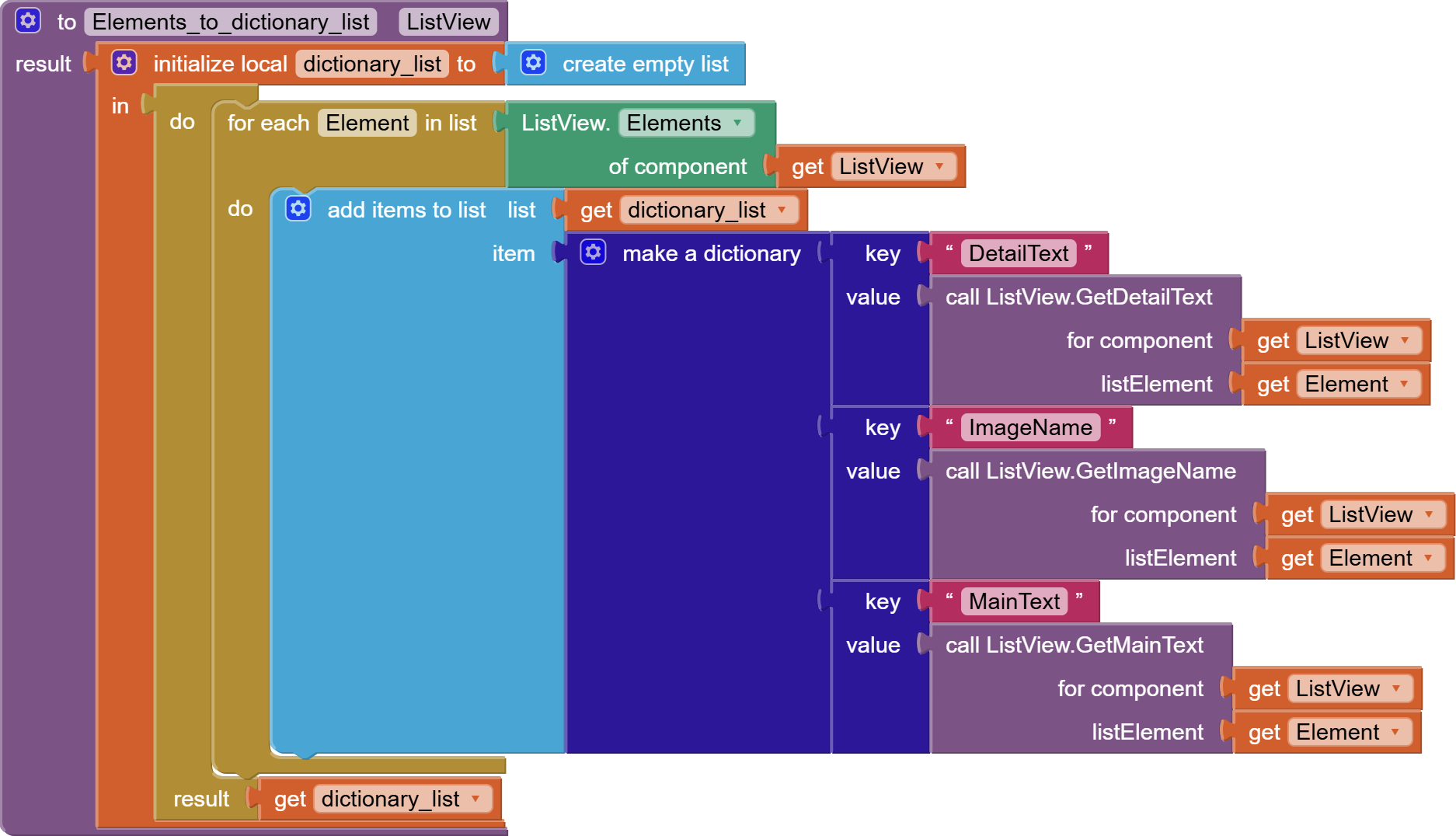
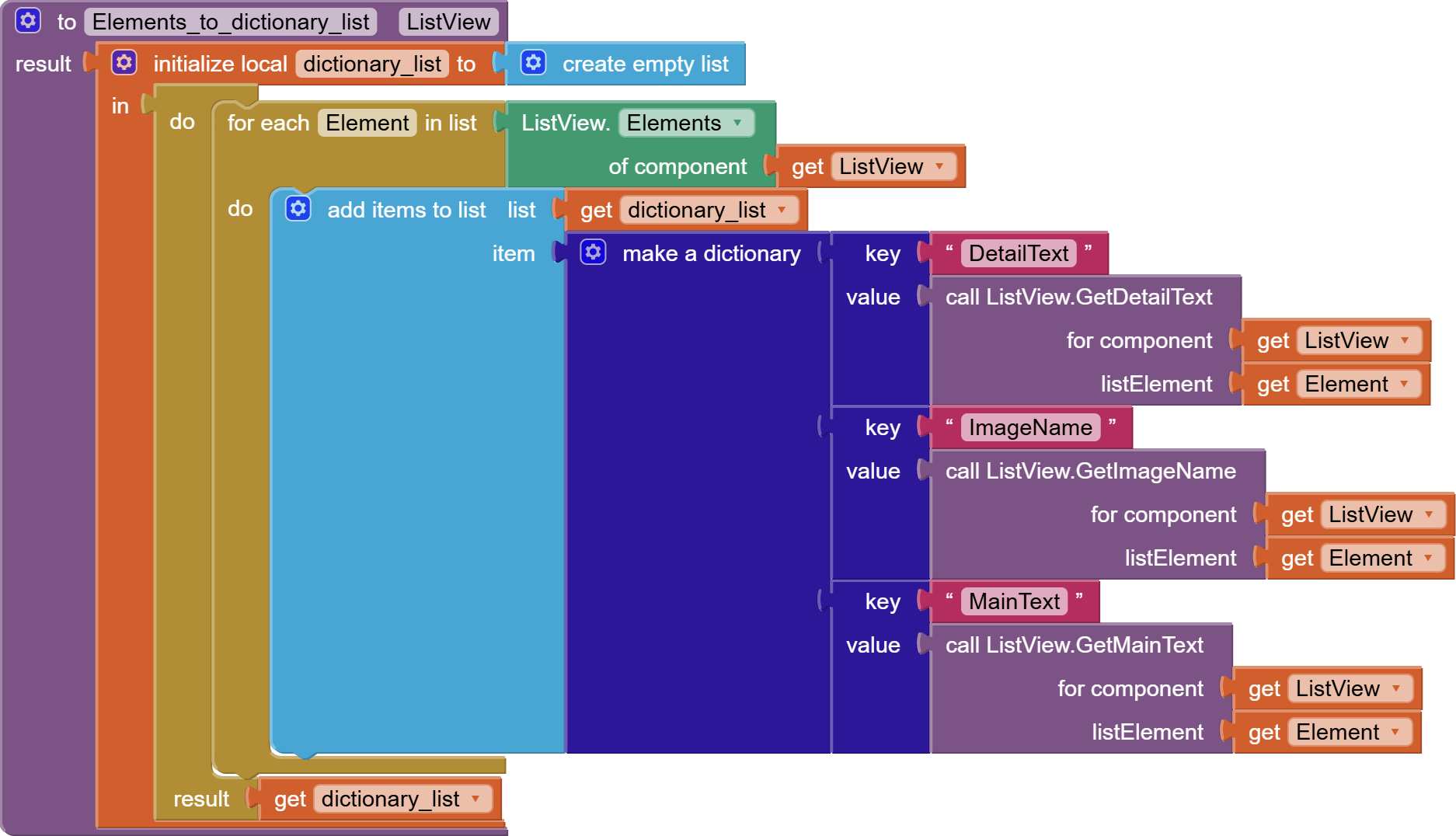
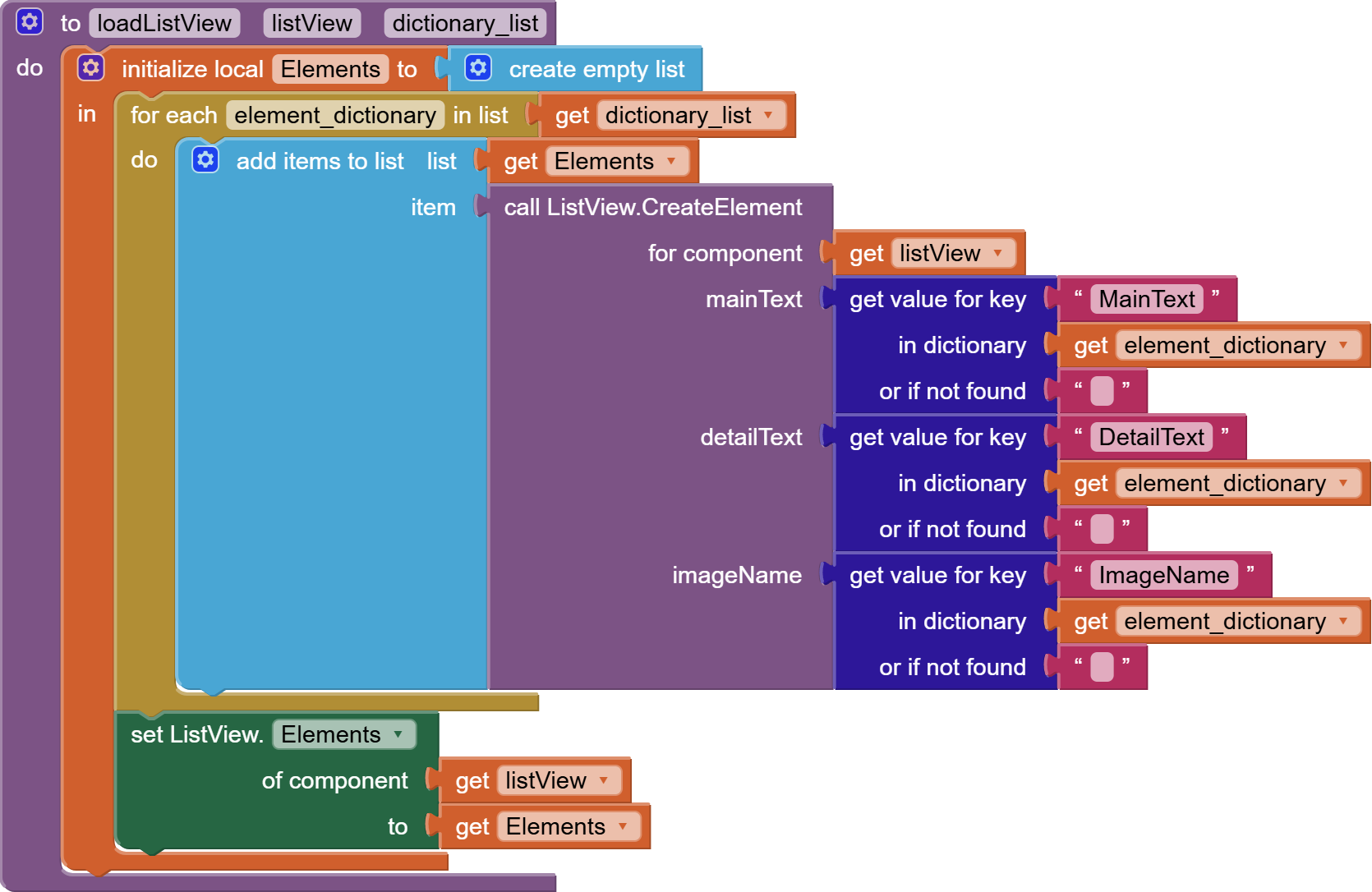
However, that doesn't stop us from writing value procedures to swap in plain old three column tables for storage and retrieval in data bases.
I prefer to use local variables for editing things that live in tinydb, to avoid doubt about who is in charge (tinydb or the global variable)
There's also the issue of the side effects of the ListView AddElement block. Does it do an insert to the component Elements? Are we interfering with that?
I am AFK for several hours if you want to experiment.
ABG
October 18, 2026, 2:59am
6
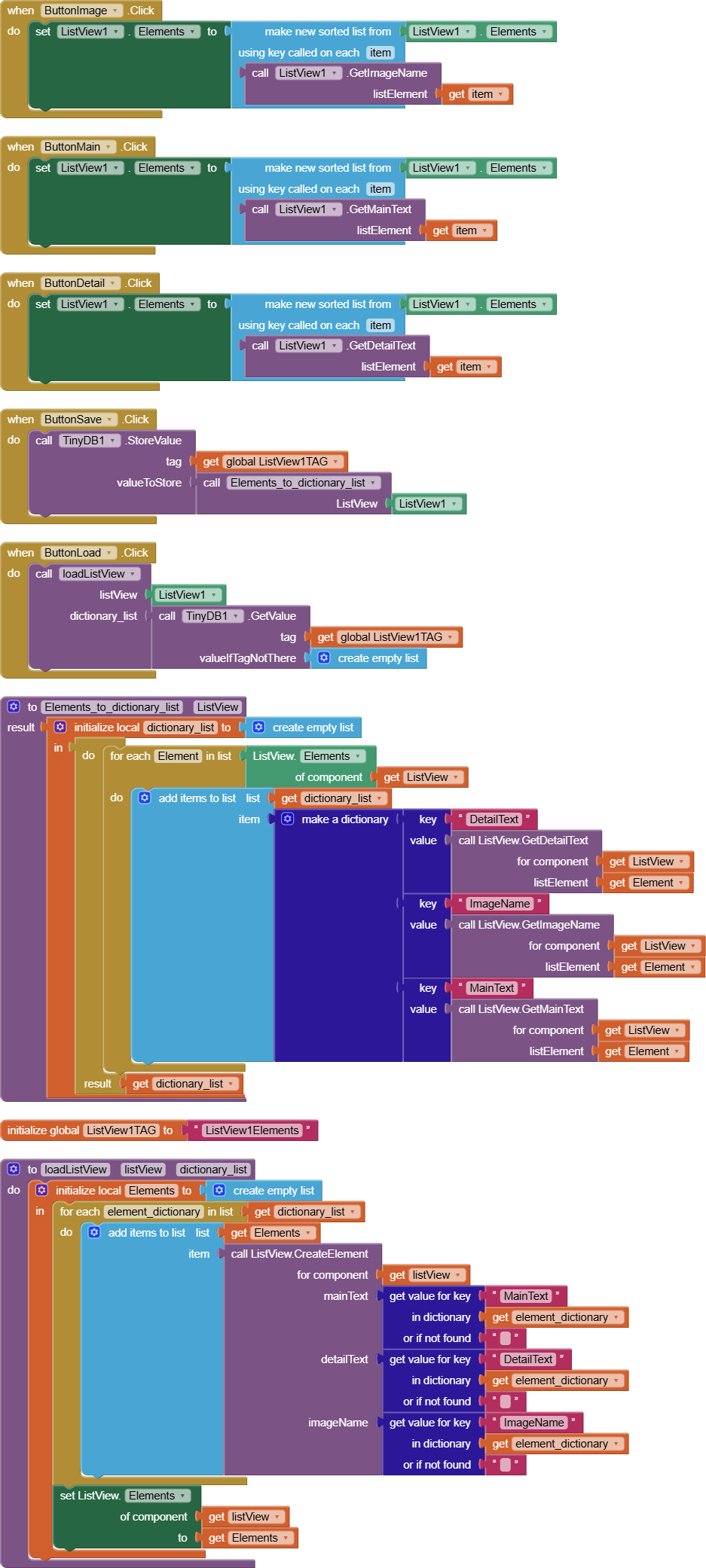
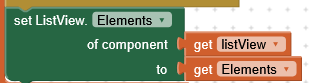
Here's half of what you will need ...
(draggable procedure)
Elmar
October 18, 2026, 10:04am
7
the draggable procedure is very helpful
ABG
October 18, 2026, 6:52pm
8
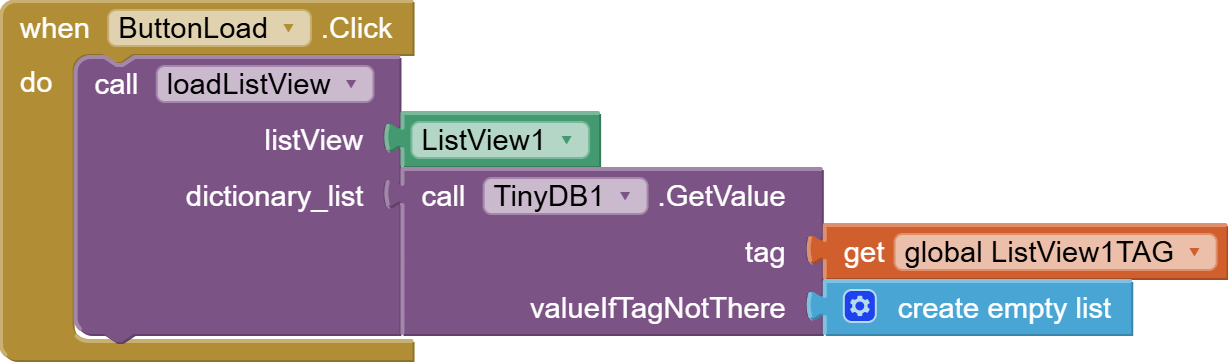
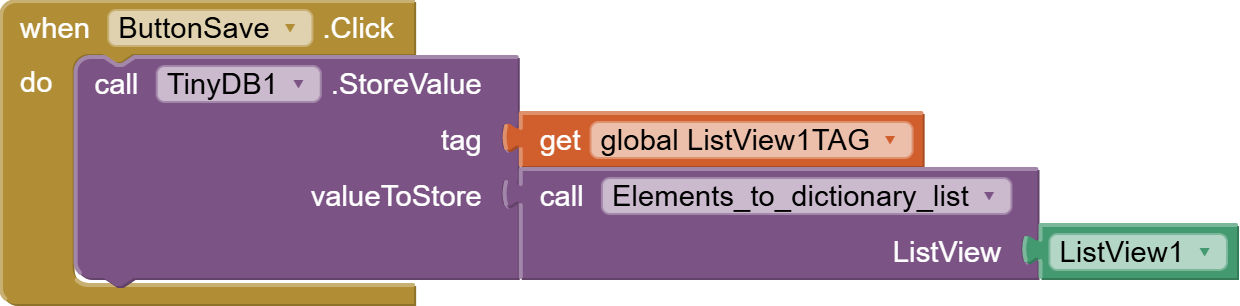
Here's the rest of it, in my sample app:
I added 2 buttons for saving and loading to TinyDB.
listview_sorting.aia (1.2 MB)
1 Like
Elmar
October 21, 2026, 2:42pm
9
I cannot find this blocks of your .aia in listview blocks
Where are they from?
ABG
October 21, 2026, 2:45pm
10
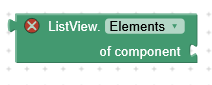
Those are Generic blocks.
You can get them in any of three ways:
Under the Any branch of the Blocks Pallette (below the component blocks)
Take a ListView block, right click on it, select Make Generic, and replace the component value
Typeblock "ListView.Elements"
Elmar
October 23, 2026, 7:12pm
11
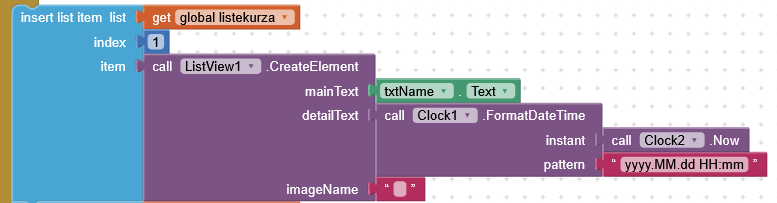
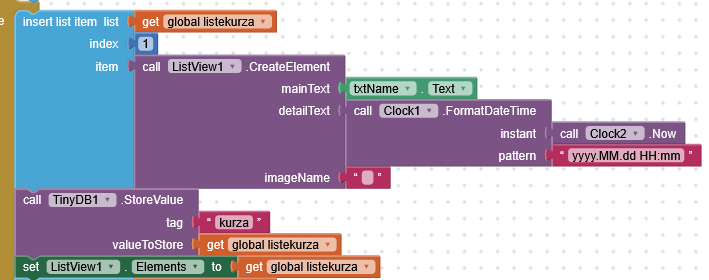
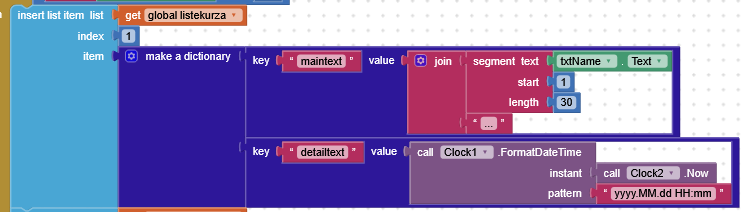
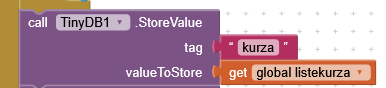
i want to add items to the list using insert to add items to the top of list, save it, and load them with tinydb.
something seems missing when saving to tinytb.
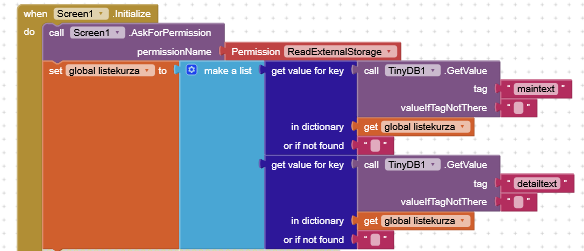
the use of the variable listekurza is a little bit confusing:
is defined as a list of dictionaries
is used as if it were a dictonary ( and with its default value )
in screen1.initialize is defined as a list of strings
You are also reading two tags from tinydb ( maintext, detailtext ) which you have not stored ( at least in the blocks posted )
Elmar
October 24, 2026, 11:21am
13
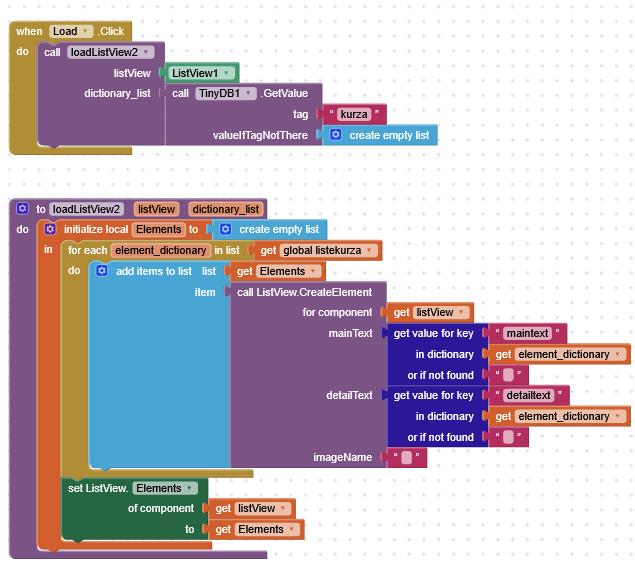
I tried this, load is working temporarily, but not after restart the app
ABG
October 24, 2026, 11:46am
14
You ignored the dictionary list parameter
ABG
October 24, 2026, 11:51am
15
Here's the mistake behind the mistake...
Never use a global variable in a procedure.
TIMAI2
October 24, 2026, 12:04pm
16
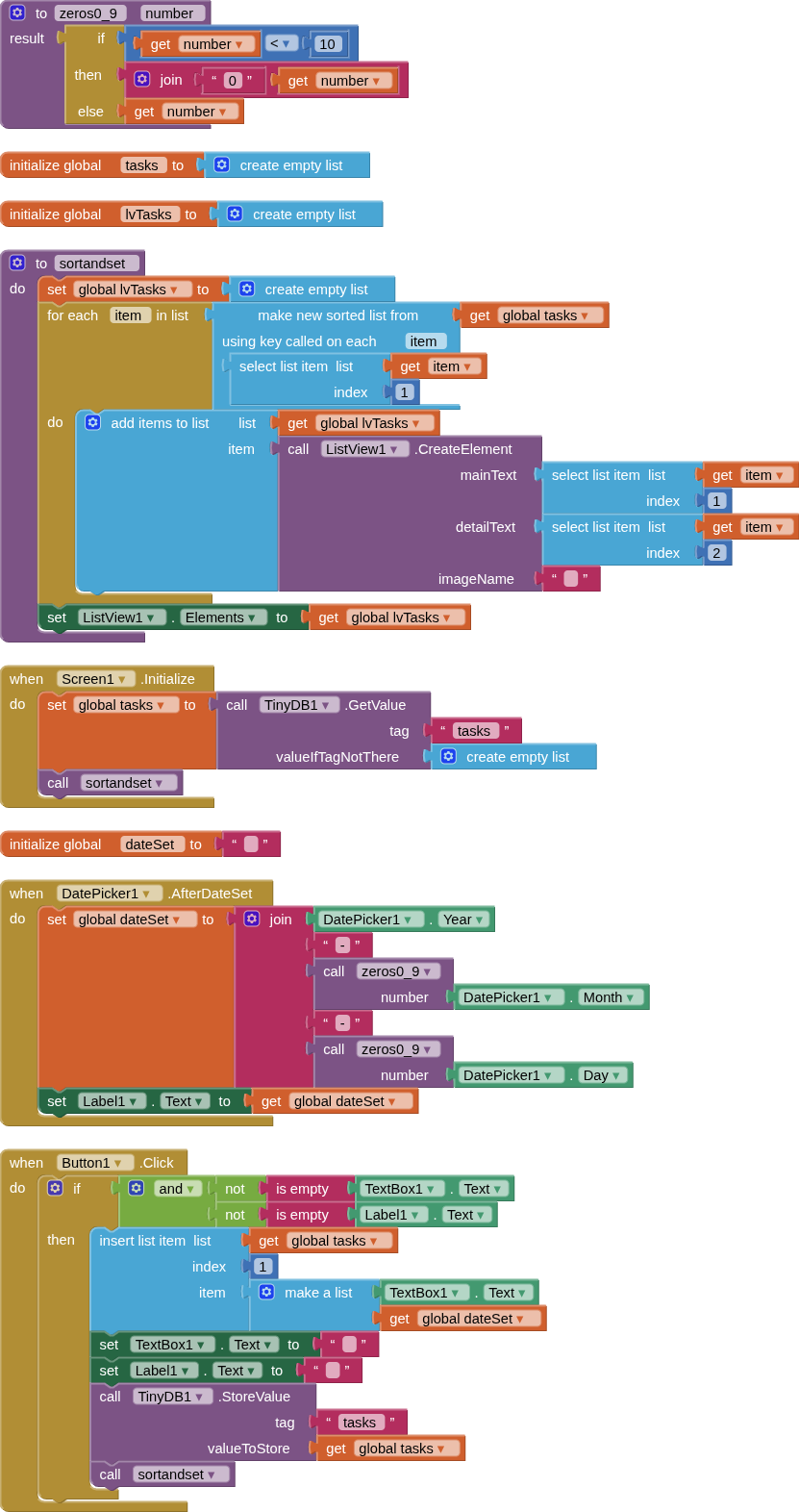
Here is my approach, one that I always take when working with data in a listview: maintain a masterlist, and use this to generate a listview list when required, never actually working directly with the listview list - this is just for display.
A simple example:
ABG
October 24, 2026, 12:06pm
17
I will go further..
Once you commit to storing the data in Tinydb, you must regard that global variable as an evil twin, or a pretender to the throne
You must eliminate it with extreme prejudice.
Everywhere.
Elmar
October 25, 2026, 7:24pm
18
Great, It works with the masterlist and a separate listview list, that means storing listview data is also possible without using a dictionary?
TIMAI2
October 25, 2026, 9:13pm
19
You store the data in a list, you display the data in a listview. Don't confuse the two.
ABG
October 25, 2026, 9:36pm
20
You could store your data as a list of lists instead of a list of dictionaries.
The difference is, with a list, you have to remember which item number is the master text and which is the detail text.
ith a dictionary, you have to remember the exact spelling of the keys in the dictionary that holds the two texts, master and detail.
It's possible to screw up both equally, if you don't place close attention.