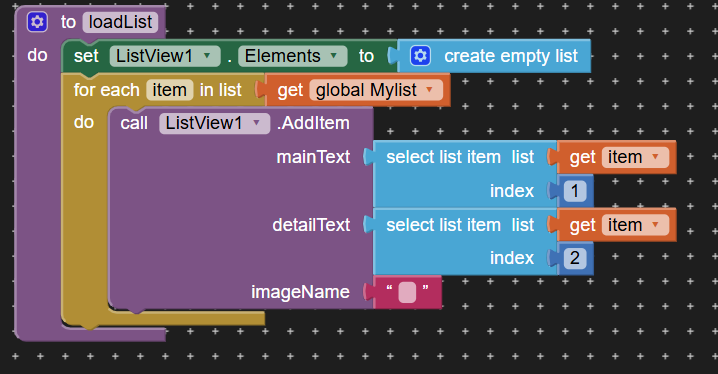
List View element Initialization

in this way i save the elements in main text and detailed text.
But when the screen initializes . it sometimes appears in () format, sometimes [ “ “, “ “] format etc..

So please help me regarding this and pls give the exact way to load the list when the screen initializes.

currently i dont know exactly what block should I use for it, So i am not attaching ss of the screen Initialize Blocks.
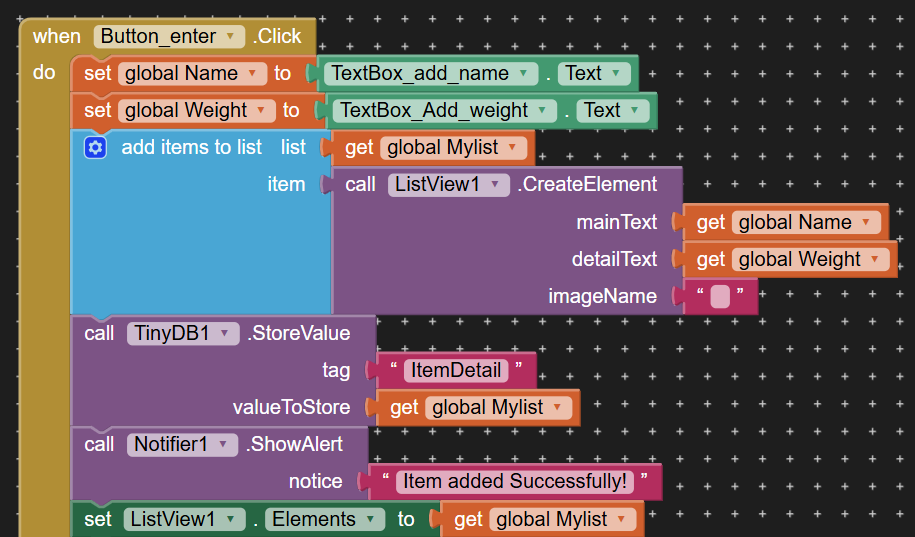
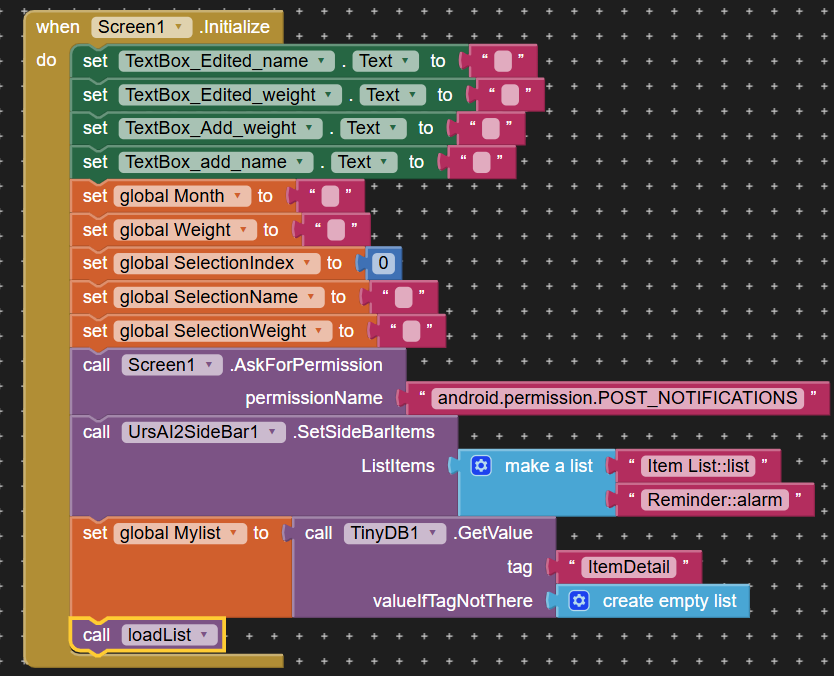
Thank You

Why not show your Screen Initialise blocks ?

Personally, i would just save the data to a list to then store in tinydb, and build the listview at runtime.

I had seen a video few days ago with the help of that i had did this but it doesnt work properly

Given you are already storing the listview elements in the tinydb, you should just need to set Listview.Elements to MyList.

ohh okayy, I tried it the way u told and it worked.

M not sure but ig earlier when i did that way it was not happening.:sweat_smile:

But anyways thank you for your helpp.

This topic was automatically closed 7 days after the last reply. New replies are no longer allowed.