List of "clean" BLE Devices

Hello,

This is my first project on MIT App Inventor, I get some trouble to perform a “simple” task … I’m a programmer and I’m not very shape with blocks. In this project, I just want a list of Bluetooth BLE Devices in range.

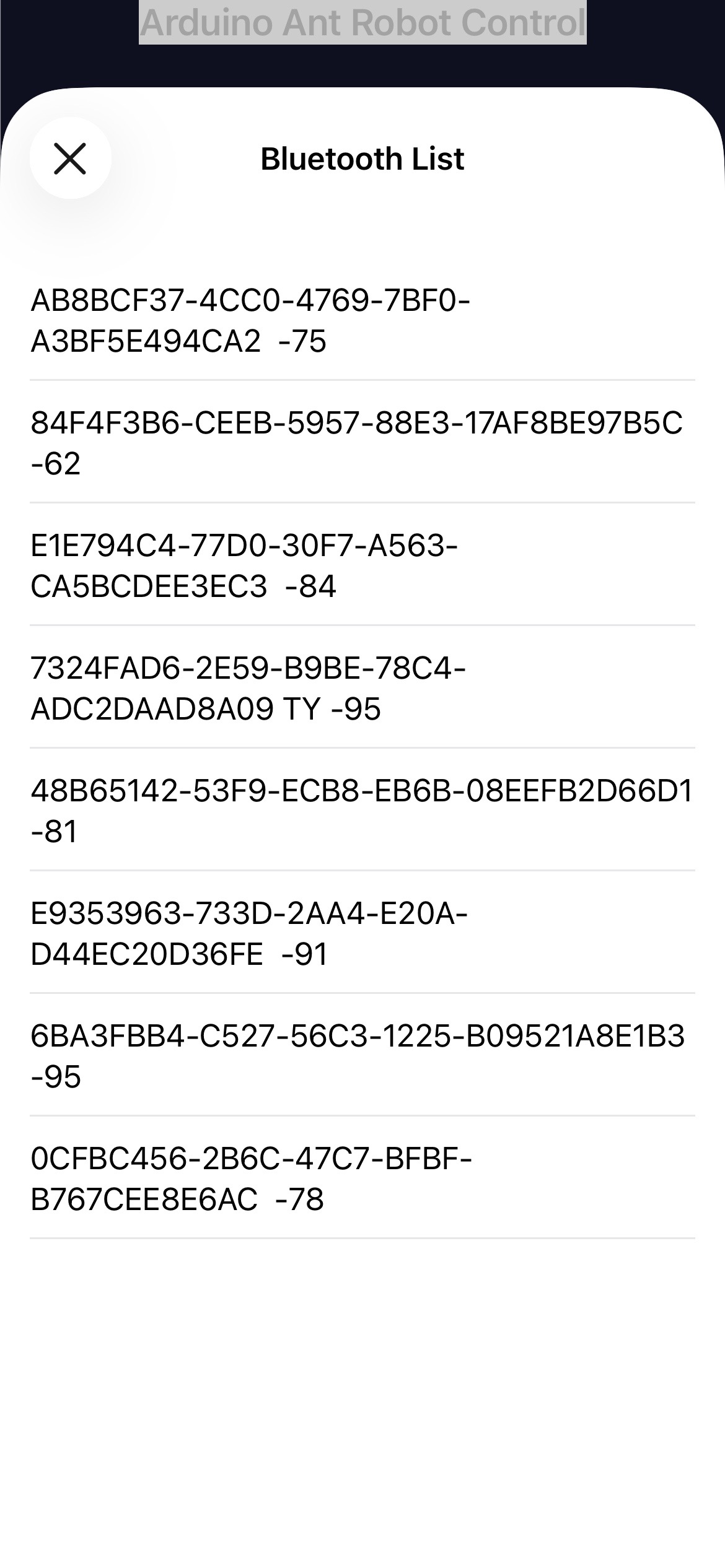
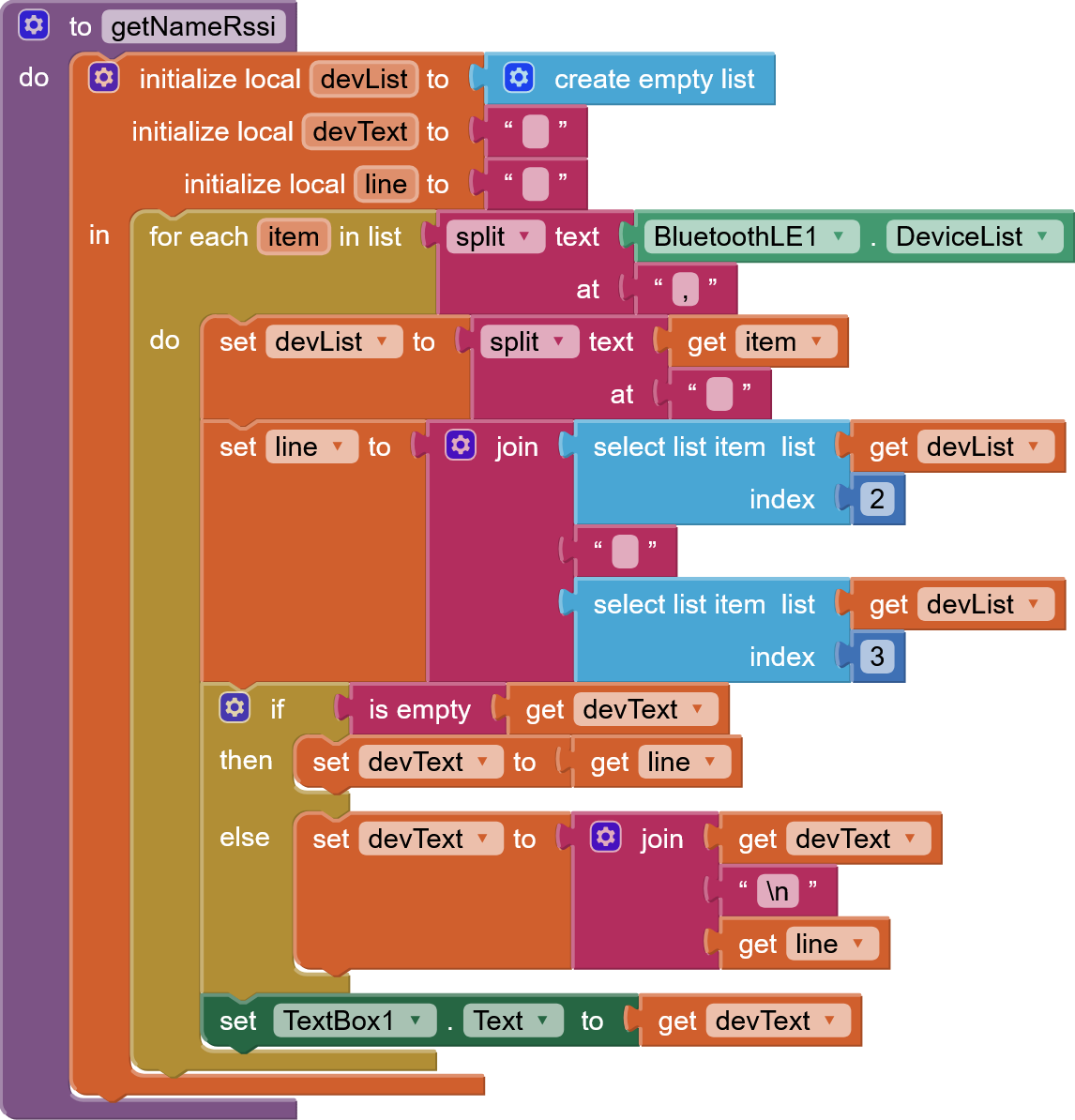
Here is what I got

Here is the block I used to get this output.

I found this topic, I need to Show the BLE names and connect to their addreesses but this sequence doesn’t provide me more satisfaction.

I would like only the name (if any) and likely RSSI.
Does anyone can’help me to build such output ?

Many thanks in advance for you help

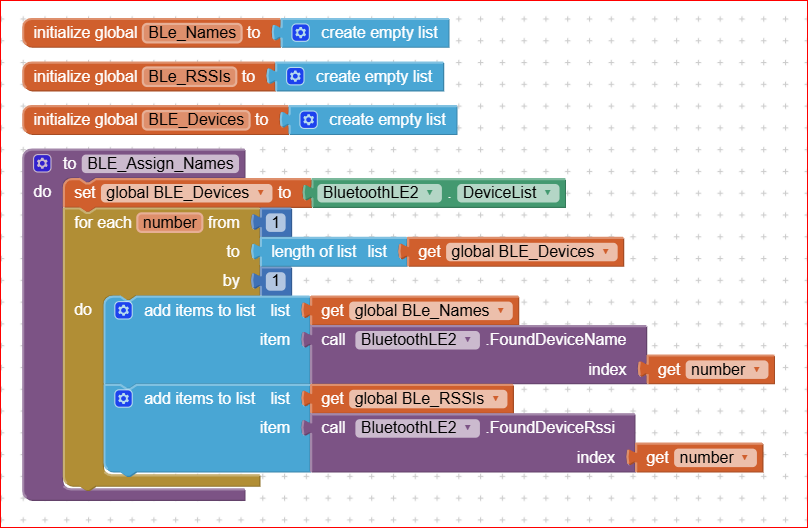
Probably (i.e. I’ve not tested it, yet) you can fill two lists, one for Names and another for RSSIs, by using a filling prcedure like:

Hoping it works….:grin:

et bonne chance !

I was crossing the finger when I got your answer but againt it failed
RuntimeError. Irritants: (The operation length of list cannot accept the argument: , [7324FAD6-2E59-B9BE-78C4-ADC2DAAD8A09 TY -90,20E55320-D735-A355-DB08-62BD3DD15311 -83,DA762DDA-03E1-CF86-40A6-DD3338FBAC51 -84,DE93D85F-93B2-0D5D-7543-605328640E51 -83,1E756DC8-CB40-F7AF-F41F-C4019DFA2A4A -83,DA220713-5053-8ABC-7113-1E4043AD7A62 -70,C1E994AD-9824-0545-3165-F33CF536BBB0 -93,CA693564-7381-CBEC-4165-093535105C6B j557840 -97,DEFA578A-D829-FA75-2769-0C7078EB0705 -74] Bad arguments to length of list)
Note: You will not see another error reported for 5 seconds.

This is rather annoying to not access the code :slight_smile:

Merci

What do you get if you apply the Is A List? block to
image

?

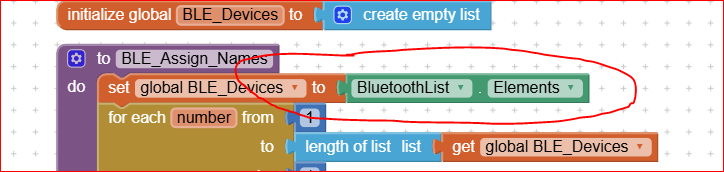
Sorry, I’ve misunderstood your code: your BluetoothList is a ListPicker ins’t it ?

If this new assumption is correct, the code should be

Hoping it solves the issue.

(encore) bonne chance :slight_smile:

Meilleures salutations

There are quite a few mistakes in the design of the BLE extension, and this is one of them. DeviceList is a CSV string, not a list, so if one wants to process it like a list it first has to be passed through the list from csv row block. Fixing it would most likely be a breaking change.

2 Likes

I tried provided the blocks given by @uskiara I get error from FoundDeviceName. I guess this is because some devices don’t have names

ok. It looks like better as there are no errors … but this is not the output I expected though.

I means yes this is a picking list filled by the BLE Devices List (see my first post how it’s filled)

I want to see BLE Names (if any) and likely RSSI; discard the BD Address from this pick list.

Dear @MORDRET_Pierre-Yves , I supposed that by creating a couple of “doughter” lists from the original list from the BlueToothLE1.DevicesList was capable to create a list of Names and another list of RSSI’s, but it seems that that solution is not working (as I’ve said, I didn’t test it yet) because some device does not feature its name.

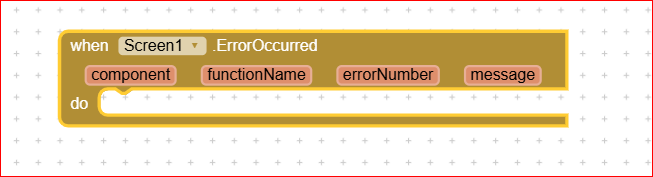
And what happens if you intercept the error by means of the following block (?):

I don’t know if it can work for you, but this block avoids the automatic error handling, therefore you can mask off the “missing name” error. In other words, this block, if left without specifying the error number, intercepts the system error, and supposes that you handle it. But if you do nothing, simply the error becomes “invisible”. Probably it worths a try.

Never give up !

A’ plus.

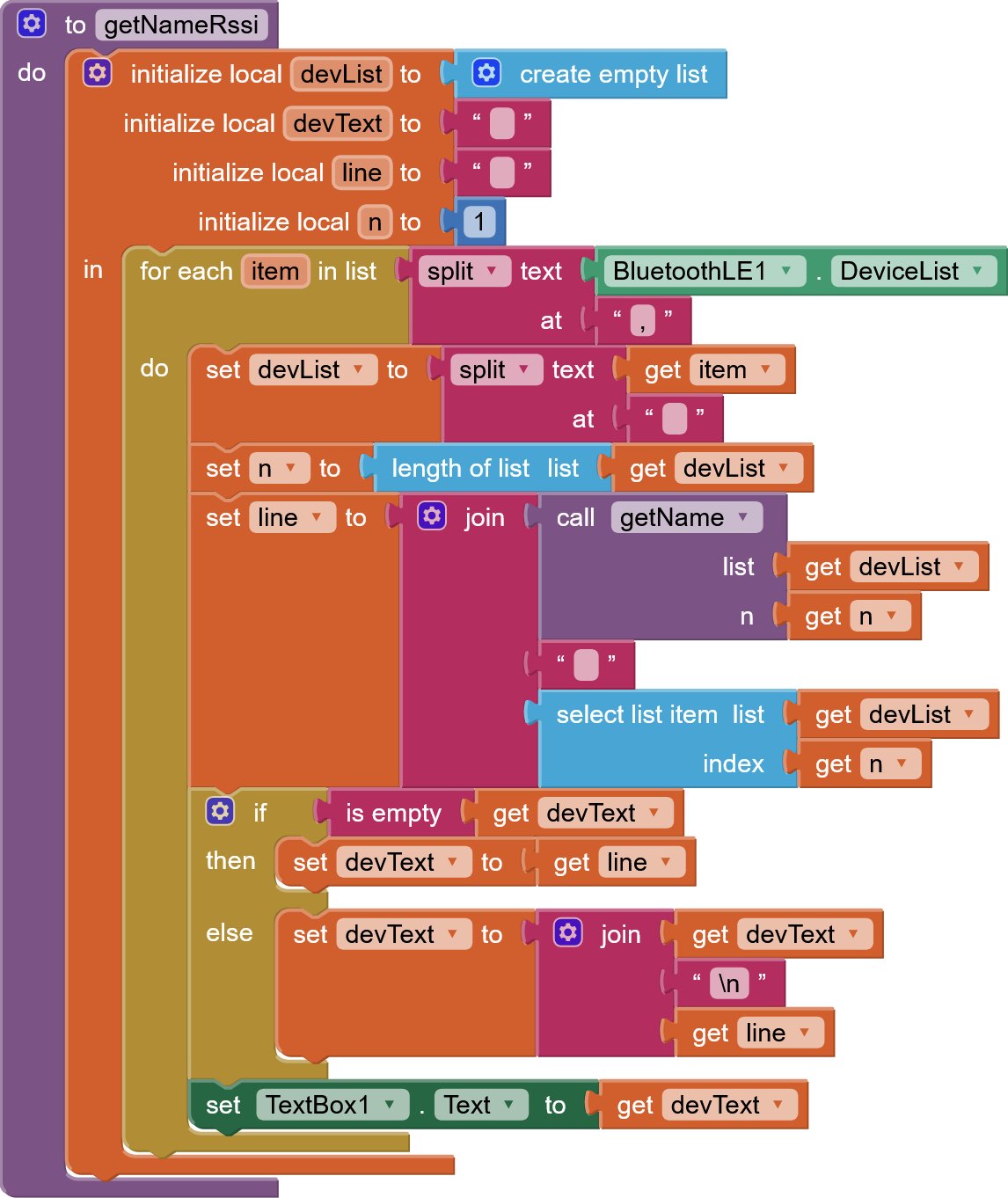
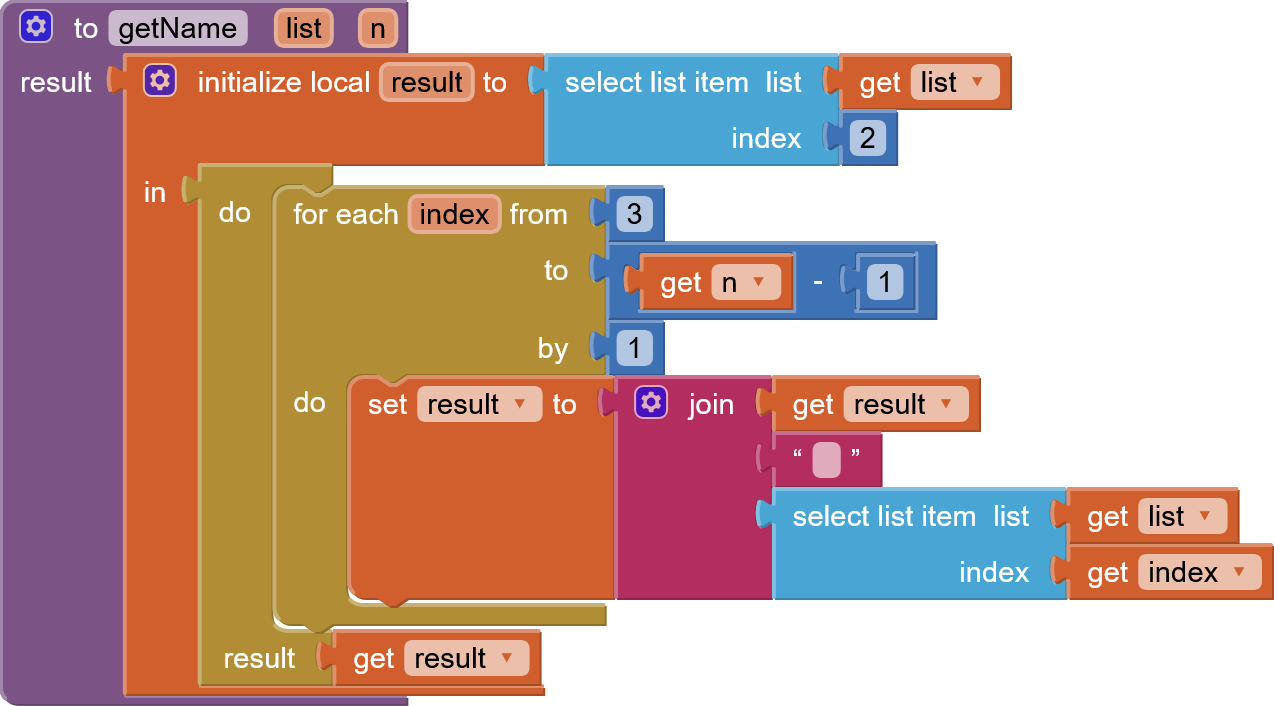
If you want to extract only name and rssi you can use something like this:

P.S.

Also not sure why if I start scanning for ble devices the list grows with lots of devices with null names and very low rssi… only certainty is a nerby “Fridge” at -99dB

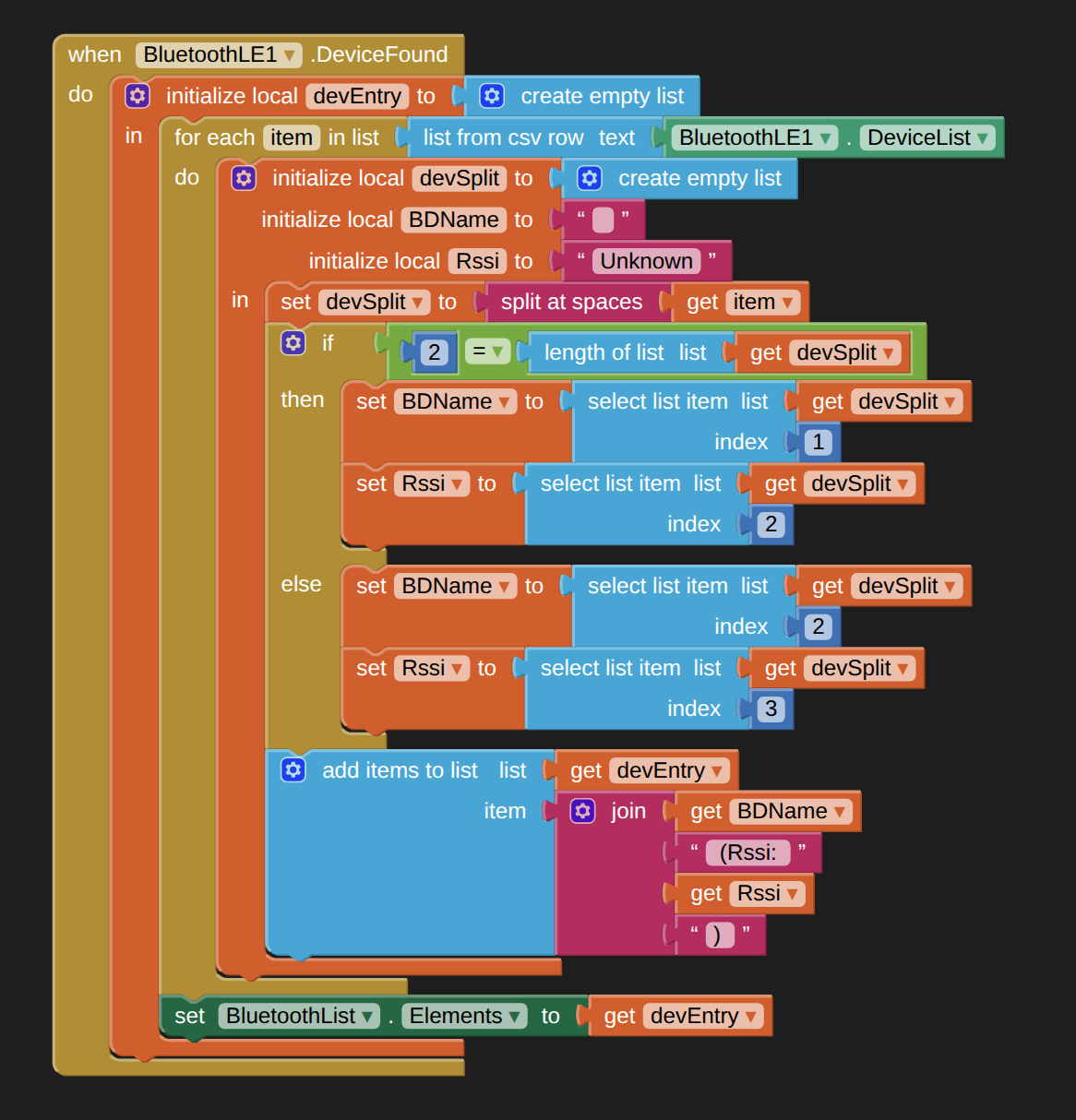
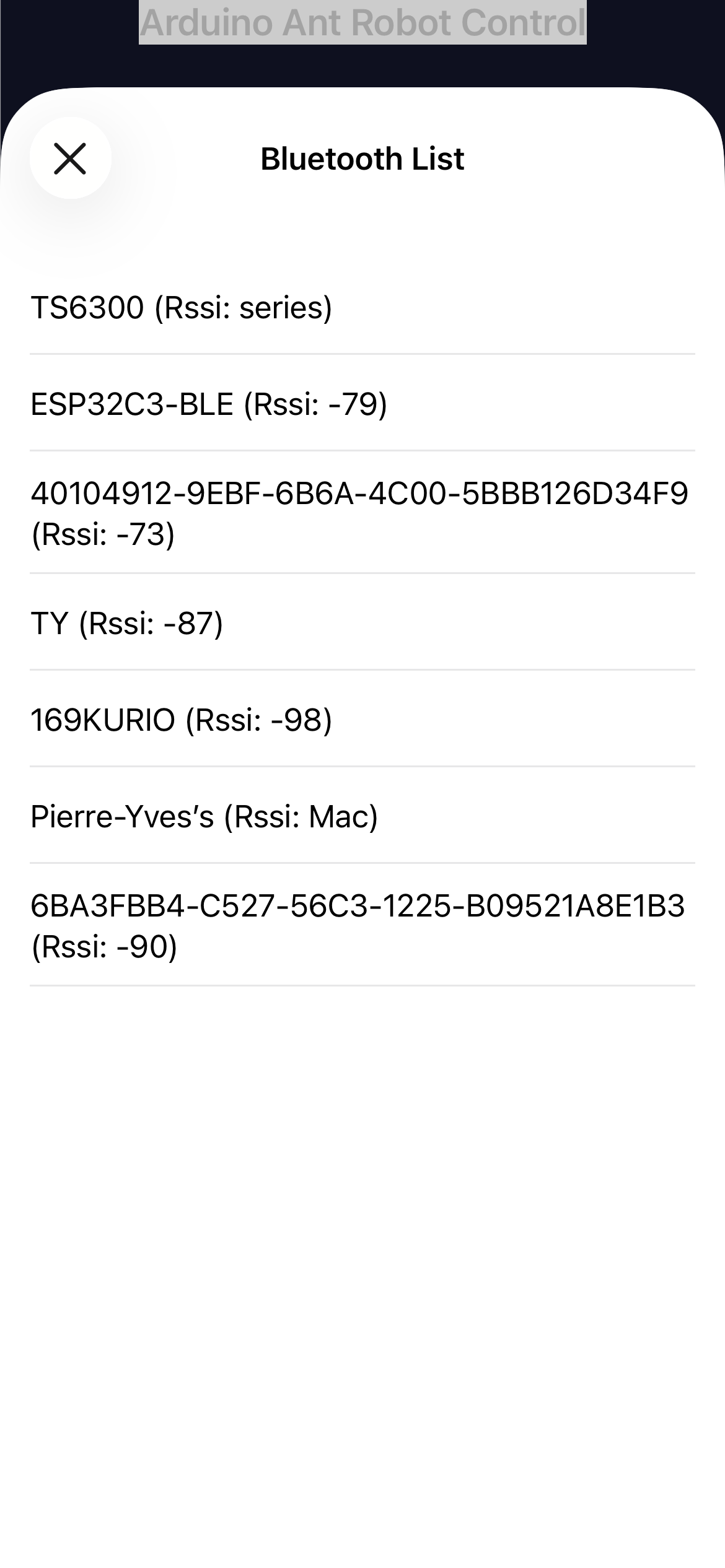
What you provided was a really good input. Here is what I did that gave me satisfaction :wink: Well, in the output, I can spare BD Address but at least this is much more readable. If a BD Name is set, then I display it. Otherwise, this is BDAddress that is displayed instead.

The only drawback to solve now is that the list may change over the time … and when I pick an index, the entry may change in between. This is not a big issue, but just annoying …

And as you may see, since I split over “spaces” it happens the name is splitter if contained a space into it … impossible to fight for

Agree…. it looks like there are a lot of improvements to bring with this extension. Now without accessing the code … difficult to collaborate.

it should not be a problem:

  • the first element is the mac address
  • the last element is the rssi
  • the in-between elements form the name

How you split them ? spaces ? this works as long as there are no spaces in the Bluetooth name.

Split them with a fix number of characters (BD Addr = 36 + “ “ + Name + “ “ + “RSSI”)
This should work, but are we sure RSSI is always 3 characters ? this is an option … complicate though

if line <= 36(BD addr) + 1(space) + 3(Rssi)
BD Name is segment(1, 36)
Name is Unkwnon
Rssi is segment( len(line) - 3, len(line))
else
BD Name is segment(1, 36)
Name is segment (36 + 1(space), len(line) - 3(Rssi) - 1(space))
Rssi is segment( len(line) - 3 , len(line))

This works as long as Rssi is always 3... Here I don't know

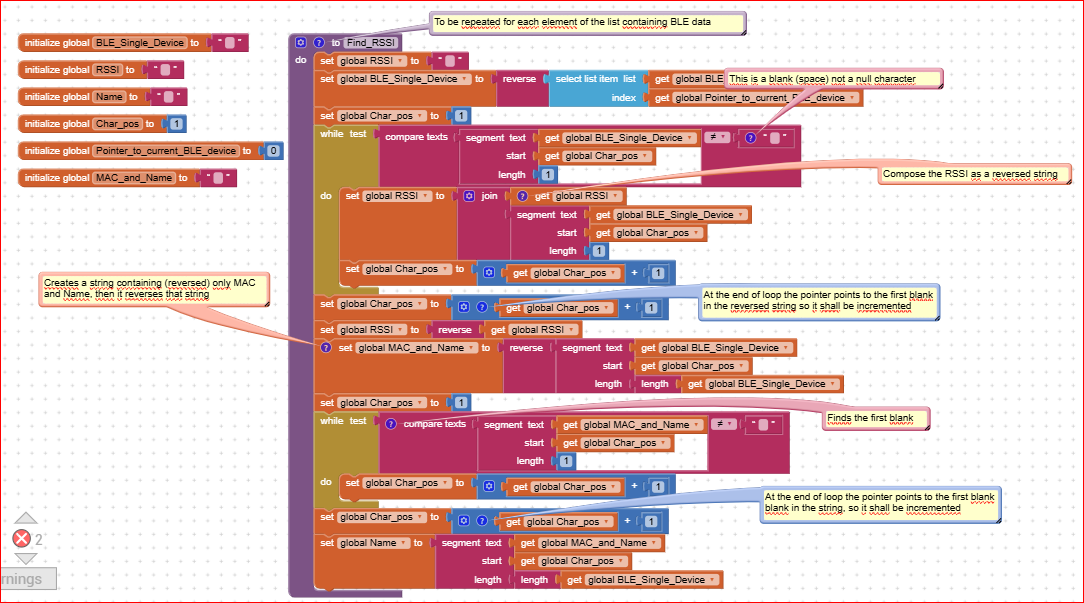
First of all I hope that you can read all the comments.

As previously, I didn’t check the algorithm, but I try here below to explain what is the rationale behind.

Since your concern is about the positions of spaces, within the name, and the length of the RSSI, my hypotesis is, according to @davidefa statement, that the RSSI (whatever its length is) is the last part of the string containing the BLE data.

By reversing that string, the RSSI becomes the fist data. The algorithm then searches for the first blank in the reversed string. When it finds the first blank, the characters before that blank are the (reversed) RSSI, so by reversing that portion you’ll have the RSSI (streight).

At that point the pointer of the reversed string is pointing to the first non blank character in the rest of the original, but reversed, string containing MAC+Name+RSSI. The algorithm then, starting from the pointer, creates a temporary variable, called Mac_and_Name, which contains only the MAC and the Name, and reverses it (to have it streight). Now, supposing that the MAC doesn’t contain any blank (space), by searching in the temporary variable the first blank, you can discard the first part which is the MAC and retain only the second that should be the name. I filled the blocks with comments hoping that they can help you in understanding the algorithm.

Surely not the most elegant algorithm, but (probably) it works….:grin:

Je peux l’écrire en Français, si tu prefère, mais il va couter quelque temps, car mon Français est un peu (beaucoup) ruillé :rofl:

Bonne chance.

Since the implementation I did doesn’t give full satisfaction, I will look at that

je vais essayer merci :wink:

this is my version: