My app has many fields and few few buttons on most screens. The workflow I want to optimise for keyboard use is: enter one or more (2-3) fields and then press SAVE button. Then again and again.
Currently, the basic scenario is using soft keyboard to fill text field(s), tap next fields, enter data,... and at the end, tap SAVE button.
The app needs (in some cases) very fast input and then external keyboard would be nice.
Of course android handles external keyboards but I can't find a way to catch special key (CTRL-Enter, or Enter or whatever) in ANY FIELD so to fire "SAVE BUTTON". The app has pretty advanced on-entry and on-exit handing in many fields so I do not want to mess more with individual text box handlers. Rather I need screen-wide way to invoke SAVE button from physical keyboard. One may treat SAVE as the default key on the screen.
Any ideas? Any extensions ?
HNY
Jakub
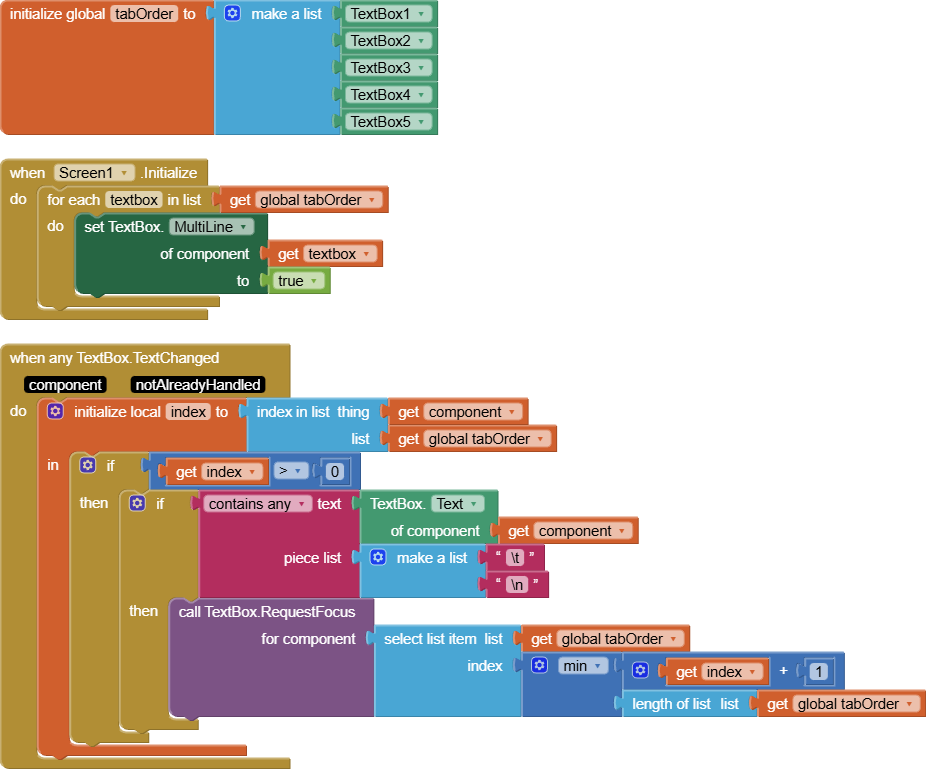
There are special characters you can test for in Textbox Changed events, like \t = tab, \n = NewLine, \r = Carriage Return.
Here's a half baked attempt.
I forgot to remove the tabs and New Lines after sensing them.
I leave that to you.
text_entry.aia (2.8 KB)
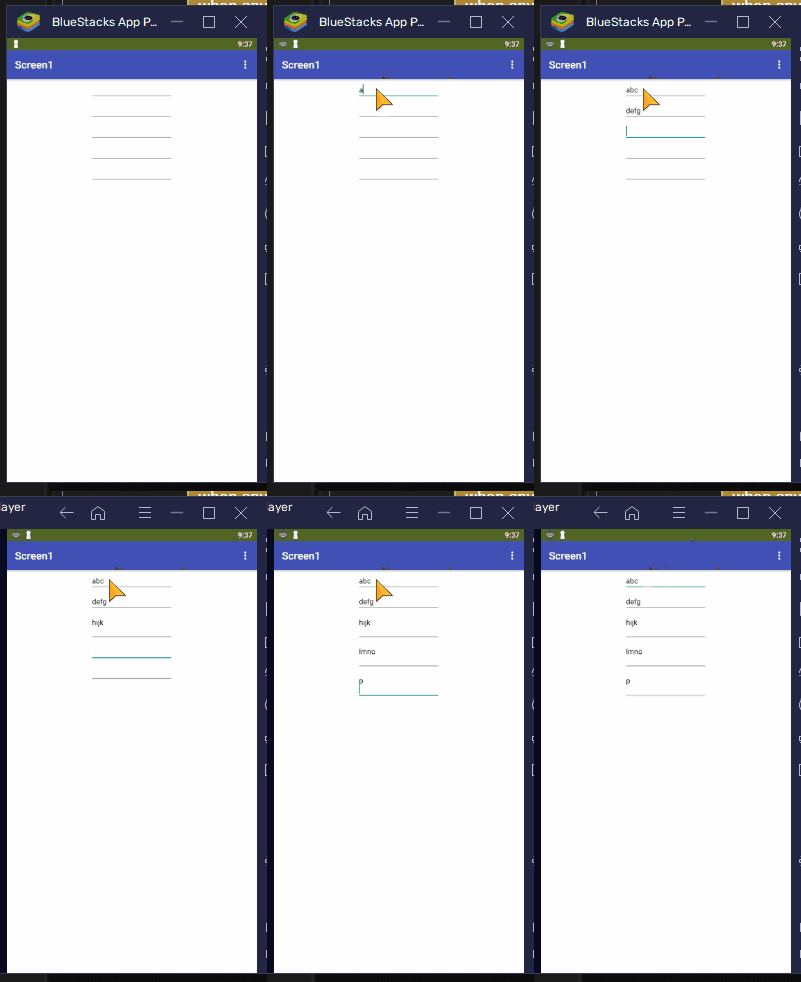
In the first 3 text boxes, I pressed the tab key on my PC keyboard (I am running an emulator), and the focus shifted.
On the last two fields, I used the Enter key, but it shows its effect on the textbox before focusing on the next textbox.
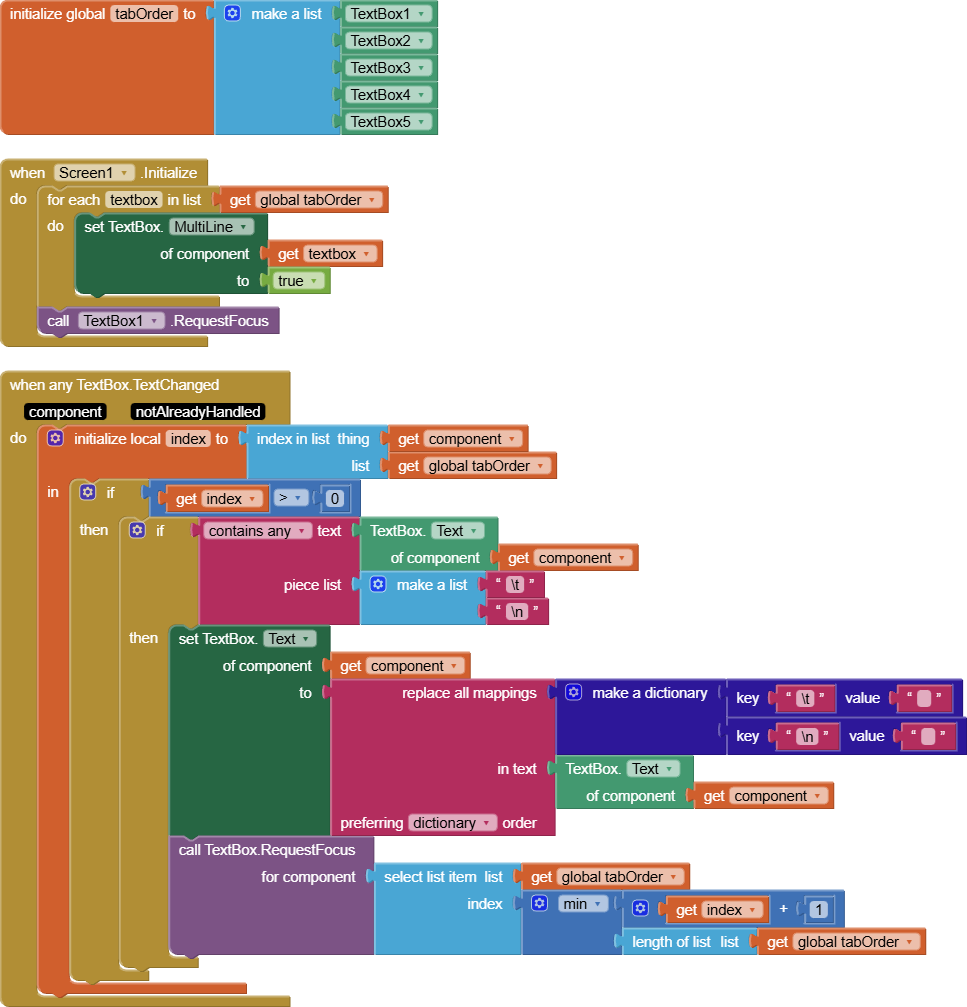
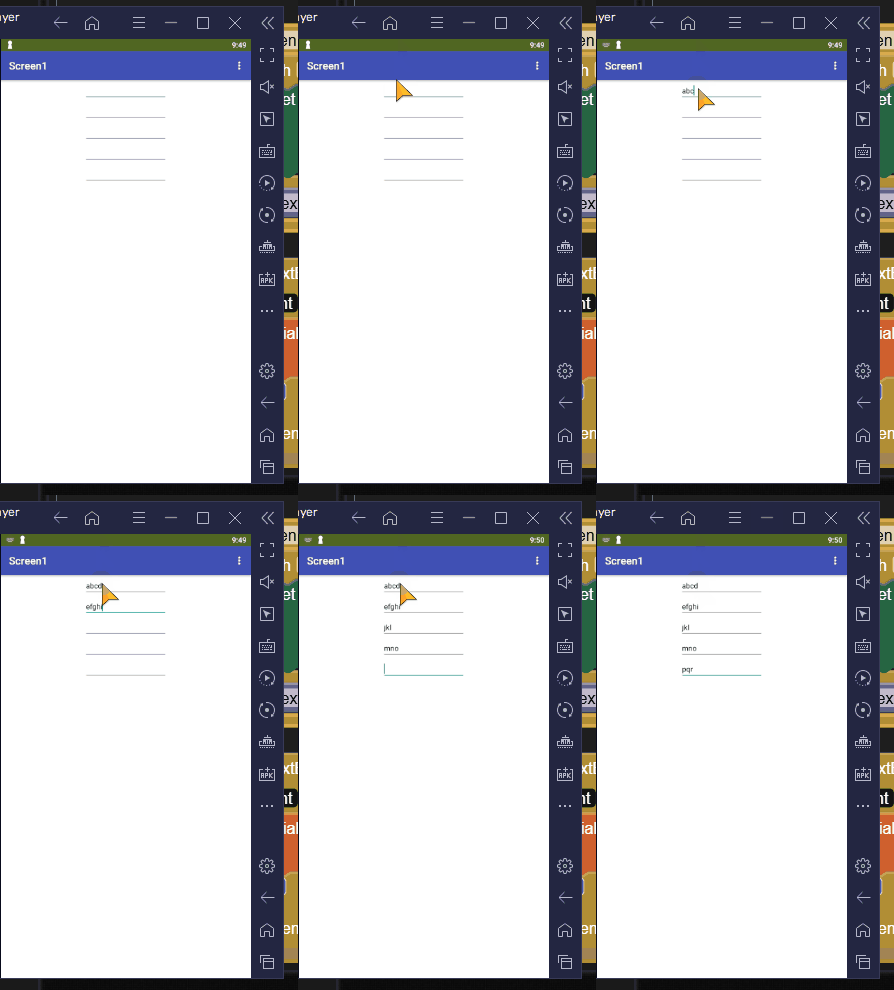
Here's more polished version, with initial focus on the first textbox, and automatic removal of tabs and NewLines before moving focus to the next textbox on the global tab order list.
text_entry.aia (3.2 KB)
Will this work with an external keyboard?
I have no idea.
Tested with external bluetooth keyboard, it works (handles the return key) 
external is same.
thanks for prompt reply. I'll test the idea and try to find "special keys" that can be handled
ok, the initial test results:
- multiline is incompatible with numbers-only so no go for plain Enter (BTW Enter acts as TAB i.e. advances to next selectable component textbox-or-not)
- I can't generate/read any CTRL-Z style characters , so currently I see no "special key" to use
- appinventor itself does not have Asc(text) like method to return code of character (I know I can build such extension) so no real test for now if there is anything one can get out of textchanged event (BTW there is no info what has changed so removing special character is a bit blind drive)
maybe I will find something tomorrow.
Thanks again for your prompt reply and your time spent helping
HNY
An extension that captures key events from soft and physical keyboards would be a useful addition for AppInventor developers.
This extension might be interesting for you
Taifun