Issue wth spreadsheets: Writing new row not working


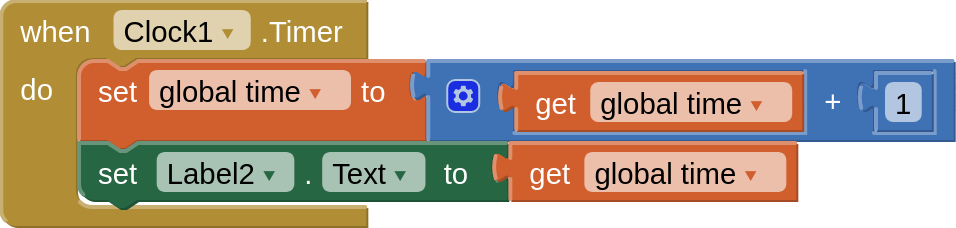
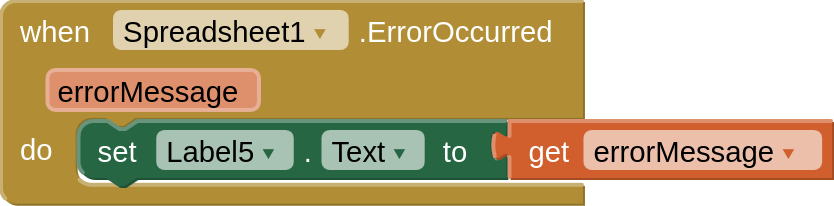
This doesn't seem to be working on iOS at least. global time is the current unix time. I know spritesheets is working because it can send cell data.
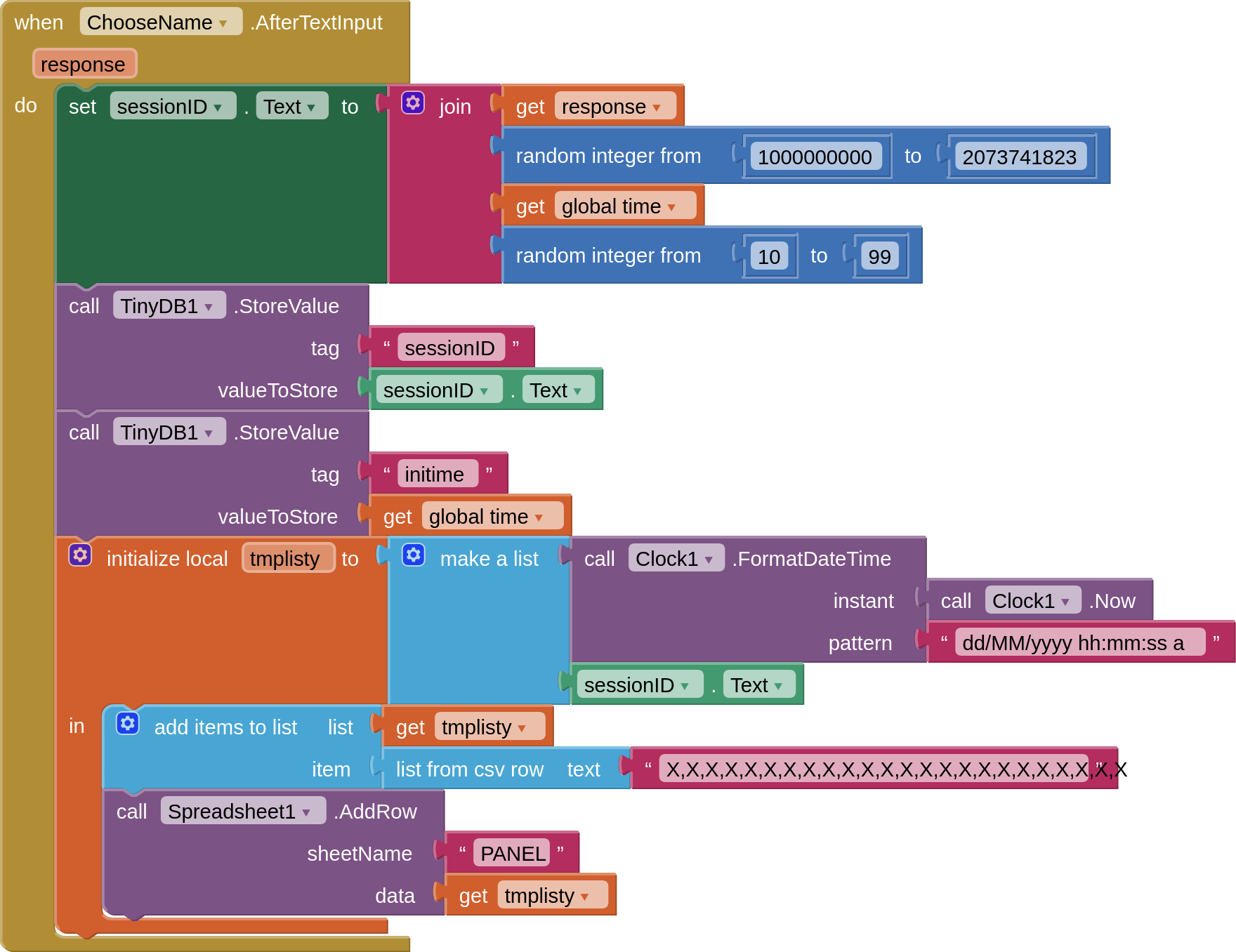
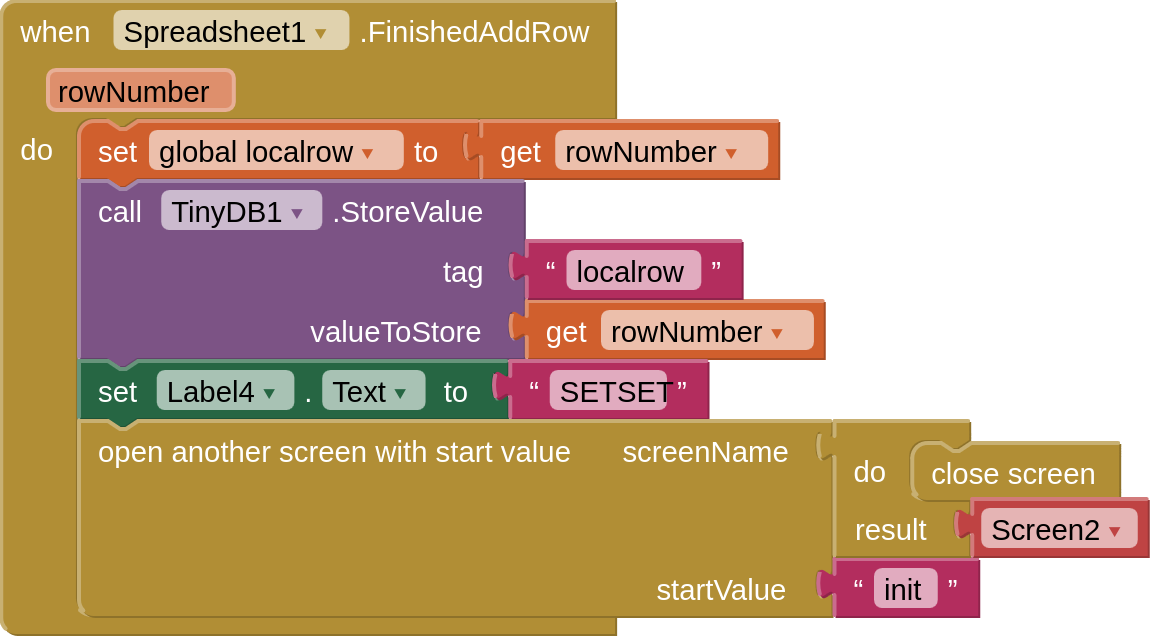
It is likely AddRow doesn't work on iOS... I'll try using a script

1 Like

I don't know what happened, but somehow add.row was picking up time = true, but time is expected to be a number, so it crashed. time was only ever defined as true in the next screen though. Changing it to 0 fixed the issue. This is probably because of how AppInventor handles global variables on iOS (I have had issues with this in the past). This didn't happen on android.

Could you provide more context about how you're passing information around? You mention there being a next screen, but we don't see which screen this is currently on or how the information is being passed to it. My guess is there could be a coercion issue causing 0 to be cast to false or something like that. I'd like to figure out where it is happening so we can fix it.

I don’t have acces to a computer right now.

Because I didn’t know how to get time in unix epoch, I did it manually with a big formula and set it to be the variable ‘global time’, adding 1 to it every second. The next screen had “init global var ‘time’=true” so what I think might’ve happened is that “true” as the global var “time” was being added 1 (that is how clocks work) because when the app initializes it quickly opens both screens and closes the one that is not currently relevant to the user.

Something similar had also happened to me here:

The current blocks has some differences to how blocks were when this happened. I can upload it if it is of any use.

This topic was automatically closed 7 days after the last reply. New replies are no longer allowed.