Previously, applications built with Target SDK 34 were working perfectly without any issues.
However, after upgrading to Target SDK 35, many problems started to appear in existing apps.
My Question
Is there any way to build/export the APK or AAB directly from the MIT App Inventor servers using:
Target API Level 34 Without using any external tools or APK editors Without downgrading manually after build
In other words: Can App Inventor currently generate apps directly targeting API 34 instead of API 35?
Notes
The apps were originally developed and tested successfully on SDK 34.
Issues only appeared after the forced move to SDK 35.
Any clarification from the App Inventor team or community would be greatly appreciated
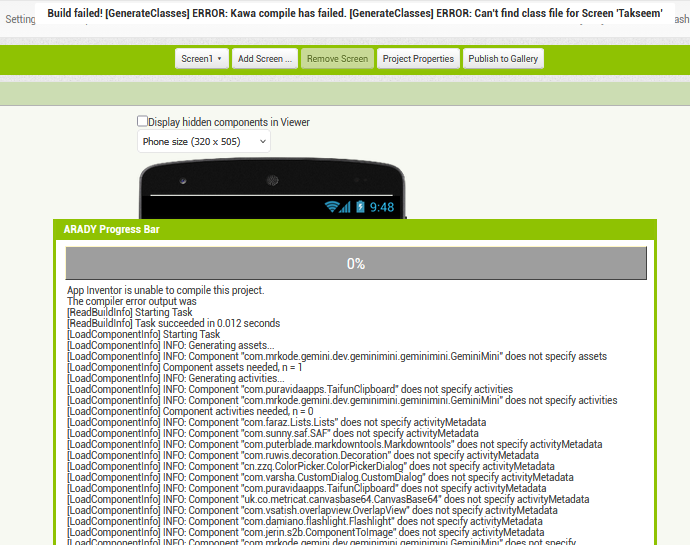
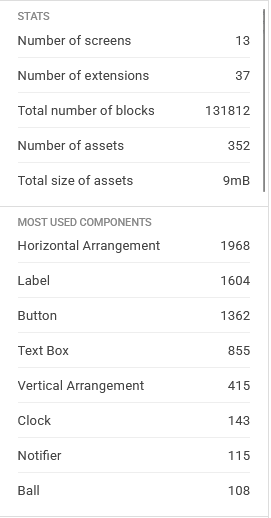
In some large projects, rebuilding the app sometimes fails with a compilation error:
Compilation Error: Can’t find class file for screen
This happens after many build attempts, and the APK is generated successfully after many trials .
Another issue
After rebuilding the old applications with Target SDK 35, they no longer work properly on devices.
However, when I downgraded the target SDK to 34 using the APK Enhancer tool, the applications started working correctly again.
This confirms that the issues are directly related to Target SDK 35, not to the app logic itself
Previously, the same project was building successfully without any issues.
Now, these errors appear when attempting to rebuild the project, and it often requires many repeated build attempts before an APK is finally generated.
The screen name in the error message changes each trial
In some cases, it may take up to 20 build attempts to successfully produce the APK
After more than forty failed attempts to generate the APK, I finally succeeded in producing the file.
The APK was built successfully without making any changes to the project—only by repeatedly retrying the build process over and over again.
However, the generated APK works properly only on Samsung devices.
I then downgrade the target SDK using the Enhancer tool, after which the application works correctly on all devices.
 My Question
 Can App Inventor currently generate apps directly targeting API 34 instead of API 35?
 Notes
Notes