Let's say i have 50 checkboxes, I only need the text of the checked boxes. We can go through each of them one by one, just wonder whether there is a simpler way to do it. Thanks!
1 Like
yes, that's the way to go
Taifun
1 Like
Try this ListView alternative ...
1 Like
turns out Ctl-V 50 times is not that of a labor. Thanks anyway.
If that 50 is a firm number, study generic and component blocks, to avoid making your blocks look like a box of combs.
Do you need examples?
1 Like
Sure, please
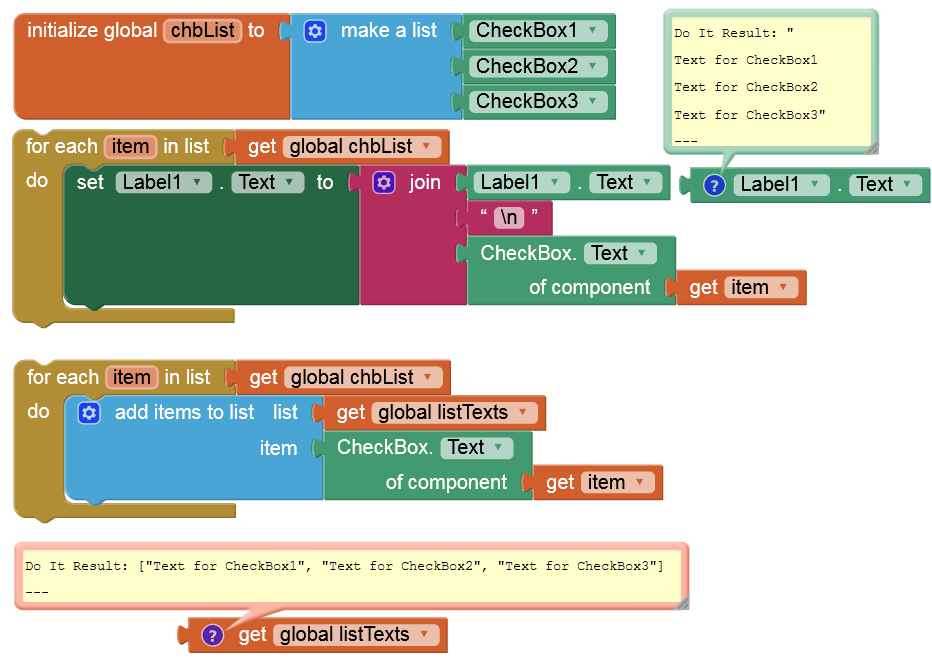
This is to set the checkboxes, which is not much of a concern for me cause I do it in designer, it's easier to do it there. I was trying to find a simplier waya to get a list of texts for those checked checkboxes
"This is to set the checkboxes" ...

1 Like
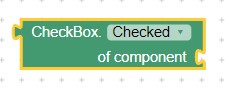
Probably should use this Block to determine the Checked state in a similar way as Anke showed?
Here are some resources to help you learn to use the AI2 tools. A very good way to learn App Inventor is to read the free Inventor's Manual here in the AI2 free online eBook App Inventor 2 Book: Create Your Own Android Apps ... the links are at the bottom of the Web page. The book 'teaches' users how to program with AI2 blocks.
There is a free programming course here Course In A Box and the aia files for the projects in the book are here: App Inventor 2 Book: Create Your Own Android Apps
How to do a lot of basic things with App Inventor are described here: How do you...? .
Also look here App inventor español. Offline. Tutorial. Ejemplos. Instalación. Códigos. Juegos. Curso gratis de App inventor. and here Tutorials for more tutorials.
Learn about components Component Reference
and visit the Library The MIT App Inventor Library: Documentation & Support Help>Library on the MENU
1 Like
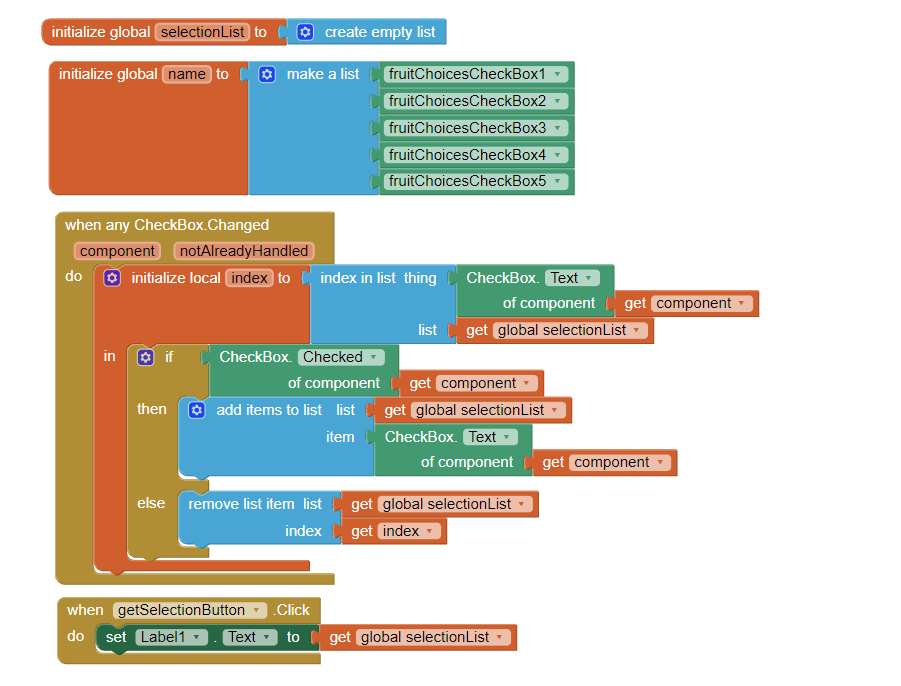

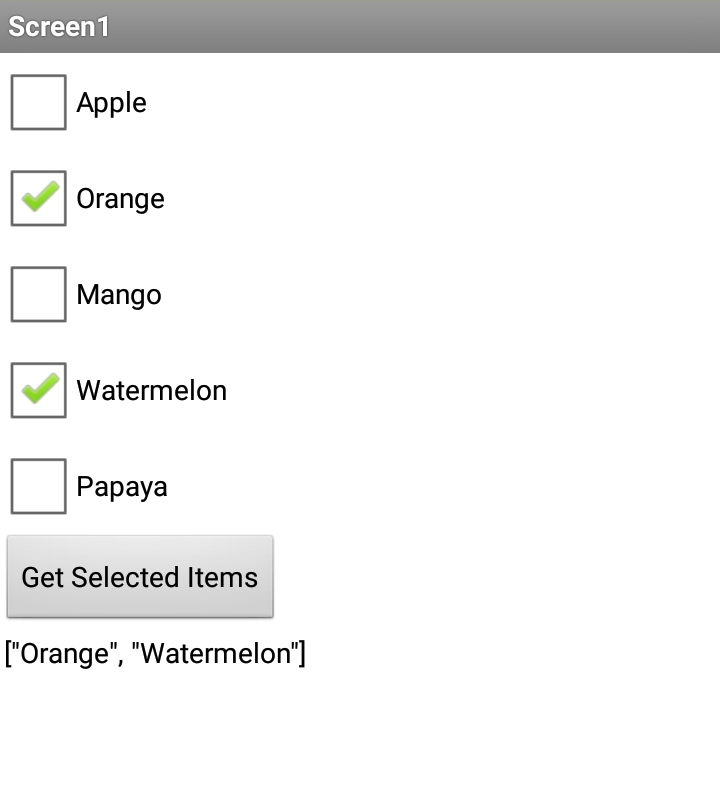
6 Likes
1 Like
Awesome, here we go, thanks. maybe at the beginning, just make a list using split txt of a strng will look better.
This topic was automatically closed 7 days after the last reply. New replies are no longer allowed.