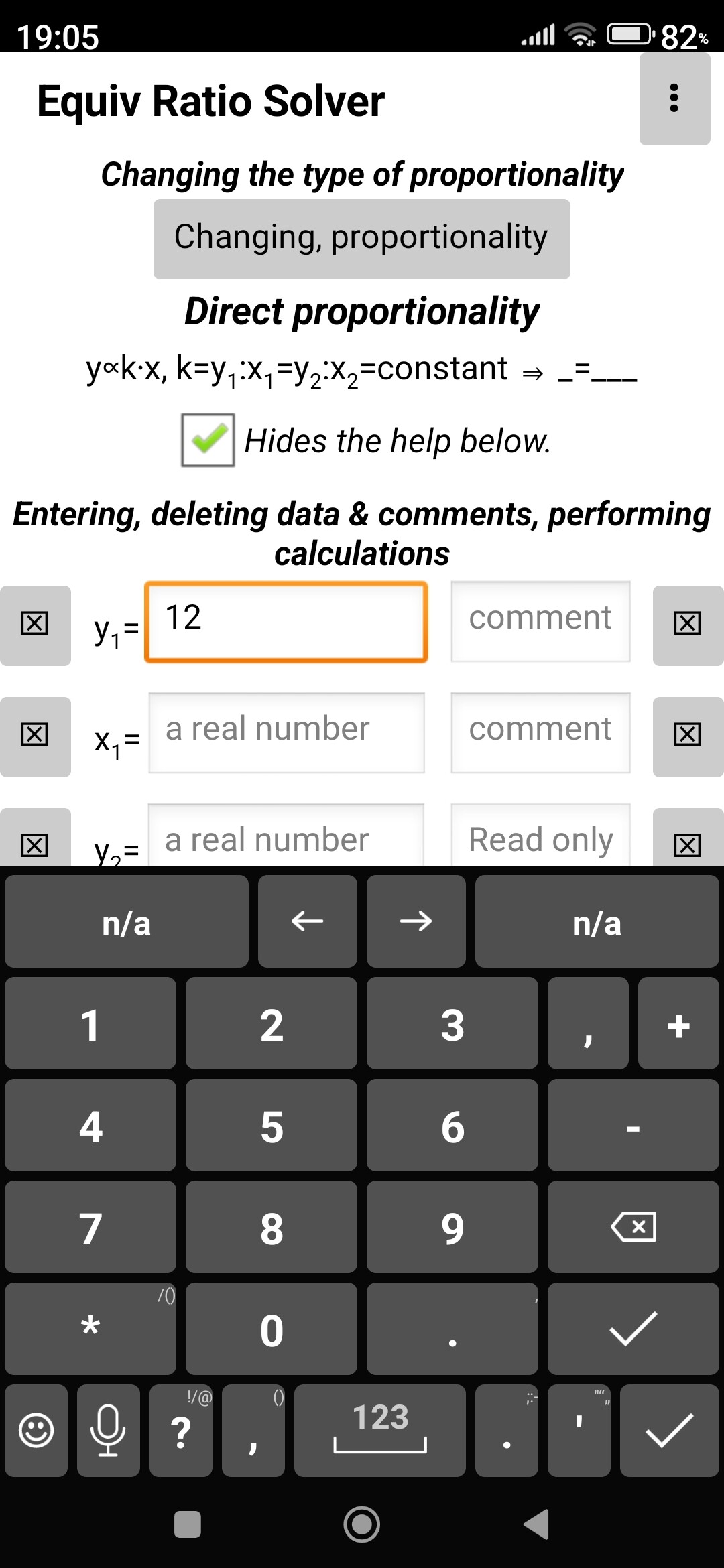
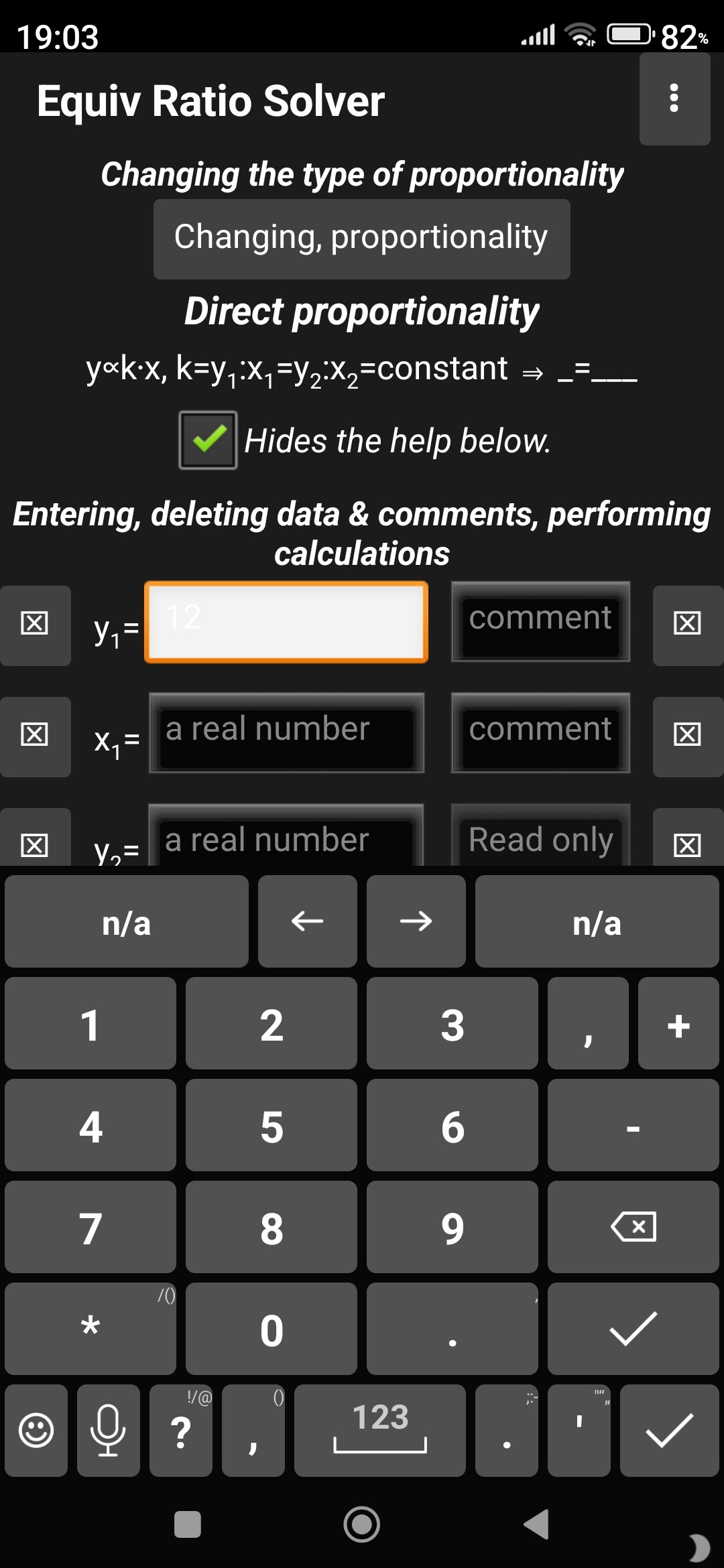
I left the background and text colors of my app's UI components as default: background is white, text is black. My app adopts the phone's theme (without any programming) by defining it in my phone's settings. My app automatically uses a light theme during the day and a dark theme at night, as my phone switches from light to dark, and vice versa. This works fine, except for one thing.
In a dark theme, the background and text color of the textbox are almost the same, meaning it is unreadable.
In more detail, the default background color of a textbox is white and the text color is black, even when the textbox has focus. This is fine for a light theme. However, in a dark theme, these colors are automatically changed: the text in the textbox becomes white, and the background of the textbox becomes black until the textbox receives focus. Once it receives focus, the background of the textbox turns white, so the white text you type in it is barely visible.
Yes, I think so too, but for this my application would need to detect when there is a light theme and when there is a dark theme, as this solution is good for a dark theme, but bad for a light theme.
How nice it would be if the background color of the textbox automatically followed the appropriate, default color change even when in focus: in a light theme, the background color of the textbox is white even when in focus (this is still the case now), the text color is black, but in a dark theme it would be nice if it automatically changed to this: the background color of the textbox would automatically remain black even when in focus, and the text color would change to white.
Well, if there's no other advice, I'll probably use the ThemeHandler extension to detect the phone's system theme. That way, in the dark theme, I can set the background of the textboxes to black when they have focus.
This happens in both the companion app and the compiled app.
This problem is solved if I select Device Default for Theming in Project Propterties.
Because, it was previously set to Classic in Theming when this problem appeared
So, now that the Device Default Theme is selected in Project Properties, the Theme Handler extension is no longer needed.
Yes that's certainly part of it. The Classic theme is Android 1.x-2.x, which never had a dark theme option. Dark themes on devices were introduced after Material UI (Android 5.0). However, I thought it was interesting in your screenshot that the non-focused text boxes seem to have a dark background but the active focused one did not--which makes me think there is some style we can change to fix this across Classic theme apps.
Yes Sir, you see this correctly, it is indeed so, only the background of the focused textbox is white in dark mode, while the background of the unfocused textboxes is black in dark mode.
This style improvement would be nice, I would be very happy with it. This way, the background of the focused textbox would look good even in the Classic dark theme, when the text is white.
I took the courage to look into the appinventor-sources/appinventor/ directory, looking for .css files, to see if I could find anything interesting related to this problem.
I have neither the experience nor the ability to figure out on my own which .css file is important in this matter and what modifications are needed to solve it.
But, I'm curious.
I found this: appinventor-sources/appinventor/appengine/src/com/google/appinventor/client/style/classic/variableColors.css