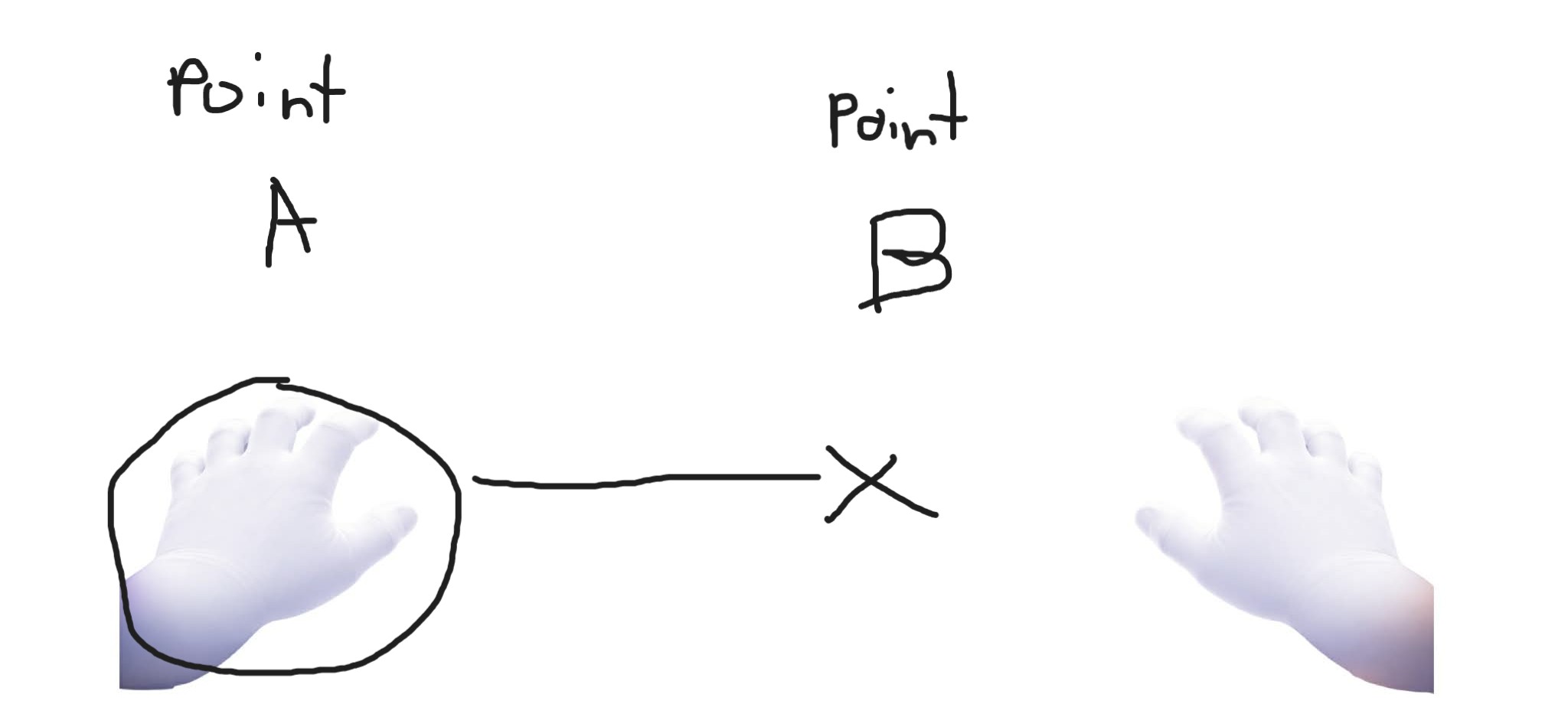
Hello everyone, could someone please help me understand how to properly move an ImageSprite to a specific position? I’m trying to make it move from Point A to Point B (like in the image example), but instead of stopping at the target location, it keeps moving all the way to the edge of the screen. I’m having a hard time understanding how the movement properties (like speed, heading, or coordinates) work together. I would really appreciate a clear explanation or example of how to control the movement so it stops exactly at the desired point.
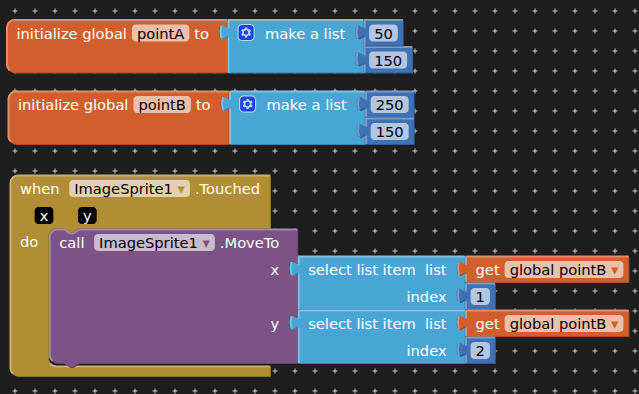
This would move it instantly
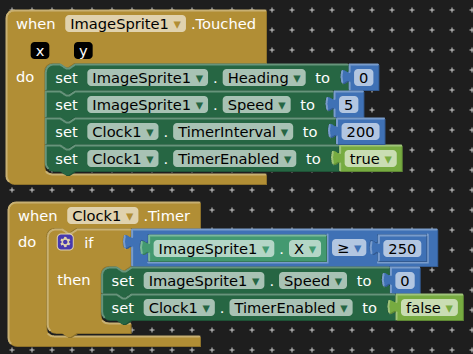
but I am guessing you want the hand to move gradually across the page. A couple of methods for that...
1 Like
1 Like
1 Like
May I also ask, what should I put if the "ImageSprite: Y value is also included?
You would need to calculate the heading between point A and B
Basic trigonometry, but remember 0 degrees is on the right of a horizontal centre line in a canvas. (-90 degrees is straight up, and so on)
1 Like
THANKYOU SIR! 
THANKYOU TOO SIR!
You can also place an "invisible ball" ( same color of the backgroud ) and use the collision event to stop the sprite
