Okay, ill see.
Destress_1 (1).aia (1014.2 KB)
So I tried that and after the user types in their feeling or what their stressing about when I click see stress list nothing is popping up
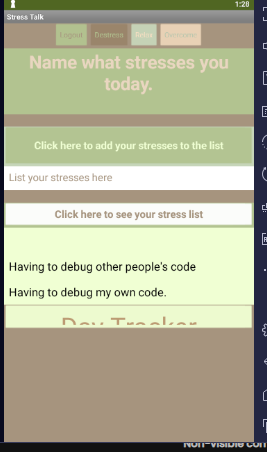
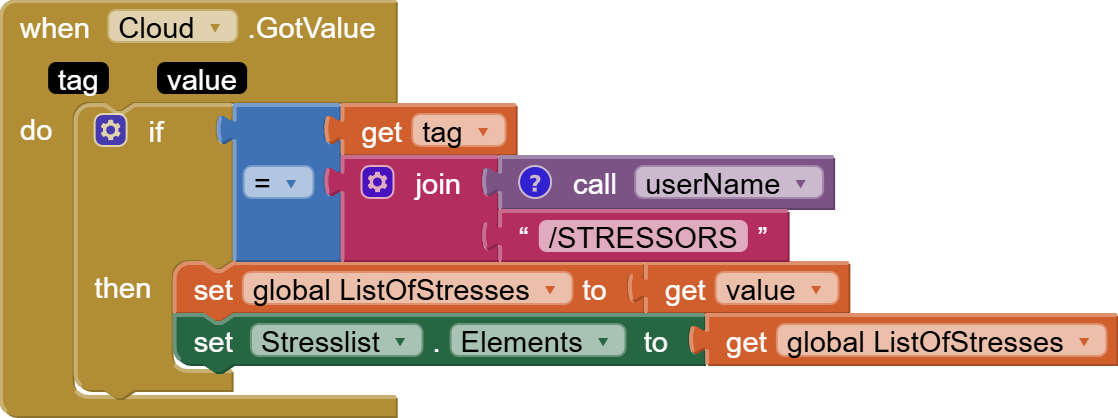
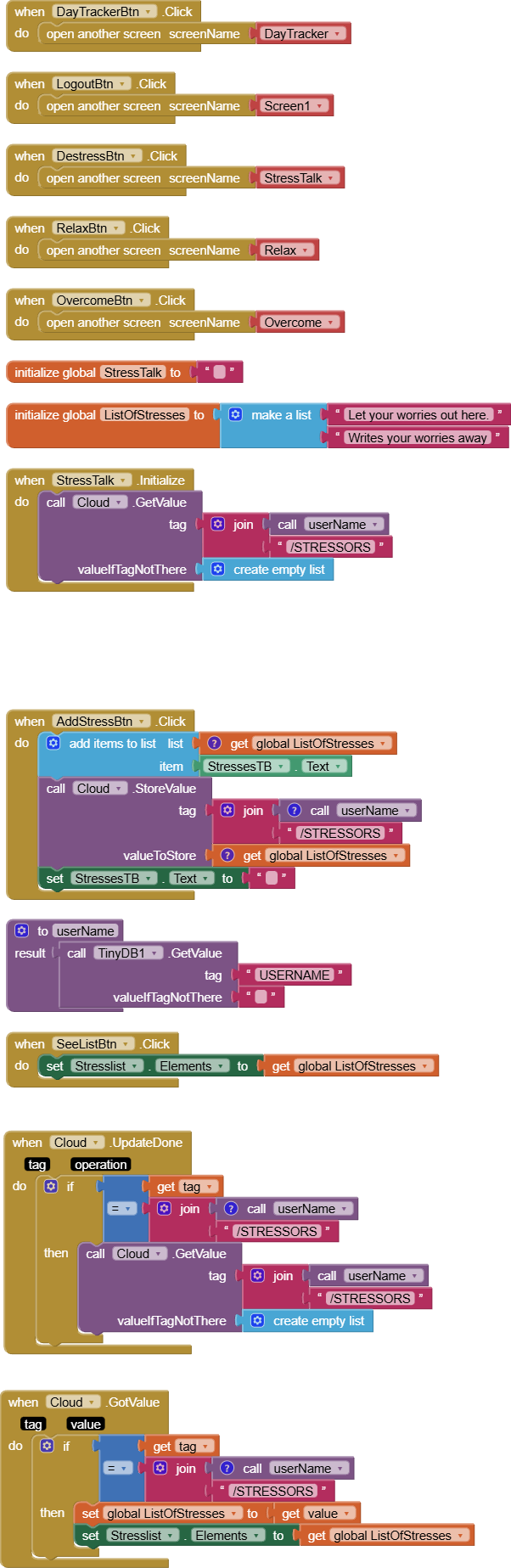
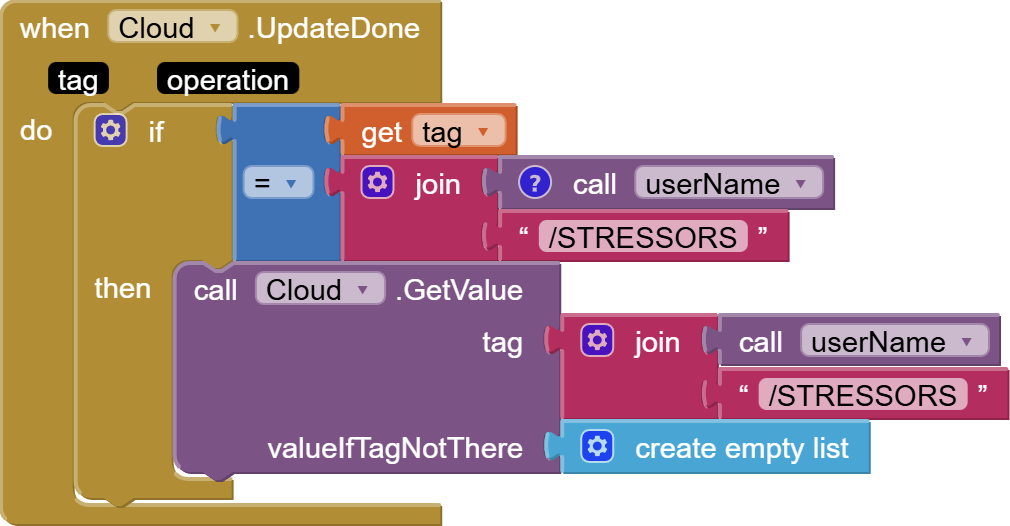
So for my relax and overcome screen i want to do the same thing I did for my stress screen but when I tried thia code again on the other screens it didn't work
So ...?
Nevermind
I can't see your blocks.
Move your head a little to the left.
So the function I have for my stress screen is the same function I want for my overcome screen and relax screen, but when I tried my same code with the stress screen, all three of the screens stopped working, so yeah.. the app below has the fixed stress screen but the other two are still a huge problem for me.
ReLeaf.aia (1014.7 KB)
Welcome back.
You did not say what you were expecting to happen versus what actually happened.
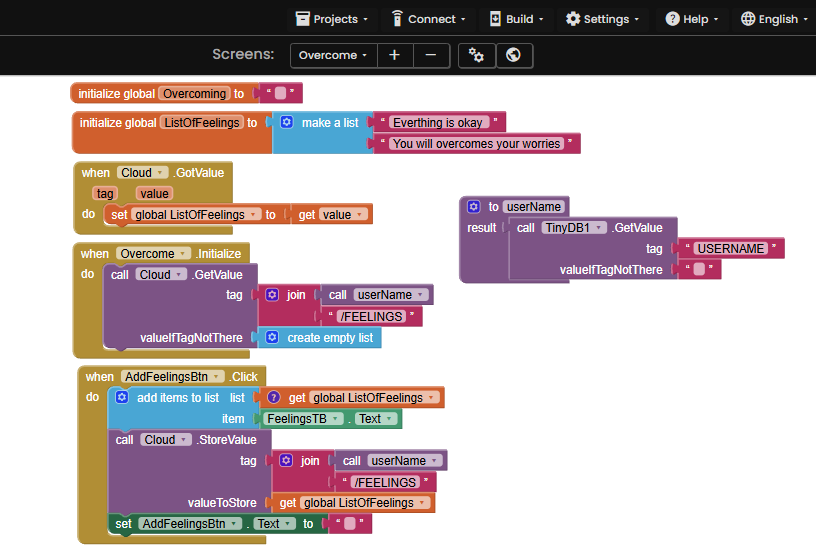
I signed back into your new app, and got the same stressors I added in my previous run, then switched to the Overcome Screen, where you go looking for another list, FEELINGS.
Because I did not add any, and because it was set to return an empty list of it found none, it returned an empty list.
But I notice you initialize global ListOfeelings to two sample values, immediately to be wiped out by the incoming empty list from CloudDB.
Were you expecting them to be returned instead of an empty list on first run?
I am in the feelings screen (Overcome), and was able to log and retrieve two feelings (gassy and sleepy)
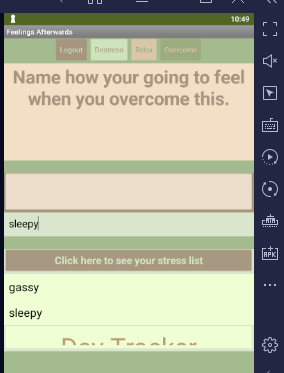
I had to change ink colors to black to see them, and I had to ask for them to be displayed via the See Feelings button.
You forgot the extra cloudDB event block I had added to the stressors screen, that watches for updates to CloudDB and requests a new read, triggering a refresh of the List View on arrival.
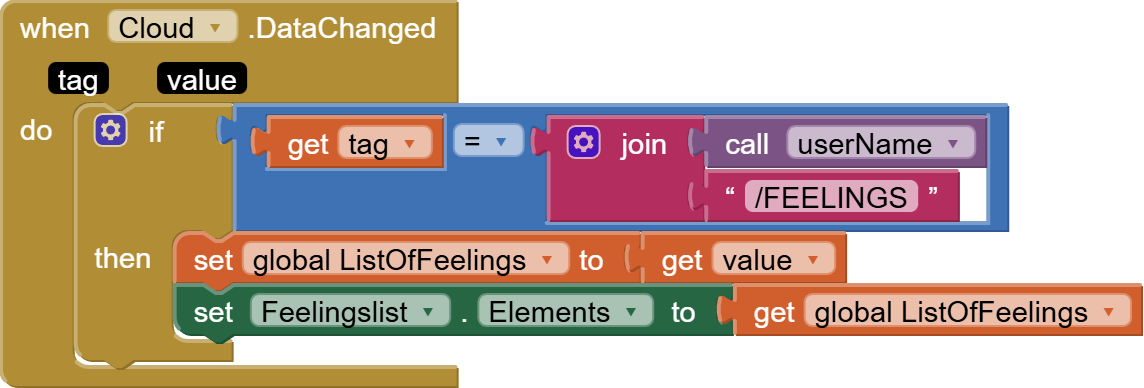
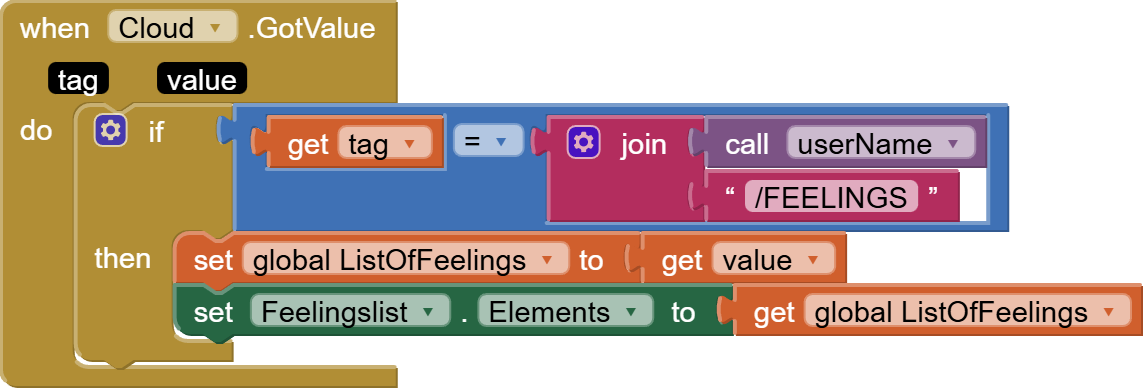
Updating the global variable isn't enough.
You also have to update the ListView.
By the way, your Labels don't reflect what this screen covers, feelings. One of them talks about stressors.
I looked in the relaxers screen, and see you made the identical mistakes as you did in the other screens.
Now that you have two of them fixed, can you fix the third?
ReLeaf.aia (1015.1 KB)
So I believe I fixed my last screen, but a weird question: what device did you use to test out my app? I'm asking because I used my Apple phone and I think it's odd. Since one moment the code works, then i reconnet, and it stops working, weirdly enough.
I use the BlueStacks Android emulator on my desktop Windows 10 PC, for the benefits of the screen grabs and recordings.
Companion disconnects are rampant.
This topic was automatically closed 7 days after the last reply. New replies are no longer allowed.
She has been working on this app
Relax.aia (1015.6 KB)
she's new and confused on this app think but the only problem she is having is when you go onto her three screens when you type something in the text box it is supposed to pop up in a list I think and it is supposed to do that for all three screen. I think she has asked for help before but it seems like she's still not understanding it.
Did she say she is still confused? Because I looked at it and it looks great. I don't understand the problem
This app was discussed in this thread:
Should we re-open that thread?
I now merged the 2 threads and reopened
Taifun