So my app is kinda a diary where you can talk about what stresses you and how you overcome them. I have to use cloud DB to keep the data after you login and Ive been having issues with that and the day tracker at the end and having what they type save so when they lg out and log back in they can see the list of what they wrote.
Destress_1.aia (524.2 KB)
The app is up there.
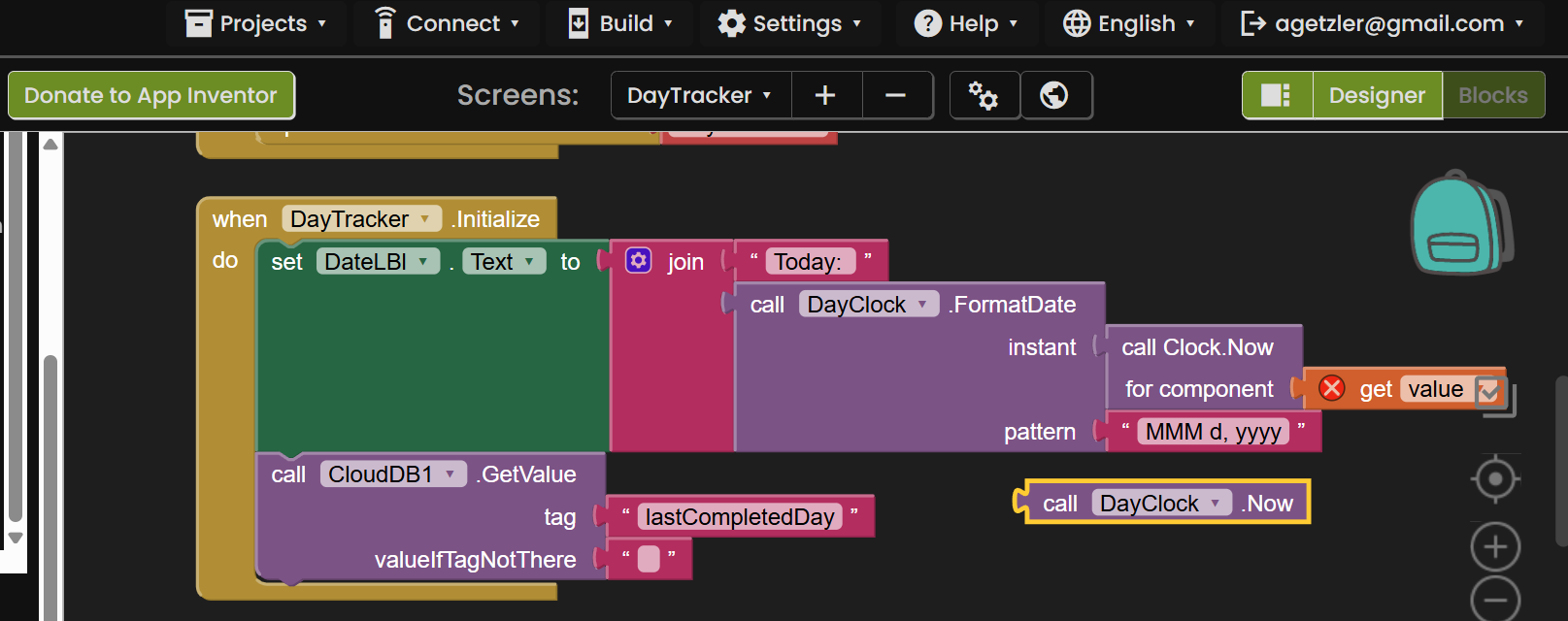
In the day tracker screen, you used the wrong clock Now block, in several places.

This one is draggable.
In the Day tracker screen, you are misusing the incoming tag when a value arrives from CloudDB.
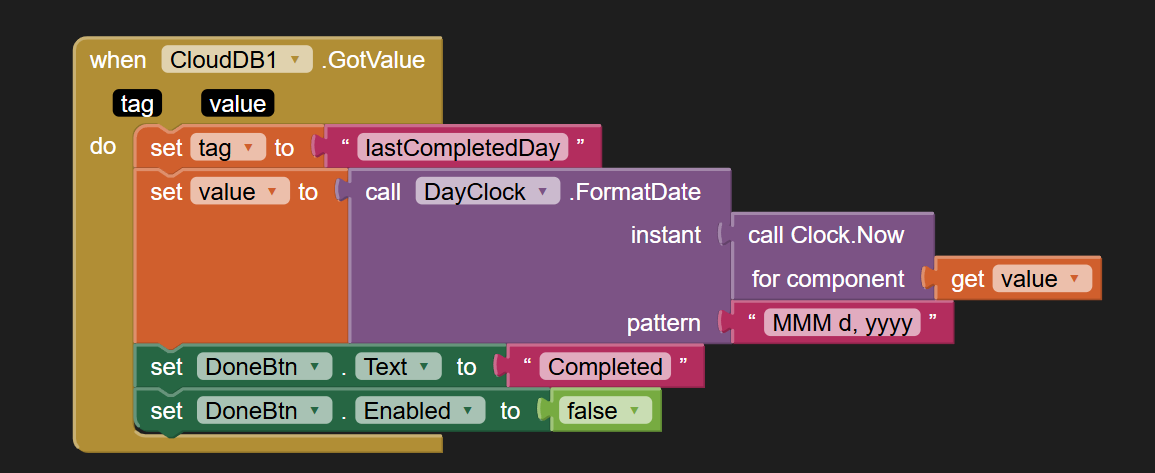
You should not change it.
It is there for you to examine it, to decide what to do with the incoming value.
Likewise with the value returned. You should not be changing it, but putting it to work in your app.
Unfortunately, I don't know what you track.
Is it a list of days, or a count?
If it is a list of days, what would you track for each day?
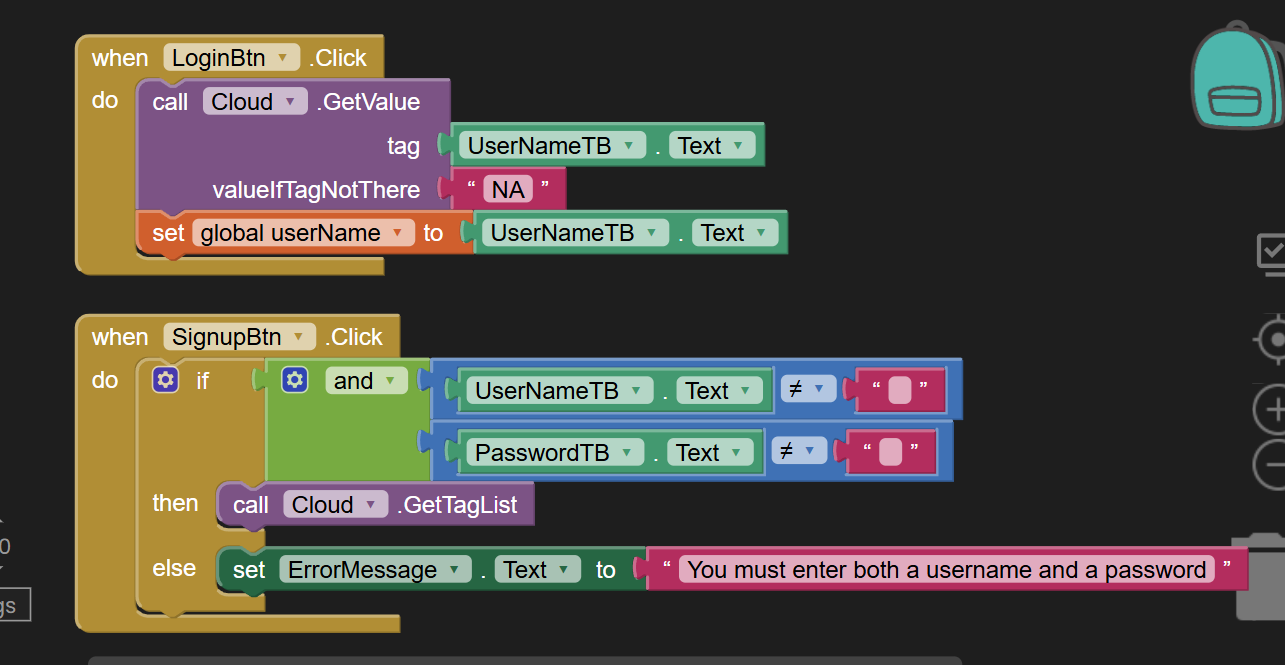
In Screen1, you have a signup button and a Login button.
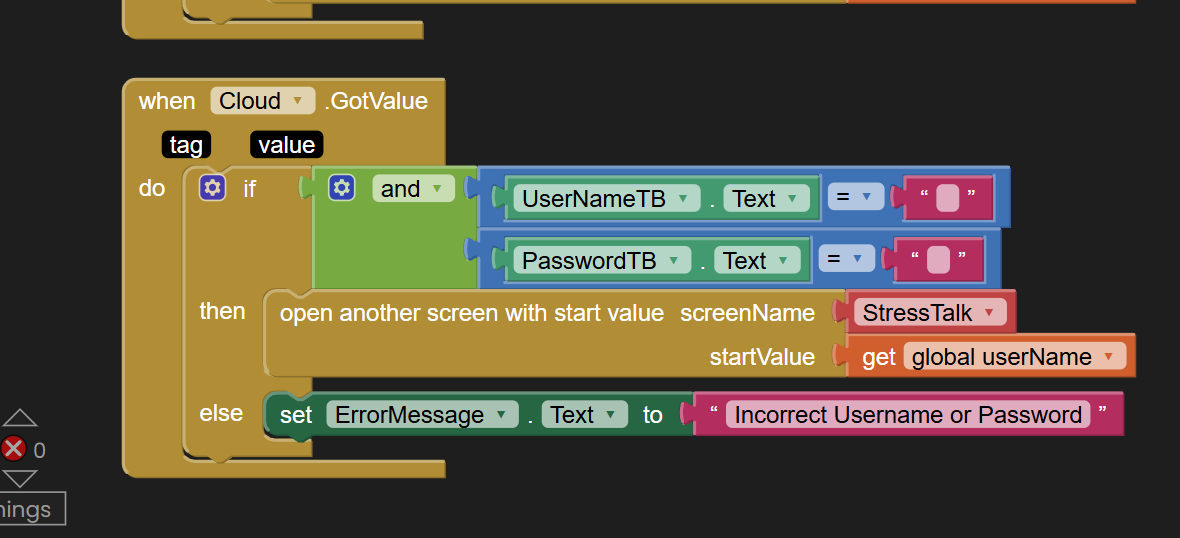
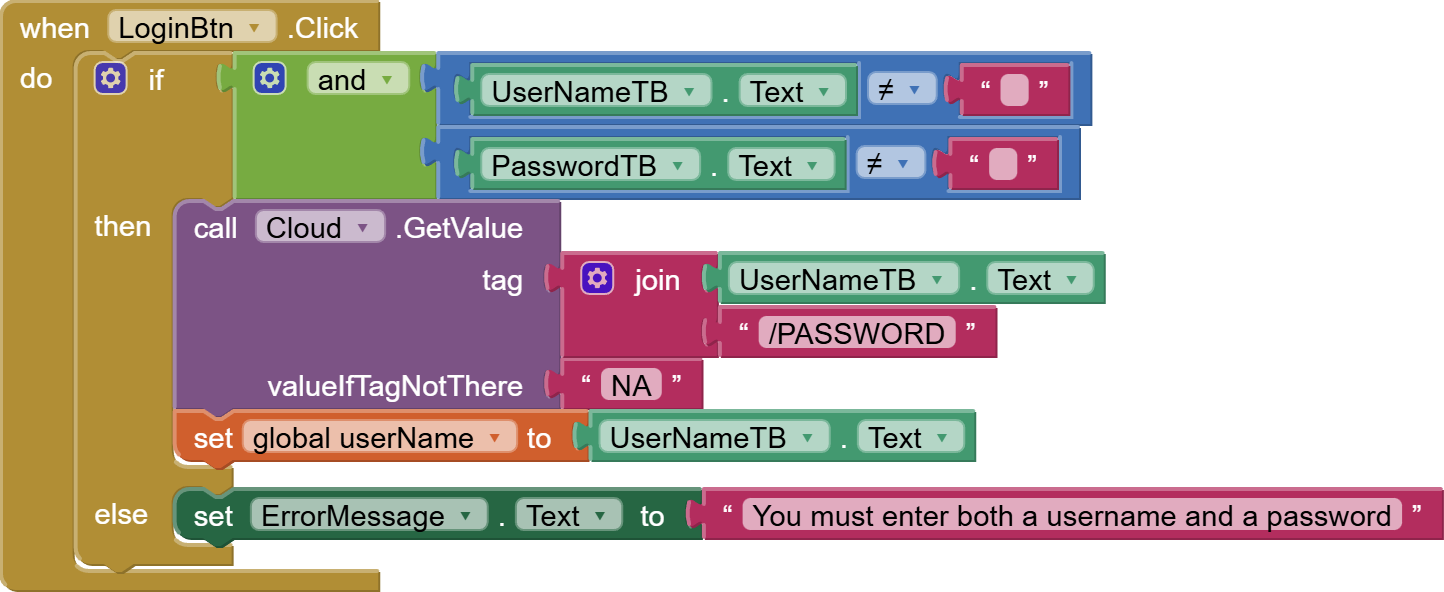
Both of them need nonblank name and password, but you only tested in the signup button.
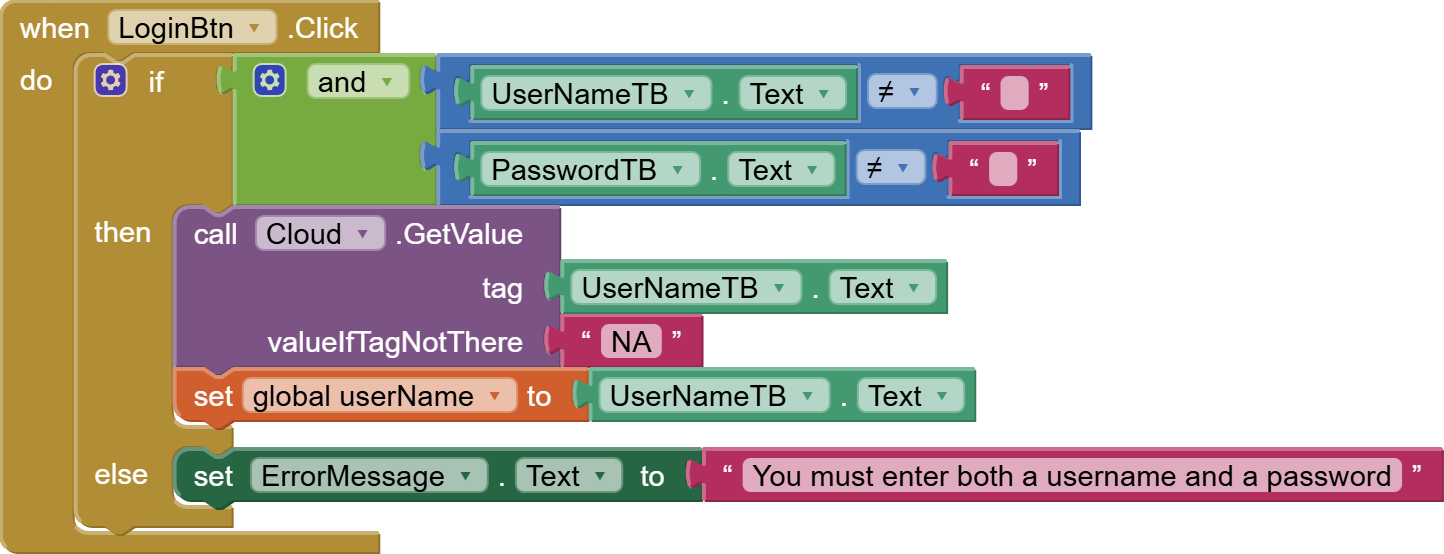
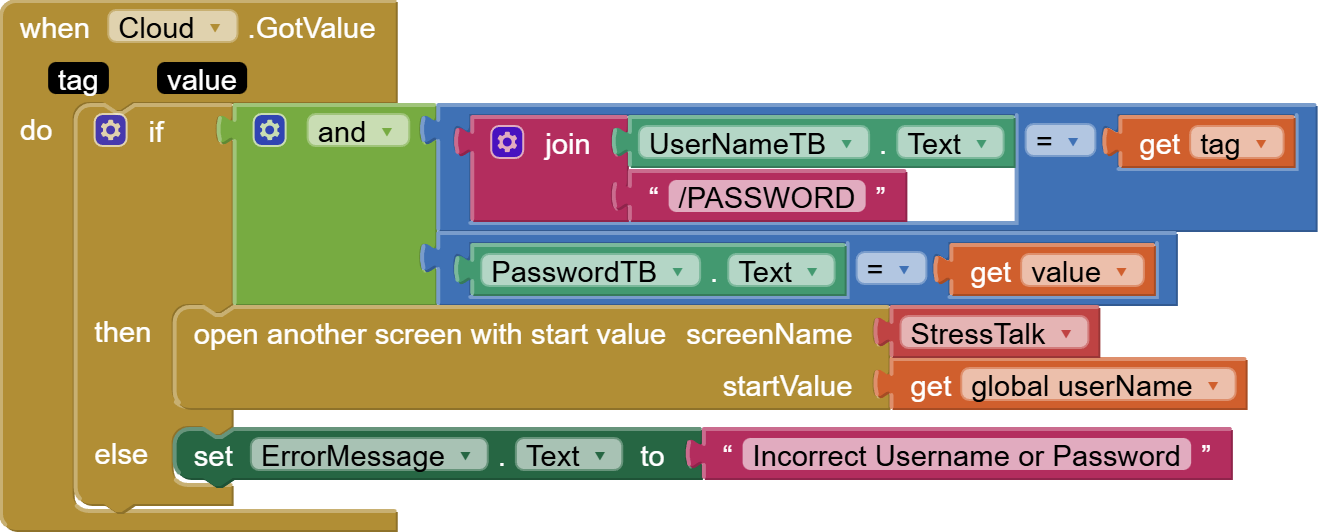
You need to use the tag/value you request right.
Instead of what you did
instead,
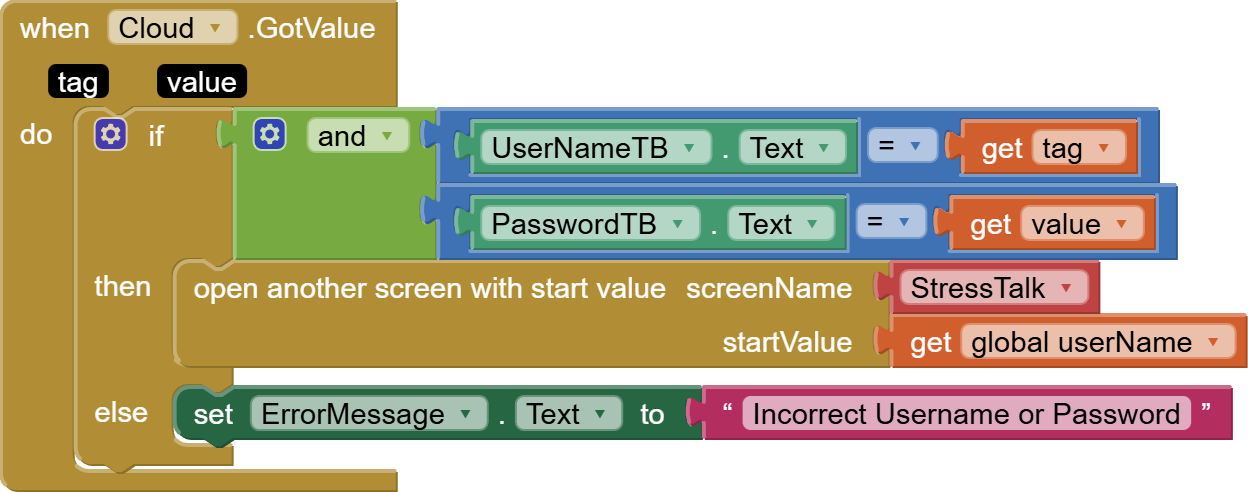
(draggable)
I'm looking at the StressTalk screen, and I have a question.
How many stressor lists are there?
- One list for everyone, or
- One list per user?
Your current tag structure is set up for One list for everyone all together.
One list per user
and its supposed to track how many days you login into the app
If you are going to store multiple pieces of data under user IDs in CloudDB, then you would have to either store a dictionary under each user name, or extend the CloudDB tags with JOINed suffixes, like /password, /loginHistory, /stressorList.
That would require changing the login and register code a little, in the tag generation and checking.
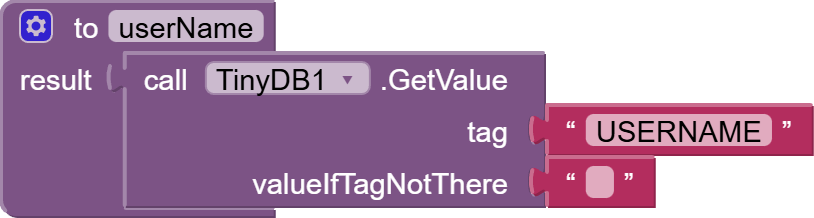
Also, I recommend pulling in TinyDB in every Screen, and use tag USERNAME to pass around the user name, once the user has passed login or registration.
You current scheme of passing it around at screen open block time depends on every screen doing that in all its screen opens, and would not work for screen close operations.

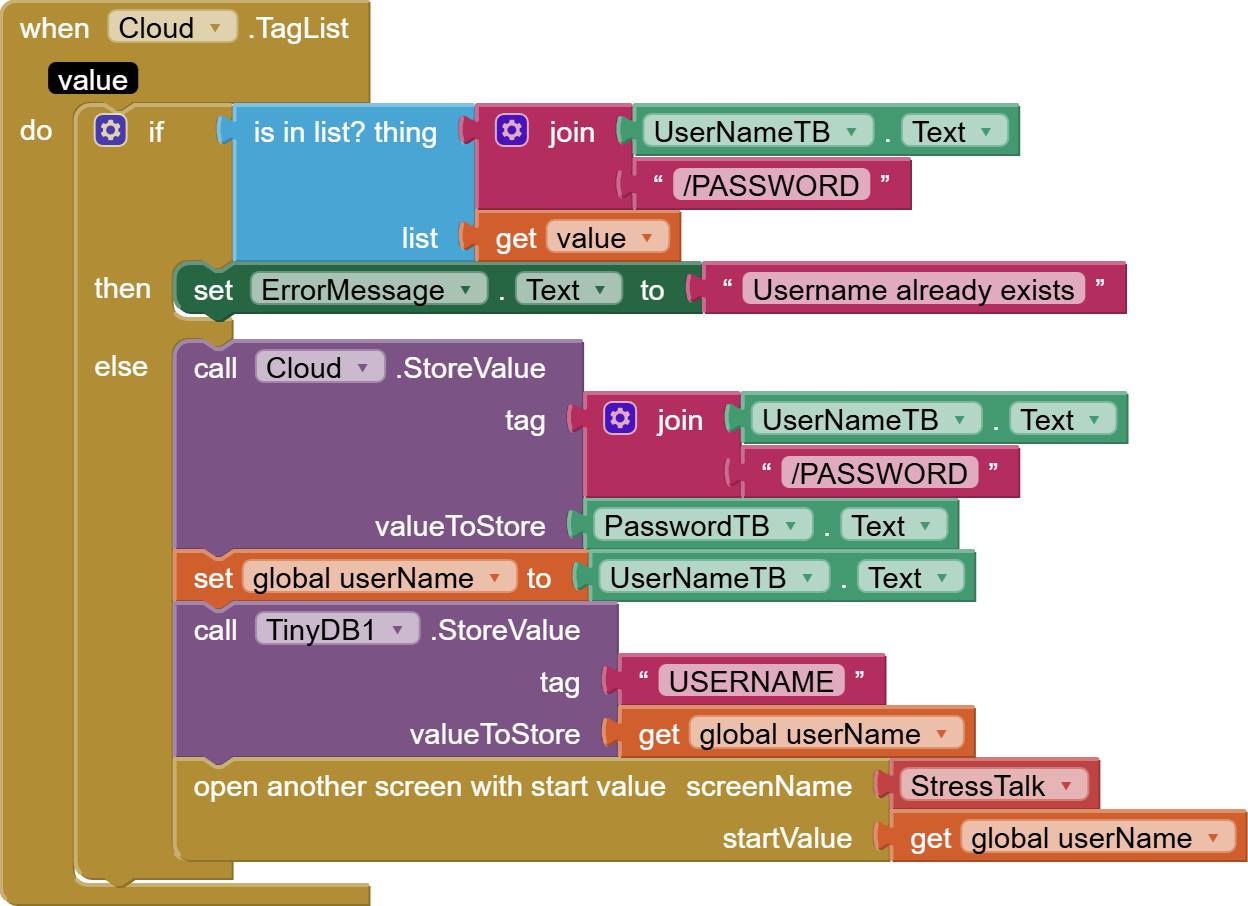
Pull this into every screen that needs the user name:
Okay, thank you so much i'll try it out!
So I did all of your solutions and my login/signup button work! But still lost on two things one the day tracker it marks the day as completed but doesn't add how many day ( since I login in today the days completed should have said one). Then two the stress list I dont know if it is possible to add 10 things to the list each day or unlimited amount since I want the user to go back and be able to see the list afterwards.. Sorry if my message may sound confusing. And thank for all your help already I really appreciate it.
Let's do a little data modelling.
So a user can have a list of stressors that he may or may not have on a particular day.
A user also can have a daily list of stressors that he encountered, drawn from his list of stressors.
Entering a stressor into a day marks that date as one where he has used the app (?)
Visiting the daily use screen marks the date as one he has used the app(?)
The dates should appear in chronological order when listed?
Entering a stressor into a day marks that date as one where he has used the app (?) it can but I dont believe its nessary.
Visiting the daily use screen marks the date as one he has used the app(?) Yes.
The dates should appear in chronological order when listed? Yes so it can make sense for the user.
So here's a tag/value structure that could support your requirements:
(tag:value)
<userid>/PASSWORD: the user <userID>'s password
<userID>/STRESSORS: a list of all the possible stressors a user has in mind
<userID>/yyyyMMdd/STRESSORS: a list of all the stressors that user <userID> experienced on date yyyyMMdd
I use yyyyMMdd as a date format because it naturally sorts in chronological order.
Because it is fixed in length, it should be easy to break out its 3 parts and feed them to Clock blocks that generate more customized date formats, if you want to get fancy.
The back end (database) of an app is not a place for fancy, just for things that work right.
Okay, ill see.
Destress_1 (1).aia (1014.2 KB)
So I tried that and after the user types in their feeling or what their stressing about when I click see stress list nothing is popping up
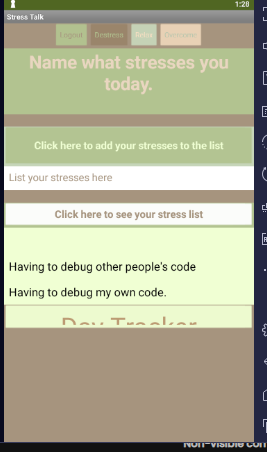
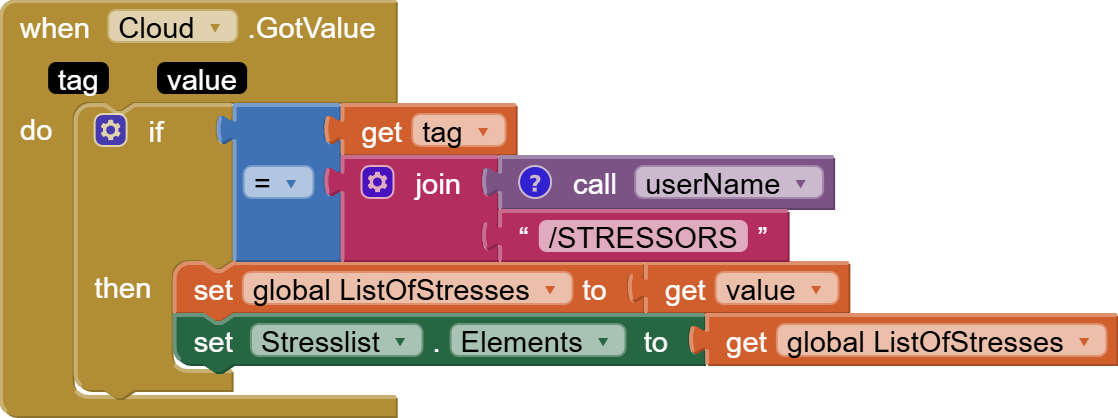
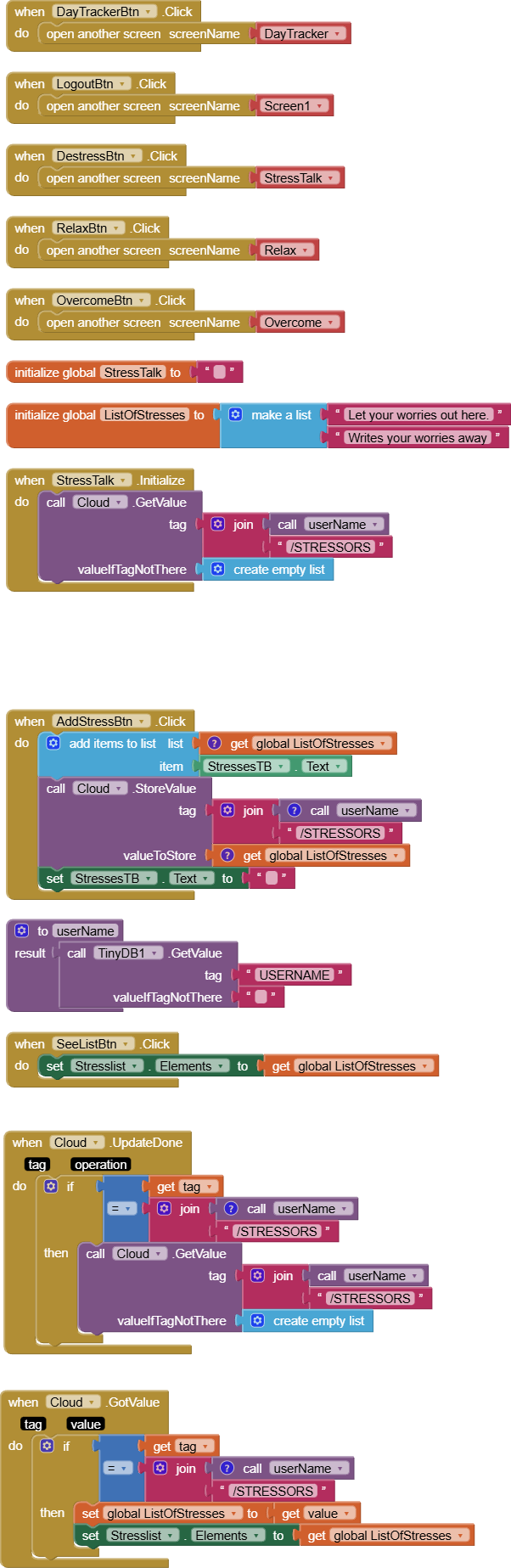
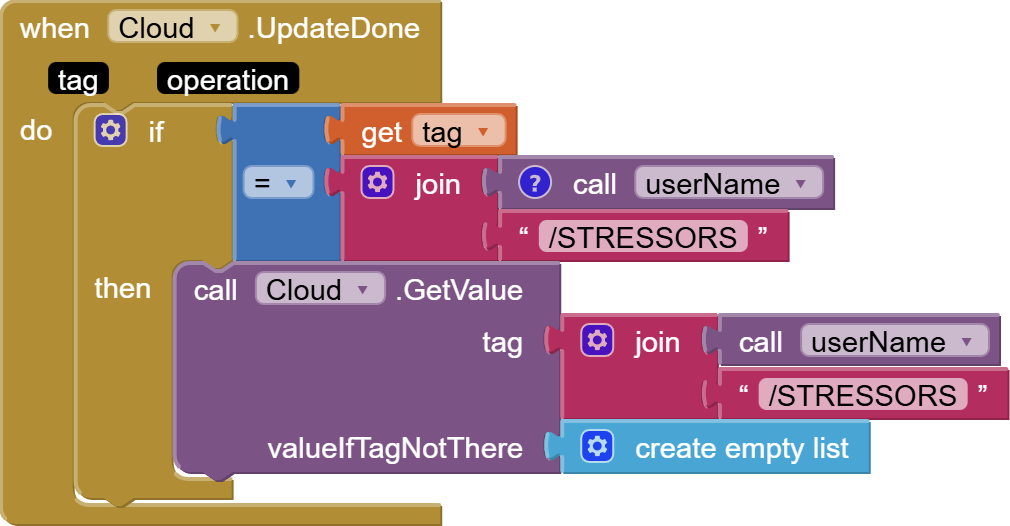
So for my relax and overcome screen i want to do the same thing I did for my stress screen but when I tried thia code again on the other screens it didn't work
So ...?
Nevermind
I can't see your blocks.
Move your head a little to the left.