When I get my location it puts me in the ocean of the coast of Africa for some reason but I need to click it a bunch of times like spam clicking for it to get my actual lovation and it doesn't display the marker. If anyone can help me debug it that would be amazing.
Rely on the LocationChanged event. Using Button1.Click does not take into account the time needed for the sensor to get a location. You may also need to be outside to get a location.
Your tracking app should not need the location sensor, unless you want to calculate how close the mosquito spray truck is to your location (cough, cough).
You need a Button or a Clock Timer to ask CloudDB for its truck location info.
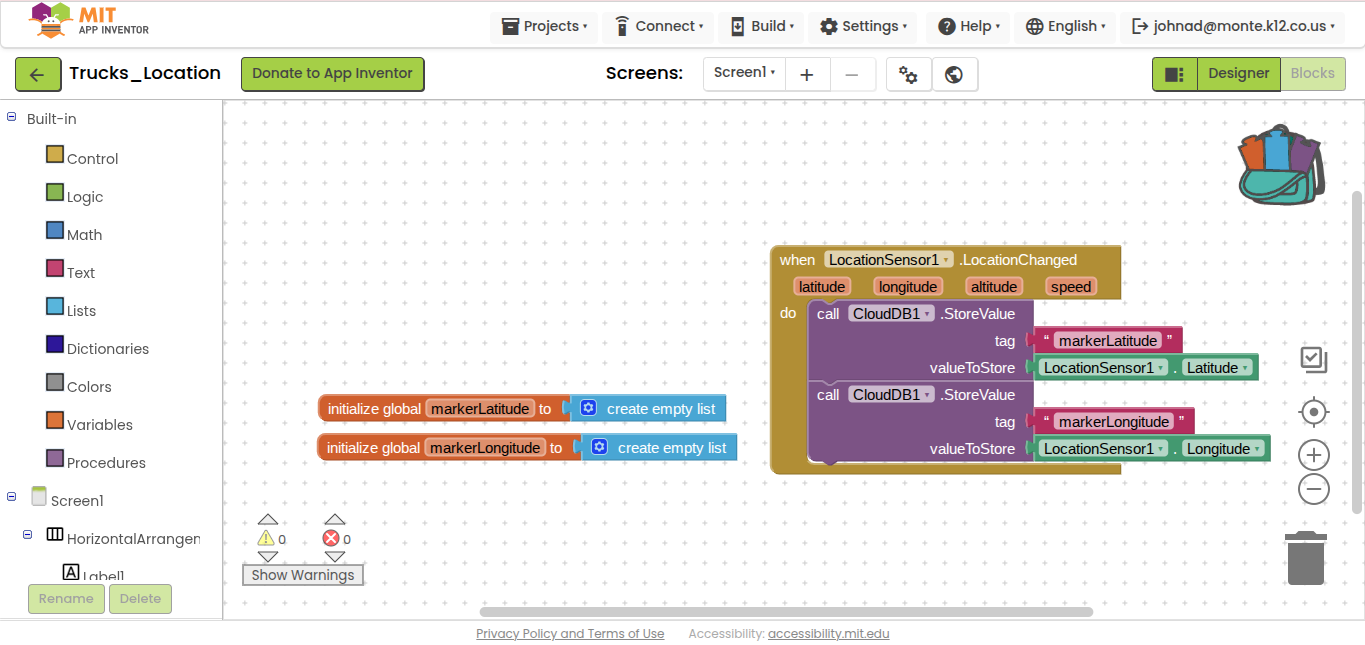
Posting the lat and long under separate CloudDB tags makes life harder for you on the receiving end of CloudDB inquiries.
Instead of posting them separately to different CloudDB tags, make a list (lat,long) and post that to a single CloudDB tag. That way, the two vakues will arrive together. (Maybe use a dictionary {"lat":nnnn,"long":nnnn} if you don't want the burden of remembering the order lat,long)
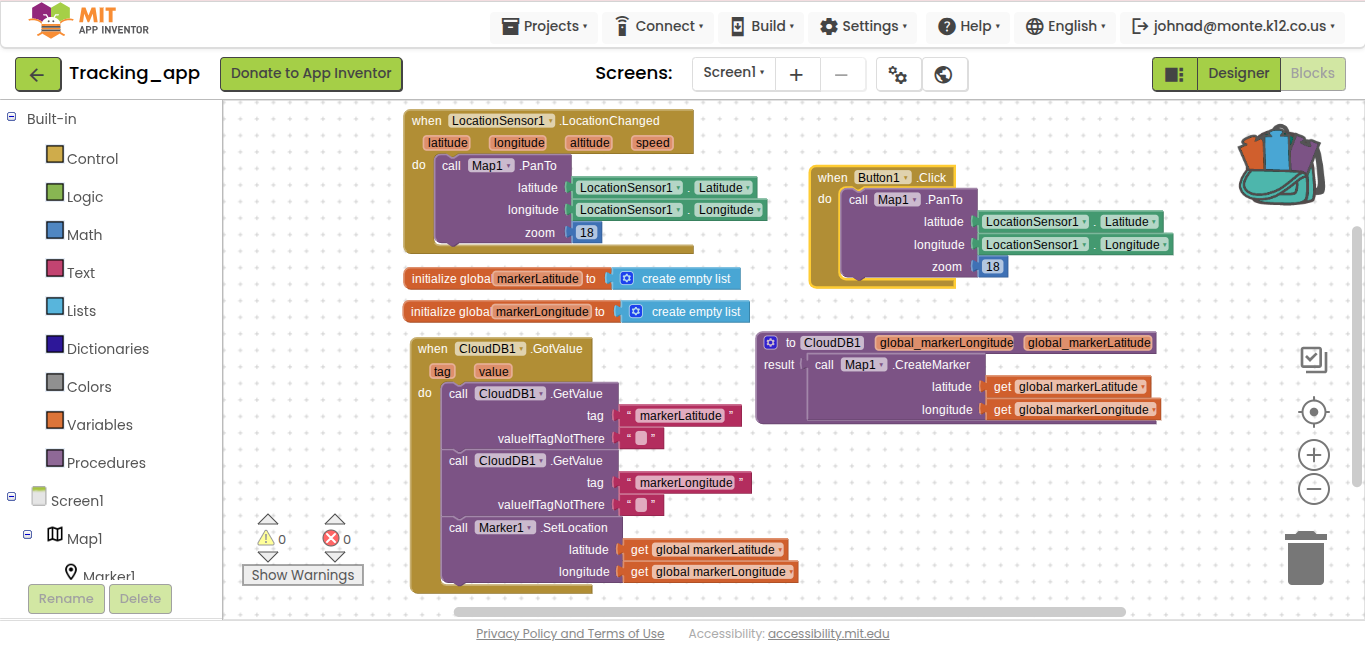
In your CloudDb GotValue event, you need to test the tag to see what arrived, before deciding what to do with the data (build a map marker and hang some data off it.)
Don't do another CloudDB GetData in the GotValue event. CloudDB does not like to be pestered.
Your CloudDB value procedure is pure fiction.
Learn about local variables, procedure parameters in the free book http://www.appinventor.org/book2
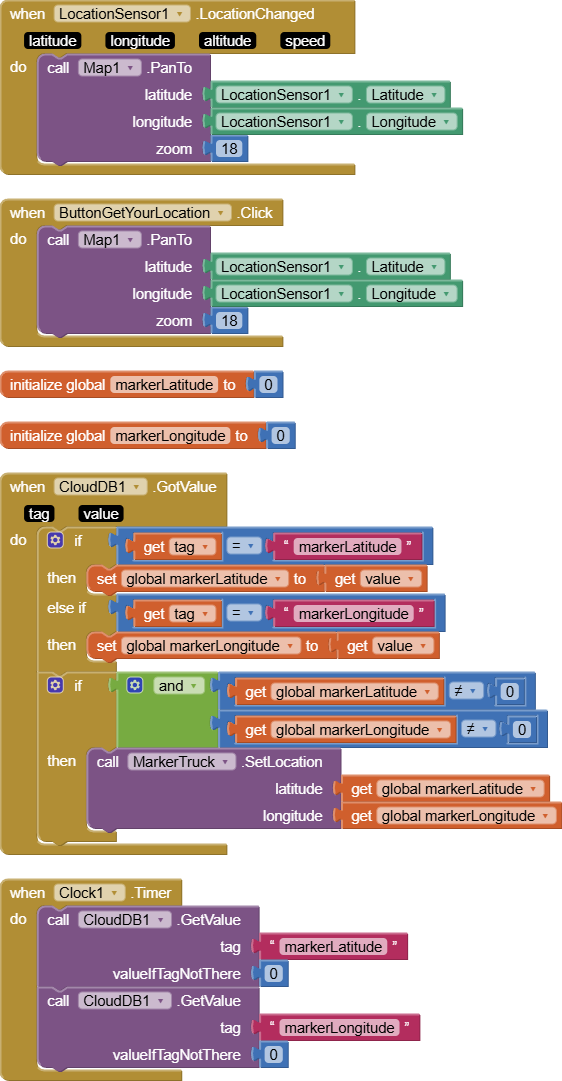
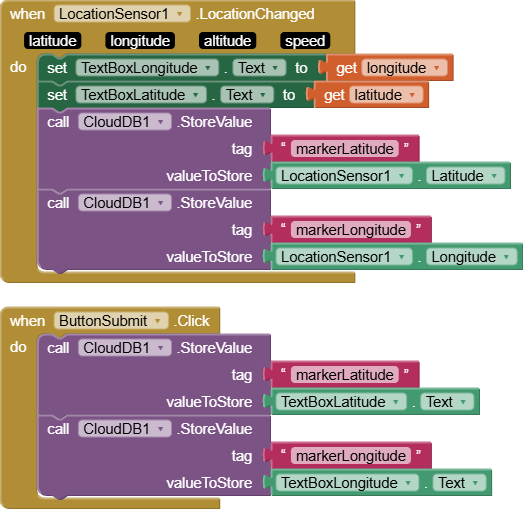
I am making 2 apps to track a mosquito spray truck. The first one will be in the truck writing and overwriting its longitude and latitude to two storage addresses in Cloud DB. The other one will be used by people in their homes. The user app will use its location to center a local map on the house of the user. User location will not create a marker but will simply center the map. User app will also retrieve longitude and latitude data from the 2 addresses in the CloudDB and create/refresh a marker based on the current values in those memory addresses. The overall path of the truck does not need to be saved. The current position is all that will be displayed, so that memory address can be overwritten and repeatedly referenced for new location values. I don't want to create a list of values. I just want to save and overwrite the same location repeatedly. Screenshots below show both apps. Apps have been properly linked by name and token ID in CloudDB. Can someone please help me understand how to fix this to make it work? Thank you!
You are not using the power of CloudDB to keep truck activity up to date.
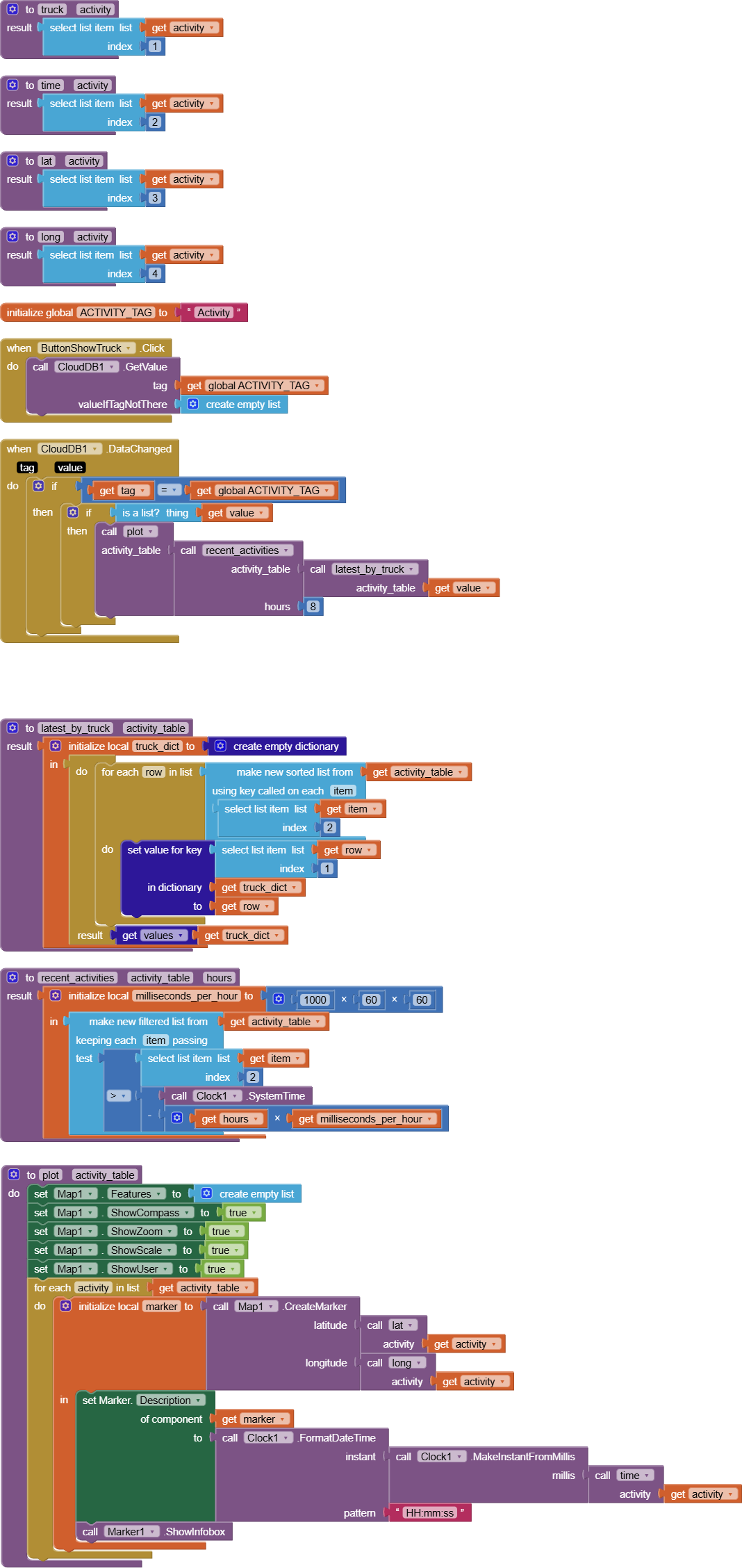
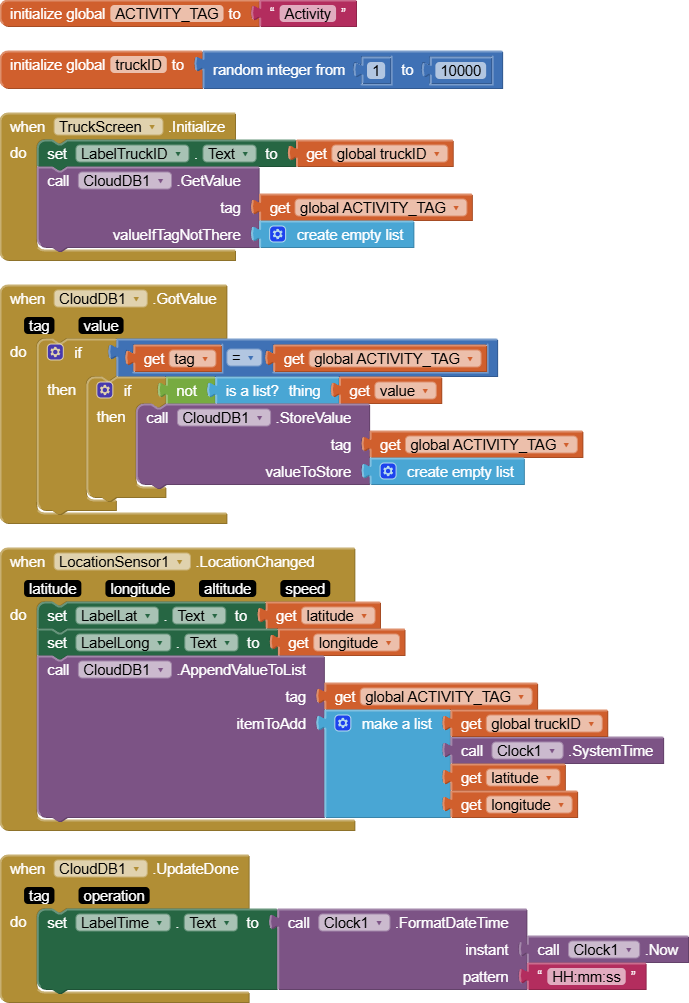
I see collecting all truck identifications, times, and locations, in a CloudDB list as having the benefit of keeping all activity data together under a single CloudDB tag.
But the price for that is having to sort and filter that data.
Here's a partial solution, sorting and filtering by time and truck identification, but not by proximity.
I leave proximity filtering to you.
For convenience (to me), I packaged both apps as screens in the same app.
I saw them, but all of them are trying to add values to a running list, creating a matrix of current and previous data. But I am not trying to preserve earlier data in a list, but rather to upload and overwrite previous data by simply changing the value held in two variables, one for longitude and one for latitude of the truck's current position. That is the job of the app that runs on a phone inside the mosquito truck. Those two variables' values can then be downloaded by the other app, the user's app, to create a marker on their map for the truck's current position. That is why I used Cloud DB instead of Tiny DB, so that values can be uploaded by one app and downloaded by the other app. The goal is to make it so that the town's citizens can see the truck's current position in close to real time, and they can close their windows when the truck gets close to keep out the pesticides. So I'm trying to keep it really simple by writing and overwriting the value held in a single variable for longitude and a different variable for latitude and then just read current value from the other app to show a marker on the map. It seems like it should be simple to do this, but maybe it's not possible to do as I'm describing?
The entire spray route happens two nights per week, for a total of about 4 hours each night, so the app would only be used during those times for residents seeking near real-time location data of the truck. Use of the app inside the truck and residents looking for its current location would be simultaneous because everyone knows the scheduled night.