Hello!
I am using arduino to transmit sound data to MIT APP via bluetooth connection. I can receive the data and draw the line chart in the app. However, I failed to save the sound data in the app. Can anyone help me to solve the problem? Many thanks!
Jay
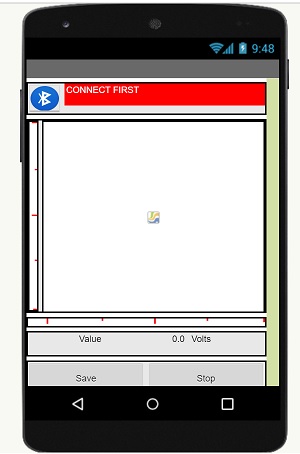
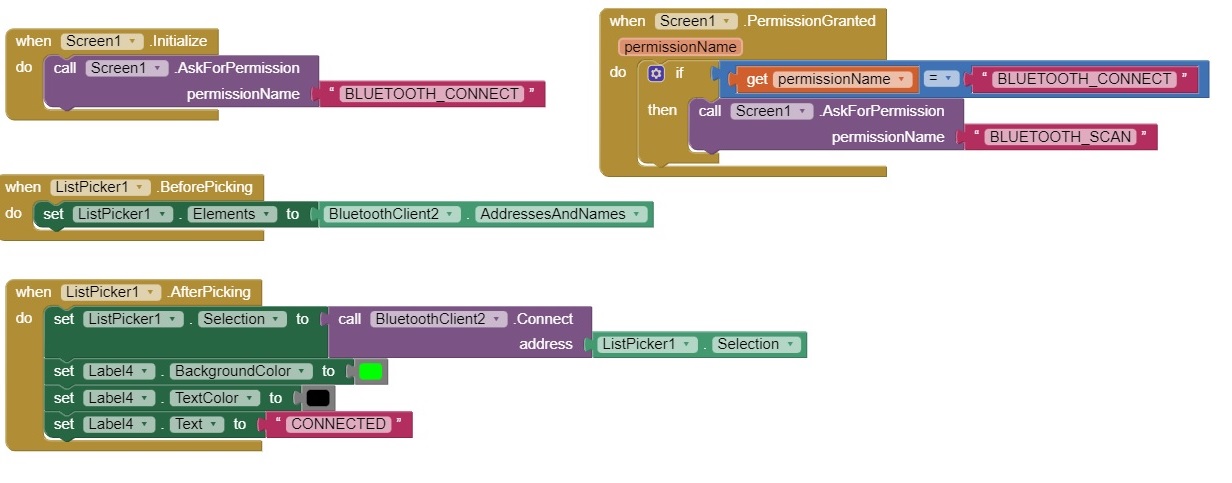
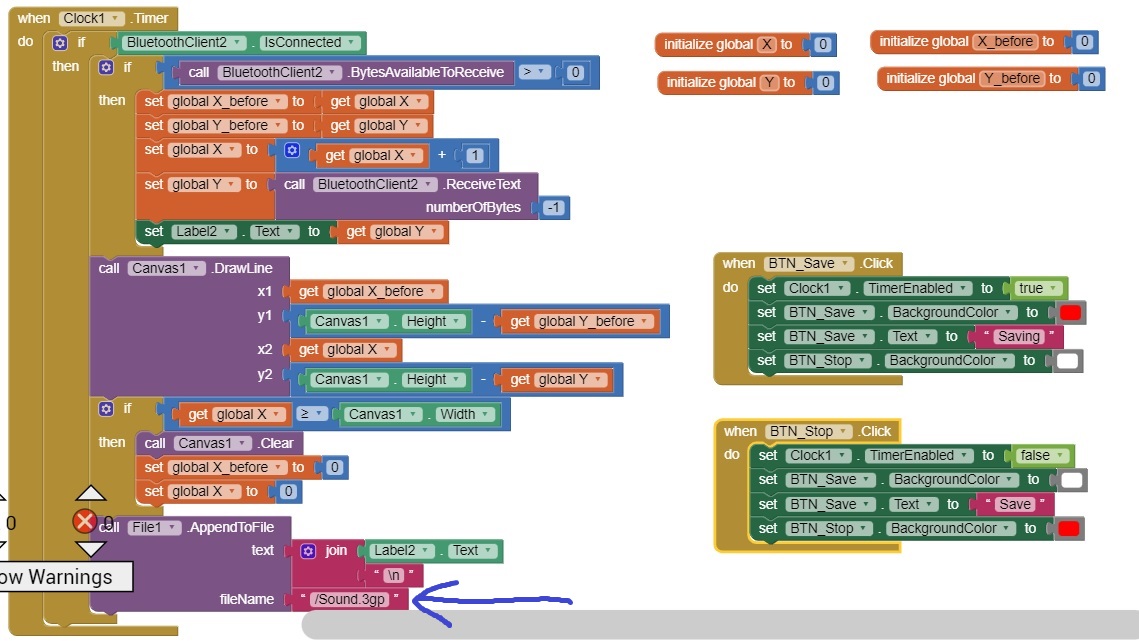
Your arrow is well placed.
I have 2 suggestions:
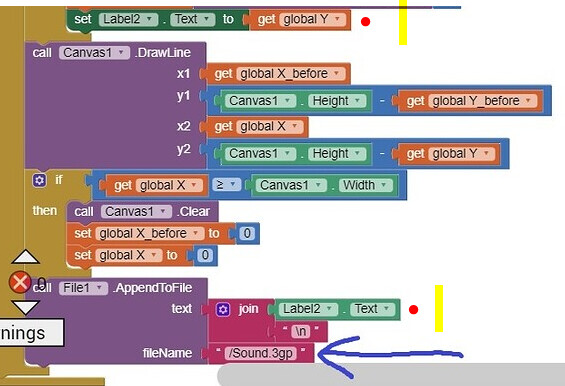
- Use global Y instead of Label2.Text in the AppendToFile block, to avoid timing issues.
- use file name extension ".csv" instead of ".3gp", since you are saving text, not any kind of encoded multimedia.
Which sound data?
(Convert a text to sound.3gp ? A 3gp file is not a text file.)
- Connect to Companion,
- make a right mouse click on
global Y, - "Do it" and post the result.
Dear Mr. or Miss:
Many thanks for your help!
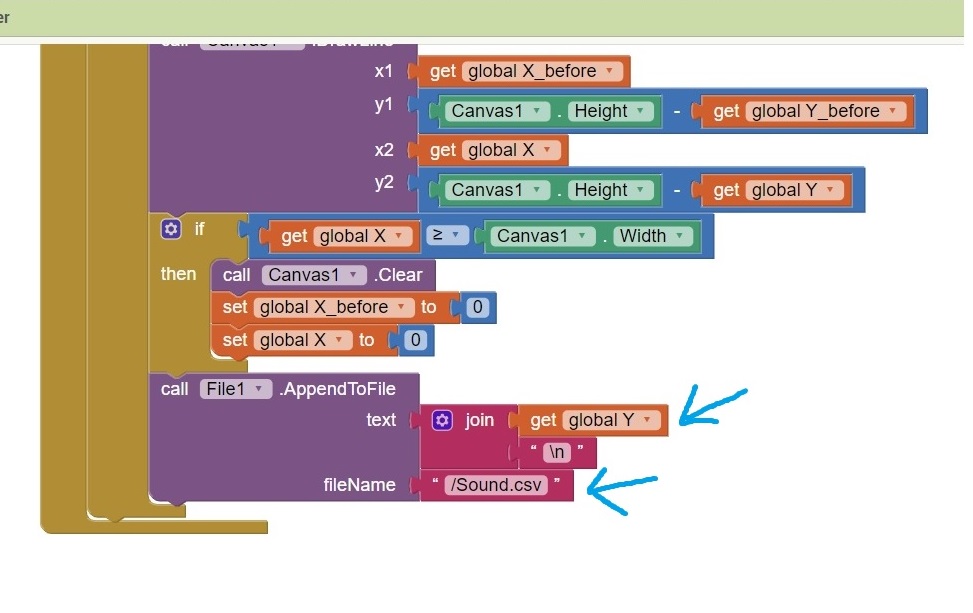
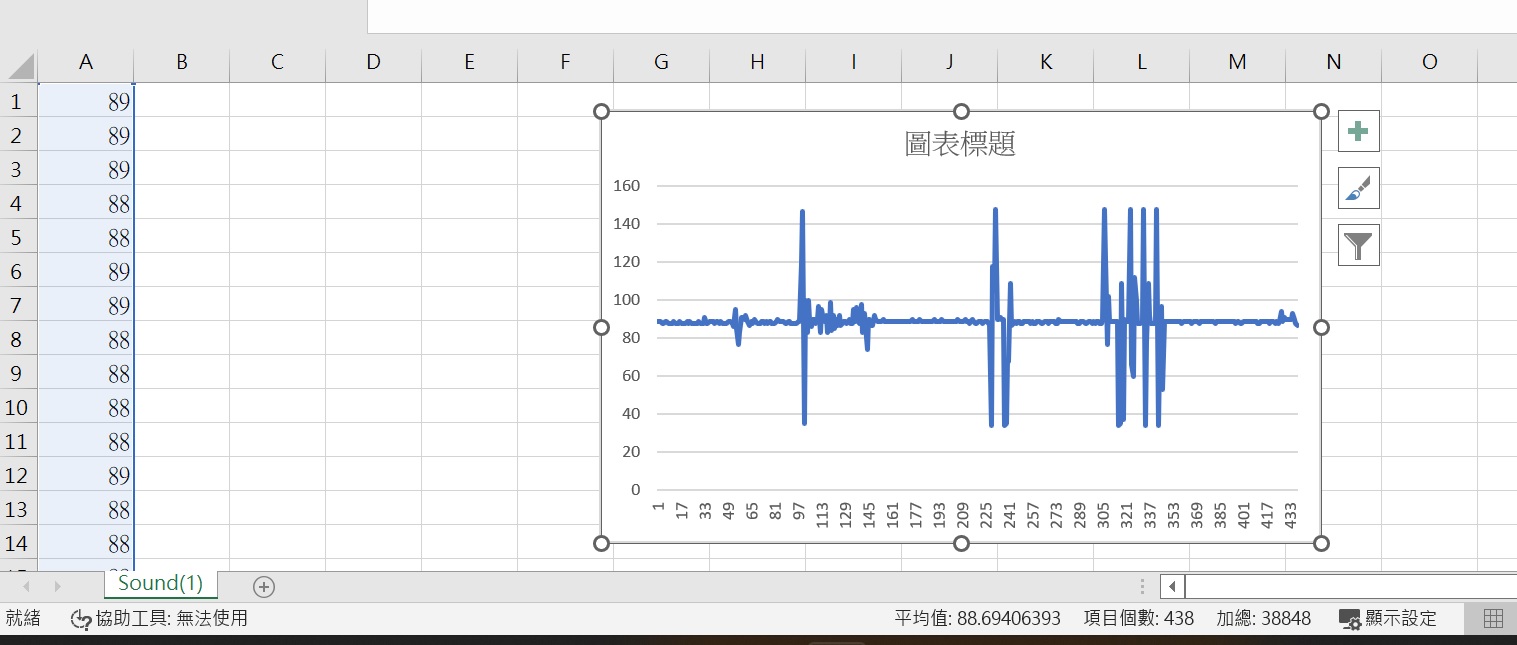
I still have questions.
- I used a microphone to collect the sound data and transmited to the APP. Now the data can be stored in a text file, but I want to play the sound in the APP. How can I convert a text file to a sound file in the APP? Therefore, I can to play the sound by the Player.
- When I only used " call Canvas.DrawLine" block (without "call File.AppendToFile" block), the realtime drawing run smoothly. Howerer, When I used them together (just as shown in the picture), the realtime drawing delayed several seconds. How can I solve this problem?
Many thanks!
Jay
how do you transmit a sound file (binary file) as text file? did you change it to base64?
If you want to analyze your sound upstream, see
Dear Mr.
Thanks for your help.
I used arduino to transmit the sound data.
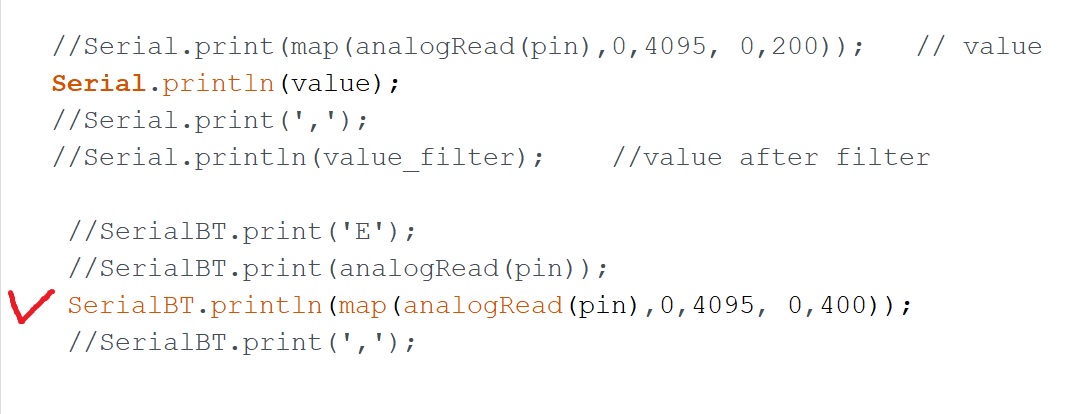
Now I know I transmit the data in the form of a text file, not a sound file (binary file). Do you know how to convert a text file to a sound file? Should I convert the file before or after bluetooth tranmitting?
Many thanks!
Jay
Dear MR.
Thanks for your suggestion!
It really helps!
Jay