Bagaimana menyimpan gambar yang diambil menggunakan ProCamBase641 agar disimpan pada folder Google Drive, saya berhasil jika menggunakan Kamera default karena hasil kamera disimpan dalam Image1 sedangkan pada ProCamBase641 hasil kamera disimpan dalam VerticalArrangement1.
Show you relevant blocks
If you want to upload a file to your google drive, inside the app, then you must create a google apps script:
If you want to upload the file to the users own google drive, then use the sharing component. The file must be saved in Shared Storage (Download/Documents/Pictures etc.) for google drive to access it.
jika saya menggunakan Kamera (bawaan) saya membuat blok seperti ini:
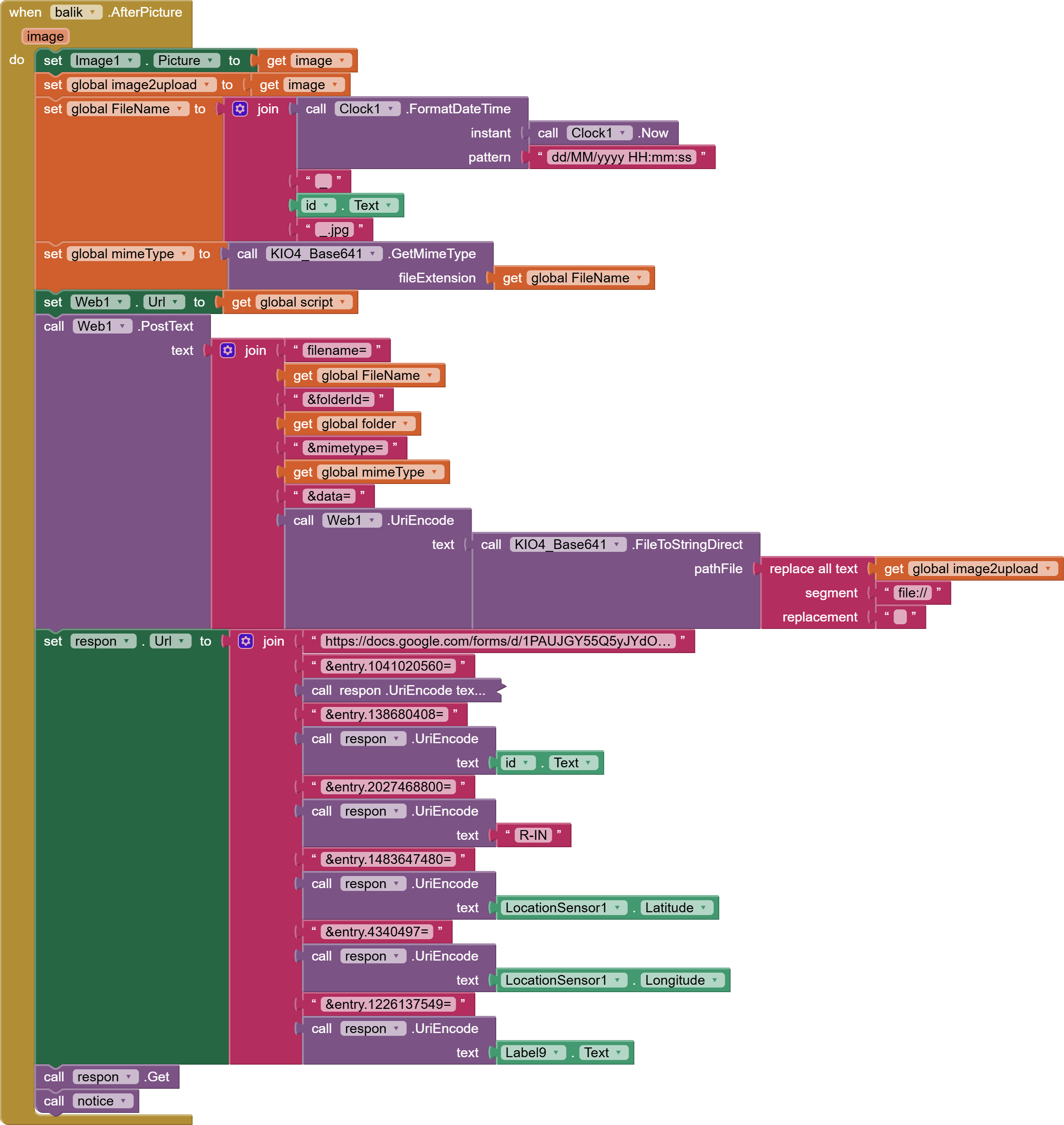

lalu bagaimana saya menggunakan "Get [Image]" pada ProCamBase 641?
Looks like you are following this guide:
and this guide:
to upload an image to google drive, then post some data to a google sheet?
so how do I use "Get [Image]" on ProCamBase 641?
What do you mean by this ?
to upload an image to google drive, then post some data to a google sheet?
Ya, saya juga post data lainnya di GSheet.
What do you mean by this ?
jika saya menggunakan kamera standar, maka dalam blok afterPicture ada pilihan [Image] yang bisa digunakan dan di konversi menggunakan KIO-Base64 .
apakah jika menggunakan Kamera ProCamBase641 apakah tidak perlu di konversi,
Indeed, there is no need to convert.
Use the base64 blocks to get the base64 of the pictureTaken and set this to be sent to google drive.