Hello,
I'm trying to save a picture taken with a specific name in a subfolder in the /Pictures/ folder on an Android phone. My current code block is in the photo below. When I run it, the photo saves, but it doesn't save in the correct folder, it saves in the /Pictures/ folder with the name of the targetFullPath variable with the /'s replaced with _. I know the targetFullPath variables are populating correctly because the Photo saved pop up message lists the correct file path I'm trying to save at. The subfolders are created by the code, but the pictures don't save there. How do you fix this?
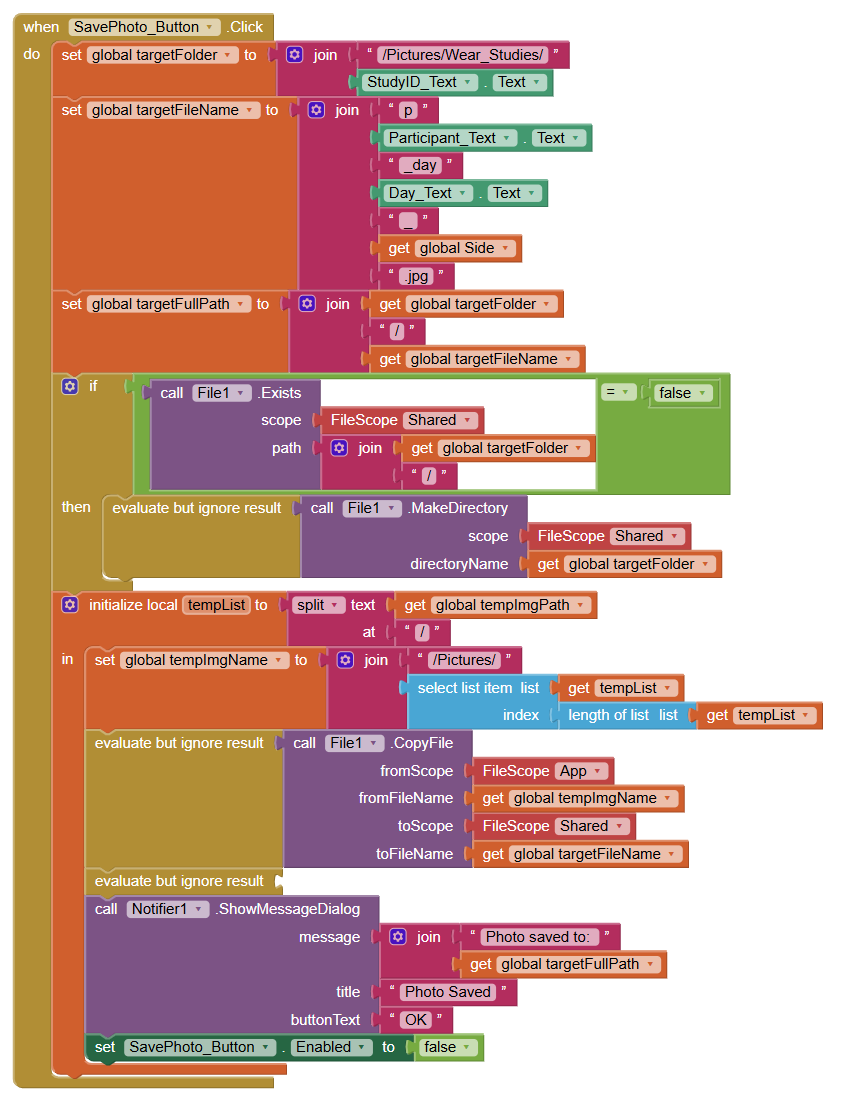
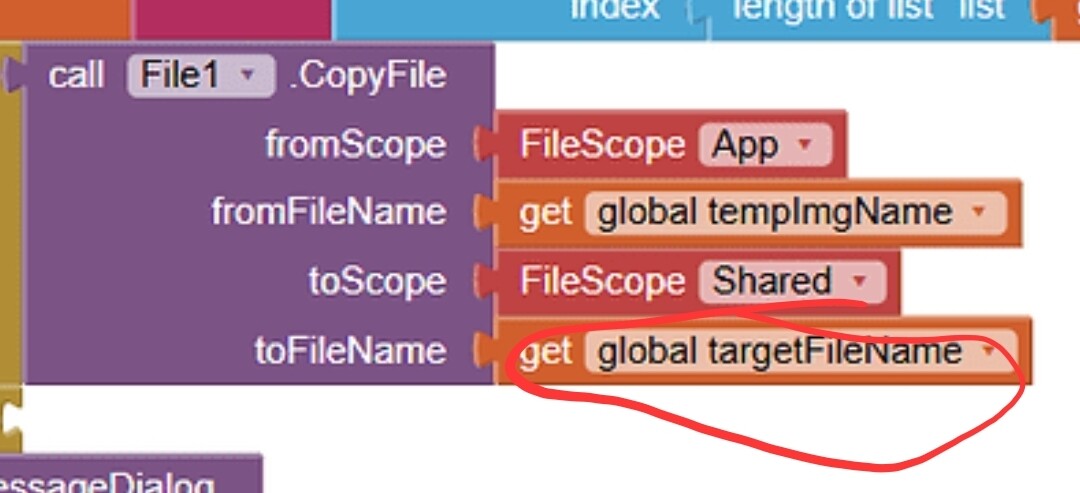
I used the wrong photo, I had changed the toFileName from targetFullPath as just a troubleshooting test. I had this issue while using targetFullPath. Also, I need this app to work beyond android 11, so legacy scope isn't an option.
Please provide a screenshot of your updated blocks. Also file scope Legacy is not only for older devices, it is to workaround a bug in the file component
Use the companion app and Do it to debug your blocks, see also tip 4 here App Inventor: How to Learn | Pura Vida Apps
see also Live Development, Testing, and Debugging Tools
Taifun
Trying to push the limits! Snippets, Tutorials and Extensions from Pura Vida Apps by  Taifun.