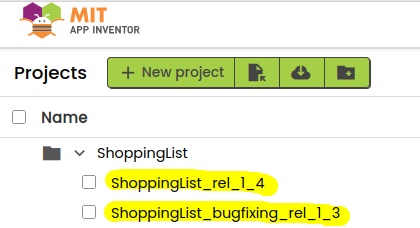
I built an app years ago that I'm still using. A couple of years later I made a "Save as..." to make a branch of that project and started developing an update of the app on that new project.
I finished today (not because it was a long update, just because I'm lazy ).
While using the first version of the app I've populated its DB with some data.
Today I have built a new .apk, I've downloaded it on my phone, installed it and now I have two apps, the old release with its DB populated and the new one with the empty DB. This means from an Android perspective this is not an update of the app, I just installed a new app having the same name of the old one but Android can't see any parenthood relation between them.
Is there a way to update the old app with new one without having to reinsert all the data I have in the old app DB?
The firs app had VersionCode set to "1" and VersionName set to "1.3", the new one has the same VersionCode but VersionName "1.4".
Fun fact... in the app old version the "non-visible components" in the Designer page shows "TinyDB1" while the new one shows "ApplicationDB". However, the "Namespace" property of this non-visible component "ApplicationDB" shown in the Designer is "TinyDB1".
Honestly, I don't know if in these years I have changed something in the "non-visibile component" section... I might have renamed the DB or maybe App Inventor did it automatically because the old one is no longer supported. I only noticed that the old branch and the new one differs in this non-visible component.
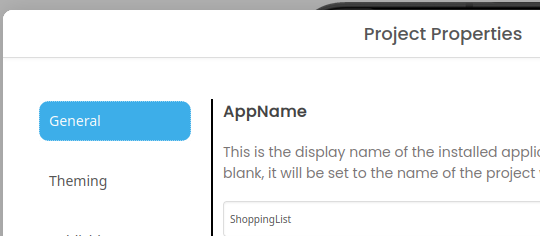
For you to update an old app you have to have same name of the project, so new name of a project will result in a new app of course..
Do this.
Download your old project aia and save it on a safe place.
Delete your old project from ai2.appinventor.mit.edu and also from trash..
Now save your last project with Save as wit the old name.
Build and install as now it should work.
 ).
).