Which library do you use?
#include <BLEDevice.h>
#include <BLEServer.h>
#include <BLEUtils.h>
#include <BLE2902.h>
They are inter-related, <BLEServer.h> is being used in the Sketch for your Test.
Good evening Chris,
Yes I saw. I spend all my time trying to find solutions! first with your sketch and also with tutorials found here! I row !
with all informations I take here, I'm learning a lot!
I will allow myself to show you what I managed to do! And if that can help other people, that will be cool!
There are some good links plus tips on my website:
https://www.professorcad.co.uk/appinventortips#TipsArduino
https://www.professorcad.co.uk/appinventortips#TipsBluetooth
Hello,
I finally managed to receive the strings and split them properly!
Thanks to ChrisWard and ABG for helping me.
Now, I must succeed in sending strings of more than 20 characters from the app to the arduino!
I continue to move forward ... slowly ... but I move forward!
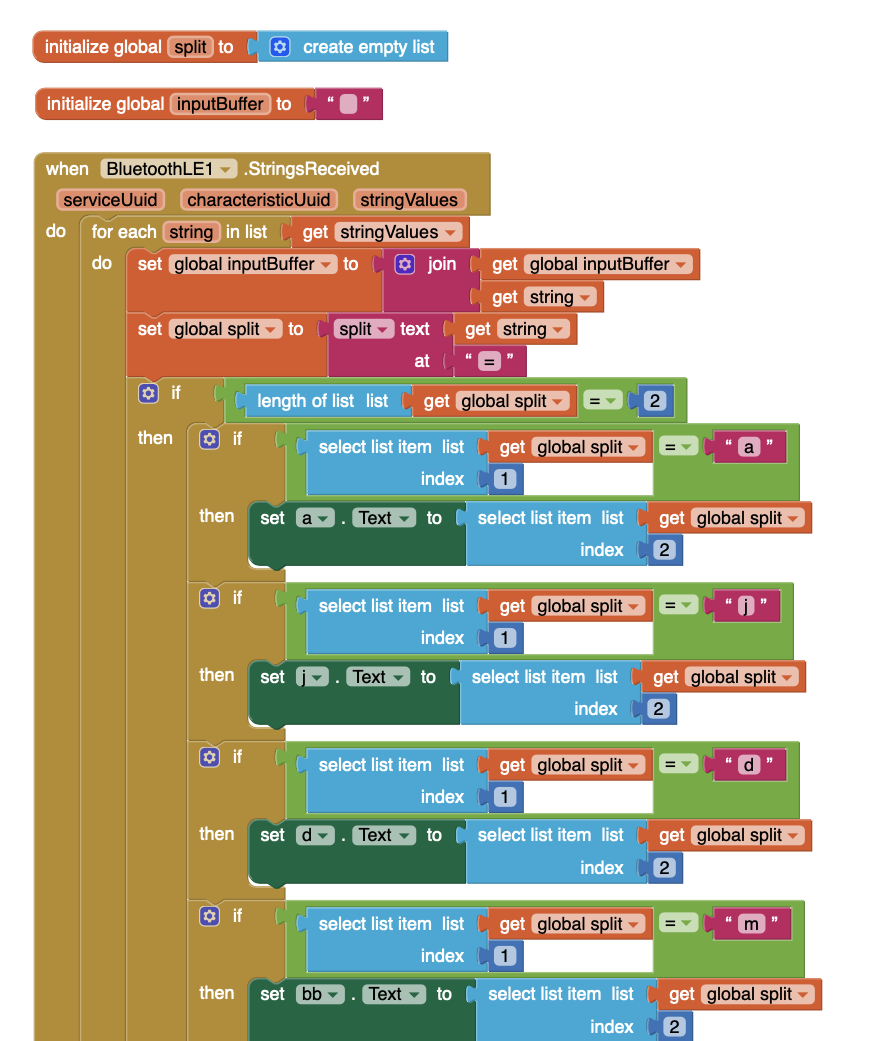
And message from arduino :
Serial1.println("a=" + String(a) );
delay(100);
Serial1.println("j=" + String(j) );
delay(100);
Serial1.println("d=" + String(d) );
delay(100);
Serial1.println("m=" + String(m) );
I give you my first remarks on sending Strings :
example 1:
If I send data like this, I only get the first twenty characters:
d = 29 & b = 12 & y = 2020 & h = 1
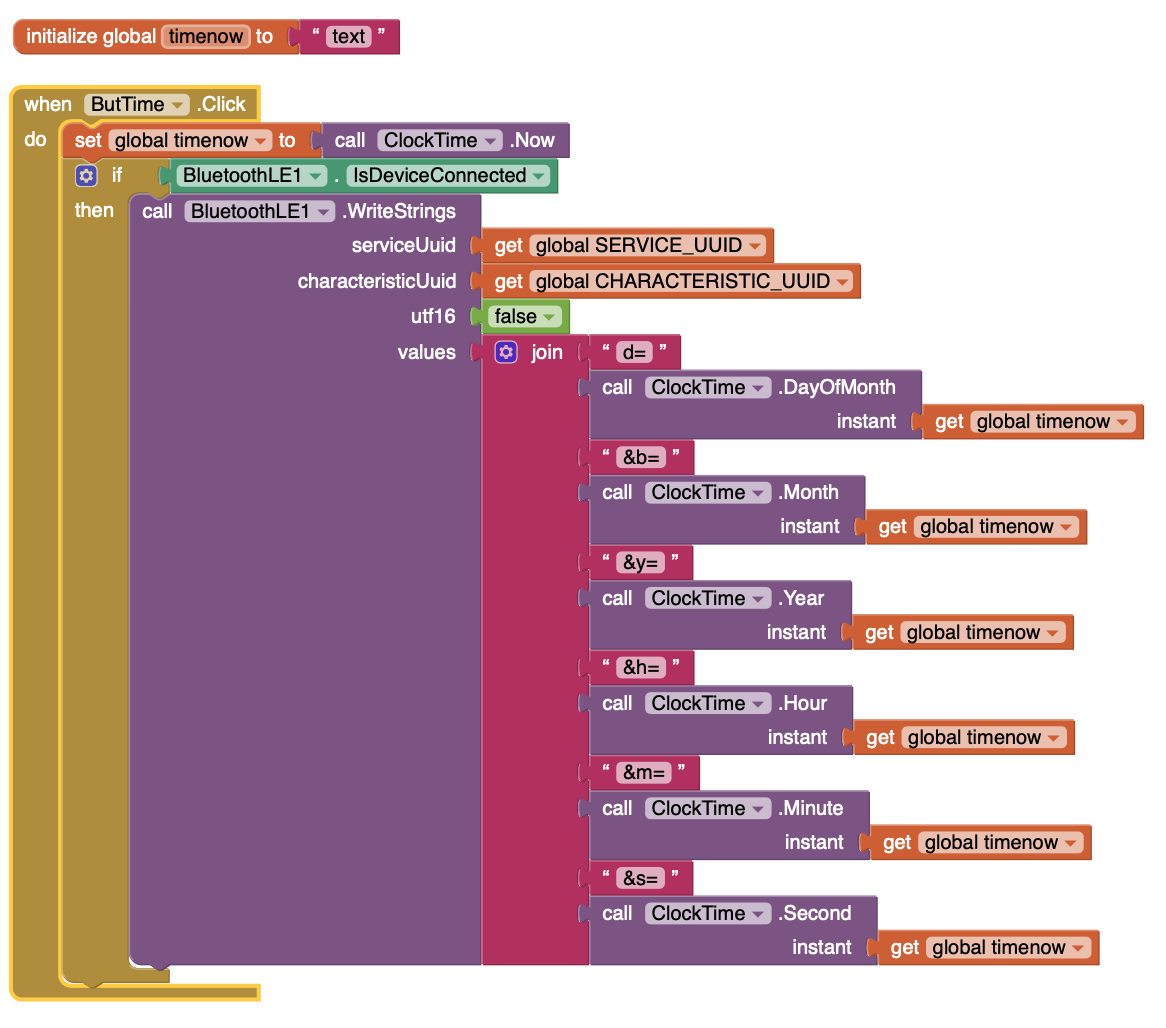
example 2:
If I send data like this, I receive all characters in monitoring serial arduino : d=29&b=12&y=2020&h=15&m=25&s=12
But my "decoupeur" only sees the first twenty characters too
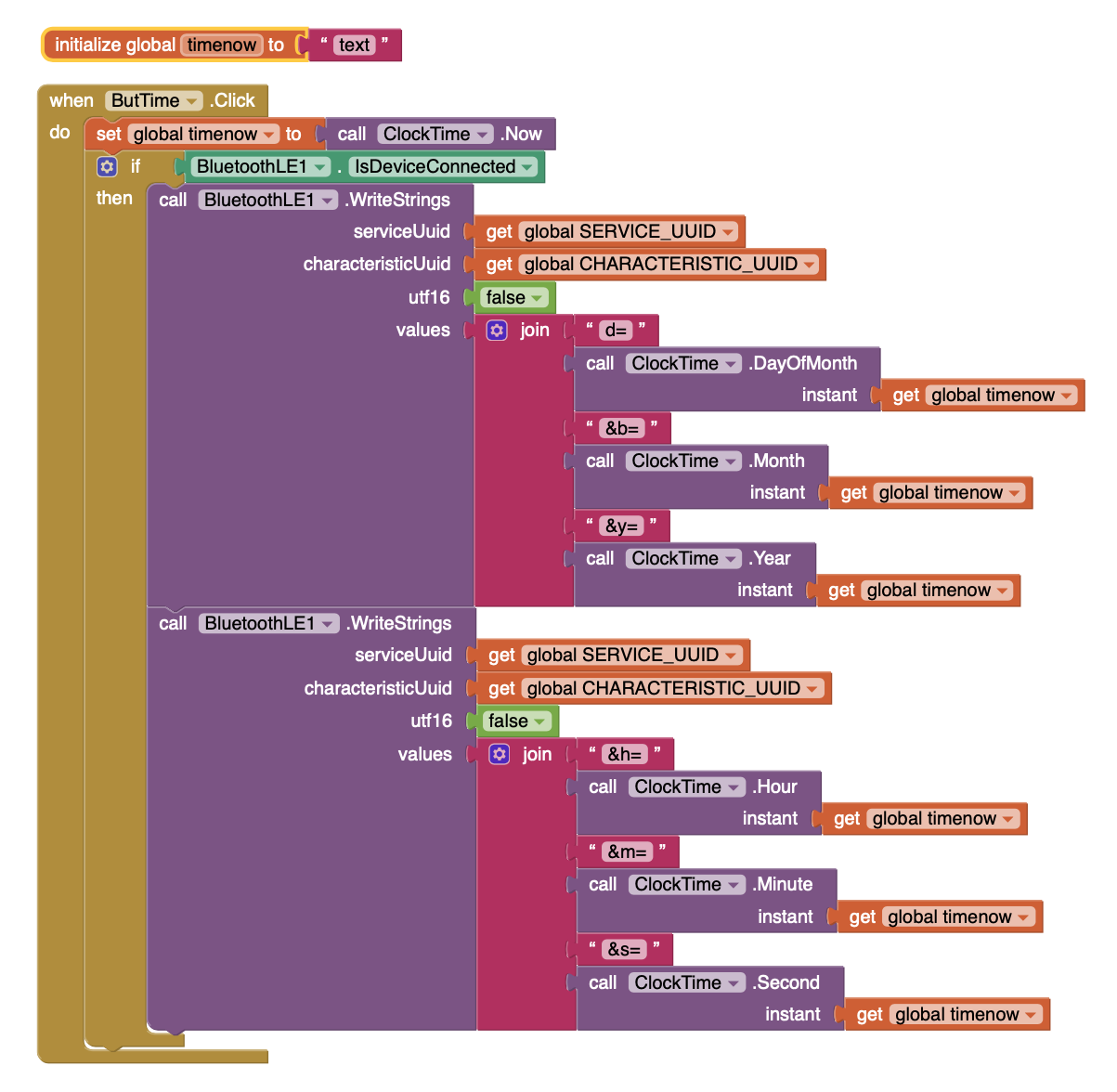
void decoupeur(String inputString){
  char inputChar[inputString.length()+1] ;
  inputString.toCharArray(inputChar,inputString.length()+1);
    char* command = strtok(inputChar, "&");
    // boucle sur toutes les commandes
    while (command != 0)
    {
        char* valueCommand = strchr(command, '=');
        if (valueCommand != 0)
        {
            *valueCommand = 0;
            ++valueCommand;
              if(String(command) == "d"){
                ddBase = String(valueCommand).toFloat();
              }
              if(String(command) == "b"){
                bbBase = String(valueCommand).toFloat();
              }
              if(String(command) == "y"){
                yyBase = String(valueCommand).toFloat();
              }
              if(String(command) == "h"){
                acc = String(valueCommand).toFloat();
              }
              if(String(command) == "m"){
                jrec = String(valueCommand).toFloat();
              }
              if(String(command) == "s"){
                setPar = String(valueCommand).toFloat();
              }
        }
        command = strtok(0, "&");
    }
}
You do not need those delays! Just manage the Loop properly with elapsed milliseconds.
First of all, as I have said before, send only values, no labels. That alone saves bytes.
So your string could be less characters:
29|12|2020|01|00|00
However, you could send the values as individual packets and not need the decoupeur procedure at all, just a code for Substring + Switch to work with on receipt of data.
why it's better with millis ?
A delay() blocks everything.
You are a difficult one to help Sledge because you have no stated goal - what, at the end of the day, will be the purpose of your App? Where do the long strings come from and what are they for?
Hi ChrisWard,
yes I know ! me too !!! I don't know where I'm going 
I try to understand by doing experiments.
I have a display project but for now I am experimenting.
I have a new question:
I see I can send 2 packets of strings to arduino.
How can I combine them into one dans l'arduino ?
Sorry... How can I combine them into one IN arduino ?
That's a concatenation - depends on if you are using the String Object (C++ string) or character array (C string). If long strings have to be chopped-up or concatenated, char array is the way to go, sprintf() can concatenate them.
I think you would do better to actually define your project - sketch out on paper what the GUI must look like and what it must do. A schematic of the code - where the data comes from, how it should be processed and displayed, where it goes to. It's far easier to have a target to aim for.
Two golden rules in programming (and other industry):
- Keep it Lean and Mean
- Keep It Simple Stupid
KISS, an acronym for Keep It Simple, Stupid, is a design principle noted by the U.S. Navy in 1960. The KISS principle states that most systems work best if they are kept simple rather than made complicated; therefore, simplicity should be a key goal in design, and unnecessary complexity should be avoided.
Thanks ChrisWard!
I agree with you so much on this subject!
But I repeat, I am learning with Arduino and the App Inventor by experimenting with different things.
I have an idea for my future project and I intend to proceed in the best way when I have more experience.
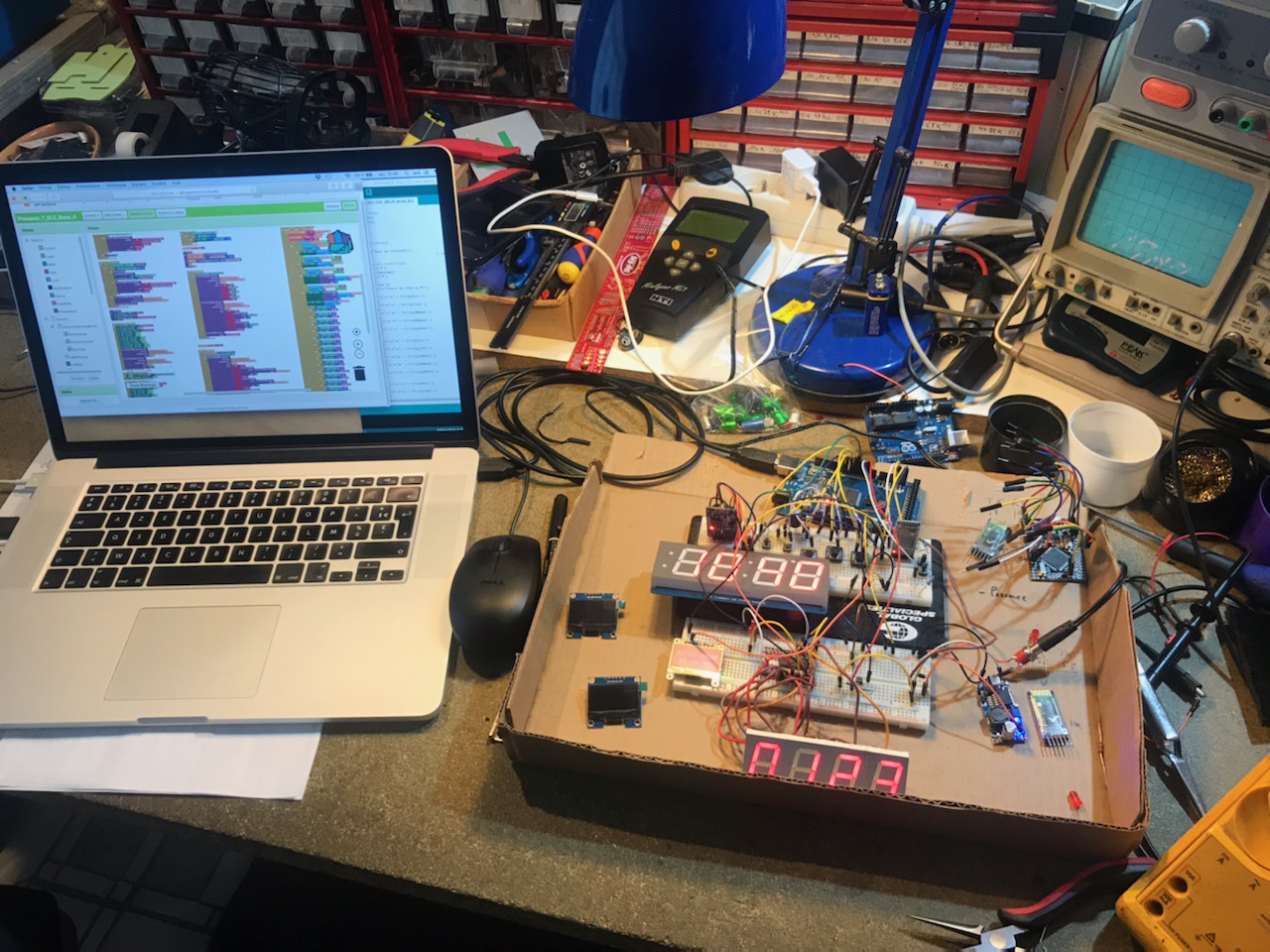
Here is a photo of my lab!
Have a good day
1 Like