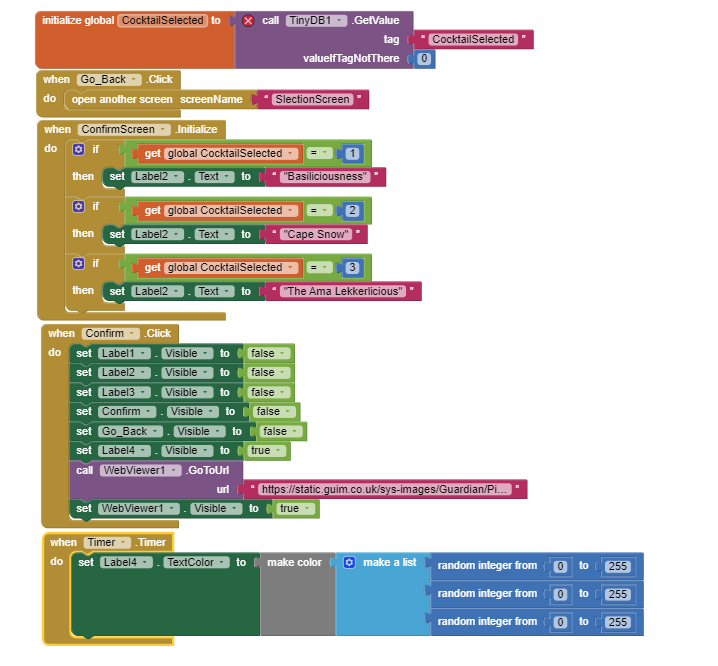
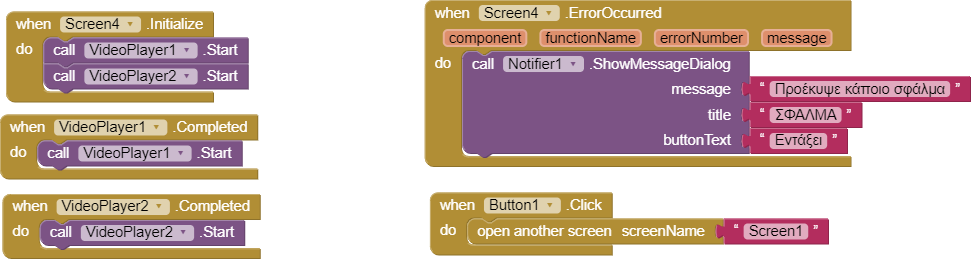
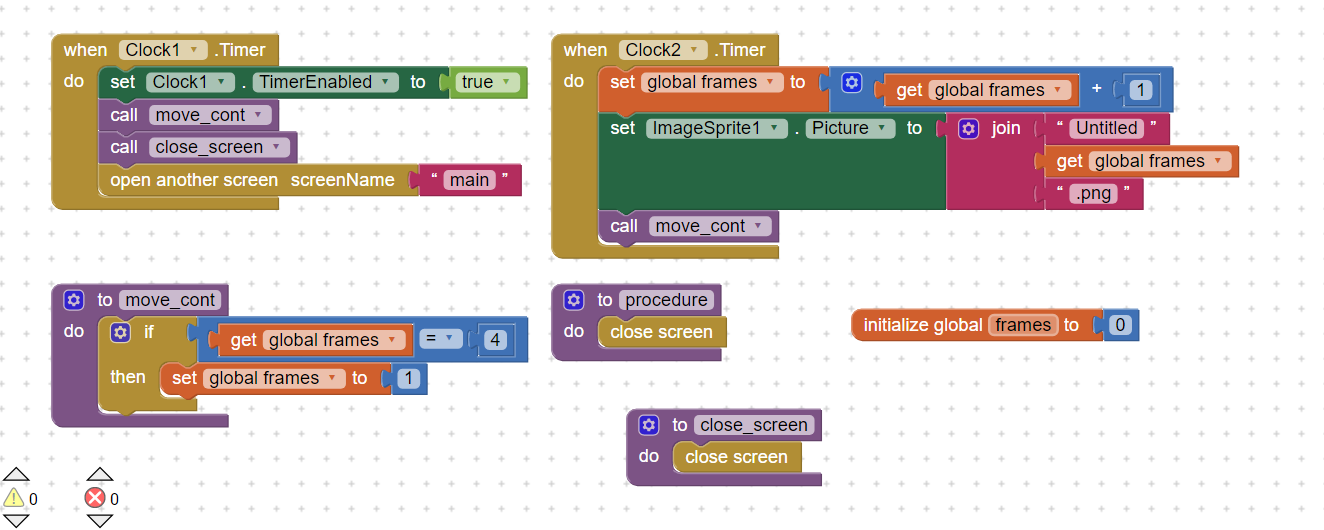
Thank you so much for your effort. I have tried the WebViewer method and it didn't work. It just shows a blank screen now in the part where it's supposed to show the .gif. Below is what my blocks look like. Perhaps it might help make things easier. I have other screens as well. This is just the one I need to view the .gif on.
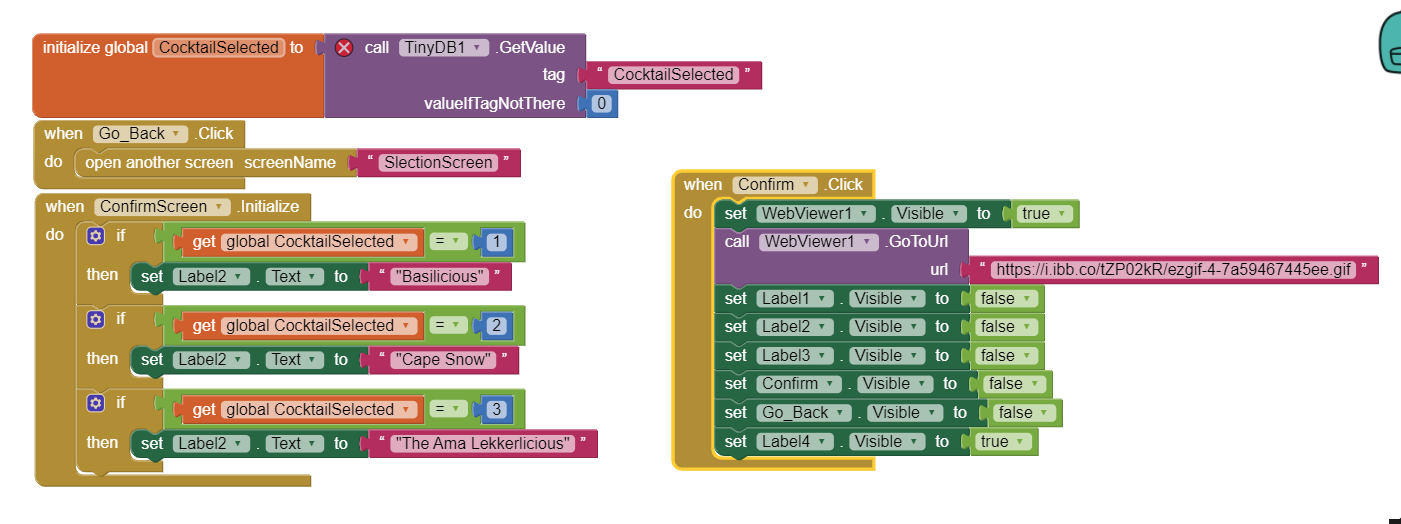
Thank you so much for your assiatance. I managed to get it to work. Turns out the storage server I was using was not adequate. I uploaded the image to imgBB.com and it worked just fine. See below for ameded arramgement of blocks. The link to the image is https://i.ibb.co/tZP02kR/ezgif-4-7a59467445ee.gif
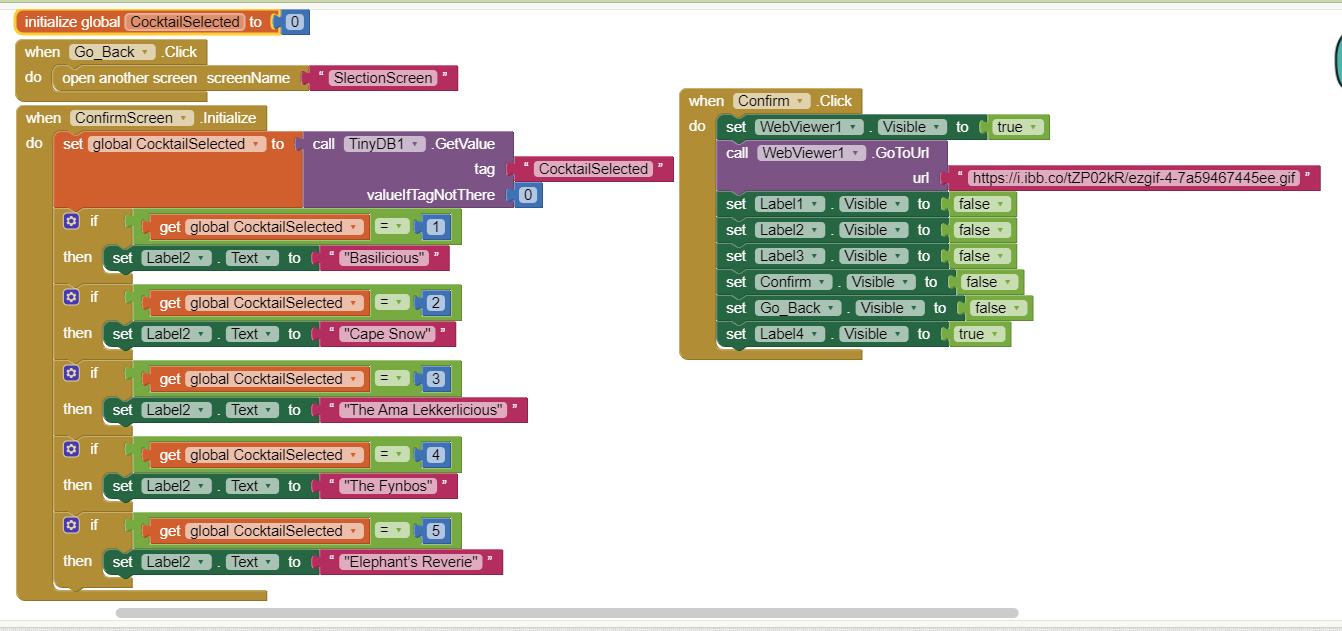
@Msindisi_Mtengwane At a glance, I can see that your global variable CocktailSelected is initialized as a stored value. You can't do that. If you want it to call a stored value on initialization, you should put down a whenScreen1.initialise event block with setglobalCocktail selected to call TinyDB1. Get value blocks inside it. You can initialize it to be whatever was stored then. And initialize the global variable to 0 instead of that getValue block.
Thanks for the information. I was wondering why I’m getting a warning with that block. I’ll sort it out as soon as I open the code again. I’m still a beginner, and already all the information I just got from you guys has made me see things so much better.
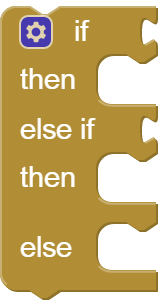
Guys is there a way you can use a case / switch function in MAI2? So instead of using a bunch of "IF, Then" blocks, I would have something like "Switch(CocktailSelected): Case1, Case2,Case3...Casen"
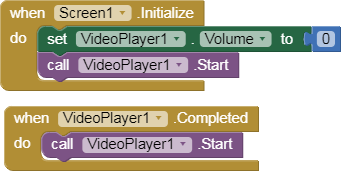
I actually found a new way to use .gif files in app inventor. We can convert a .gif into .mp4 format by using websites available over the internet. Then we can use the Video Player component like this:
You can also control the start and stop of the gif. This is the best way to use GIFs in App inventor without any extension. The video player will loop endlessly the video file like a gif until you command it to stop. It just takes 2 minutes to do this-Easy and Simple.