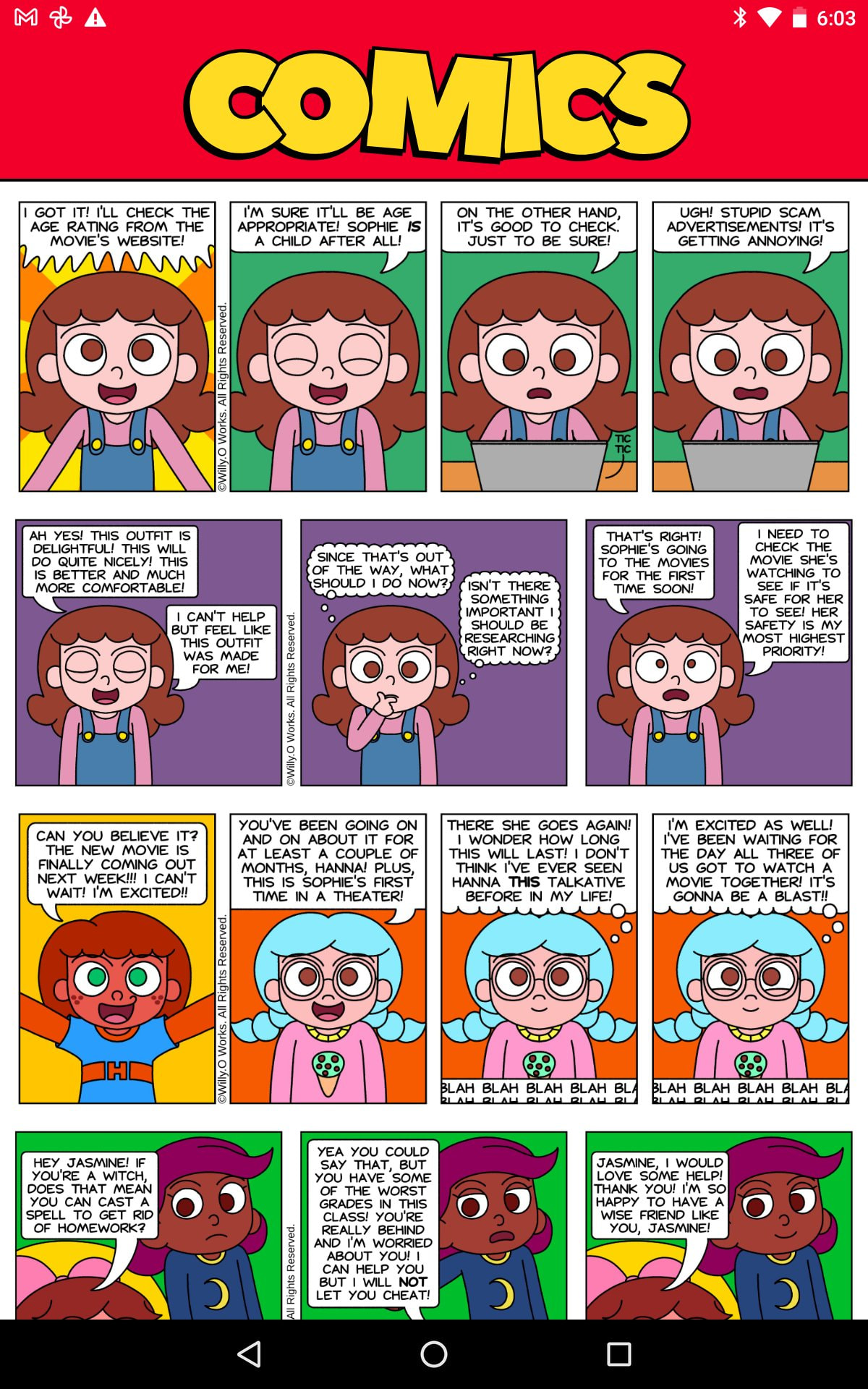
I’m trying to build an app that houses my comics in a scrolling feed format.
I added a bunch of image components with the images it self. I then realized that having the images BUILT IN the app would cause it to lag as well as make the app bigger in size.
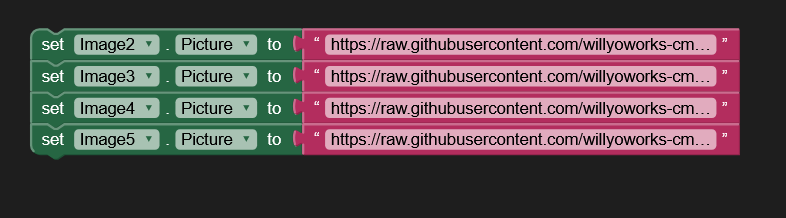
I then thought to use a link by using blocks setimage.picture and a blank text string in which i put a direct link to said images
Now the problem is when i export as an apk, the images don’t load. I tried image links from ComicFury (where my comics is hosted), GitHub, everything! I’m completely new to this and have no idea what the issue is. I’d really appreciate some help on this.
UPDATE: I FINALLY did it!!! I put all the blocks in a “When Comics Initialize” block and I had to wait a day for the links to start working for some reason but they worked! I tested this app on two devices! A updated android phone and a Nexus! (2013) Didn’t work on the Nexus and I’m assuming it never will because of it’s old android version!
I tested on my Nexus7 (Android 6.01) and this does not load the image component from a url.
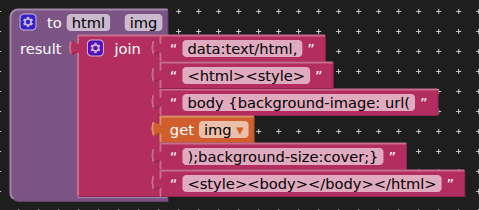
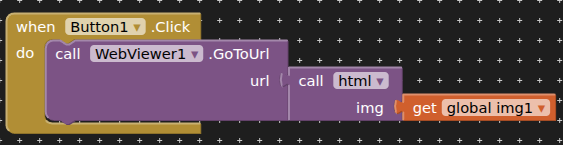
You can work around this by using a webviewer, for which you would need to set the height and width to match the aspect of your images. You can then use a built datauri to display the image:
You might also want to consider the size of your images. A Nexus7 (in portrait) has a screen width of 600 and height of 912, so your images do not need to be any bigger than that. This will speed up loading times.
[EDIT] Have since tested on Lenovo Tablet (android 6) also url does not work with image component. Strangely, I was unable to download a file using the web component, even though the file worked OK in the webviewer. I wonder if a bug has crept in for earlier versions (android)?
 I put all the blocks in a “When Comics Initialize” block and I had to wait a day for the links to start working for some reason but they worked! I tested this app on two devices! A updated android phone and a Nexus! (2013) Didn’t work on the Nexus and I’m assuming it never will because of it’s old android version!