I teach online to students who are in their own home and use a variety of devices. So far we have only used the companion app for testing, but students are disappointed to not be able to install their apps on friends devices to share and use.
If everyone had an android device it would be easier to install the apk, but it seems the majority have iOS devices like iPads and iPhones.
In reading through the instructions for iOS found here ( Building Apps for iOS with MIT App Inventor ) it sounds like we need a certificate from Apple. I did create a free developers accounts with Apple, but do not qualify for a fee waiver because I am not a nonprofit organization, accredited educational institution, or government entity. I am currently a sole proprietor teaching as a contractor and therefore excluded.
That being said, does anyone have advice on how I can help my students build .ipa for iOS? They can not pay the annual fee nor create an apple developer account. I am willing to pay the fee and have students use my account, but I don’t understand how to go about it. The students do not need their app in the app store necessarily, but if we can somehow use Apple Test Flight would that work?
For example, we are about to do the CloudDB Chat App project and I know they will be very disappointed to not chat with each other and will only be using the app companion to message themselves, which defeats the purpose of the project.
What would be the most economical way to go about this? Any help would be great appreciated.
Maybe you can build and sign the IPA on your end while following the guide, then add it to TestFlight internal testing and invite your students’ Apple IDs so everyone can use it.
Registering devices (students' iPhones/iPads)
The teacher collects the UDID of each iPhone (device) and registers the devices in his Apple Developer account.
Creating an ad-hoc provisioning profile
The profile includes the registered devices, the corresponding App ID, and the distribution certificate.
Building an IPA file in MIT App Inventor
The profile is integrated into App Inventor. The app is then built by selecting "Build" → "iOS Ad Hoc (.ipa)."
Distributing the QR code
Students scan the provided QR code using their iPhone's standard camera app and open the installation link that appears.
Anke has the right idea. You could go one step further and distribute a copy of the keystore and the provisioning profile for them to build their own apps from their App Inventor account. Of course, you should not do this if you use the keystore for anything else, such as publishing your own apps. Even if you go this route you can only add up to 100 iPhones and 100 iPads per year per account, so the effectiveness of this approach will depend on the size of your classes.
Unless your work extends over multiple days, I would definitely advise against the TestFlight route. Getting a new app into TestFlight can take multiple hours since the first time involves some manual review by Apple. That would take the magic out of it.
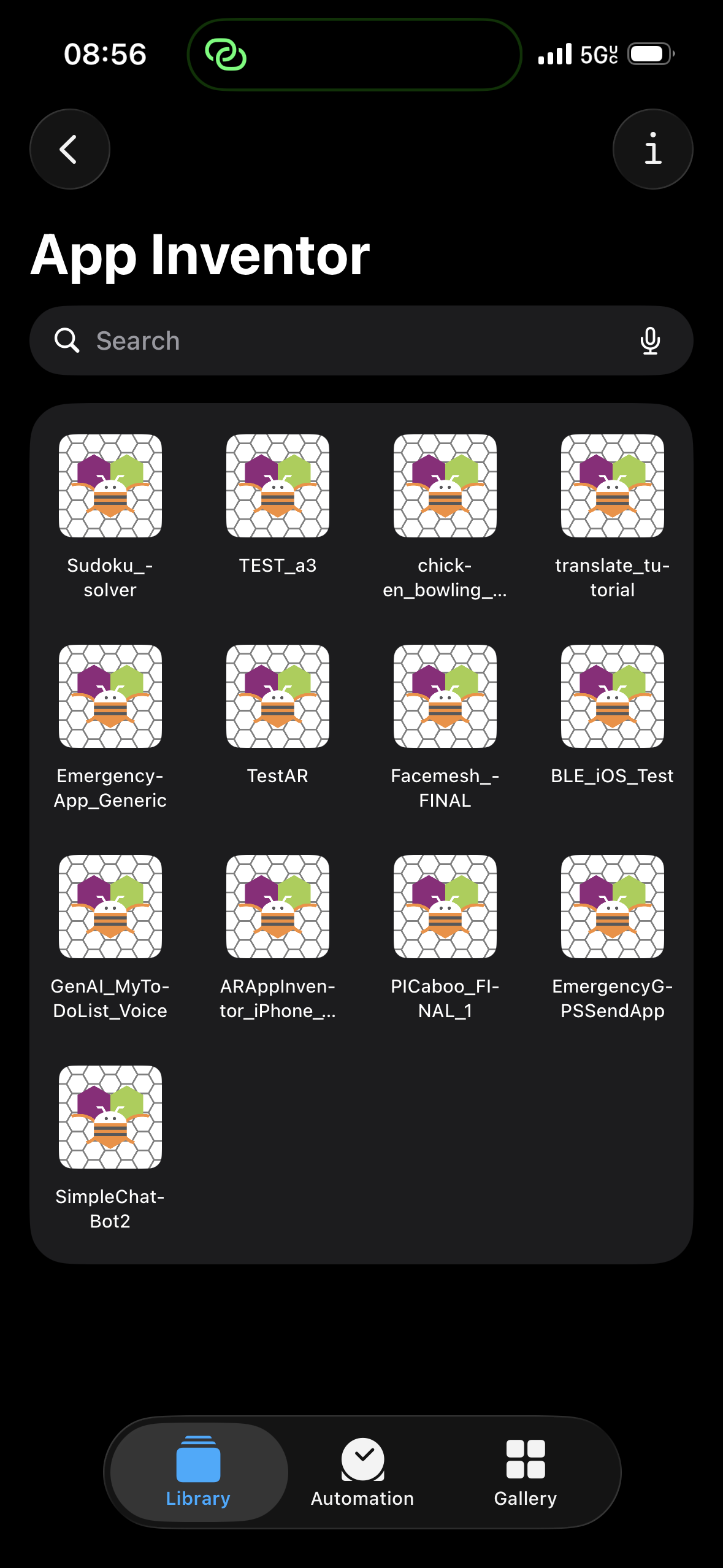
The other option, which may be less glamorous, is you can have them save their apps using the Saved Apps library:
On iOS, you can create a shortcut to the saved app using the Shortcuts app, which will list MIT App Inventor and any saved projects in the library:
But then there would be dozens of accounts using the same keystore. Having to explain to every student that they may only use the keystore for this specific purpose — and must subsequently replace it with their original one — would likely create quite a mess.