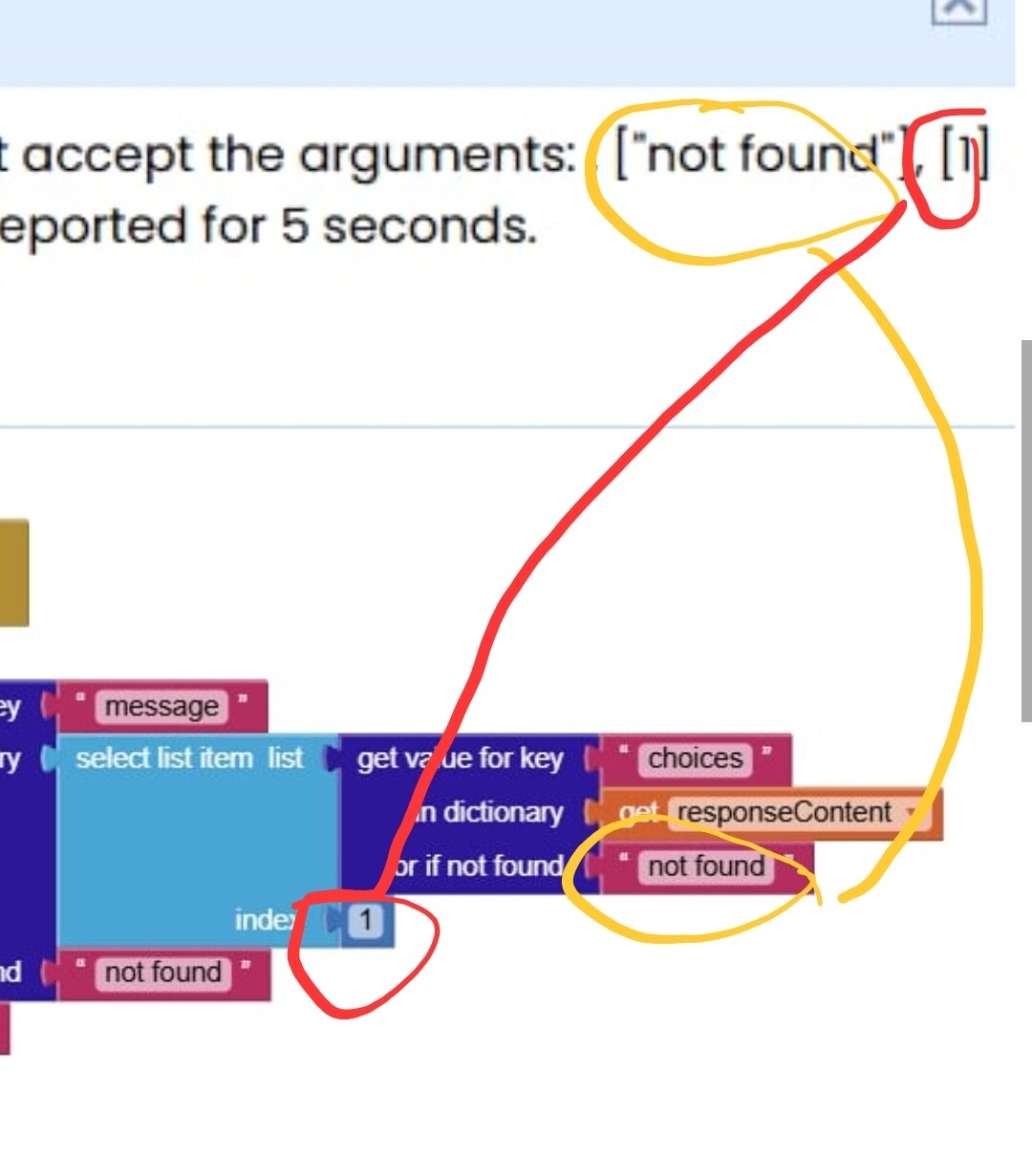
Hello! This is my first time making a post, but I need help in implementing an AI chatbot. I've followed a tutorial for this but I'm unsure where I went wrong...
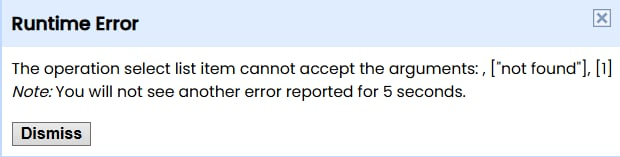
Thank you!
Hello! This is my first time making a post, but I need help in implementing an AI chatbot. I've followed a tutorial for this but I'm unsure where I went wrong...
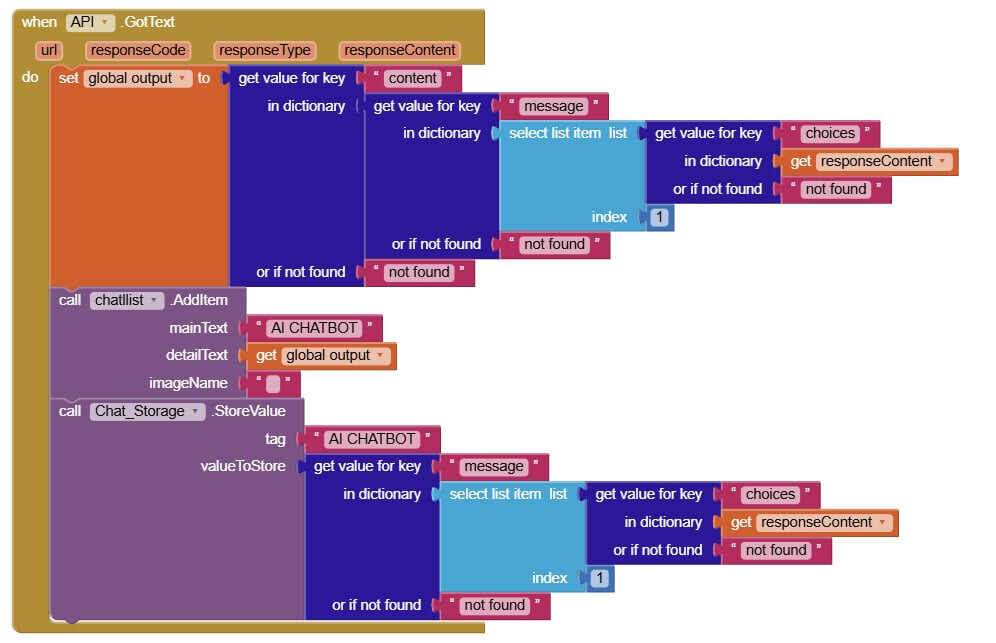
Thank you!
There is no key choices in your response content
Use the companion app and Do it to debug your blocks, see also tip 4 here App Inventor: How to Learn | Pura Vida Apps
see also Live Development, Testing, and Debugging Tools
Taifun
Trying to push the limits! Snippets, Tutorials and Extensions from Pura Vida Apps by
Taifun.
Where did you find this tutorial? The code you pasted only shows part of what you followed. Did the tutorial that you followed have an aia? Did you compile and run that aia? Did it work?
If an aia from the tutorial worked, then you made changes that you are not sharing with the community. ![]()
I found it on youtube (huhu don't mind my comment, i had a previous problem), and second, the tutorial did not have an aia on it's description ![]()
It was just a 'step-by-step' tutorial that I followed fully. Also, I only shared some part of the code because I believe that's where the problem lies and that I didn't need to share the resttt huhuhu
Check also in your openai account you have credit
Hey @koumi,
Actually, if you want to make things easier, App Inventor has its own Chatbot component. You can scroll down and expand the Experimental section to see the Chatbot component, or search for it directly in the search bar.
Tap here to learn how to use the blocks. ![]()
Hope this helps!
P.S. You don’t need API keys for this component. MIT App Inventor has its own API keys! ![]()