There are two options that are 'simple'
- Sharing Your App ... share the QR code link that results when you compile your app using Build> App (provide QR code...
- Share your apk using a shareable link to your Google Drive
- have your friend make the following settings on his/her device Settings>Security>Install unknown apps and select Drive (if your Android version permits).
- place your apk file into your Google Drive and then create a shareable link
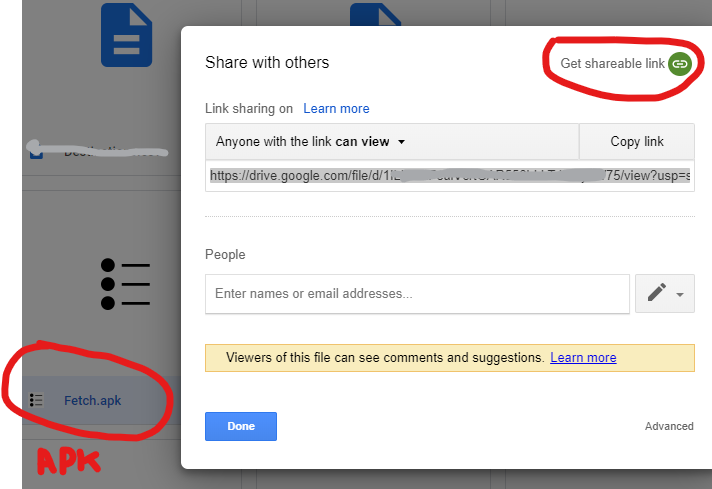
- copy the link to an email and send the email to whoever you want.
-
when the recipient receives the email, they should click on the shareable link, this begins the install process.
-
When requested, open the file with package installer
-
the app should install. Follow the prompts.
Did this help?
Regards,
Steve