i am entering data and store them in Firebase under "Patient " then projectbucket will be "Patient/ID " and thisis work fine but when recall the data into list to view them in listView it dosent work
i tried to view list in label instead of listview but still empty
listview_Issue.pdf (265.2 KB)
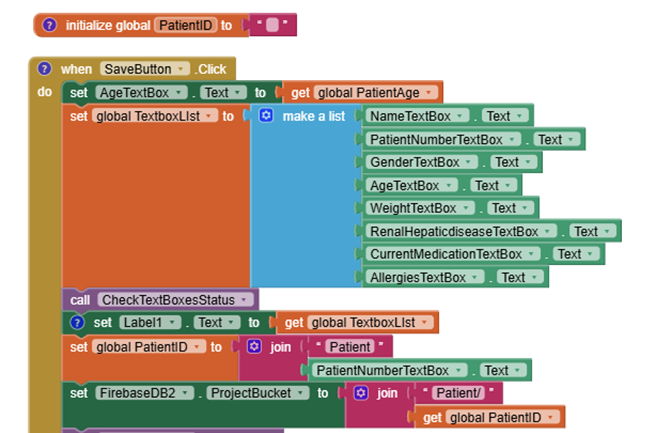
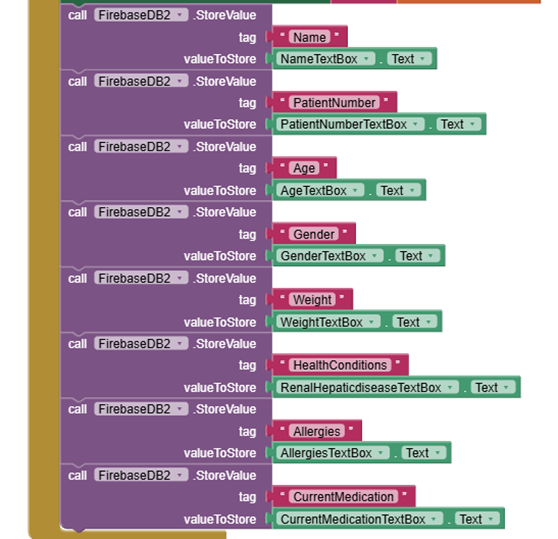
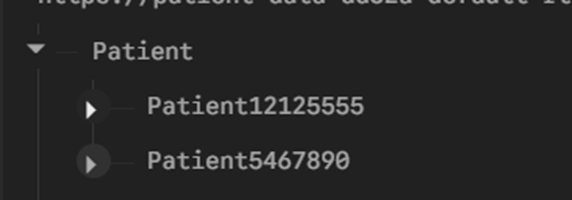
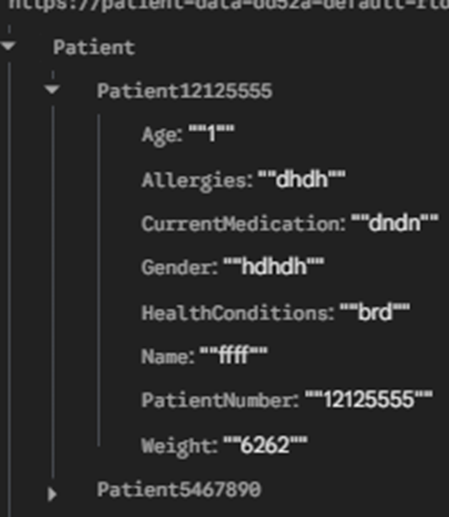
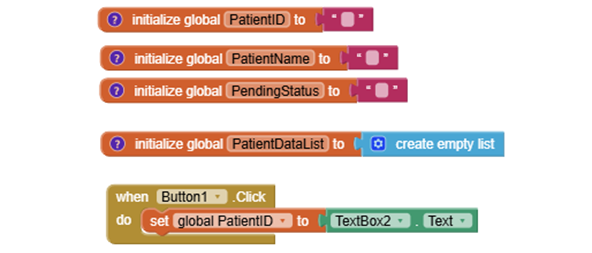
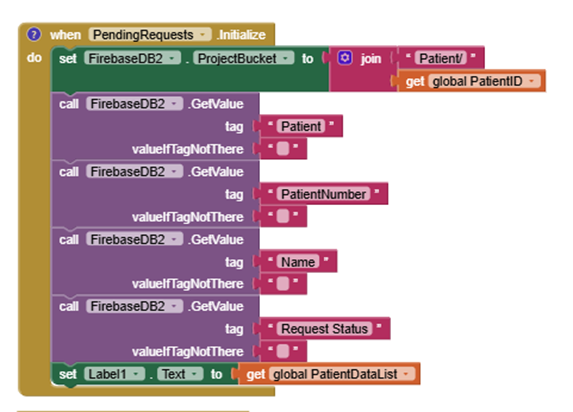
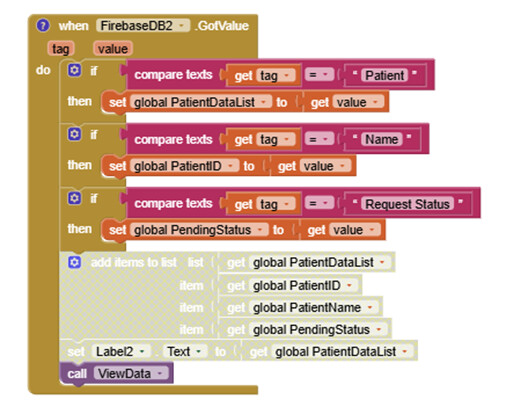
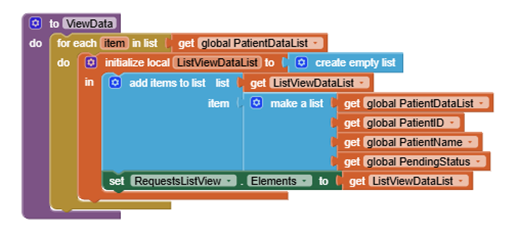
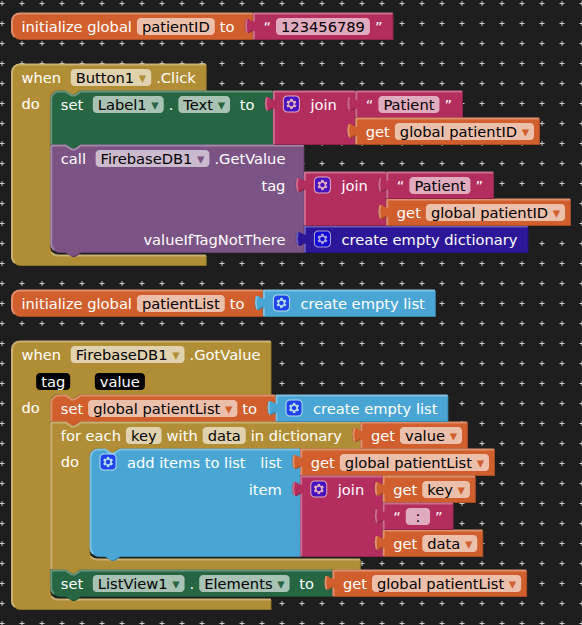
Try like this (not tested), fetch back all the data for a patient, and then add each of the values to a list, for display in a list view.
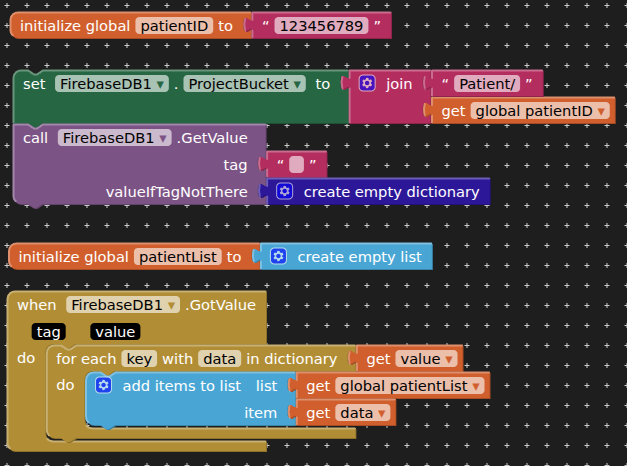
You could add keys as well if you want the format "patientID:123456789" for each item of data.
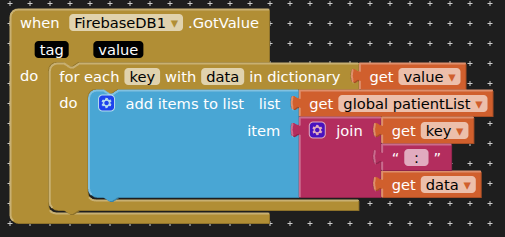
1 Like
ok i will try
still the same no data stored in the list niether viewed in listview
i think the proplem is when determining which patient data retrived. so could i retrive all data of the firebase in listview ? then i will select
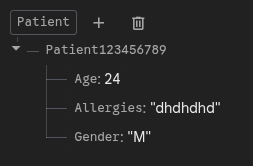
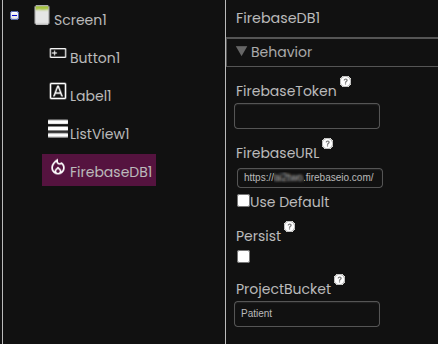
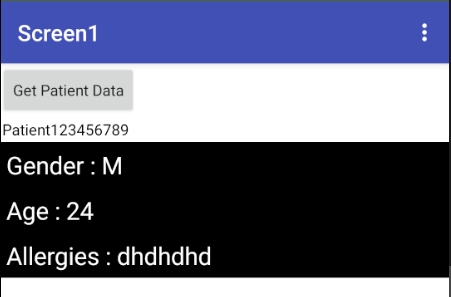
yeah now it works thank you, but what i meant that i need to do is to show all patients in my databse without the need to enter the ID
like this :
Patient 1234 l 23y l pending
patient 3235 l 5y l approved
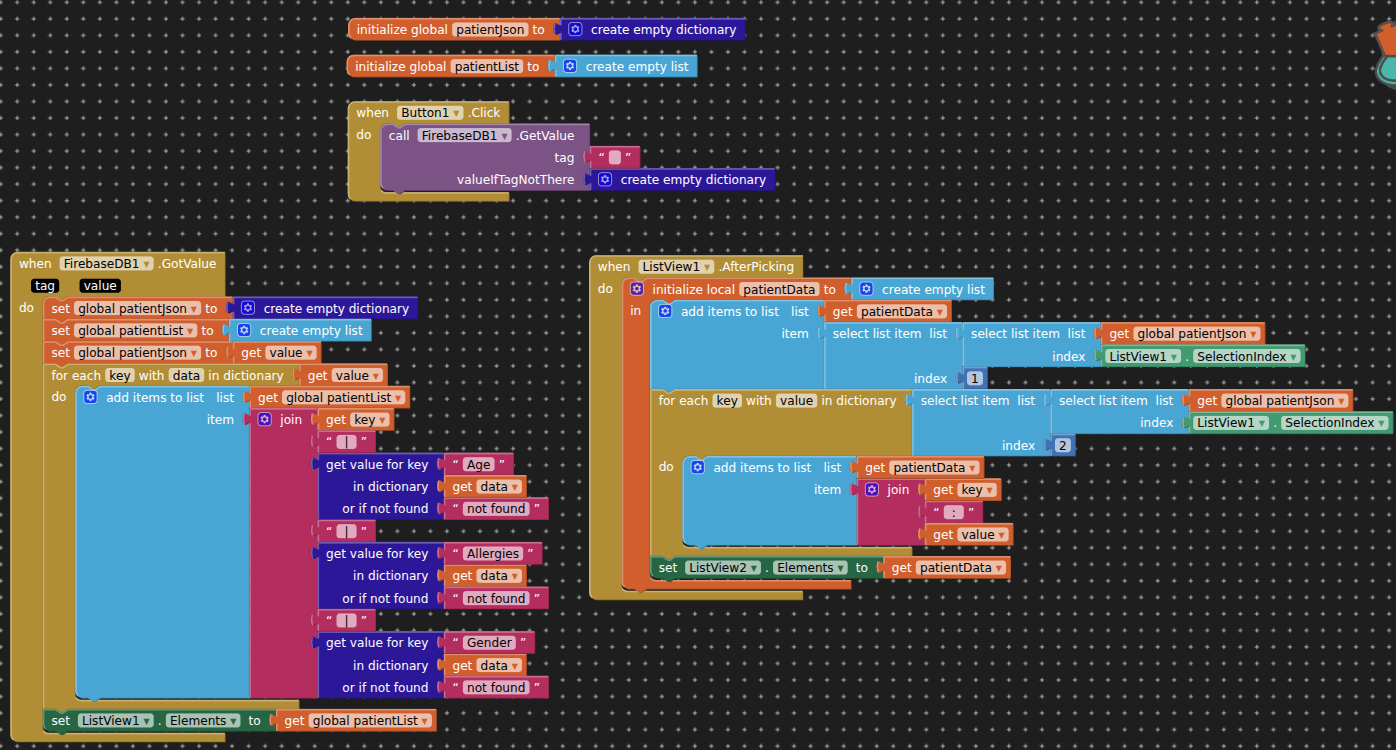
so i need only to view like 3 data for each patient only in each element and if clicked i will show all data in another screen
thanks a lot 
it works, but i didn't get why you use Listview2 even when i remove it it still works
and i have final question  now after picking it shows error..
should i use compare text if text segment of ListView element = ID then it will go to next screen with that Start Value ? because for this i will need to know all IDs to compare
Did you try it ?
i did but i got stuck because i didn't know how to set the ID value / patient number to a variable so i could use it as start value
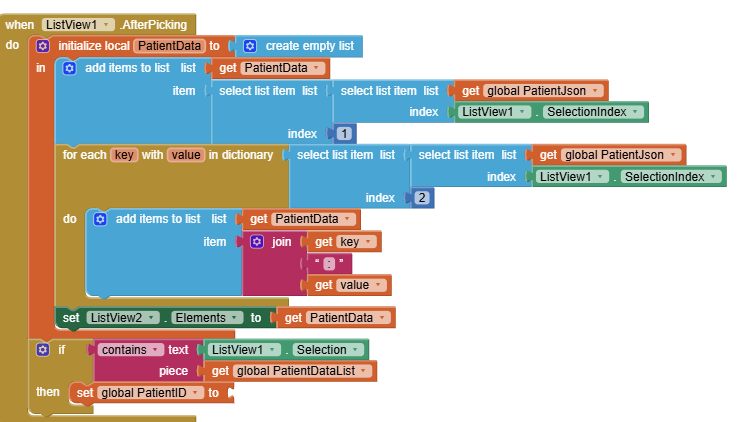
or it is gona be easier if i am abel to get tag of patient number for selected elment
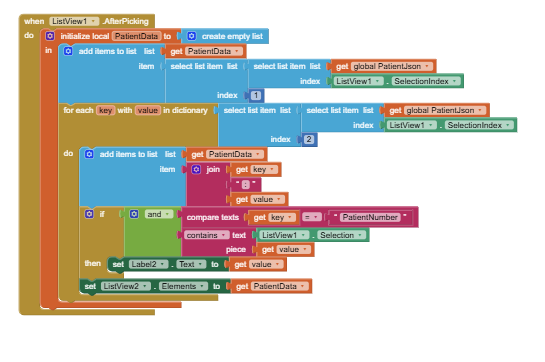
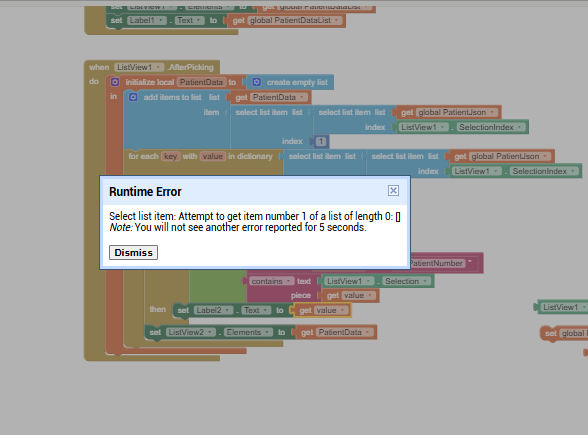
i tried to use the value from the previous list but kept showing this error
and i am testing it by view the value bylabel 2
Best to use tinydb on every screen, then you access to all the data on all screens.
You could therefore save the selected PatientID to tinydb, and call this back on the next screen.
I didn’t get it
Show what you tried for the sending and receiving screens (blocks/settings etc.).
Ensure that tinydb uses the same namespace on each screen.
Actually I write data in one app then retrieve it in another
In the first app i used patient ID as projectbucket so i used it as start value for each screen in order to complete writing the data on same ID / patient
and i already retrive data for each ID fine in both apps but the proplem is how to get id from selected Elment
Use the selectionIndex to fetch the data from the original list. See how I have done this in my second example provided for you.