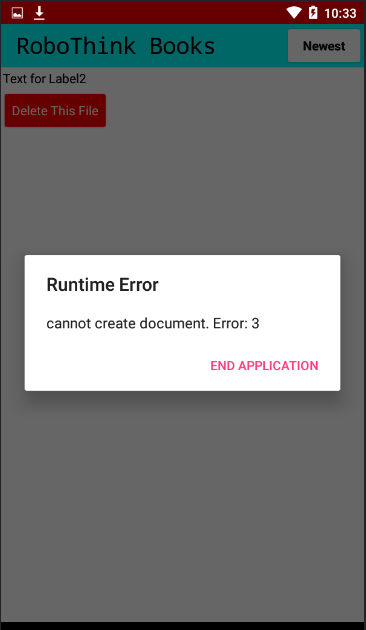
app is not compiling and my android version is 13 i didn't but when i added webviwerstring to 1 still same runtime error
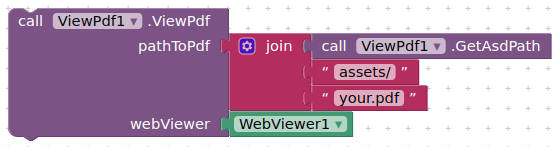
If using companion, try just loading it directly from assets:
Update to ViewPdf v2.5 and ViewBigPdfv1.1
- added quality setter
- now includes function from separate pdfaddon
- afterDisplay event
See first post for more details and download
2 Likes
Can we change the background color to white? For me, if I don't change the background color it stays a light green and if I change it to white it stays the same (light green) but the other colors all work well.
As you can see, the image is white, but the background, which is set to white, looks like this.
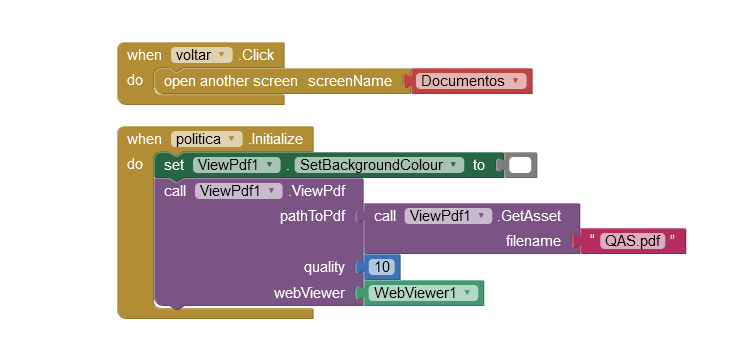
I'm working on Android 9, I don't know if that's the problem.
Not quite sure what is happening here, but you are correct, setting to "white" does not work.
Two quick workarounds:
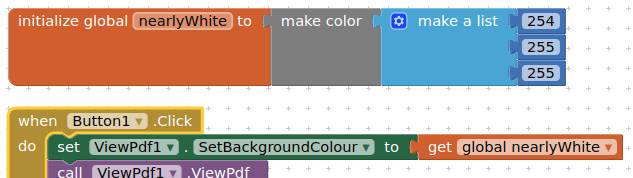
which looks the same as white to me.
or
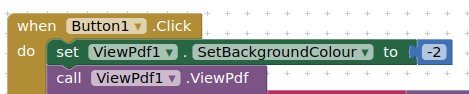
which gives white
In the meantime, I will have to have a look at the code and see why this is happening.
Okay, I'll test it. Thanks for the answer.
Hi @TIMAI2 i got a issue, i can't display my pdf.
pdf is in download files called "Play.pdf" i tried many options to make it work any ideas?

I always receive this error, i tried to change "assets/" to "download/" and other options like to set my own directory but then android give me error about no permission, any ideas? i would be thankfull.
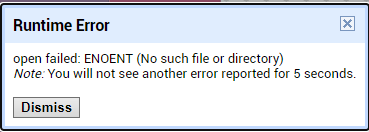
If the pdf is in your Download folder, then your path should be:
/storage/emulated/0/Download/Play.pdf
I was trying this before and again i got a message about no permission even when i build it and set in settings to allow storage access
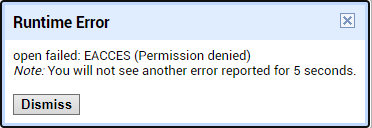
A different error, probably showing that the file path is correct, but that the pdf is not "owned" by the app, thus you do not have access permission.
Does the file have to be in the Download directory ?
Could you download it using your app into the ASD (and then copy to Download) ? Or store it in the assets / media folder ?
Tell us more...
I would prefer to be download directory because when user is downloading pdf from e-mail it lands in download directory, is it possible to get files from download/ anyway?
For now i don't want to implement downloading from cloud a pdf file
OK, understood.
There are a couple of methods to handle this, requiring other extensions that can overcome the file permissions issues. One of these is to use the SAF extension, the user would need to pick the file from downloads, this can then be copied to the ASD, where it would become read/write for your app, you can then copy it back to Download where it will then be owned by the app and should be readable by ViewPdf. The other method is to use the webviewextra extension and an html file, to again pick the file, copy it to the ASD (as a blob url), and so on.
As far as I know, this cannot be done without the user having to pick the file.
1 Like
Alright that's sounds great i will try with SAF extension.
Thank you very much.
You should use the File component to copy the file from ASD back to the Download folder - if you need to (setting your filescope to Shared or Legacy)
你好,我在中国大陆校园网想下载此文件,但是校园网无法访问GOOGLE,能不能在此处分享一下AIX文件?非常感谢!
这里牵涉到了谷歌。
Hello, I want to download this file on the campus network in Chinese Mainland, but the campus network cannot access Google. Can you share the AIX file here? Thank you.
This involves Google.
[mod edit - links removed]
Sure. Here are the latest versions:
uk.co.metricrat.viewpdfv2.5.aix (19.6 KB)
uk.co.metricrat.viewbigpdfv1.1.aix (20.6 KB)
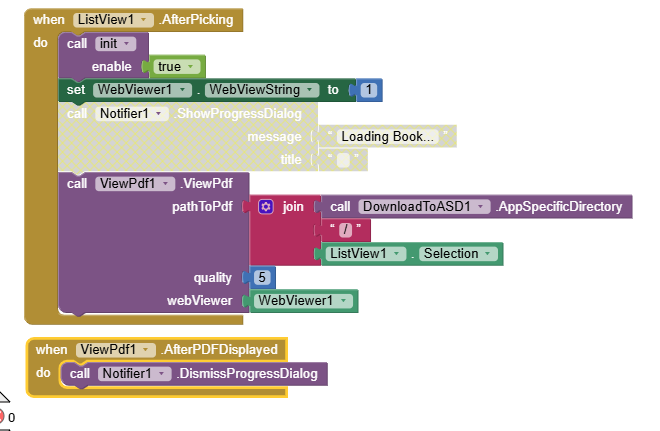
In companion app, run Do It on your join block to show the path to the file.
Also, I provide a getASDPath block in the extension, see first post for usage.
1 Like
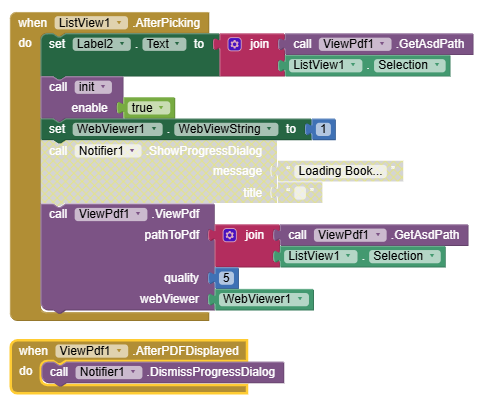

aside from the spaces in your filename 