Not sure I understand what you mean? Do you want to colour these cells too ?
I need to add another row.
To do this, I save the first three columns of data in Firebase in a tag, highlighting the commas.
And the cells that will be colored in another tag.
Once saved in Firebase, I retrieve them and combine them to create the table.
But I need to save the content.
#r7c33, #r7c34, #r7c35, #r7c36, #r7c37, #r7c38
But I only have
#r7c33
#r7c38
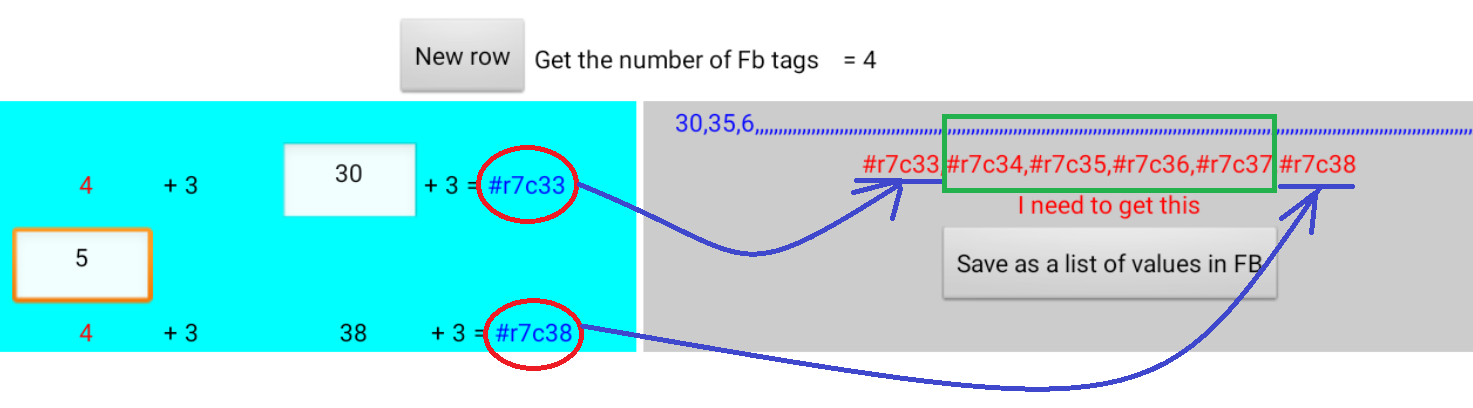
I need the green one
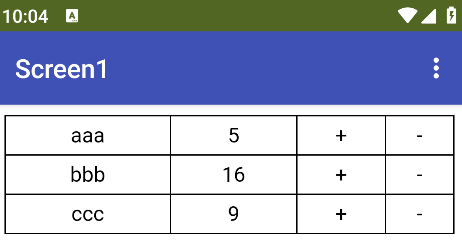

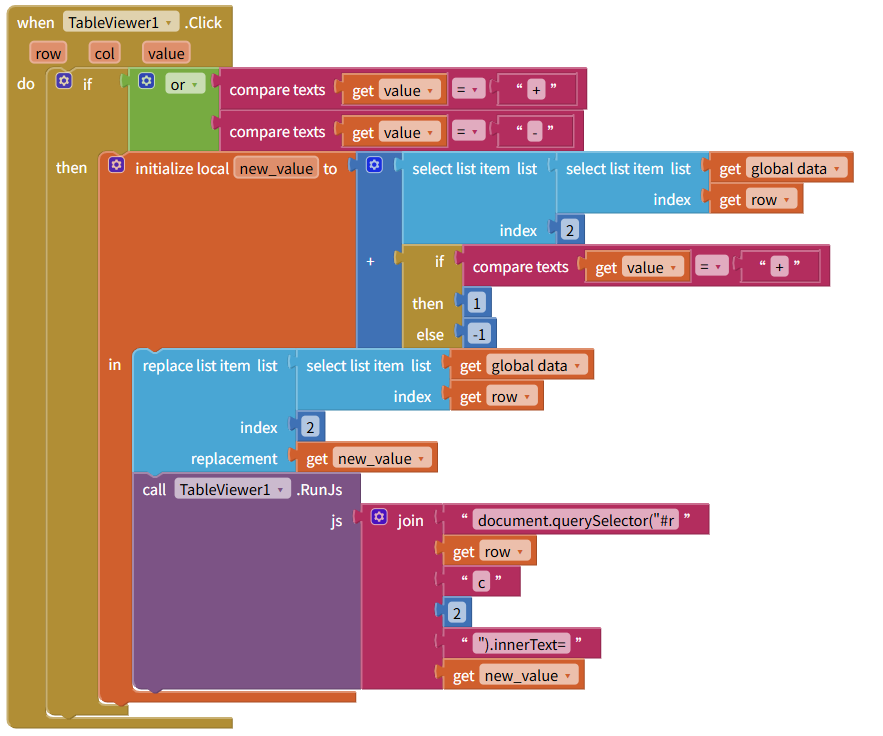
Another detail is that I'd like to stabilize the first three columns, including the header.
How can I stabilize all three?
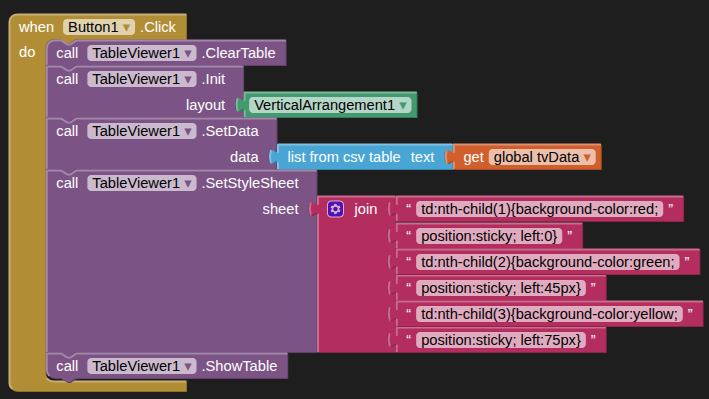
td:nth-child(3){background-color:green;position:sticky;left:0;}
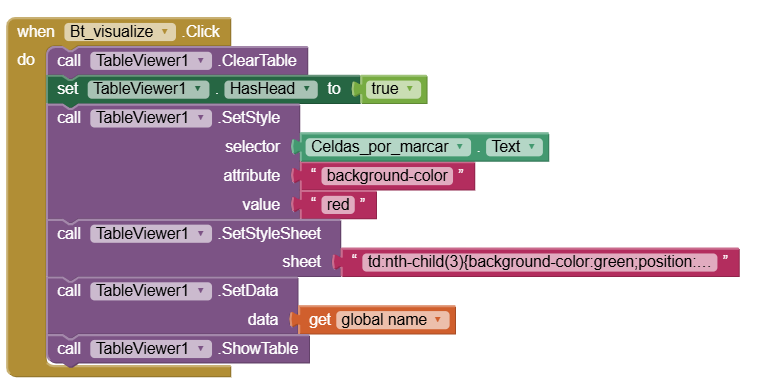
what about td:nth-child(1), td:nth-child(2), td:nth-child(3) {....}
This only gives me the color, but it doesn't stabilize it.

td:nth-child(1),td:nth-child(2),td:nth-child(3){background-color:green;position:sticky;left:0;}
This is what I'm looking for:
- Stabilize the first 3 columns
- Join:
1 and 2 of column 1
1 and 2 of column 2
1 and 2 of column 3
just like the video
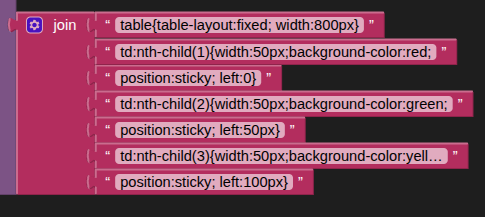
For setting column widths try like so, you may need to adjust your table width accordingly:
@Kevinkun may have a better method for this...
Another option would be to create a separate table, since I can't find a way to stabilize the first three columns.
I'm wondering how I can combine the first and second rows and color them.
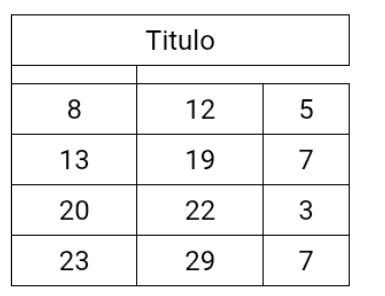
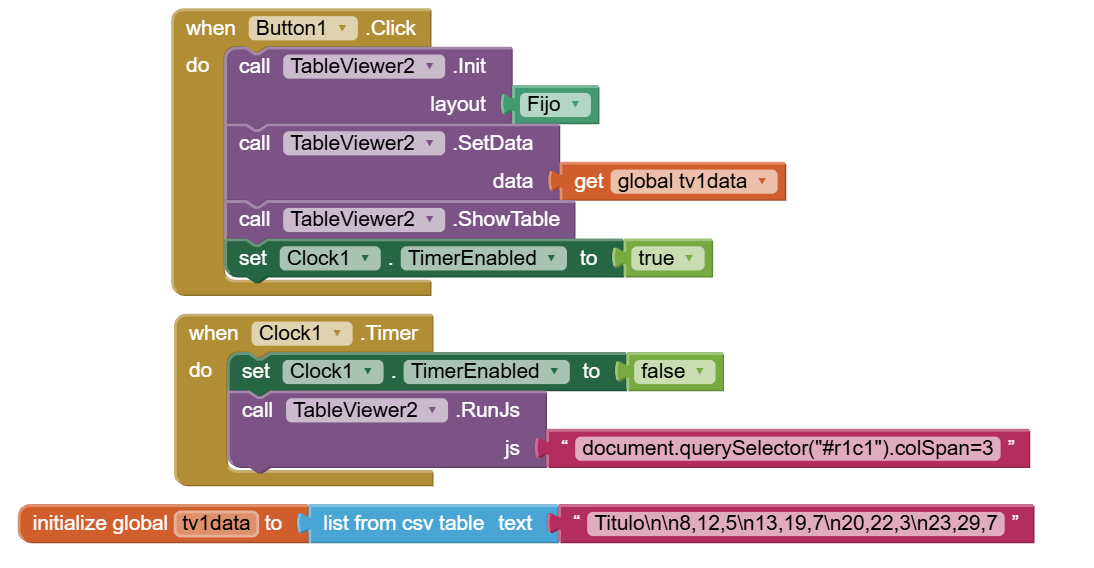
document.querySelector("#r1c1").colSpan=3
Titulo\n\n8,12,5\n13,19,7\n20,22,3\n23,29,7

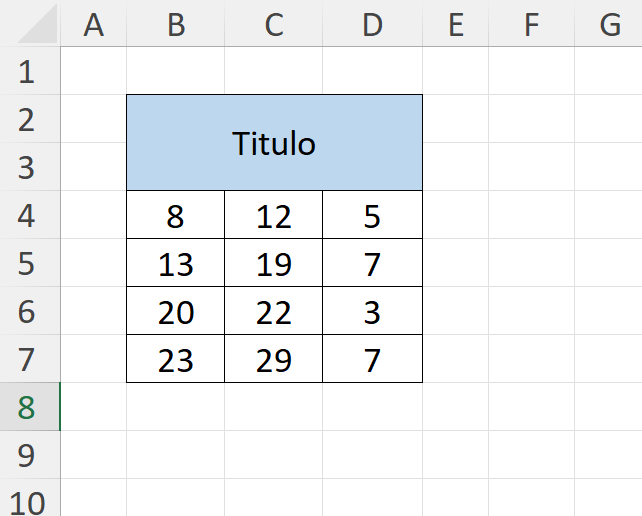
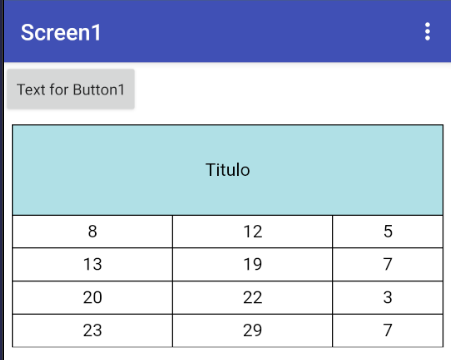
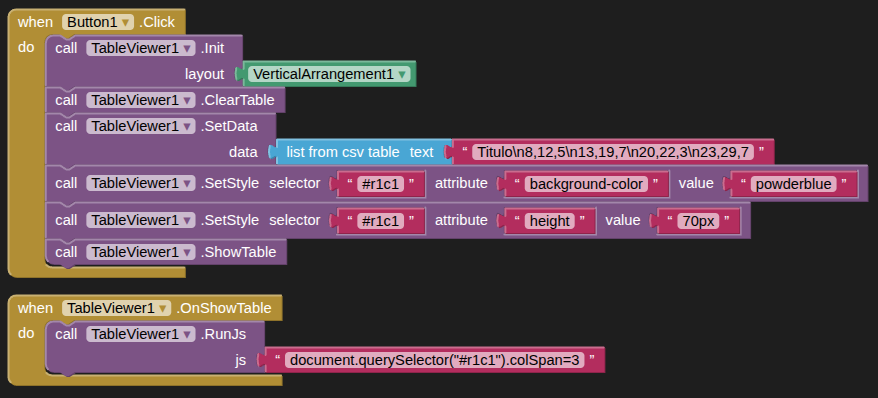
Does this mean the two rows can't be joined?
Is the alternative to adding height to the first row?
If so, row 1 would be 70px high.
How can I make all rows from row 2 onwards 35px high?
I have probably figured it out, will report back tomorrow.
1 Like
You can learn about colspan and rowspan here:
https://www.computerhope.com/issues/ch001655.htm
One quirk, if, in your example above, you have three columns and 6 rows, and you want to span the three columns and two rows, you will find the rows collapse into one row (because there are no other columns to the right with cells in to support the structure).
For your example, the approach I have taken above to set the height of the top cell is the best way. If, as I expect, you have many more columns to the right of the three you want to span, then you can do this:
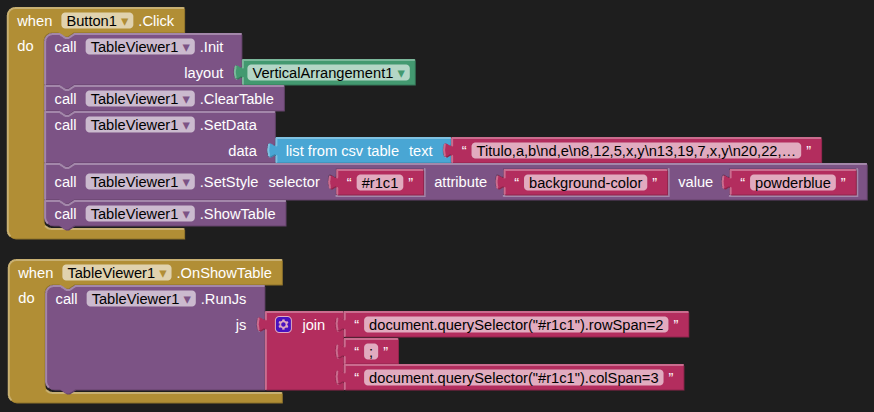
WITHOUT colspan or rowspan
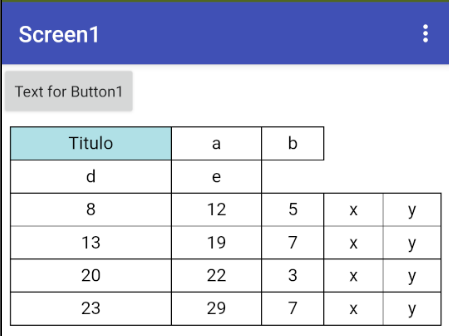
WITH colspan and rowspan
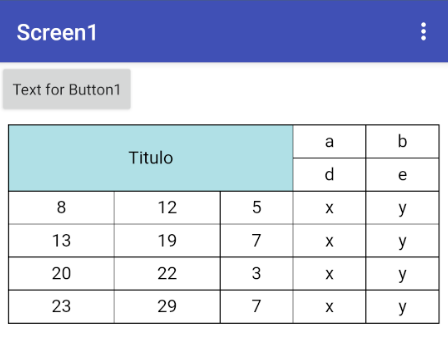
Titulo,a,b\n
d,e\n
8,12,5,x,y\n
13,19,7,x,y\n
20,22,3,x,y\n
23,29,7,x,y
You need to look carefully at the data you provide for the six cells you want to combine!
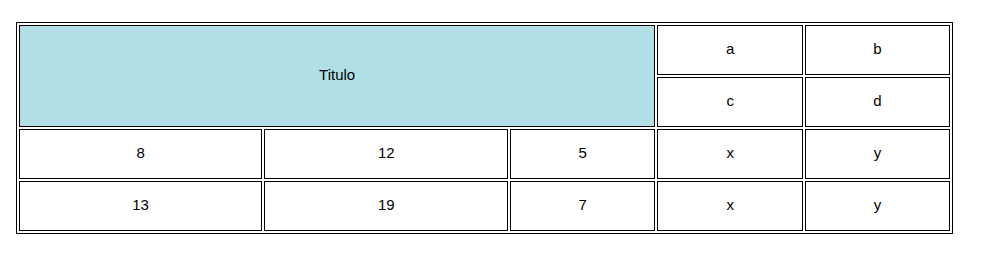
Here is a visual example using html/css
<!DOCTYPE html>
<html>
<meta name="viewport" content="width=device-width, initial-scale=1.0, maximum-scale=1.0, user-scalable=no">

<head>
<title>Demo</title>
<style>

table,td {
  border: 1px solid black;
}

table {
  width:50%;
  margin: auto;
}

td {
  height:50px;
  text-align: center;
}

</style>
</head>

<body>


<br><br><br>

<table>
 <tr>
  <td colspan="3" rowspan="2" style="background-color:powderblue">Titulo</td>
  <td>a</td>
  <td>b</td>
 </tr>
 <tr>
  <td>c</td>
  <td>d</td>
 </tr>
 <tr>
  <td>8</td>
  <td>12</td>
  <td>5</td>
  <td>x</td>
  <td>y</td>
 </tr>
 <tr>
  <td>13</td>
  <td>19</td>
  <td>7</td>
  <td>x</td>
  <td>y</td>
 </tr>
</table>


</body>

</html>

Titulo,a\n d\n 8,12,5,x\n 13,19,7,x\n 20,22,3,x\n 23,29,7,x
Do I need an additional column on the right for this method?
I don't need that column.
I'm trying to change the data, but I can't.
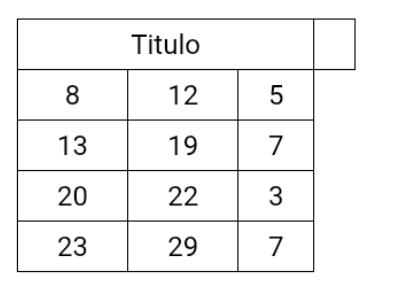
Titulo\n \n 8,12,5\n 13,19,7\n 20,22,3\n 23,29,7
The intention was for all rows to have the same height, and for rows 1 and 2 to be combined so it would look aligned with another parallel table.
I believe I covered everything on *span above.
Adjust colspan and rowspan accordingly
Taifun
Now I understand that it's necessary to put text in the cell because:
if there's no text, the height is reduced. This is what happens in this example where I have two tables and I want them to be aligned.
My question is, how do I give a specific height to all the rows?
(Not to the table)
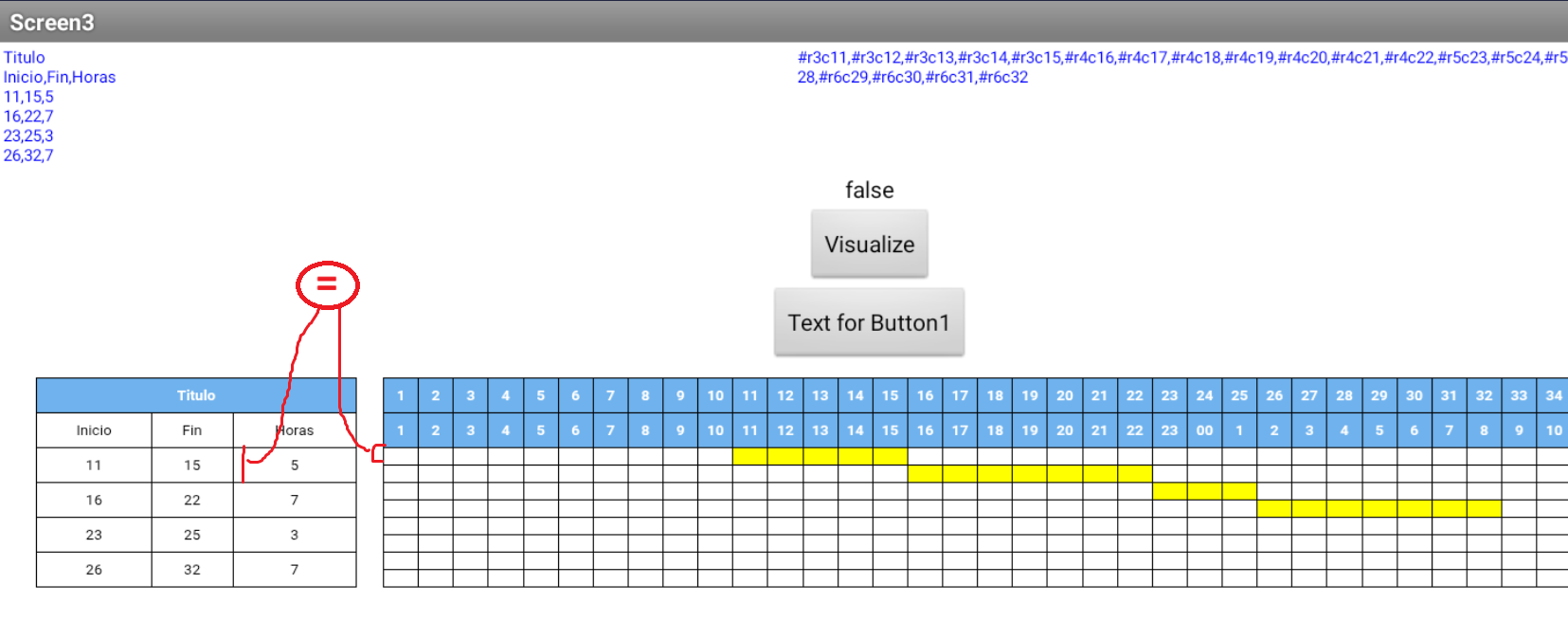
You will have to give the table a fixed layout, as I previously showed, then set the cell heights for all the th and td elements of the table.
You never responded to this query: