a lot of thanks. its working.
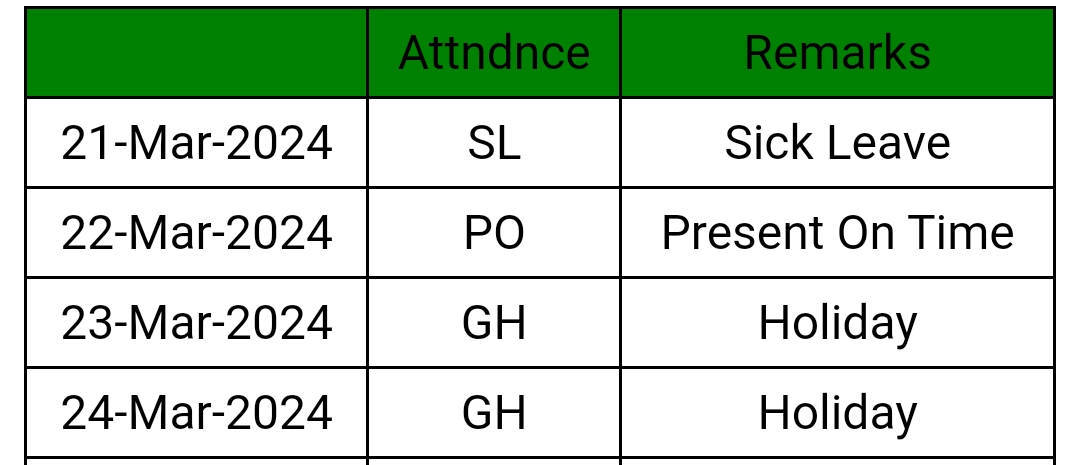
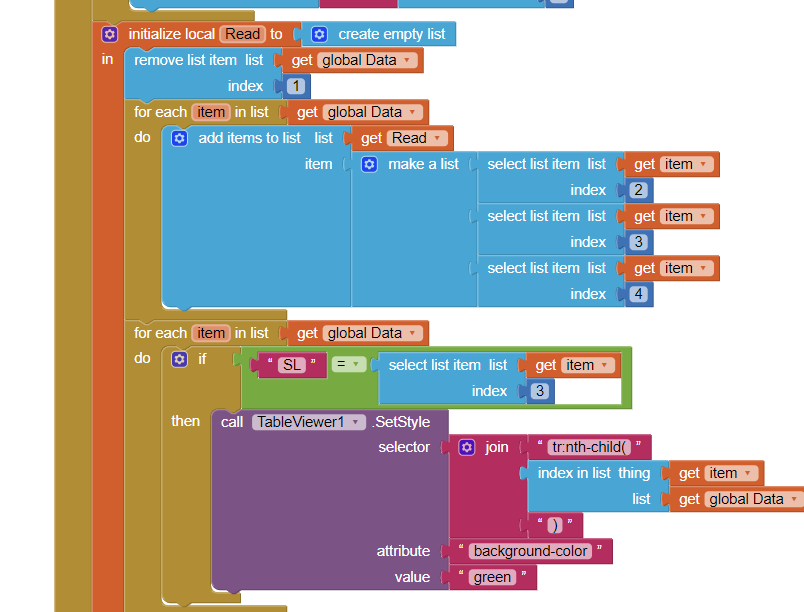
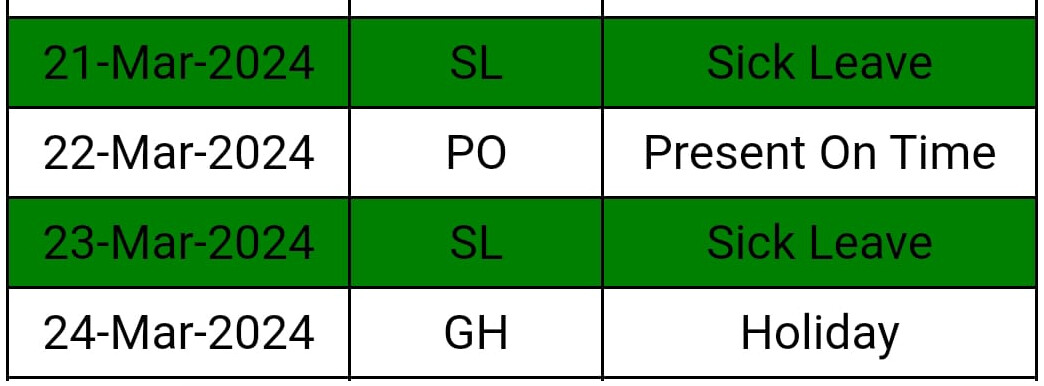
One more I want change cell filled color based on text value like as where is text value is "SL" cell color filled with green and where is "PO" cell filled color is pink.
Read the documentation from the first post downwards. The answer is there in the examples provided.
Seems you did not read down quite far enough:

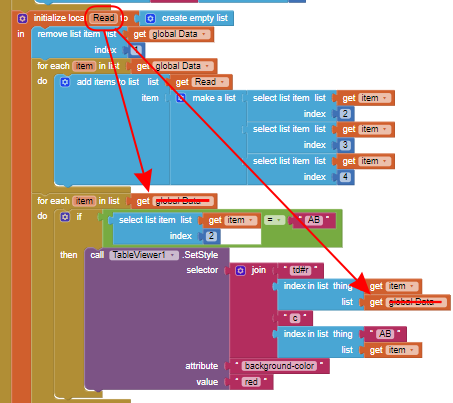
Select item index 2 (not 4 as in the original example)
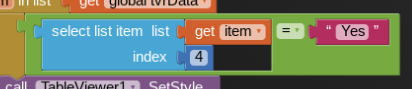
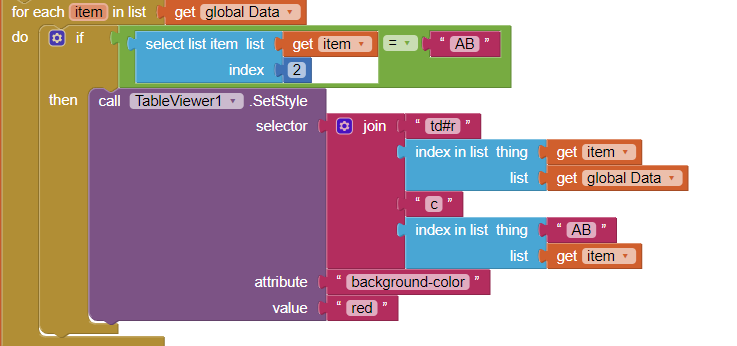
Should work, from what you show. Refresh your table/companion...
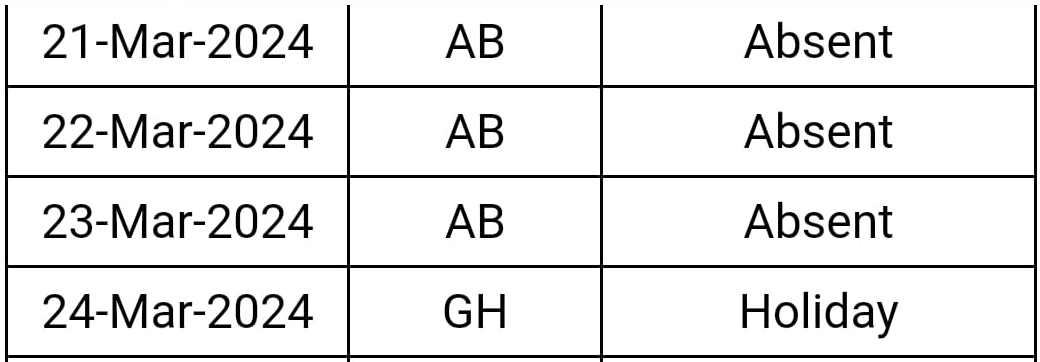
Show the contents of your global Data list


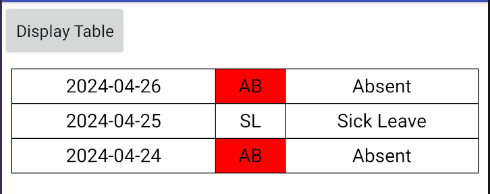
sir kindly made amendment in this if need
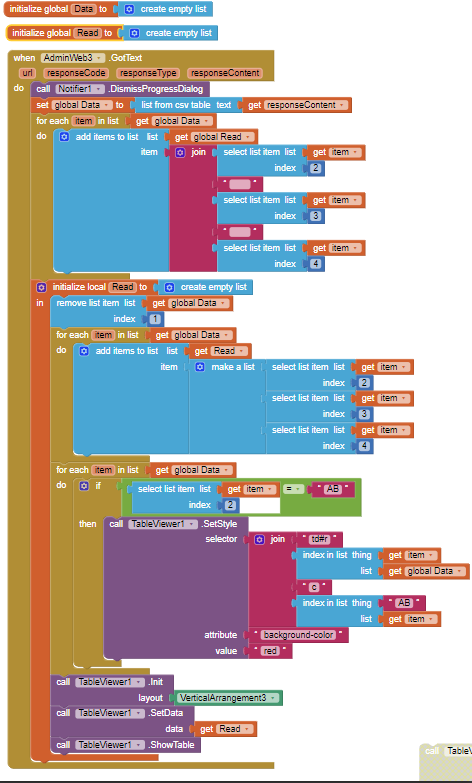
You are not using your Read list...
Hey everyone, I'm using the Table Viewer extension with Kodular. Everything works fine, but when I try to use it with Firebase, it doesn't show correctly.
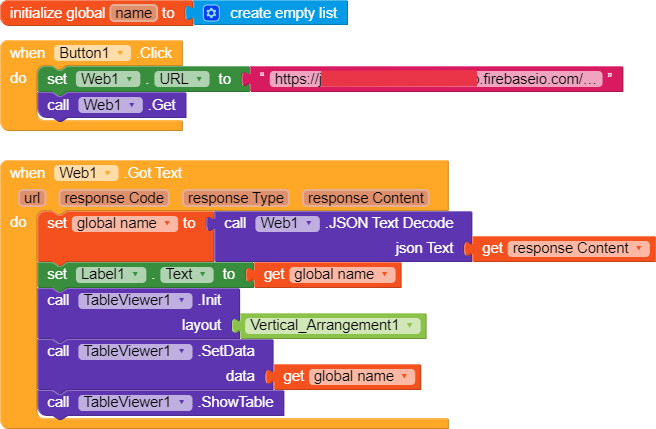
My blocks.
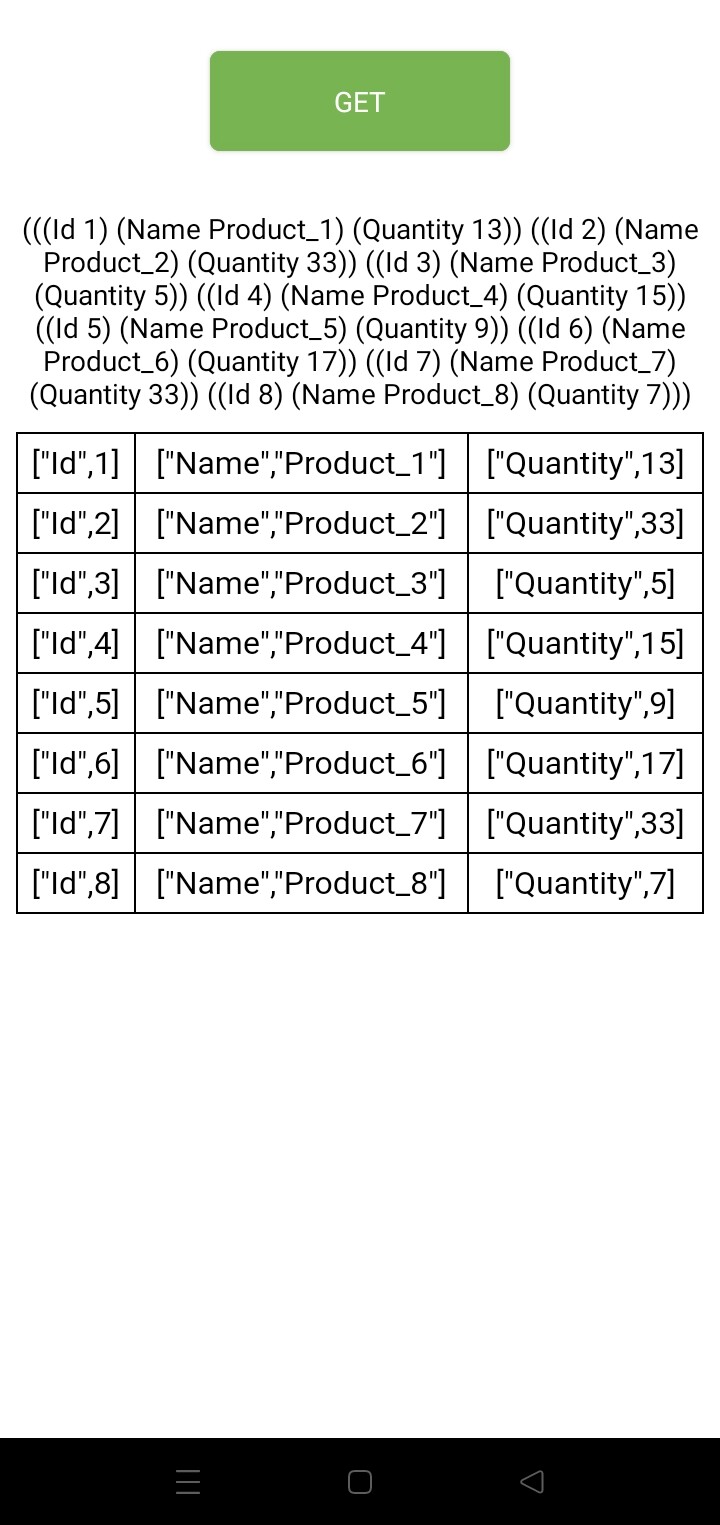
Here's what I'm getting.
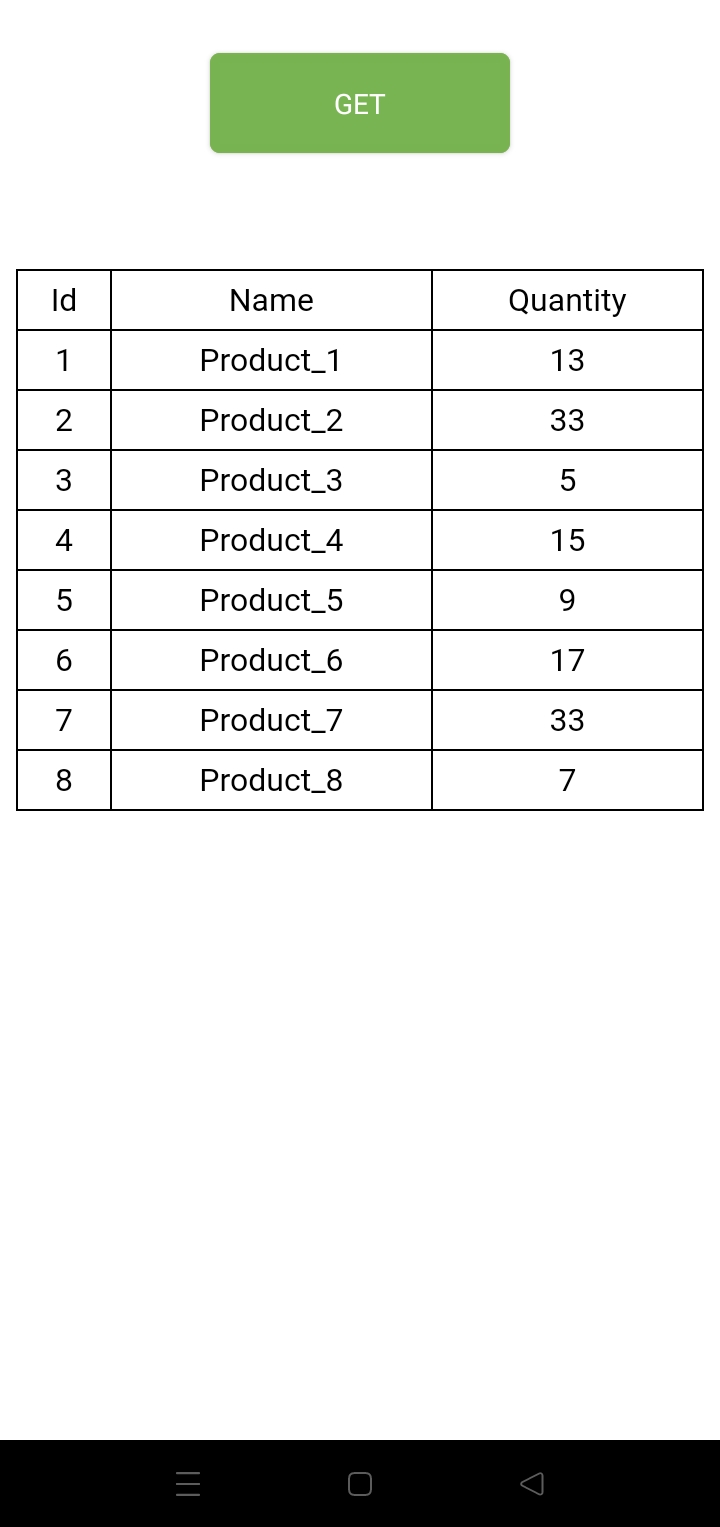
Is it possible to get a result like this?
This is primarily a Kodular question. You need to set your lists to JSON, then you need to ensure that you provide Tableviewer with a correct list of lists:
[["a","b","c"],["d","e","f"],...]
You will need to extract the "values" (index 2) from each element in your list of lists to a new list.
Sorry about that. I'm asking here because it's originally an AppInventor extension.
can you show me an example please?
amaizing its working. thanks a lot...