Hello
Thank you
You are a genius this is what I have been tiring to do.
I for some reason thought when you do make a list it would delete the current list and make a new one.
I wish this would come as easy to me LOL
Thank you
Hello
Thank you
You are a genius this is what I have been tiring to do.
I for some reason thought when you do make a list it would delete the current list and make a new one.
I wish this would come as easy to me LOL
Thank you
OK, please download again.
In fact this can be done by use ClearStyle and SetData(empty list).
Thanks, now it works
Frank
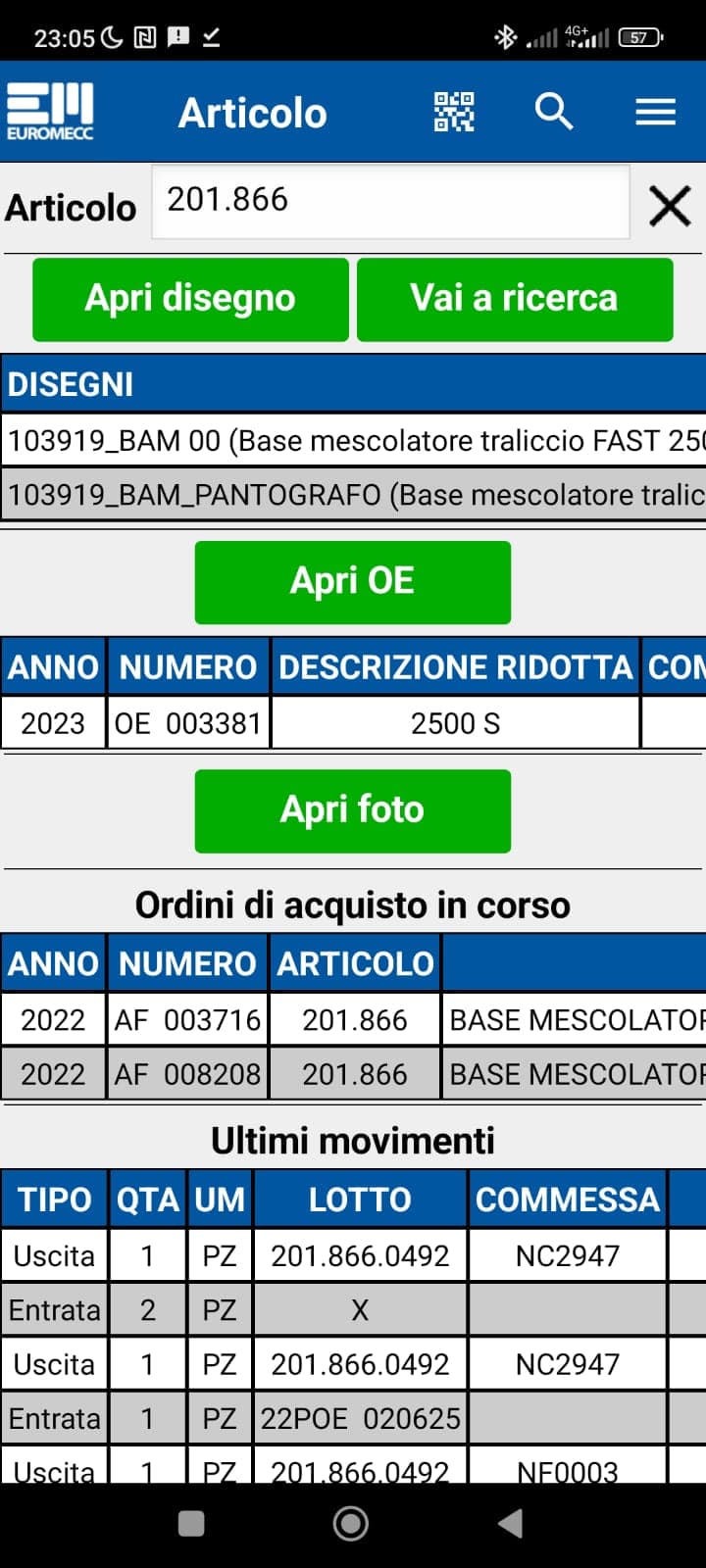
Some examples of how to use css classes with Tableviewer. You can apply a class to the inner text, the cell, the row, the column or the entire table.
I used this data for the examples:
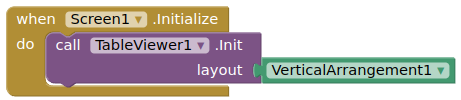
and a vertical arrangement was initialised
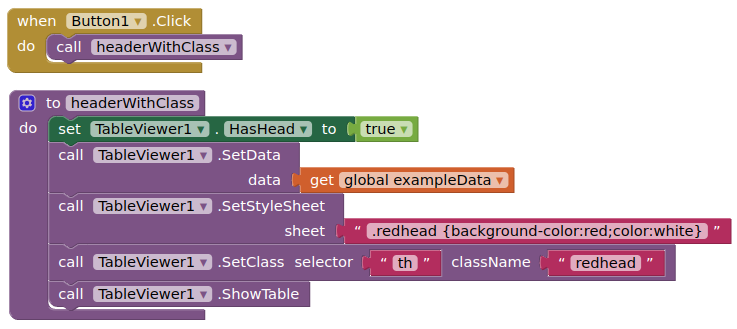
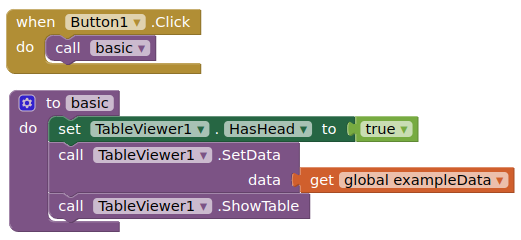
Here is the basic table with a header
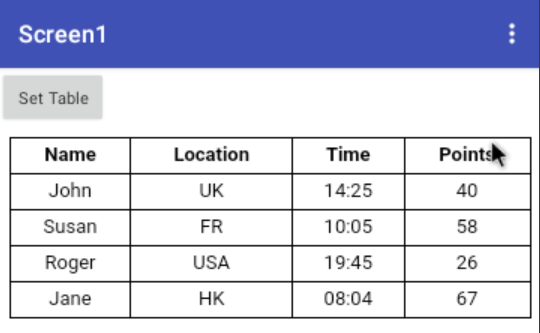
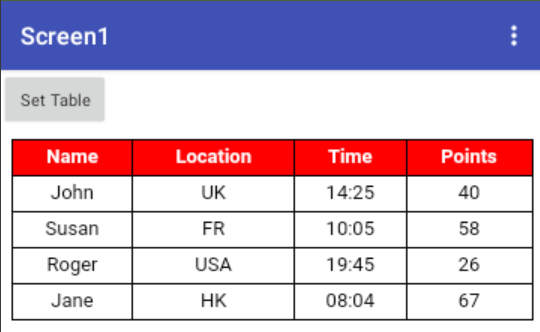
Now I set a class to make the header background red and text white
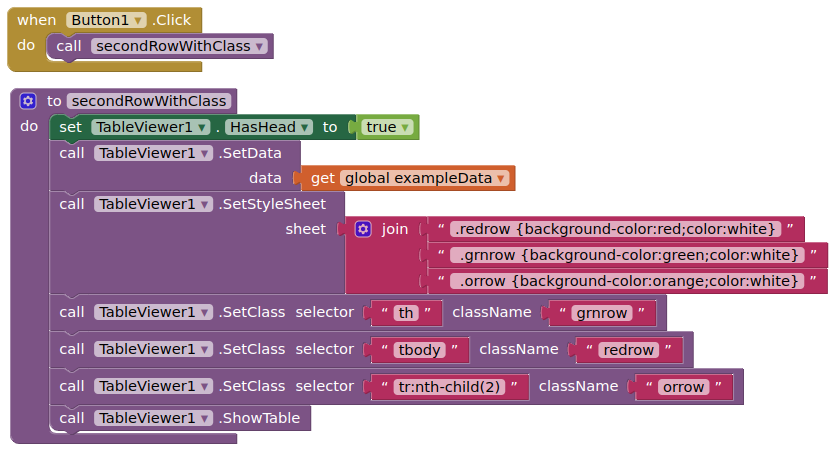
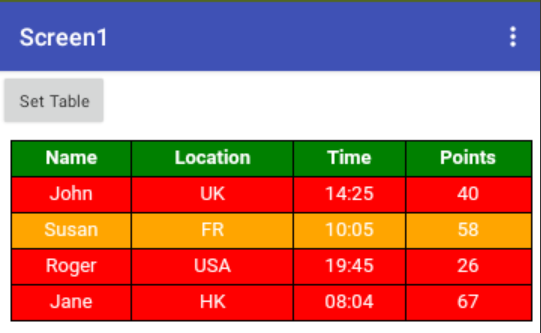
Now I set three classes, one to the header, one to the table body, and one to the second row of the data
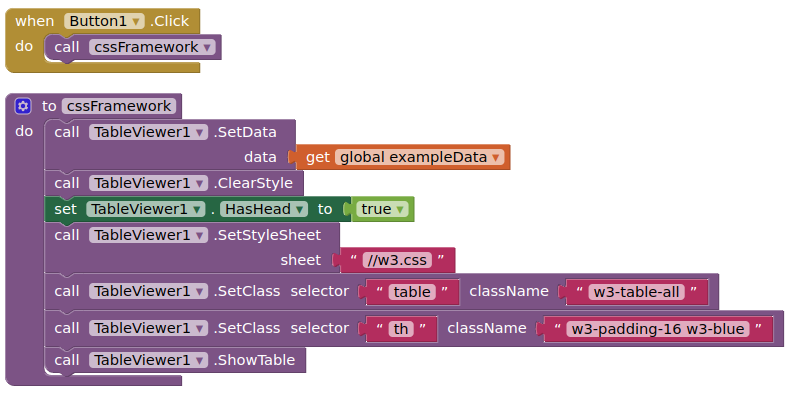
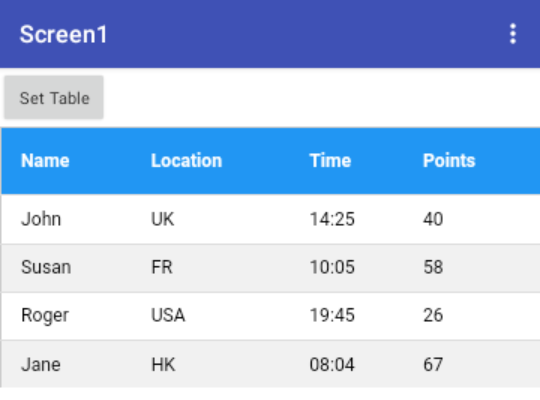
Finally, I use a css framework style file. This is loaded locally from the assets, but I could use a url from the internet. In this instance I have used the W3.css framework, which provides several classes for table display.
Hi @Kevinkun. I'm having some trouble with scrolling left and right when the vertical arrangement (my table) is inside a VerticalScrollArrangement. when I scroll right on the table it freezes because I enable scroll up or down of the VerticalScrollArrangement. there is some setting to put to block the scroll of the VerticalScrollArrangement while that of the table is active. see example
TVTemplate.aia (20.1 KB)
Set the width (pixels/percentage) of the arrangements containing the tableviews. This should allow you to scroll right and left.
Not sure it is possible to have a scrolling tableview inside a scrolling vertical arrangement (too much scrolling going on! - I have tested various alternatives without success) You may need to display the table in full, find the height setting that does that for you.
This worked fine with @ken's tableview.
If i start scrolling on table right or left, even if i try to go up it just keeps going left and right. When I release my finger and press again I can scroll up and down but i can't scroll the table left and right. it's perfect
OK i solved by myself. I had to use HorizontalScrollArrangement inside the VerticalScrollArrangement.
No need to use scroll arrangement. If the width /height of the table is bigger than the container, the table will be scrollable automaticly.
Sorry, i tryed to set the table width on 100% and the VerticalScrollArrangement container to 99%. but it does't work for me. olso the container as to be 100% to be full screen.
Using the HorizontalScrollArrangement woks fine on scroll but in this case the table don't fit the screen. is there some code to StretchToFit?
thanks in advance
I tested your aia, and change the verticalScrollArrangement to verticalArrangement, and it working good (scrool vertcially and horizontally).
So do not use a scroll arrangement. The tableViewer will scroll automaticly.
and there is a newer version of this extension, you can update to it.
Yes but I can no longer scroll to see the other data, for example the second table in the test aia. In the real app i have in 1 screen and 7 tableviewer... I need to scroll down.
Something like this:
I tested with VerticalScrollArrangement in VerticalScrollArrangement , the sub VSA not working. same behaviour like here.
So the only solutions here (I can think of) is
or 2. make screen not scrollable, and adjust your table's height dynamicly.(i.e. if you want to check table 1, set it's height at ~60%)
Using the HorizontalScrollArrangement (table) inside a VerticalScrollArrangement (container) works fine for scrolling. is it possible to StretchToFit in some way? a new extension version is needed?
I am not sure it does.... can you provide an example aia project of this working ?
Use the latest version of the extension, and write your own css to fit the table to the width of the arrangement.
have you set the HSA width fill parent? basicly, the table will be 100% width of its container, unless you give other style.
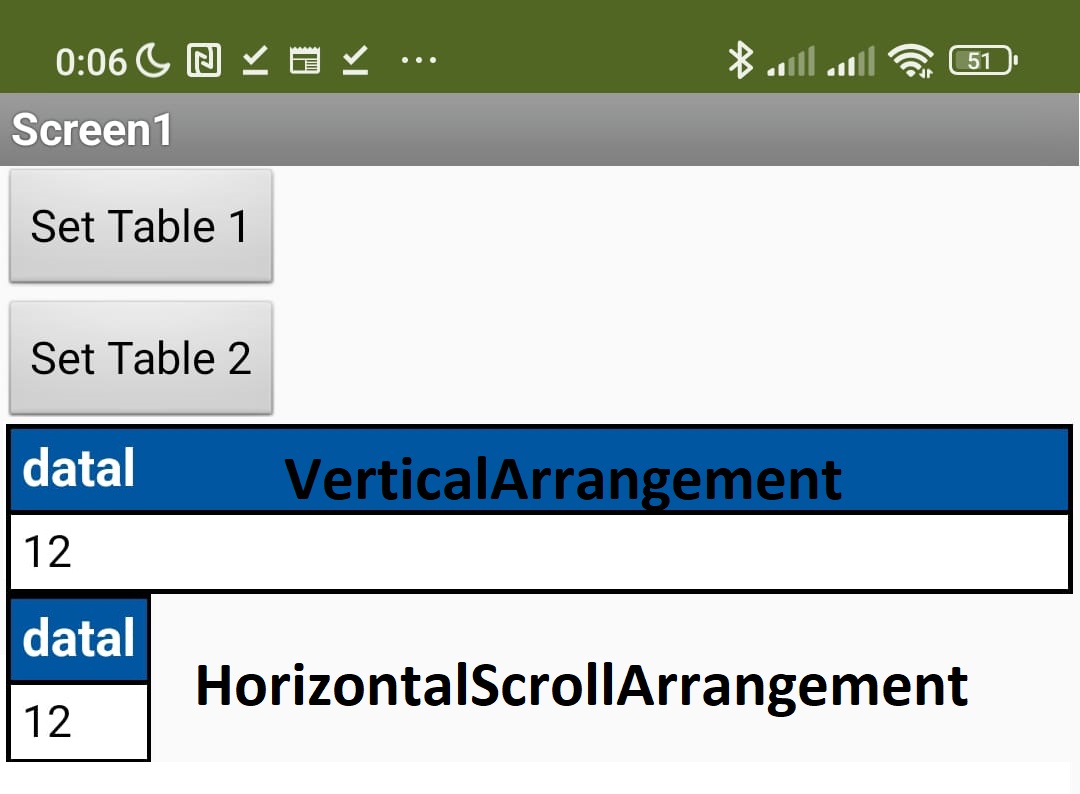
Ok. Extension V6. Attached the aia file that can explain my problem.
1 table: HorizontalScrollArrangement - nice scroll right/left (long data)
2 table: VerticalArrangement - bad scroll right/left (long data)
3 table: HorizontalScrollArrangement - bad StretchToFit (short data)
4 table: VerticalArrangement - nice StretchToFit (short data)
I tried to put this block to StretchToFit but it doesn't work on HorizontalScrollArrangement :
Aia file to test
Scroll and fit test.aia (28.6 KB)
thanks in advance
Another question:
I updated to V6 and ShowTable is back again.
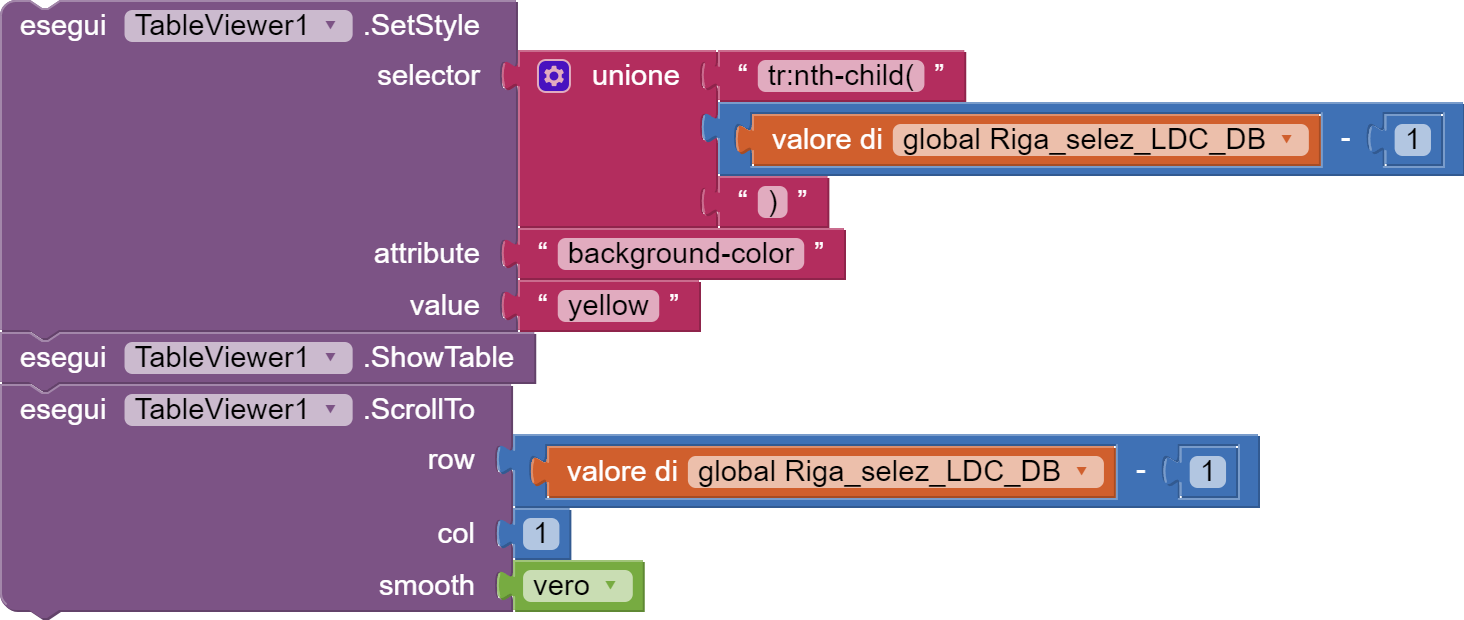
I have problem to scroll to row and higlight becouse using ShowTable the table is reloaded to the first row
Same problem with previous versione as said on thip post:
I tried to ShowTable before scrolling by it doen't work
How to do that?
With V4 it work correctly