Hello everyone,
This extension provides full integration with Pushy.me push notification service. It includes device registration, custom notification icons, notification handling, sending notifications, and Pub/Sub functionality.
Before tu use the extension You have to register to Pushy.me website.
Create a new app,
add an App Name
on Android Package Name write the Your app package name
ex: appinventor.ai_yourAppInventorUserName.yourAppInventorAppName
and the Create.
In the Pushy Dashboard you find your ApiKey to use in your App with the extension.

Registers the device with Pushy.me to receive push notifications.

Requests the user to disable battery optimization for the app to ensure reliable notification delivery.
Note: Some smartphones ignore this request and it is necessary to manually change the settings, otherwise notifications will not arrive when the app is closed
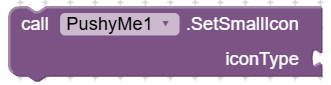
Sets the small icon displayed in the status bar.
Available Icons:
- "info" or "notification" - Information circle
- "alert" or "warning" or "error" - Warning triangle
- "email" or "mail" or "message" - Email envelope
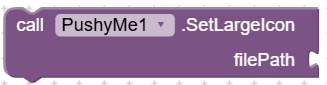
Sets the large icon displayed in the expanded notification.
• filePath (string) - Path to image file
Files uploaded to App Inventor Media (e.g., "logo.png")

Removes the large icon from notifications.

Checks if the app was opened from a notification click. Must be called as the FIRST line in Screen1.Initialize.

Returns whether there is a pending notification from app launch.

Returns the title of the pending notification.

Returns the message of the pending notification.

Returns the complete JSON data of the pending notification.

Clears the pending notification data. Must be called after reading notification data to prevent processing the same notification multiple times.
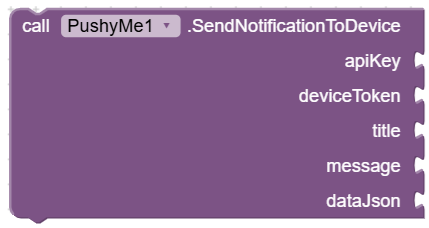
Sends a push notification to a single device.
Parameters:
- apiKey (string) - Your Pushy.me Secret API Key
- deviceToken (string) - Target device token
- title (string) - Notification title
- message (string) - Notification message
- dataJson (string) - Additional JSON data (use "" if not needed)
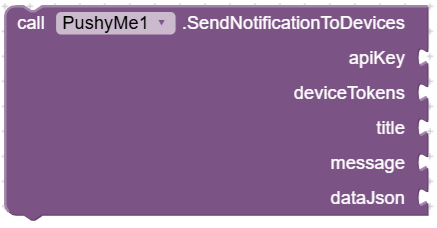
Sends a push notification to multiple devices.
Parameters:
- apiKey (string) - Your Pushy.me Secret API Key
- deviceTokens (string) - Comma-separated device tokens (e.g., "token1,token2,token3")
- title (string) - Notification title
- message (string) - Notification message
- dataJson (string) - Additional JSON data (use "" if not needed)
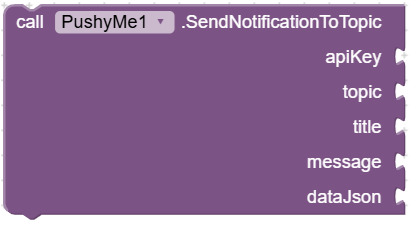
Sends a push notification to all devices subscribed to a topic.
Parameters:
- apiKey (string) - Your Pushy.me Secret API Key
- topic (string) - Topic name
- title (string) - Notification title
- message (string) - Notification message
- dataJson (string) - Additional JSON data (use "" if not needed)
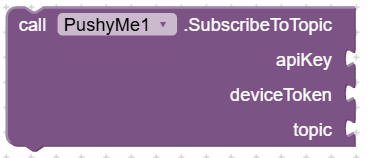
Subscribes a device to a topic to receive notifications sent to that topic.
Parameters:
- apiKey (string) - Your Pushy.me Secret API Key
- deviceToken (string) - Device token to subscribe
- topic (string) - Topic name
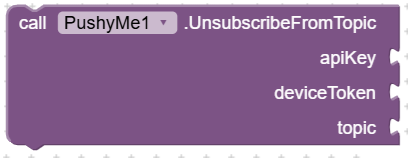
Unsubscribes a device from a topic.
Parameters:
- apiKey (string) - Your Pushy.me Secret API Key
- deviceToken (string) - Device token to unsubscribe
- topic (string) - Topic name
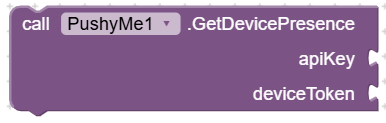
Checks if a device is currently online.
Parameters:
- apiKey (string) - Your Pushy.me Secret API Key
- deviceToken (string) - Device token to check
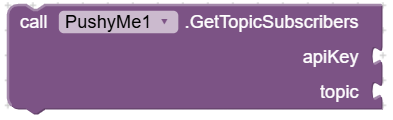
Gets the list of device tokens subscribed to a topic.
Parameters:
- apiKey (string) - Your Pushy.me Secret API Key
- topic (string) - Topic name
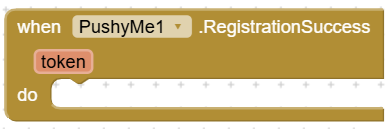
Called when device registration succeeds.
Parameters:
- token (string) - The device token
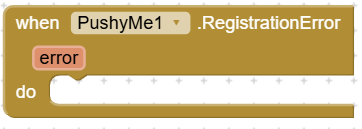
Called when device registration fails.
Parameters:
- error (string) - Error message
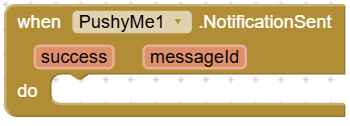
Called when a notification is sent successfully.
Parameters:
- success (boolean) - Always true for this event
- messageId (string) - Unique message ID from Pushy
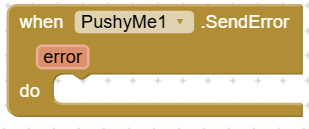
Called when sending a notification fails.
Parameters:
- error (string) - Error message
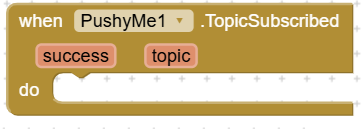
Called when a device is subscribed to a topic.
Parameters:
- success (boolean) - True if successful, false if failed
- topic (string) - Topic name
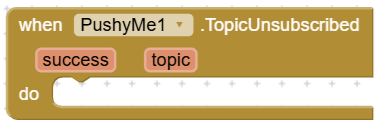
Called when a device is unsubscribed from a topic.
Parameters:
- success (boolean) - True if successful, false if failed
- topic (string) - Topic name
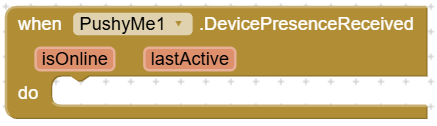
Called when device presence information is received.
Parameters:
- isOnline (boolean) - True if device is currently online
- lastActive (long) - Unix timestamp in milliseconds of last activity
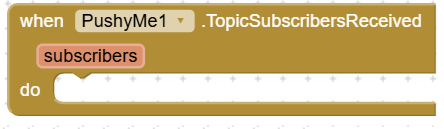
Called when the list of topic subscribers is received.
Parameters:
- subscribers (string) - JSON array of device tokens
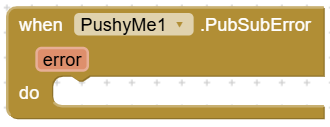
Called when a Pub/Sub operation fails.
Parameters:
- error (string) - Error message
Extension:
com.pushy.aix (2.3 MB)
Project sample:
PushyApp.aia (2.3 MB)
If You use this sample the package name to write in the pushy dashboard is:
appinventor.ai_mpbejo.PushyApp
in the pushy dashboard You can send notifications to test your app remember in the NOTIFICATION DATA write:
{
"title": "Your Title",
"message": "Your Message!"
}
To test your app You have to install in your device, and remember to check the notification enable e battery optimization set manually in the app android settings.
I hope You find useful.
Best Regards
Marco