Interactive JSON viewer with long-press text selection.
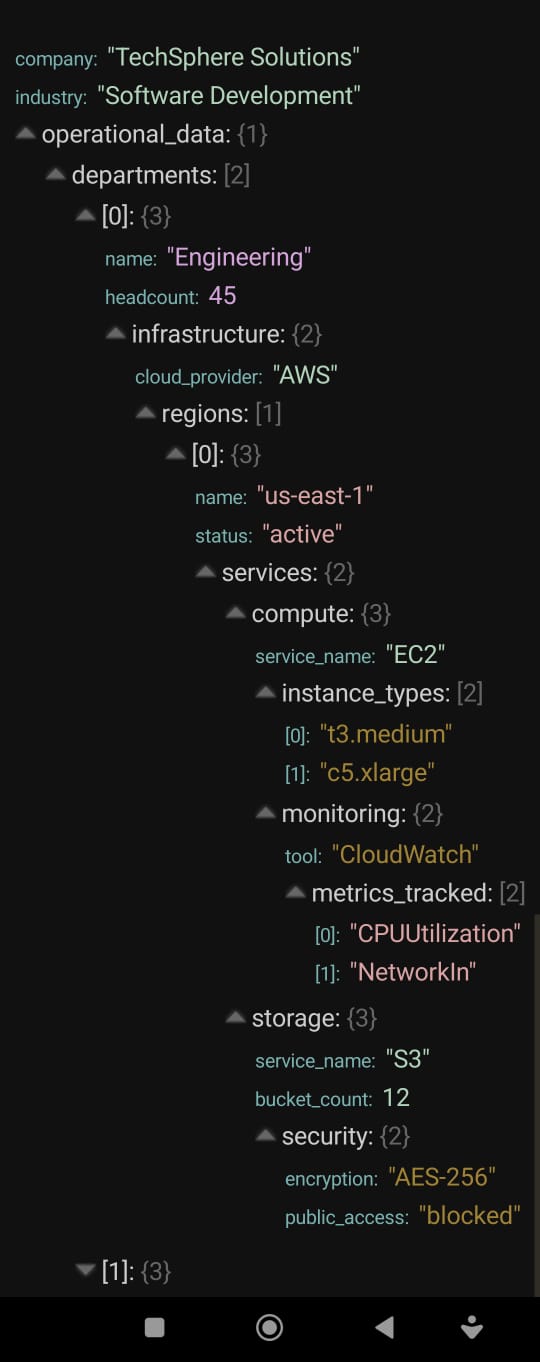
Depth colors for values:
5 default colors in the free version.
In the paid version you can add as many as you want.
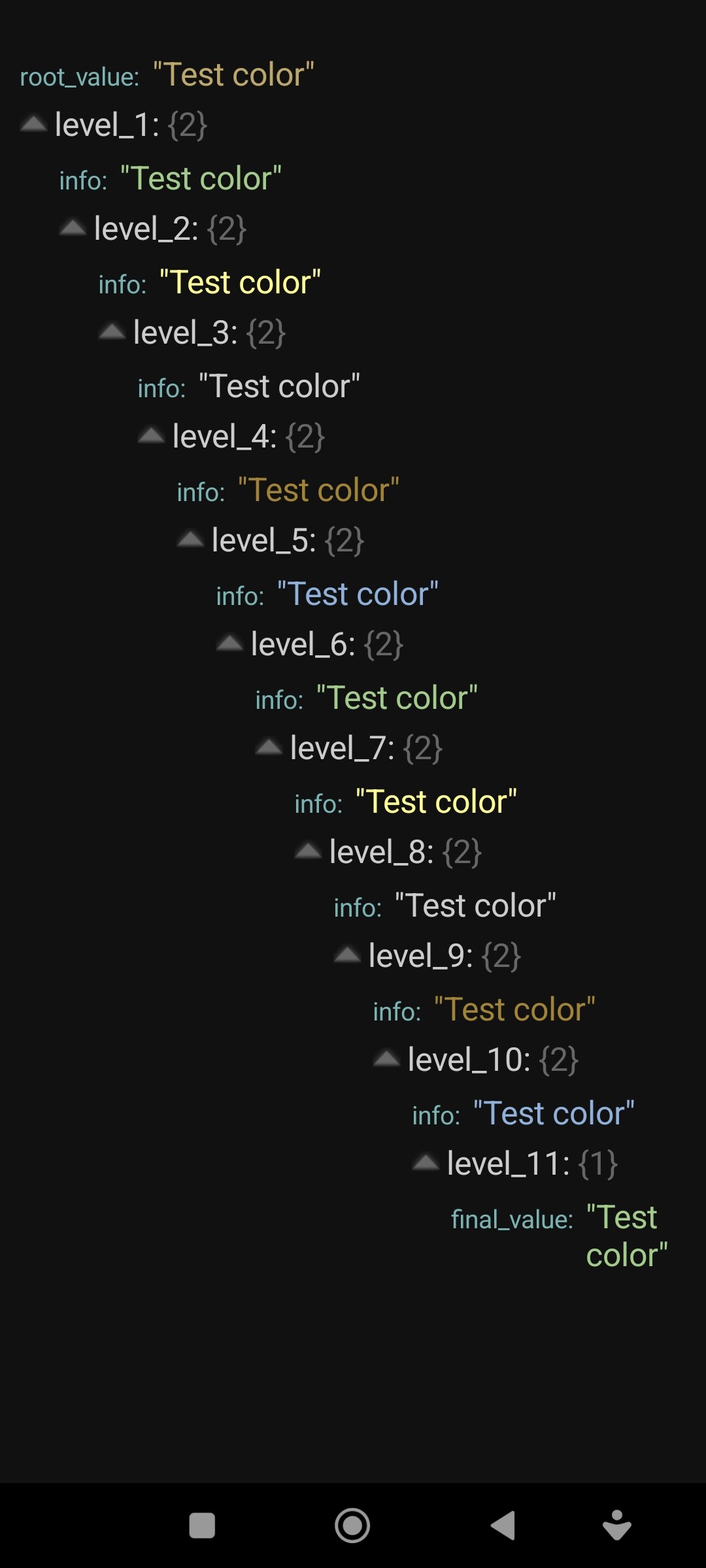
Text selection:
Available in the paid version
LoadJson
Loads JSON asynchronously and displays it in the specified Arrangement.

Default colors:
arrow: #666666
header: #CCCCCC
key: #7AB2B2
count: #666666
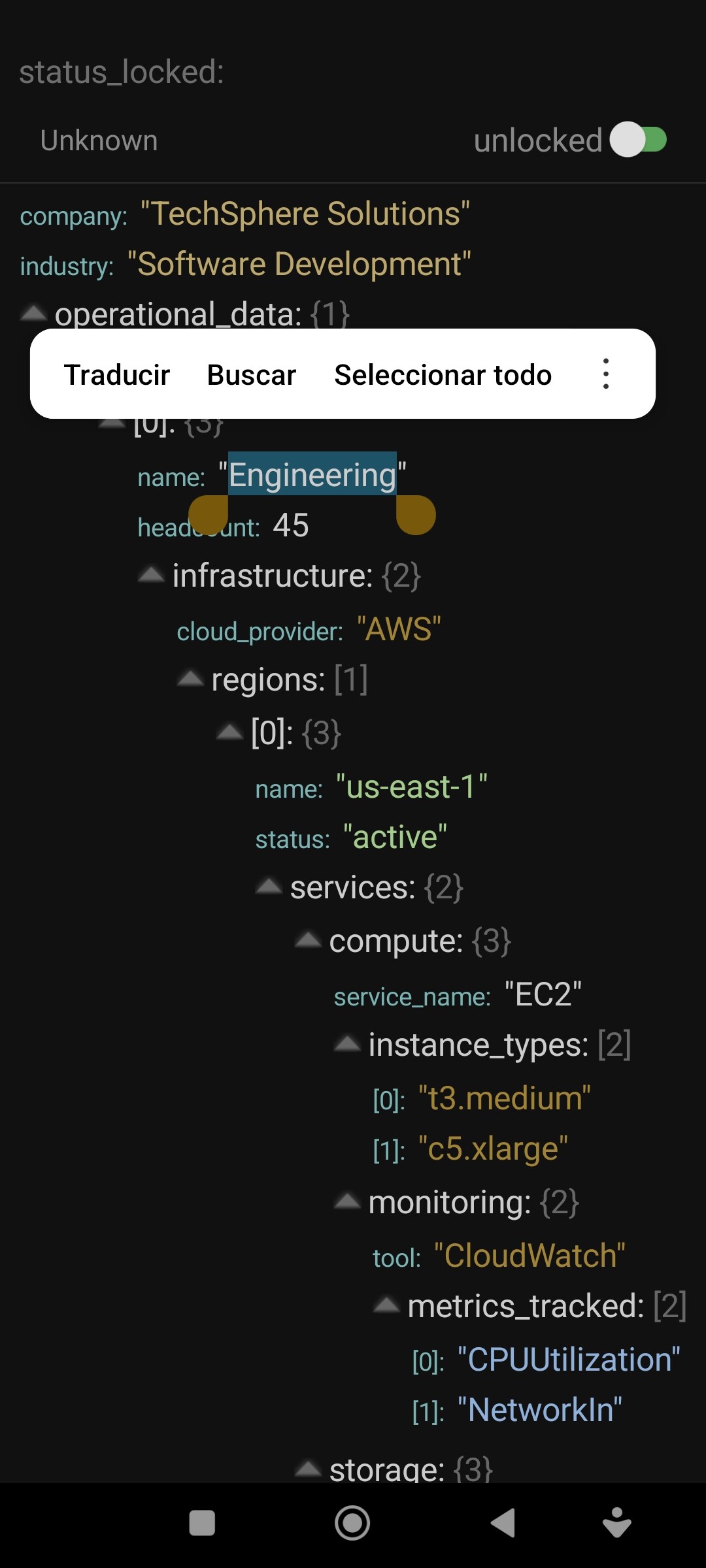
The values have default colors up to 5 levels deep. The root value has the color #7AB2B2
Level 1: #A2CB8B
Level 2: #FFFF94
Level 3: #CCCCCC
Level 4: #A18335
Level 5: #8FB0D9
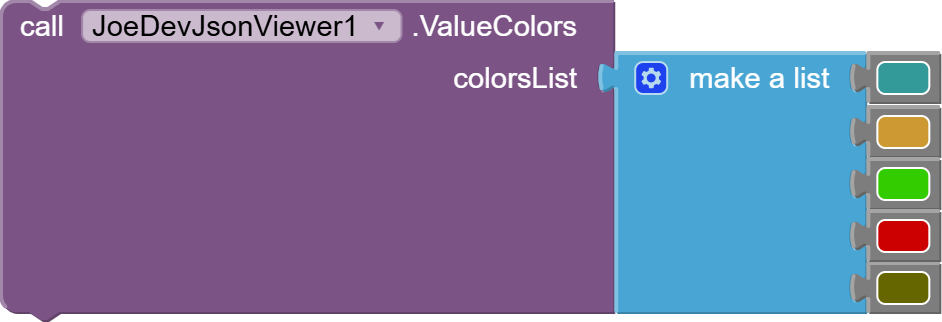
ValueColors
Define a list of colors for the values according to their level of Depth.
ArrowColor
Define the color of the expansion arrow icon.

HeaderColor
Defines the text color for the keys that contain objects or arrays (Headers).

CountColor
Define the text color for the counter information, e.g., {3} or [5].

KeyColor
Define the text color for keys with simple values.

TextSelectionEnabled
Enables or disables text selection using long press. True = enabled, False = disabled.

HighlightColor
Defines the highlight color when text is selected.

v1.0July 20, 2026.
Free Version
joejsanz.joedevjsonviewer.aix (11.2 KB)
JsonViewer_FreeVersion.aia (14.4 KB)

Paid Version
Delivery information
What You Will Get:
- .aix File: The compiled extension ready to import into your project.
- .aia File: An example project demonstrating the correct setup and configuration.
Support & Updates Policy
- Bug Fixes: Free lifetime updates for any bug fixes related strictly to the extension's code.
- Support: Technical support is provided only for issues or errors regarding the extension's execution. It does not include personalized UI design or general app-building assistance.
 Important: License Activation
- How to Activate: After your purchase, you will be provided with a unique license key to activate the extension. There is no need to share your MIT App Inventor email address.
- How it Works: The extension validates your unique license key through our secure database (Firebase) during design or runtime. If the key is invalid or missing, the extension's functions will be restricted.
- Delivery: Once your payment is confirmed, both your unique license key and the
.aixfile will be delivered to you immediately so you can start building right away.

JDK: 11
Minimum API Level: 14
Updated On: 2026-07-20T07:00:00Z
Built using: FAST-CLI v7.0.0-premium
Thanks.