⬛ 🖼️ SimpleCorners
An extension for MIT App Inventor 2.Developed by TIMAI2 using Fast. Credits to @eAcademy for their work on the image rounded corners and border, @PatrykF for the async method, and thanks to @herman5 and @kevinkun for ideas.
Why start at version 2 ? Well it started off with version 1, which was simple, as you will see from the code, but then I decided to add another function to set an image to an image component, along with rounded corners and a border. That is where the fun started, again see the code, and how I ended up with version 2!
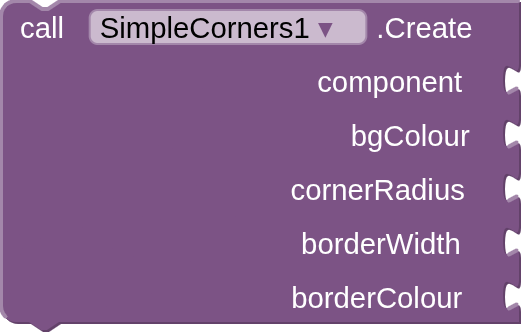
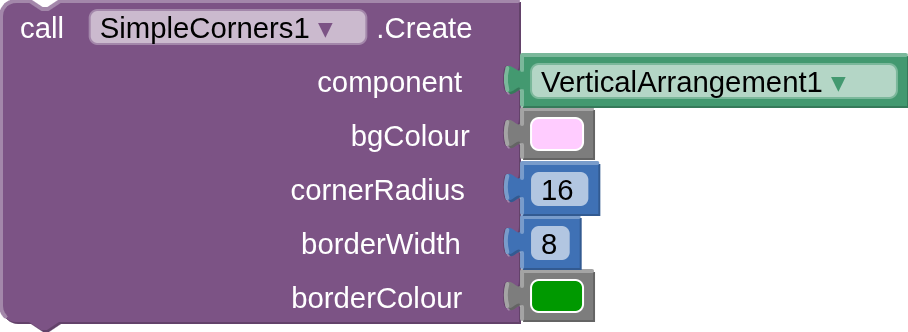
The first main function will allow you to set a background colour, rounded corners and a border width and colour to most of the view components in AppInventor. Tested so far, Label, Button, Textbox, HVArrangements, Canvas.
You can still apply a background image to components that accept one, but this is applied to an upper layer, so covers the rounded corners, border and background colour. To overcome this, you can modify an existing image in two ways (Using an image editing program or extension): extend the 'canvas' around the image, setting it to transparent, or add rounded corners (of the same pixel size) to an image.
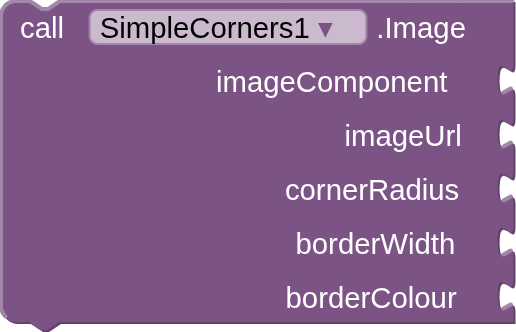
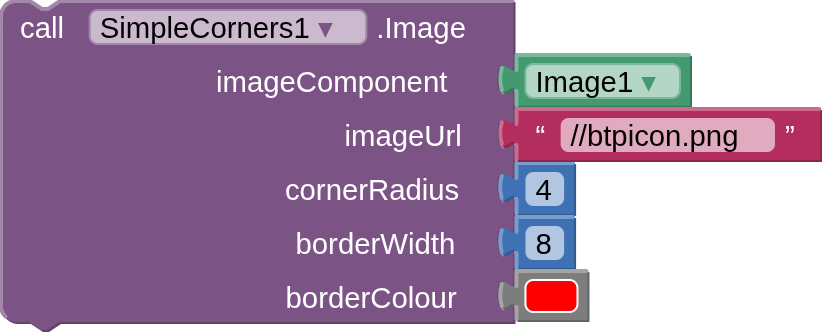
The second main function is to add an image to an image component from a variety of sources: http/https urls, app assets, ASD, local storage, and create rounded corners, a border and border colour. This only works with the image component.
Note that the image component has a "breakpoint" in its code to resize larger images, e.g. an 800x800 image will be resized to 256x256, in order to fit the viewport. Start off with your image component with its width and height set to automatic, then adjust as required.
 Specifications
 Package: uk.co.metricrat.simplecorners
 Size: 11.71 KB
 Version: 2.0
 Minimum API Level: 14
 Updated On: 2026-09-03T23:00:00Z
 Built & documented using: FAST v7.0.0-premium
Methods:
SimpleCorners has total 2 methods.
1. Create
creates rounded corners for buttons, labels, textboxes, HVArrangements, and canvases
2. Image
creates rounded corners for image - from just about anywhere - in image component
3. Example Usage
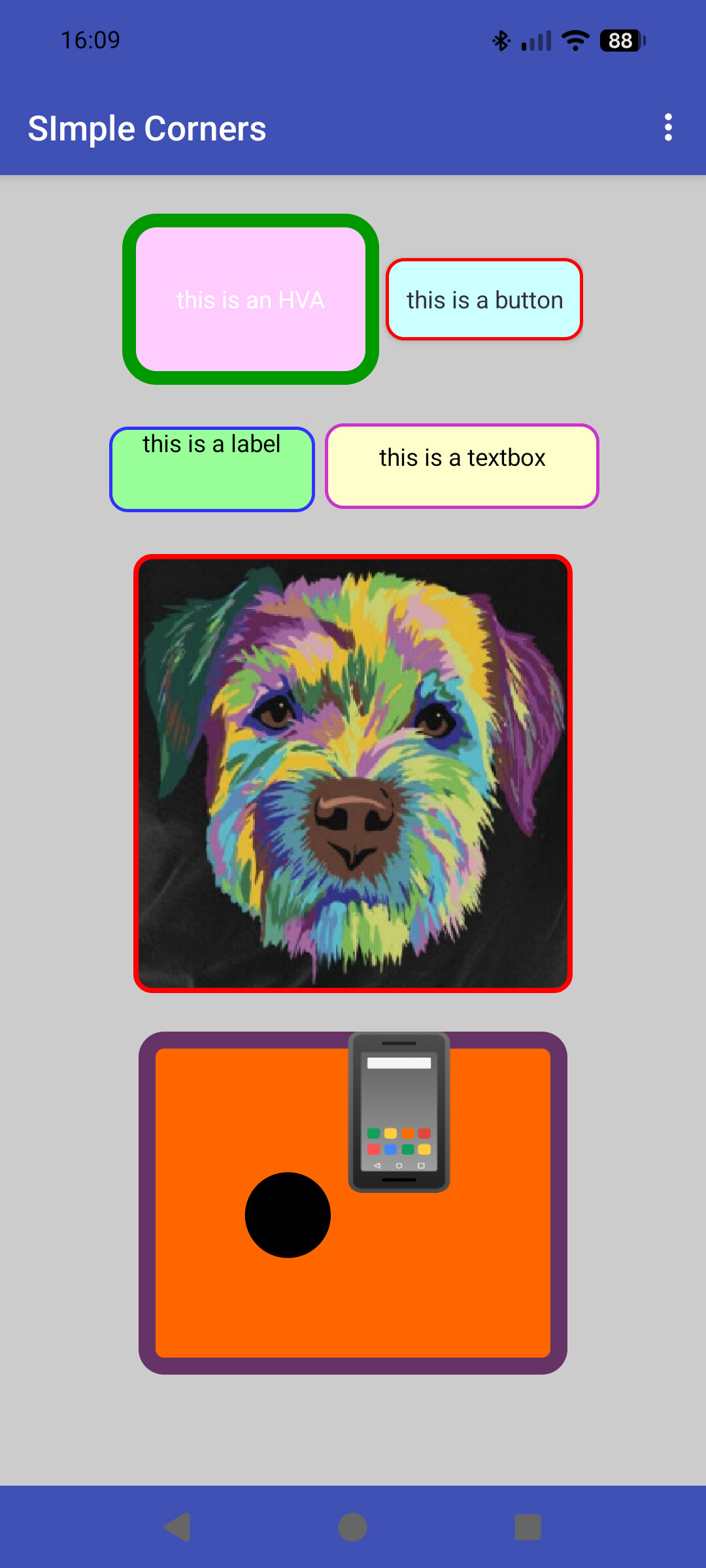
4. Extension
5. Source Code
simplecorners.java
package uk.co.metricrat.simplecorners;

import android.content.*;
import android.graphics.*;
import android.graphics.Canvas;
import android.graphics.Paint;
import android.graphics.drawable.*;
import android.view.*;
import android.widget.*;
import com.google.appinventor.components.annotations.*;
import com.google.appinventor.components.annotations.Component;
import com.google.appinventor.components.runtime.*;
import com.google.appinventor.components.runtime.Image;
import java.io.*;
import java.io.File;
import java.net.*;


@Component(
	version = 2,
	versionName = "2.0",
	description = "Developed by TIMAI2 using Fast. Credits to eAcademy and PatrykF for their work on the image rounded corners and border, PatrykF for the async method, and thanks to Herman5 and " +
			"Kevinkun for ideas.",
	iconName = "icon.png"
)
public class SimpleCorners extends AndroidNonvisibleComponent {

	private final ComponentContainer container;
	private final Context context;

	public SimpleCorners(ComponentContainer container) {
		super(container.$form());
		this.container = container;
		context = (Context) container.$context();
	}

	@SimpleFunction("creates rounded corners for buttons, labels, textboxes, HVArrangements, and canvases")
	public void Create(AndroidViewComponent component, int bgColour, int cornerRadius, int borderWidth, int borderColour) {
		View view = component.getView();
		GradientDrawable gradDraw = new GradientDrawable();
		//sets background colour
		gradDraw.setColor(bgColour);
		//sets borderWidth and colour
		gradDraw.setStroke(setPixels(borderWidth), borderColour);
		//sets rounded corners
		gradDraw.setCornerRadius(setPixels(cornerRadius));
		view.setBackground(gradDraw);
	} //END of Create function

	@SimpleFunction("creates rounded corners for image in image component")
	public void Image(Image imageComponent, String imageUrl, int cornerRadius, int borderWidth, int borderColour) throws IOException, URISyntaxException {
		ImageView imageView = (ImageView) imageComponent.getView();
		if (imageUrl.startsWith("https") || imageUrl.startsWith("http")) {
		// use async get image from url
			String finalImageUrl = imageUrl;
			new Thread(() -> {
				InputStream is = null;
				Bitmap cBitmap = null;
				try {
					is = new URL(finalImageUrl).openStream();
					Bitmap bitmap = BitmapFactory.decodeStream(is);
					if(bitmap != null) {
						cBitmap = newCornerBitmap(bitmap, setPixels(cornerRadius), borderWidth, borderColour);
					}
					Bitmap finalCBitmap = cBitmap;
					imageView.post(() -> {
						if (bitmap != null) {
							imageView.setImageBitmap(finalCBitmap);
						}
					});
				} catch (Exception e) {
					e.printStackTrace();
				} finally {
					try {
						if (is != null) is.close();
					} catch (Exception ignored) {}
				}
			}).start();
		} else if (imageUrl.startsWith("/")) {
			if (imageUrl.startsWith("//")) {
				if (imageUrl.startsWith("file:///android_asset")) {
					//get a realpath for asset by creating cacheFile and use target2
					try {
						String target = AssetToCache(imageUrl);
						DoConversion(target, imageView, cornerRadius, borderWidth, borderColour);
					} catch (Exception e) {
						Toast.makeText(context, e.getMessage(), Toast.LENGTH_SHORT).show();
					}
				} else {
					String pkgName = context.getPackageName();
					String filepath = "file:///storage/emulated/0/Android/data/" + pkgName + "/files/assets/" + imageUrl.replace("//","");
					String target = new URL(filepath).toURI().getPath();
					DoConversion(target, imageView, cornerRadius, borderWidth, borderColour);
				}
			} else {
				// prefix with "file://" then use target1 to set filepath
				imageUrl = "file://" + imageUrl;
				String target = new URL(imageUrl).toURI().getPath();
				DoConversion(target,imageView,cornerRadius,borderWidth,borderColour);
			}
		} else if (imageUrl.startsWith("file://")) {
			if (imageUrl.startsWith("file:///android_asset")) {
				//get a realpath for asset by creating cacheFile and use target2
				try {
					String target = AssetToCache(imageUrl);
					DoConversion(target,imageView,cornerRadius,borderWidth,borderColour);
				} catch (Exception e) {
					Toast.makeText(context, e.getMessage(), Toast.LENGTH_SHORT).show();
				}
			} else {
			// use target1
			String target = new URL(imageUrl).toURI().getPath();
			DoConversion(target,imageView,cornerRadius,borderWidth,borderColour);
			}
		}
	} //END of Image function

	// function for conversion
	private void DoConversion(String target, ImageView iView, int corRad, int borWth, int borCol) {
		BitmapFactory.Options options = new BitmapFactory.Options();
		options.inScaled = false;
		options.inPreferredConfig = Bitmap.Config.ARGB_8888;
		Bitmap bitmap = BitmapFactory.decodeFile(target, options);
		Bitmap cBitmap = newCornerBitmap(bitmap, setPixels(corRad), borWth, borCol);
		iView.setImageBitmap(cBitmap);
	}

	// function to convert dp to pixels
	public int setPixels(int element) {
		return Math.round((float)element * this.form.deviceDensity());
	}

	// credits to @eAcademy and @PatrykF on Appinventor community
	// creates new bitmap with rounded corners, borderWidth and colour
	public Bitmap newCornerBitmap(Bitmap source, float round, int borderWidth, int borderColour) {
		//get the device Density
		float density = this.form.deviceDensity();
		//set the new bitmap's width, height and round to pixels from dp (<>)
		int width = setPixels(source.getWidth());
		int height = setPixels(source.getHeight());
		float newRound = round*density;
		//resize the source bitmap using device density
		source = Bitmap.createScaledBitmap(source, width, height, false);
		Bitmap bmOut = Bitmap.createBitmap(width,height,Bitmap.Config.ARGB_8888);
		Canvas canvas = new Canvas(bmOut);
		// Transparent background
		canvas.drawColor(Color.TRANSPARENT, PorterDuff.Mode.CLEAR);
		float halfBorder = borderWidth / 2.0f;
		// Keep the complete border inside the bitmap bounds
		float left = halfBorder;
		float top = halfBorder;
		float right = width - halfBorder;
		float bottom = height - halfBorder;
		float radius = Math.max(0, newRound - halfBorder);
		Rect srcRect = new Rect(0, 0,width, height);
		RectF dstRect = new RectF(left,top,right,bottom);
		// -----------------------------
		// 1. Clip bitmap to rounded shape
		// -----------------------------
		Path path = new Path();
		path.addRoundRect(dstRect,radius,radius,Path.Direction.CW);
		canvas.save();
		canvas.clipPath(path);
		Paint bitmapPaint = new Paint(Paint.ANTI_ALIAS_FLAG | Paint.FILTER_BITMAP_FLAG);
		canvas.drawBitmap(source,srcRect,dstRect,bitmapPaint);
		canvas.restore();
		// -----------------------------
		// 2. Draw rounded border
		// -----------------------------
		if (borderWidth > 0) {
			Paint borderPaint = new Paint(Paint.ANTI_ALIAS_FLAG);
			borderPaint.setStyle(Paint.Style.STROKE);
			borderPaint.setStrokeWidth(borderWidth);
			borderPaint.setColor(borderColour);
			canvas.drawRoundRect(dstRect,radius,radius,borderPaint);
		}
		return bmOut;
	}

	// gets asset filename in compiled app and creates new file in cache
	private String AssetToCache(String assetFilePath) throws IOException {
		String assetFileName = assetFilePath.replace("file:///android_asset/", "");
		InputStream is = context.getAssets().open(assetFileName);
		File cacheFile = new File(context.getCacheDir(), assetFileName);
		try (FileOutputStream outputStream = new FileOutputStream(cacheFile)) {
			byte[] buffer = new byte[1024];
			int length;
			while ((length = is.read(buffer)) > 0) {
				outputStream.write(buffer, 0, length);
			}
		} catch (IOException e) {
			throw new RuntimeException(e);
		}
		return cacheFile.getAbsolutePath();
	}

} //END
Enjoy  , and all feedback and comments welcome.
Available for use in any MIT AppInventor projects or competitions
#####################################################################
This work by TIMAI2 is licensed under a
Creative Commons Attribution-ShareAlike 4.0 Unported License with attribution.
Please use name = TIMAI2 and link to this source page when giving credit.
#####################################################################
