
MarkdownText
Convert Markdown text into styled text for Labels, Buttons, or any TextView-based component.
What is this for?
This is for making the TextView components into a Markdown Text, For example this is Bold text.
Example Markdowns:
# This is a Heading 1
## This is a Heading 2
### This is a Heading 3
#### This is a Heading 4
##### This is a Heading 5
###### This is a Heading 6

This is **bold text**
This is *italic text*
This is __underlined text__
This is ~~striked text~~
This is `code text`

This is a [link]()
to
This is a Heading 1
This is a Heading 2
This is a Heading 3
This is a Heading 4
This is a Heading 5
This is a Heading 6
This is bold text
This is italic text
This is underlined text
This isstriked text
This iscode text
This is a link
Blocks:
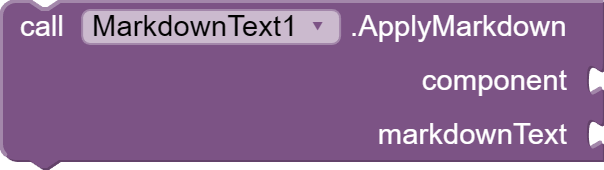
ApplyMarkdown
Description: Apply Markdown text directly to a Label or Button.
MarkdownToHtml
Description: Convert Markdown text to styled HTML text

IMPORTANT TO MarkdownToHtml BLOCK:
You must set the TextView Component For HTMLFormat to be true.

Downloads:
AIX: com.ahmedislam.markdowntext.aix (5.8 KB)
AIA: markdowntext_example.aia (7.3 KB)
Thank You!
(Compiled using Fast-CLI)