5 posts were split to a new topic: I am getting data, i think in json. i am trying to separate it by column
Hi TIMAI2 please guide me, I have a problem using your extension.
How can I get the output of this extension as an AI2 List?
I'm using the "readrow" block and I don't know how to return the output as an AI2 list 
I have used a lot of methods but they didn't work
The output is returned as a stringified json array. You need to use the web component's JSONTextDecode block to convert to an AI2 list.
I've tried that before but it still doesn't appear in my listpicker.
I'm confused because the data can appear in the "Label" component
but not in the "ListPicker" component
I've done something like you said but it didn't work, here's the block
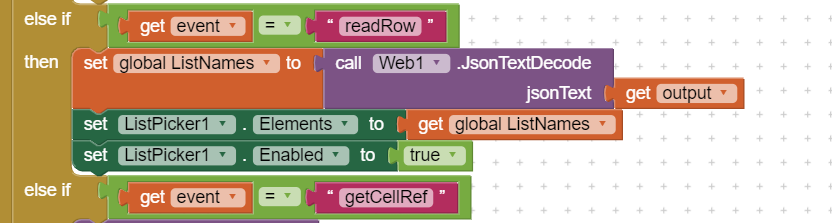
Can you show us what is the data of output?
1 Like

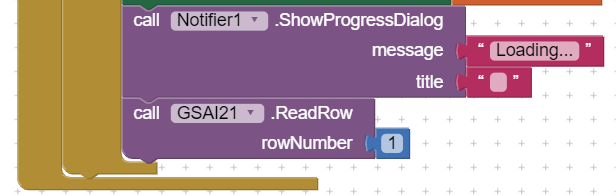
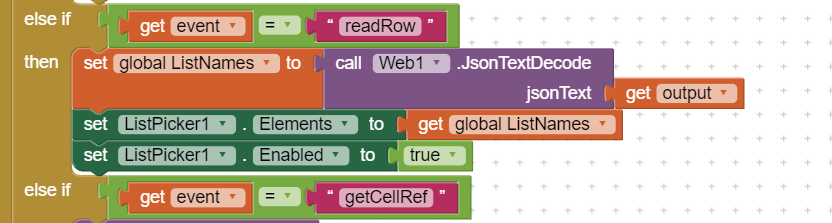
I mean to show the data on a label, not the data in the spreadsheet.
1 Like

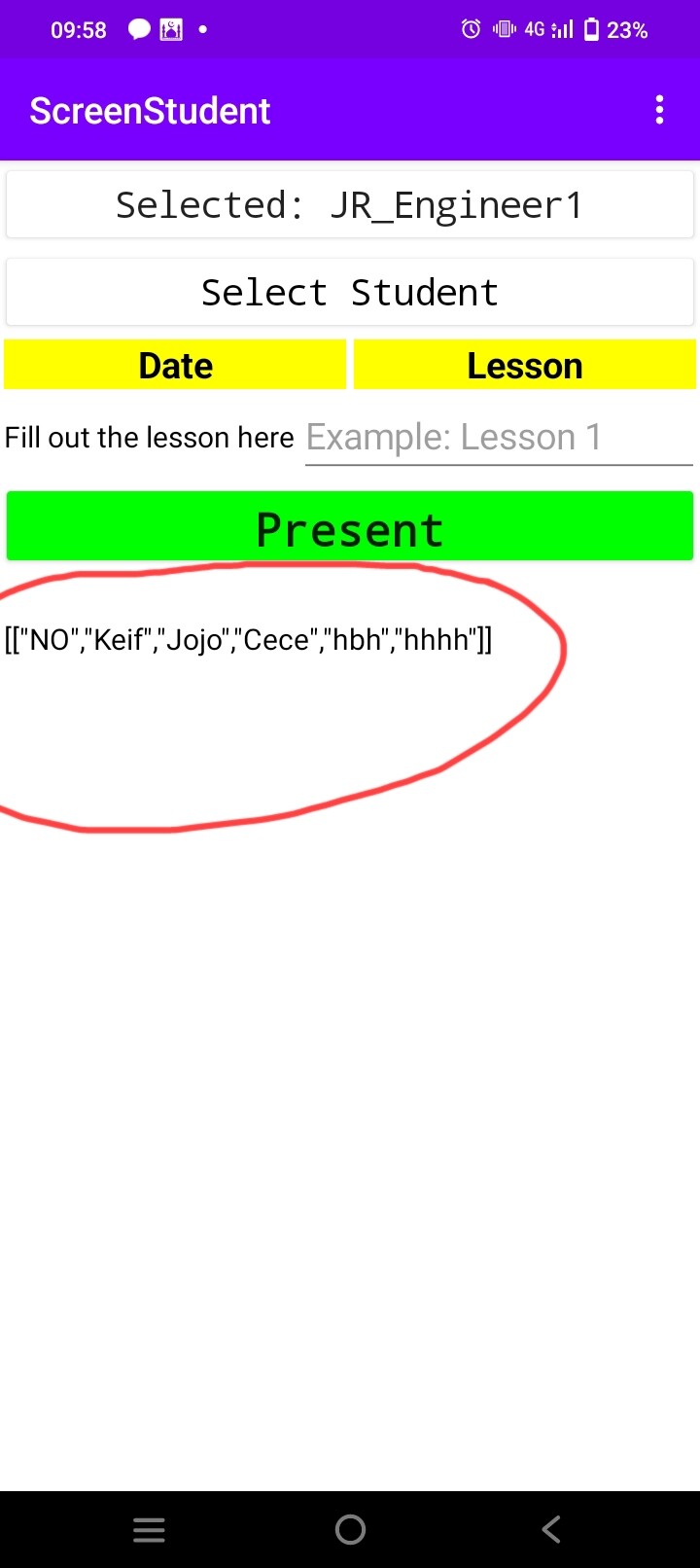
this is a list of list. after JsonTextDecode, you need to pick item 1 from it, and set it as ListPicker's Elements
2 Likes

I've found the problem, apparently that the get event variable doesn't return "readColumn" but returns "readCol" 
Please help. When the value in the Google Sheet is a date, the value of the text box is date + T23:00:00
Please help me.
It is a string, so just remove the +T23:00:00 part
Alternatively, enter your dates as string in the google sheet
I can't enter the date as plain text. I don't actually write anything in this column. The formula works in this column. funkcion EDATE()
You could try editing the google apps script. Wherever it says getValues, replace this with getDisplayValues. Then re-deploy your script.
This might break one or more of the functions that have getValues in them.....
thank you very much, it helped
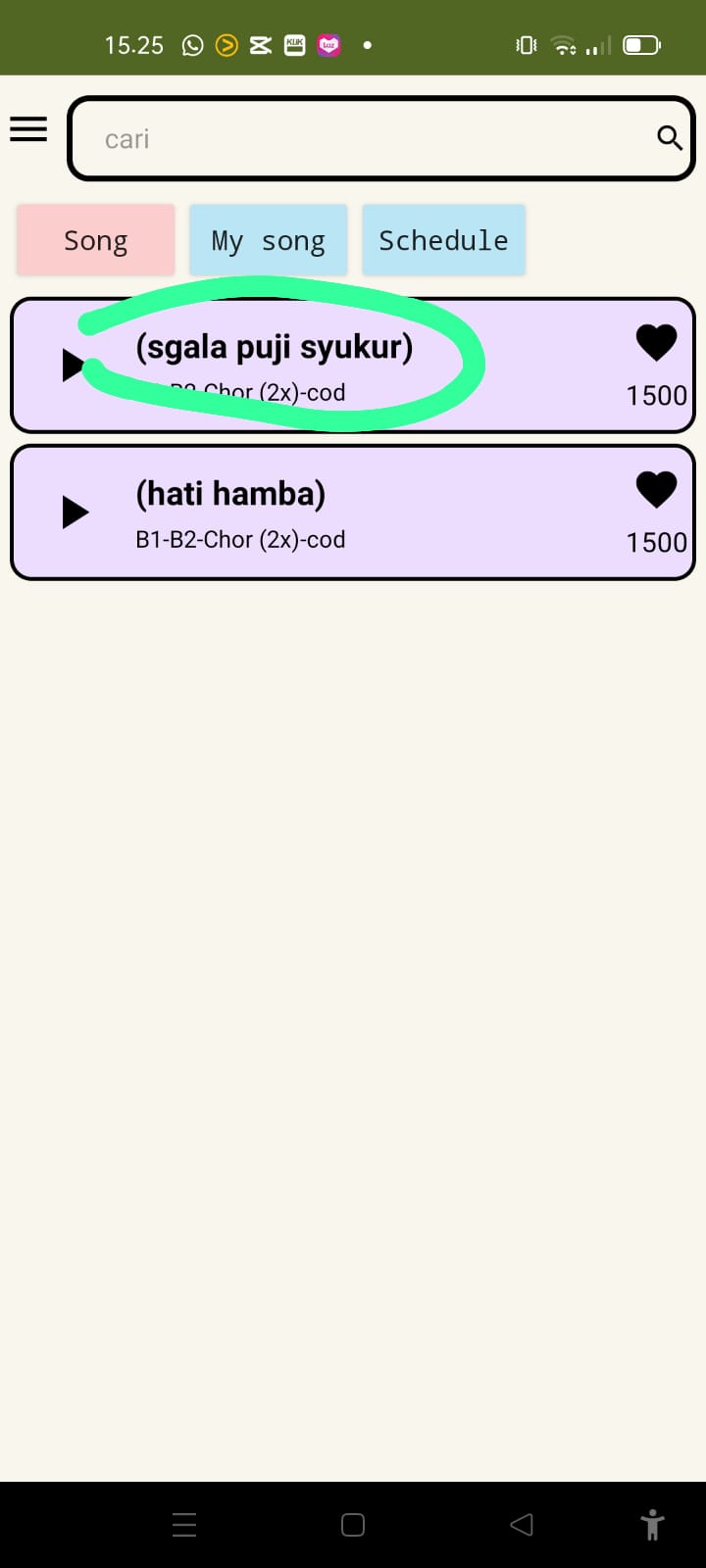
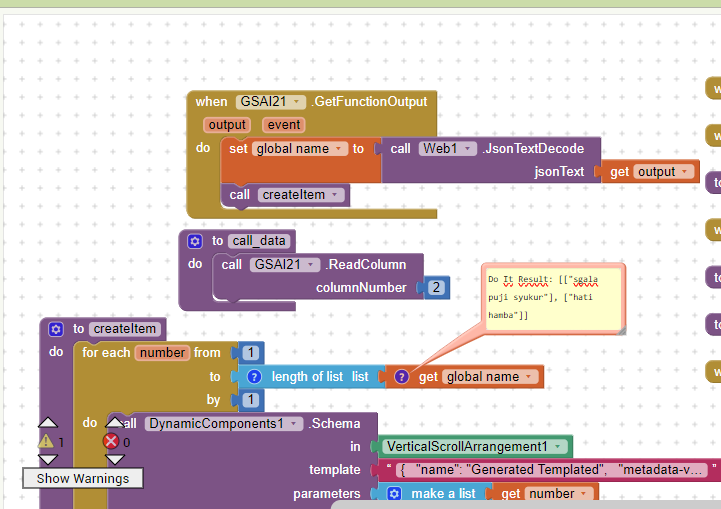
You are setting your "listview" with a list items, not a single value.
Extract the items from the inner list with this block before adding to the elements for the listview:
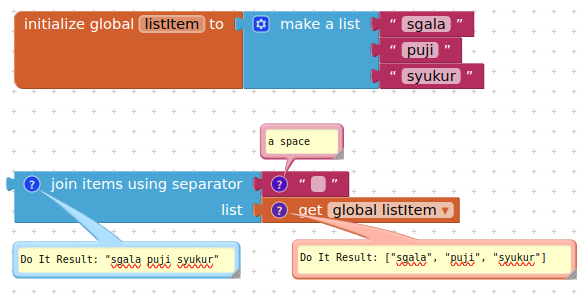
1 Like
The parentheses ( ) are there for two reasons.
You turned off the Show Lists as JSON option in Project Properties
You possibly used a CSV table conversion on a single column table instead of a text split at \n , or you forgot to apply a list to string conversion block to the rows of a table being loaded to a display component expecting a simple one dimension list.
1 Like