DeviceTimer
 Version: V1
 Released: 2026-03-17T00:00:00Z
Latest release: 2026-03-17T00:00:00Z
 Built using: FAST v5.0.0-premium
This extension uses the default device clock system app timer functionality to run timers.
-
Assumes you have a device clock system app installed on your device!
-
You can create a timer without leaving your app by setting skipUi to true
-
This timer keeps counting when your app is closed and whe the device is asleep
-
You get a notification in the status bar where you can swipe down and check on the timer's progress. From here you can also pause the timer
-
The timer will alarm when the time is up, and also allows you to turn off the alarm even when the screen is locked
-
You can add timers from 1 second to 86400 seconds (24hrs)
-
You can give a timer a label for identification/reuse (do not use skipUi for this)
-
skipUi may not work on all devices
-
You have to compile your app for this to work, to give your app the permission required.
-
Tested on Google Pixel 8a Android 16 (running on GrapheneOS)
BLOCKS
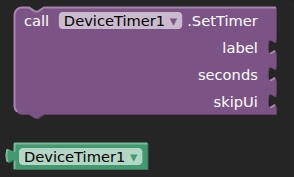
AIA
deviceTimer.aia (7.6 KB)
AIX
DeviceTimer
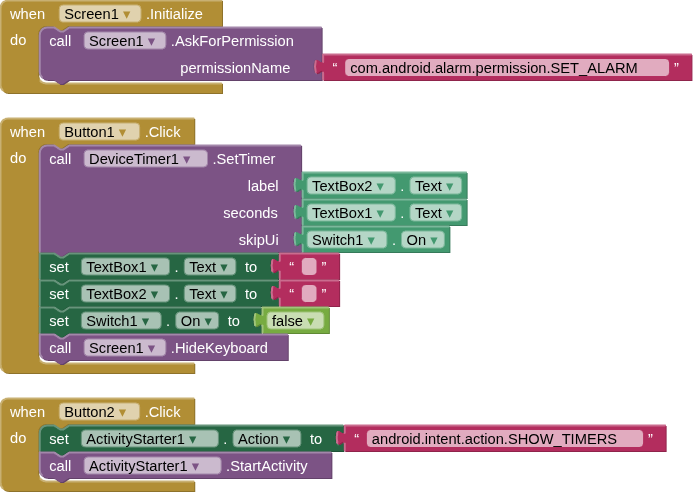
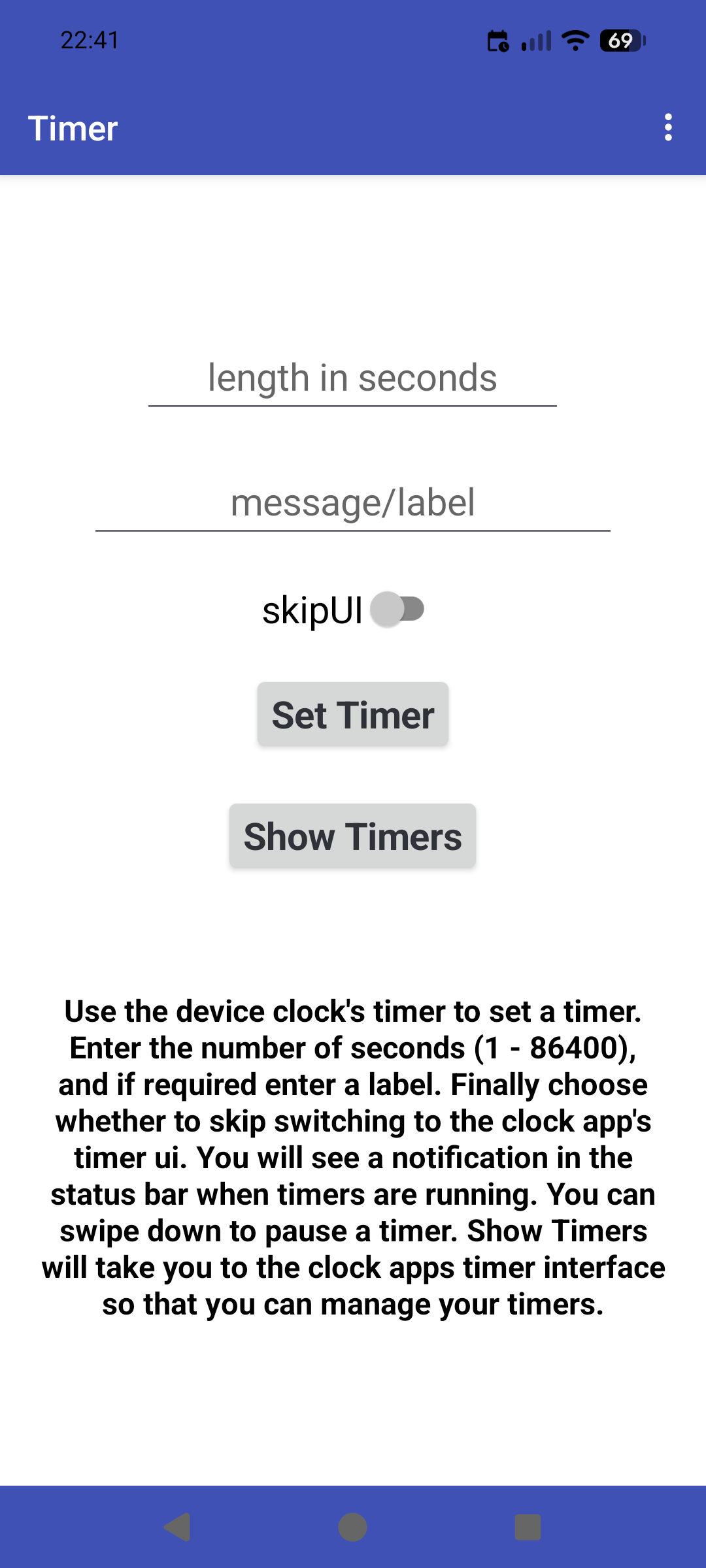
Enjoy  , and all feedback, comments and questions welcome.
Available for use in any MIT AppInventor projects or competitions
#####################################################################
This work by TIMAI2 is licensed under a
Creative Commons Attribution-ShareAlike 4.0 Unported License with attribution.
Please use name = TIMAI2 and link to this source page when giving credit.
#####################################################################