Aia file tutorial (part 2)
RestoreAlarm
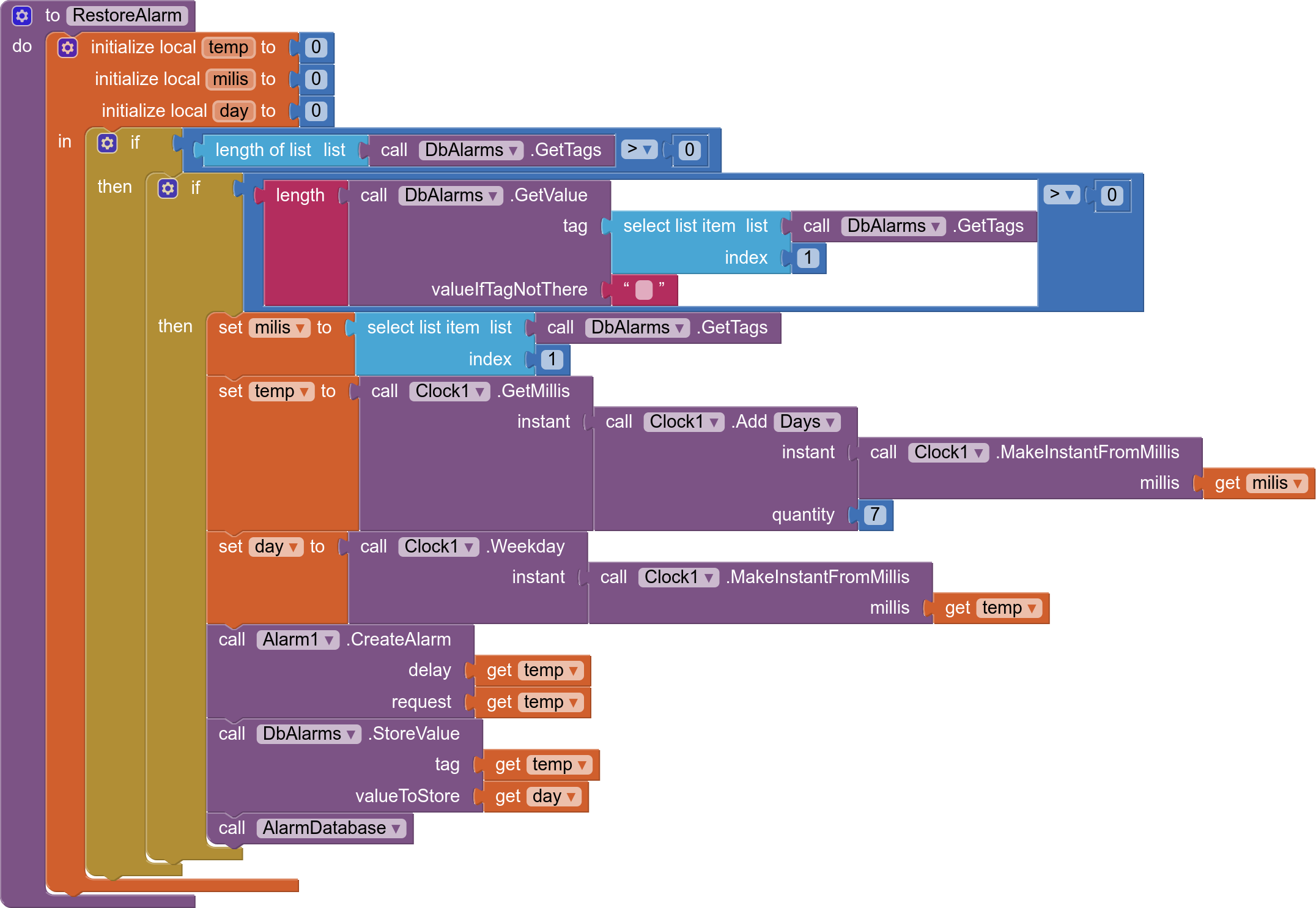
Every time we start the activity because an alarm has occurred, it is verified that the last one is a repetition alarm, in this case we generate a new repetition alarm, seven days after the current day
CleanAlarm
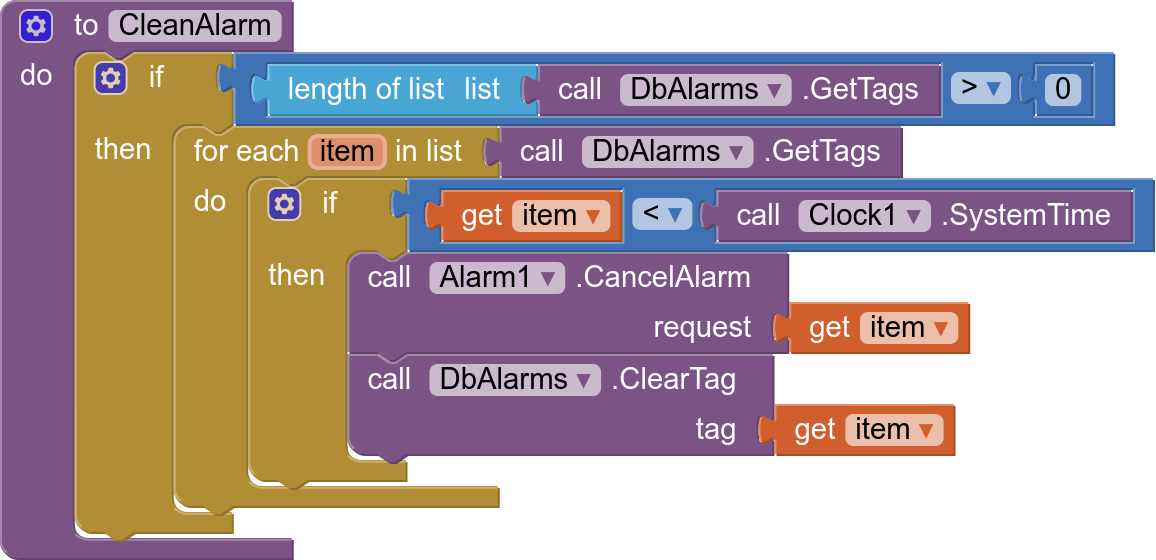
Clears all alarms in the database whose delay is less than the current time (in milliseconds)
AlarmDatabase
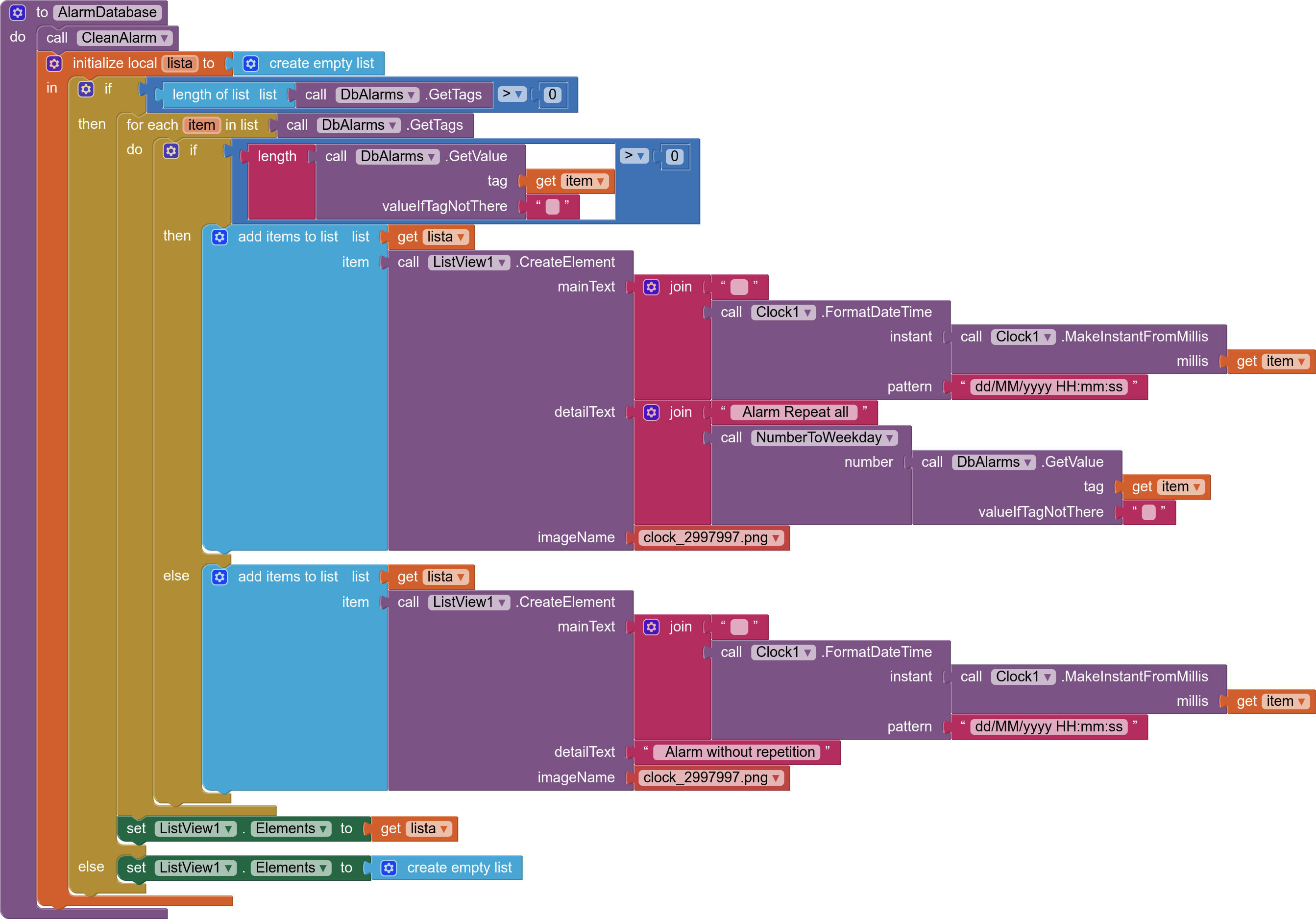
- We clean past alarms
- We go through the database "DbAlarmas.GetTags"
- We check if it is a repeat alarm or not
- We add the alarm in date format "dd/MM/yyyy HH:mm:ss" to a Lists
- If the alarm is a repeat alarm, we also indicate it in the List with the day it repeats
- We present the list in a ListView
Start
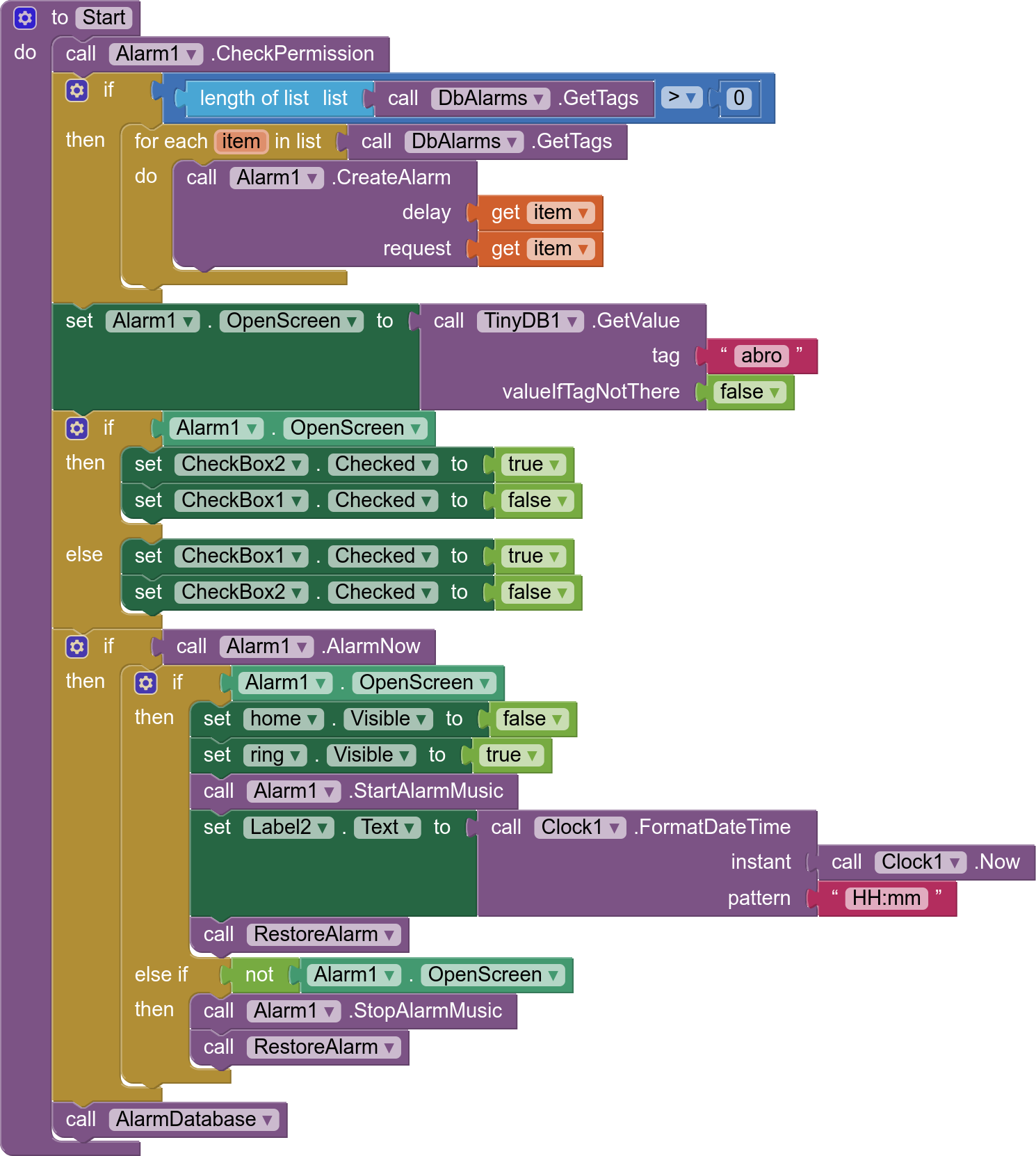
Applies on Screen1.Initialize
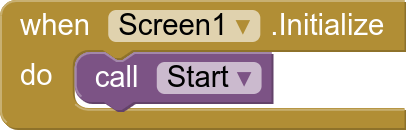
- We check if our Android is 14 or higher, if it complies with the SCHEDULE_EXACT_ALARM permissions, if so, a dialog will open to accept the permission.
- Regenerates all active alarms
- If an alarm has occurred and we have activated open the activity:
- Opens a screen with the image of an alarm clock and alarm time
- We start the alarm audio
- We restore the alarm if it repeats seven days later
- If an alarm has occurred and we have activated open the notification:
- We stop the alarm audio
- We restore the alarm if it repeats seven days later
- We show the database in a ListView
Repeat alarms for several days
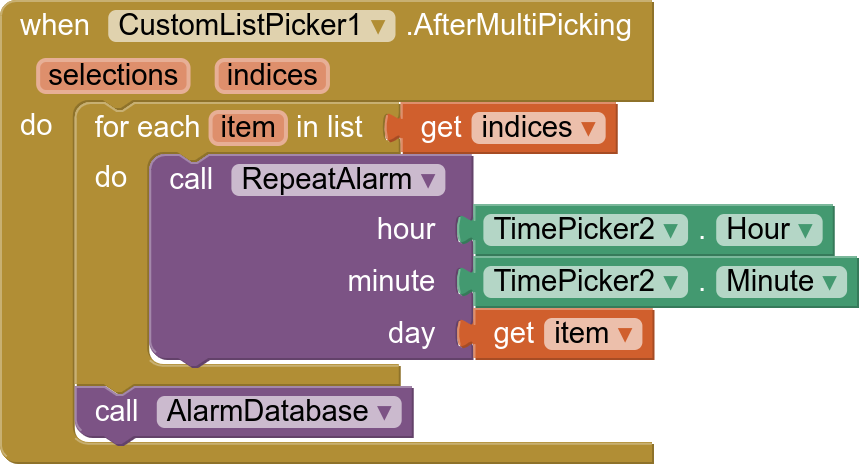
For this we use the Custom List Picker extension since app inventor does not allow multiple selection with its components.
For each selected day it creates a repeat alarm
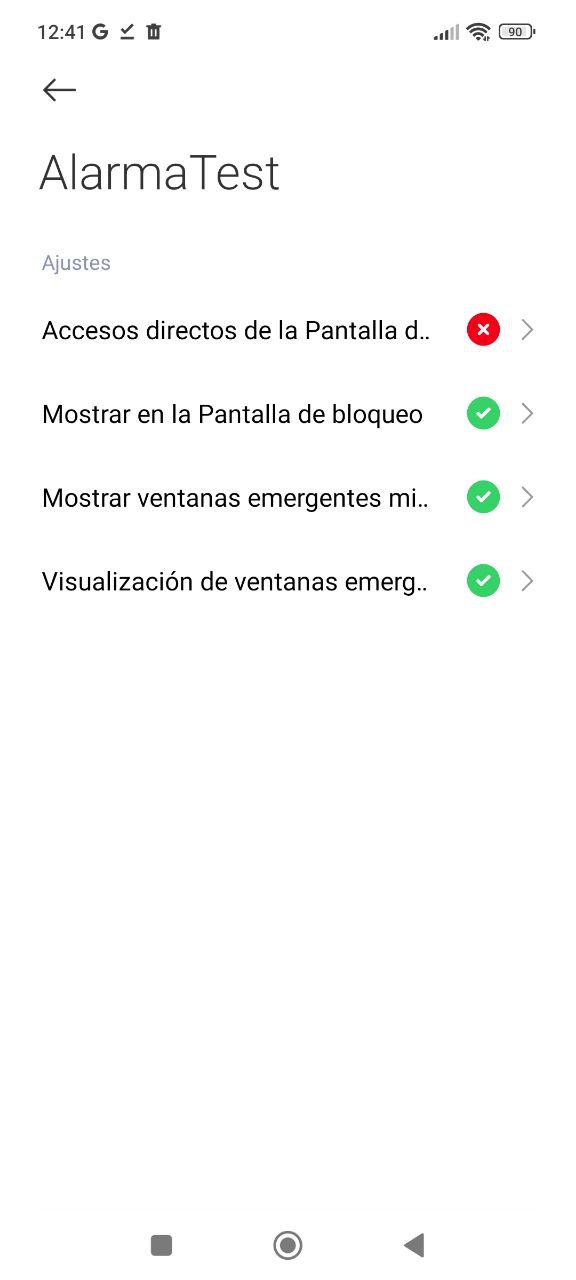
For Xiaomi devices to be able to open the activity you must apply the following configuration
A new aia is included by mistake in the previous one
Alarmar.aia (124,5 KB)
Un saludo