Thank you, I will test it
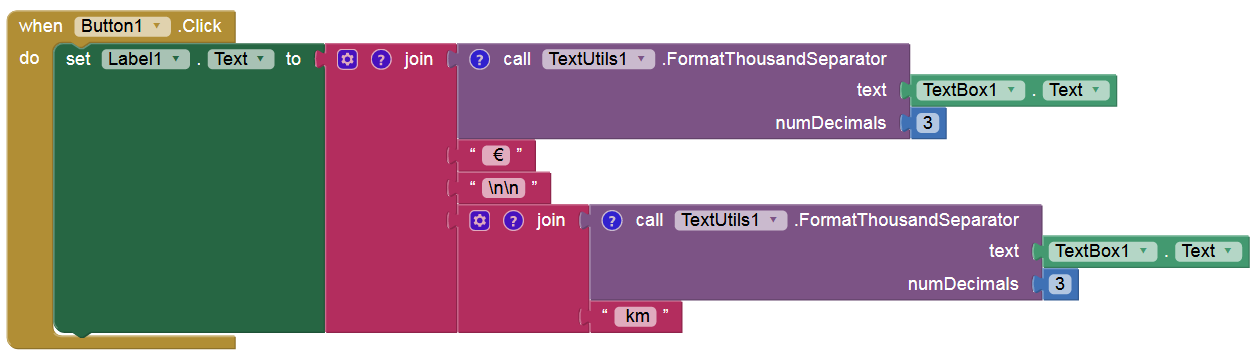
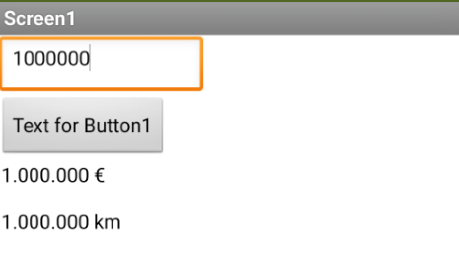
Very nice, that’s what I wanted. Didn’t work in my program, I suspect the settings. I also want the format to be generated during antipping;) in the textbox. I really appreciate your help. Have a nice Day 
Hi, I partially solved the problem with the decimal separator. The problem is still when I enter a round number of more than 999 and leave the input field, it then cuts the decimal value after the comma. For example, at 999 makes: 999.00 and with a number from 1000 that makes: 1,000 (so not like 1,000.00).
The decimal separator disappears and only a thousand separator appears. Do you know how I can combine the blocks so that I keep dicimal and thousands. So when you leave the field: 1,000.00 It doesn’t matter which type of separator you use.
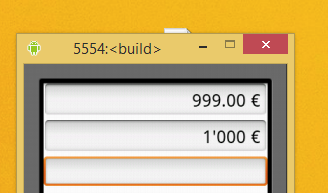
The problem (as I said) only with round numbers. If I do as you tell me and manually enter numbers behind the comma, I have the following result 
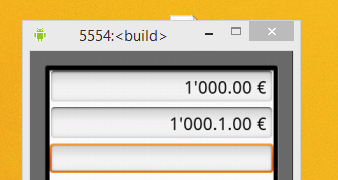
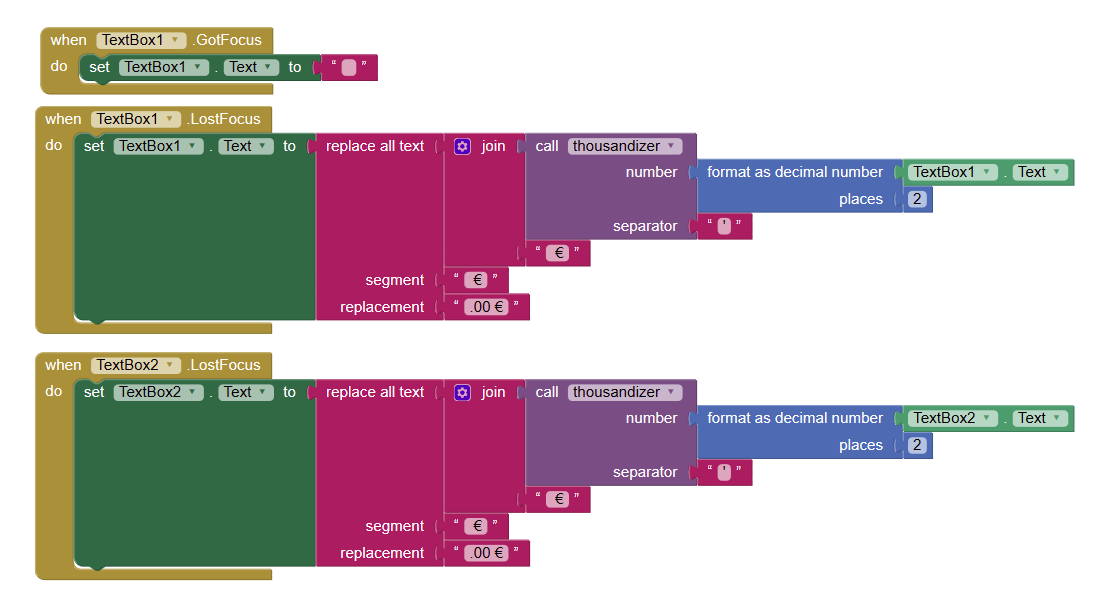
I am changing one problem to another
I need a mathematical solution and not a system trickery 
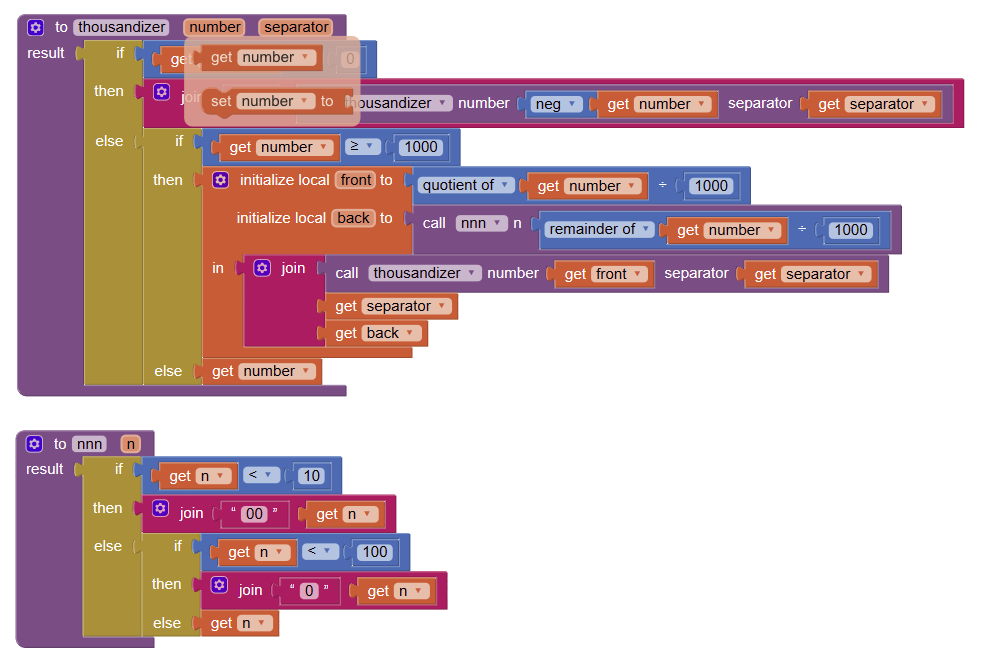
Here’s a solution, do you know who is the author? It must be allowed to put a comma even with longer (and round) numbers.
That is a thousand and decimal definition, the problem is that they cannot be combined with ROUND numbers from 1000 digits.
It is not a maths thing, because the number starts out and finishes as text.
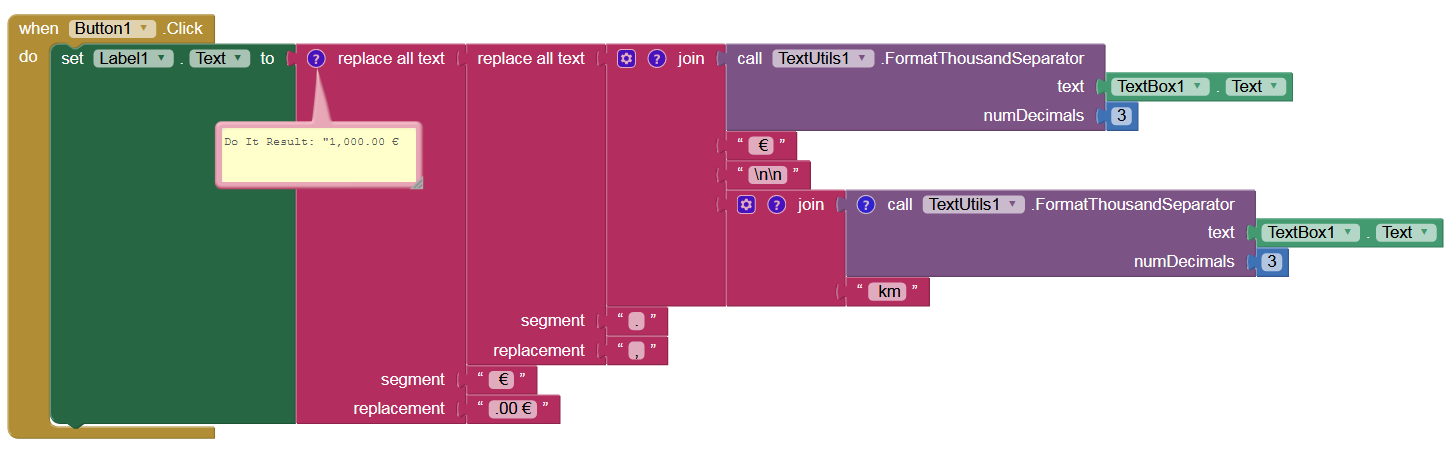
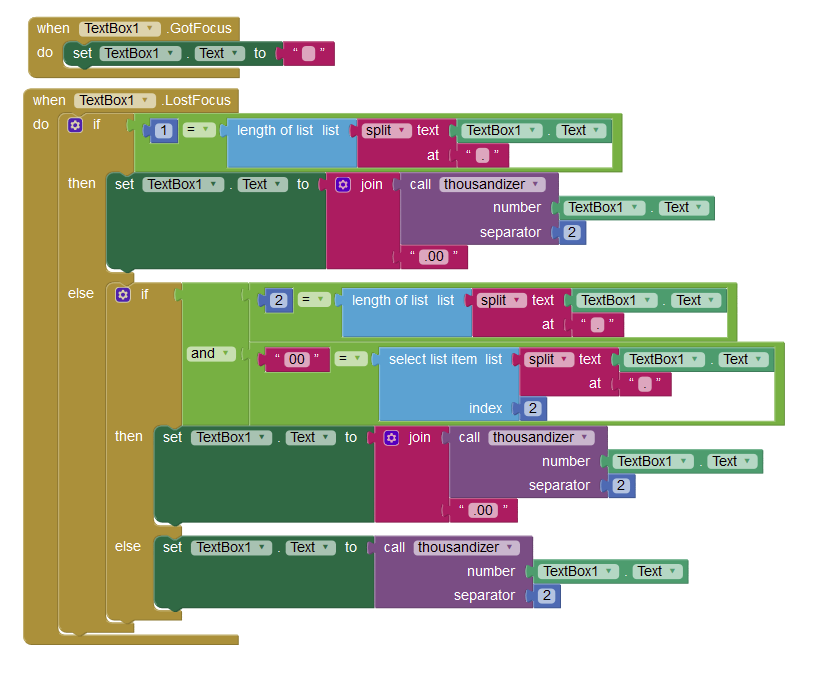
Here is a workaround that should handle all cases:
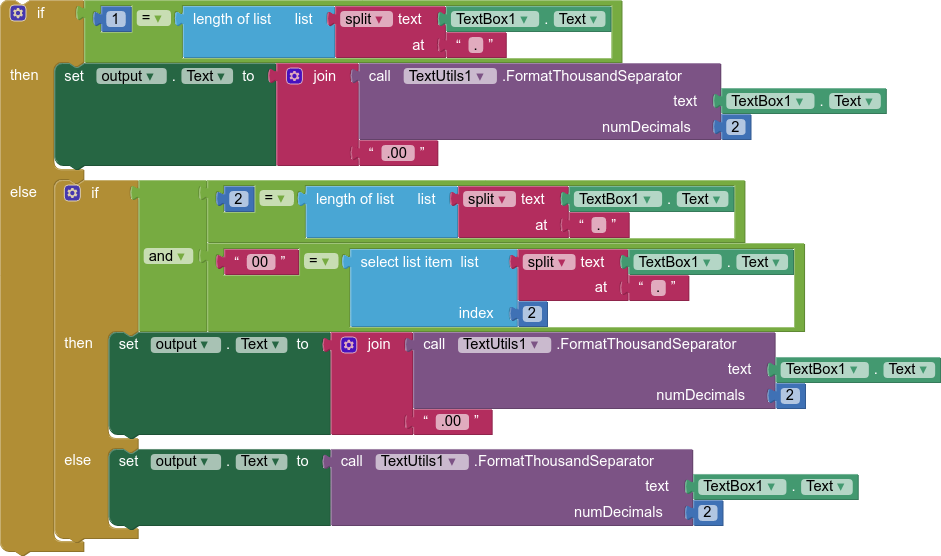
test right away 
Please be aware that when formatted like this you have a string, and not a number. If the number is important, you will need to save this separately.
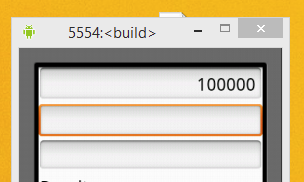
So after entering, it is not formatted

Oh, you want it in the textbox, sorry, not paying attention

However, you will probably need to give something else the focus (another textbox) in order to activate the lostfocus
Besteht die Möglichkeit mit Ihnen über Whatsapp kurz telefonieren?