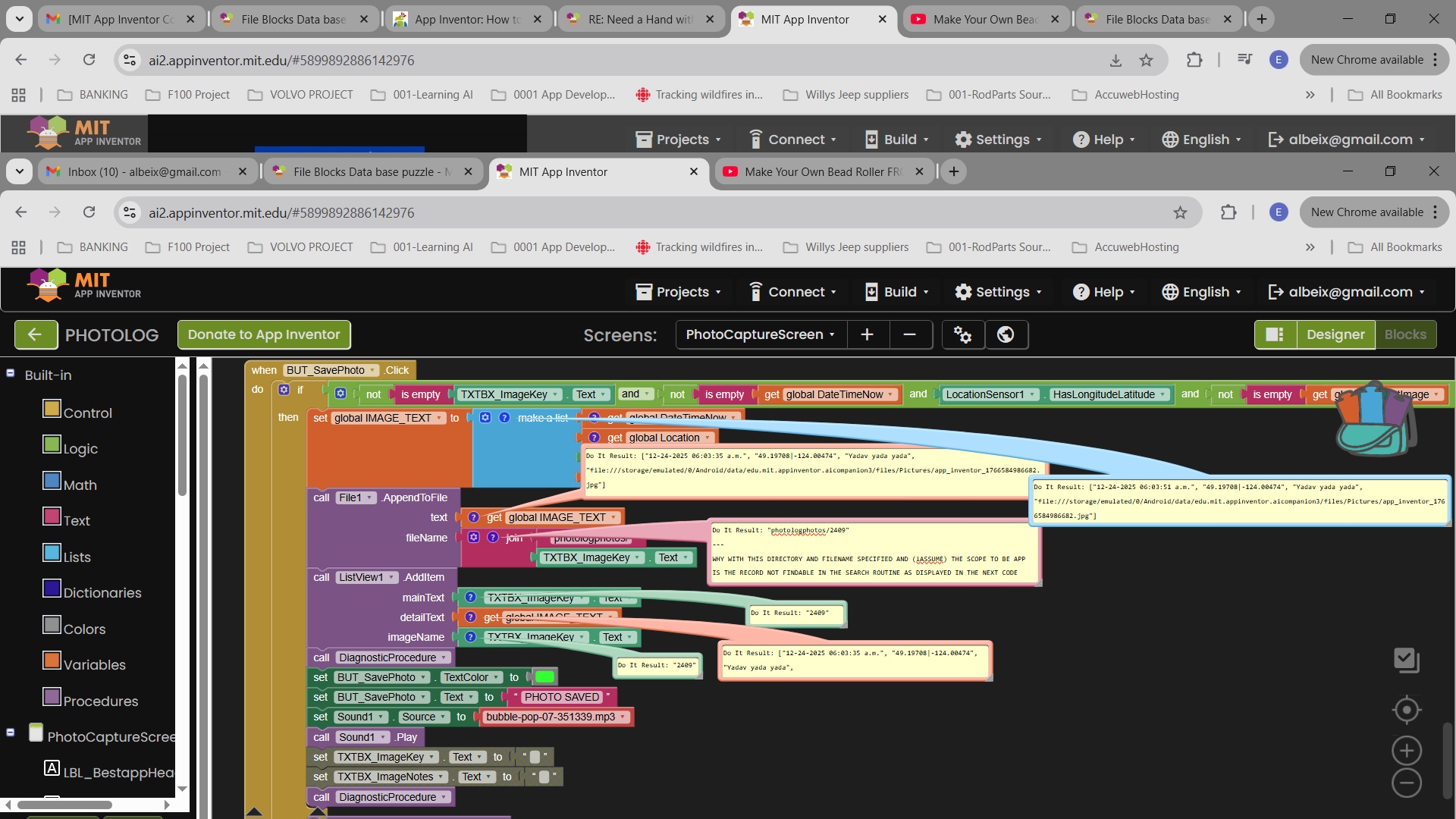
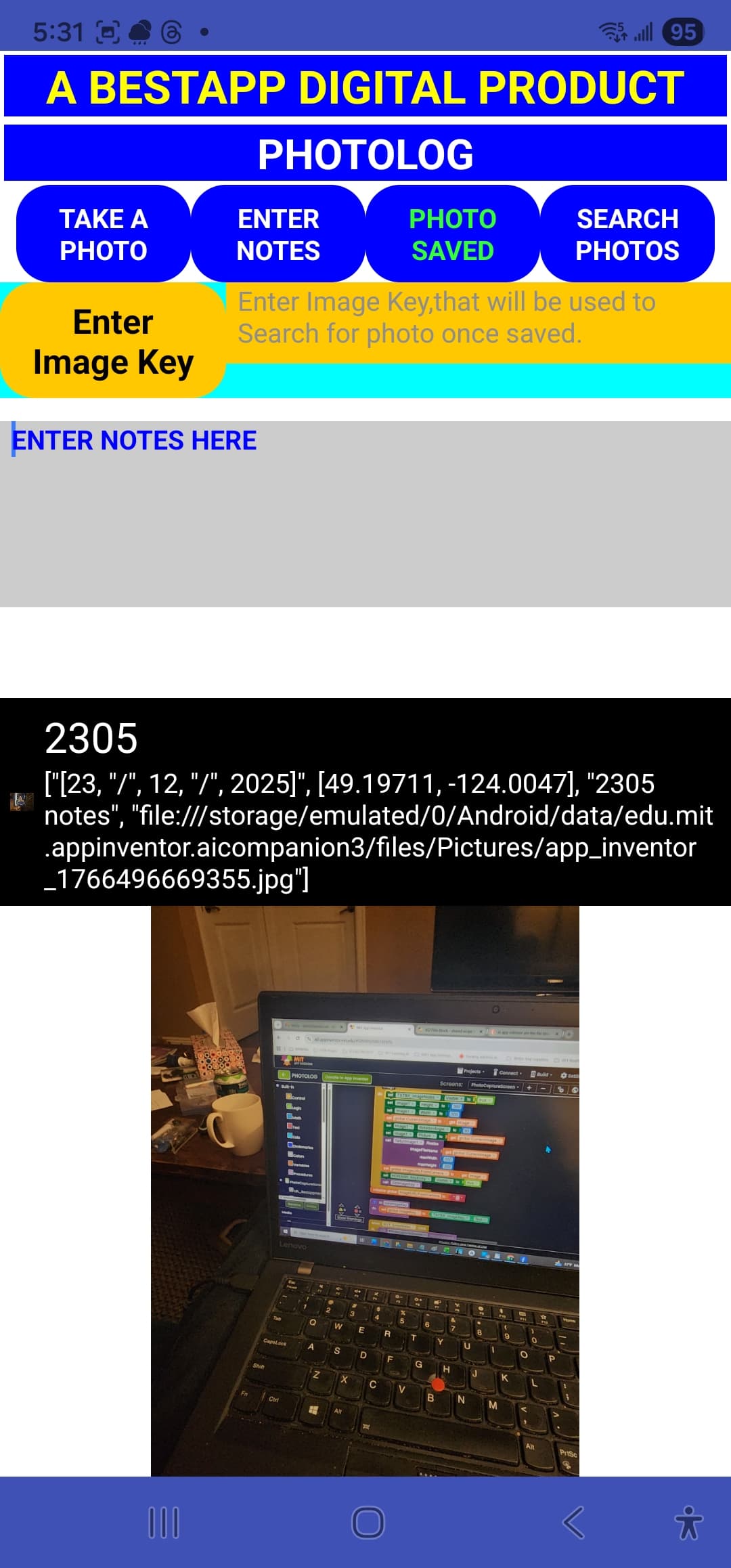
So I continue work on my App and have it to the point where to all outward appearances it is working when I write a record containing image and image related comments as seen in the write screen capture. attached
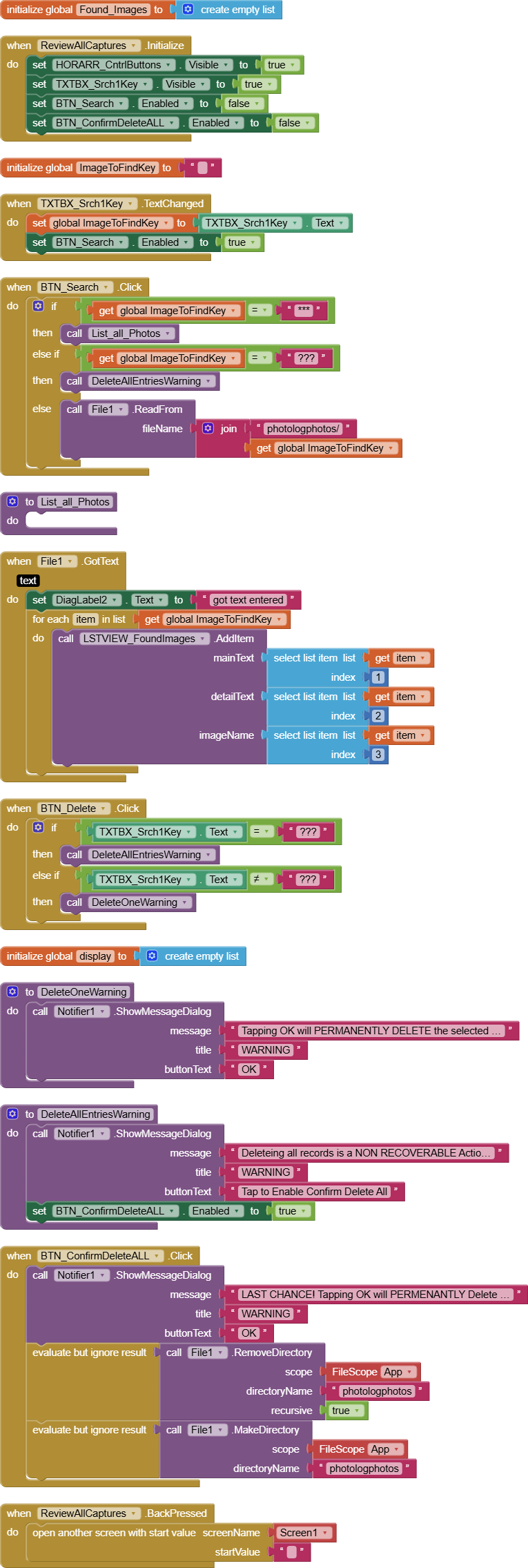
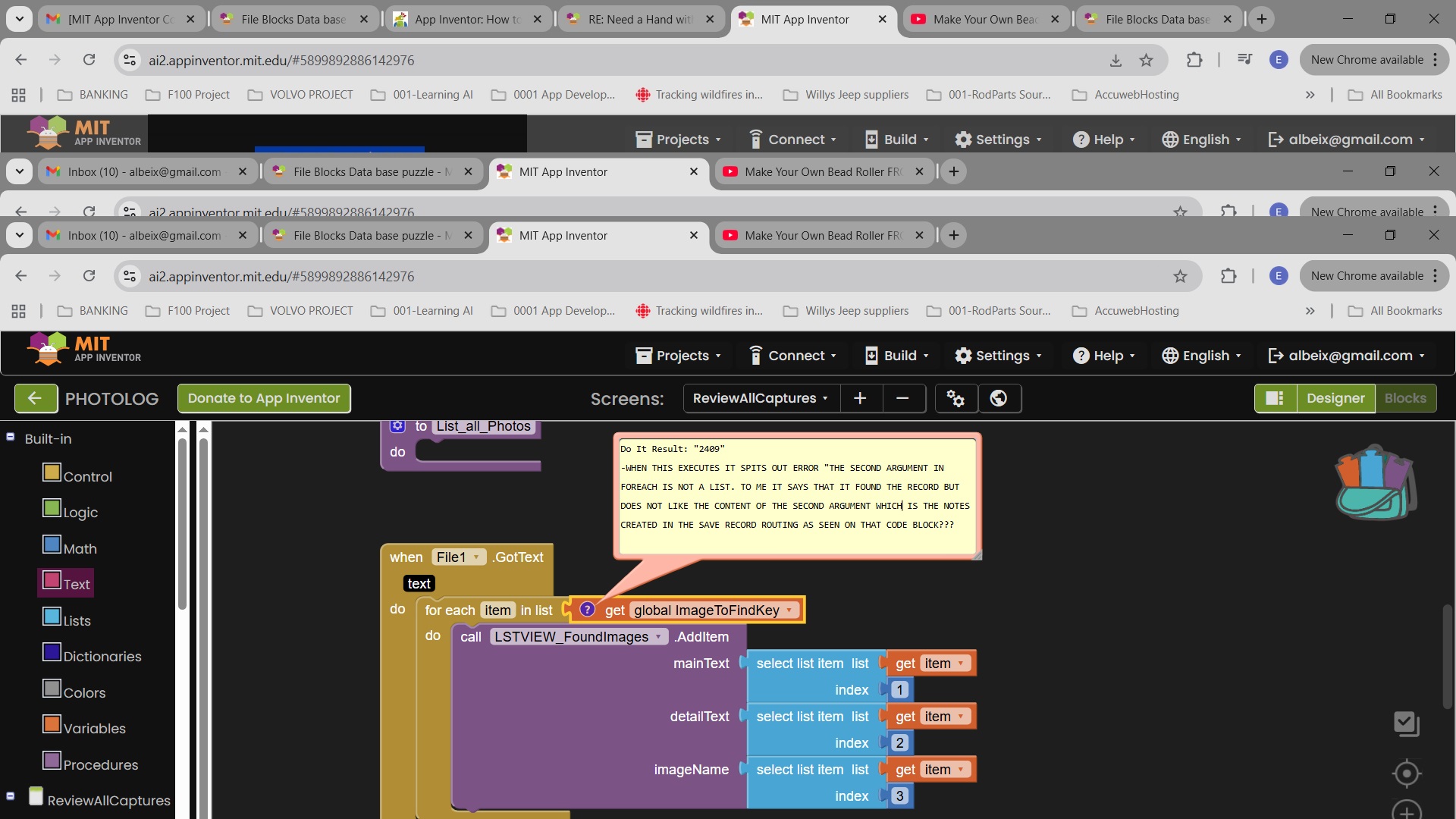
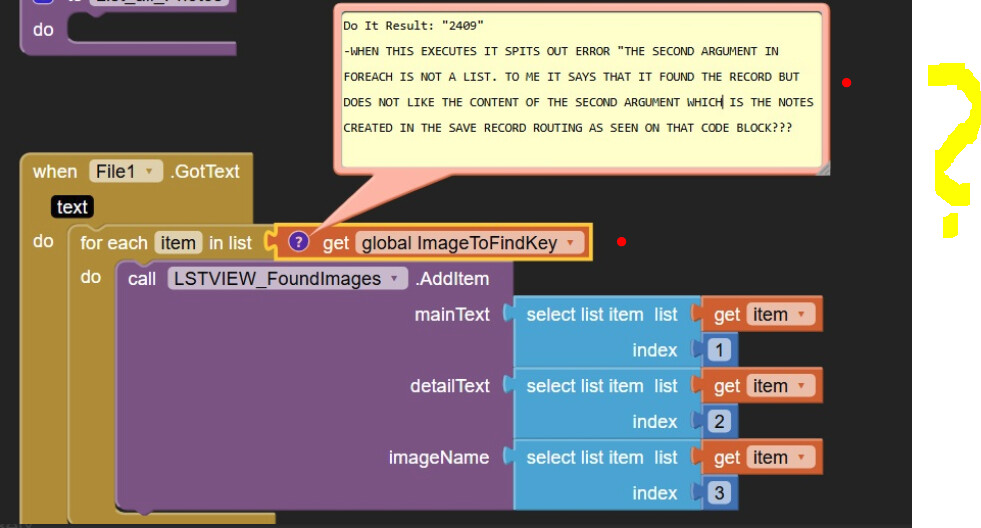
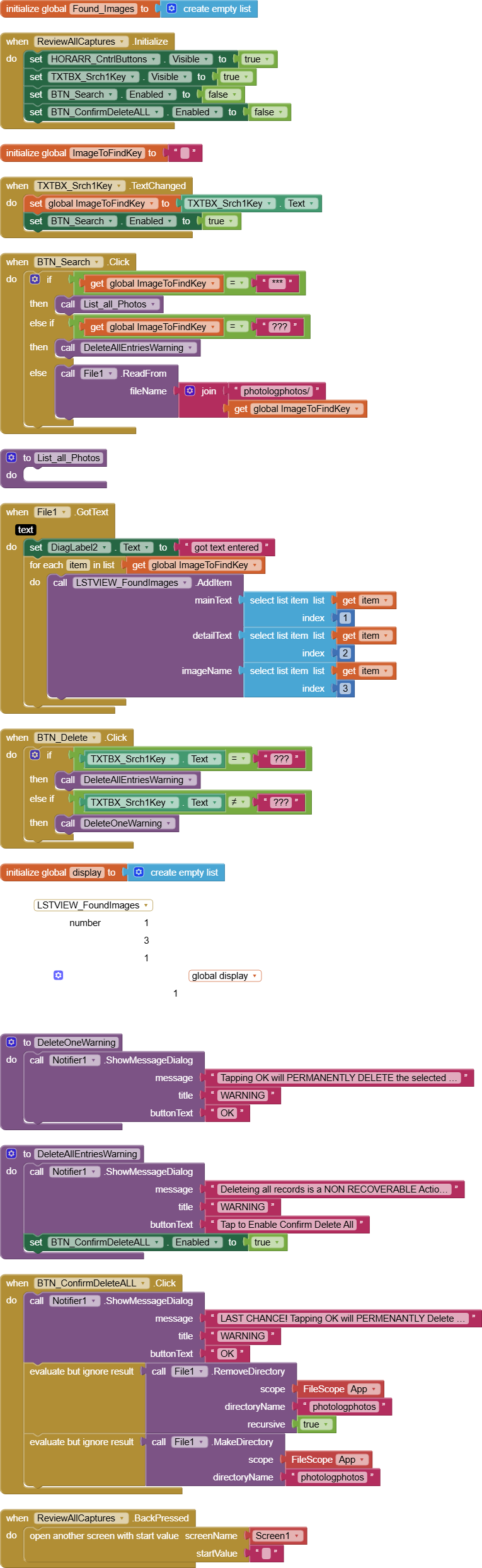
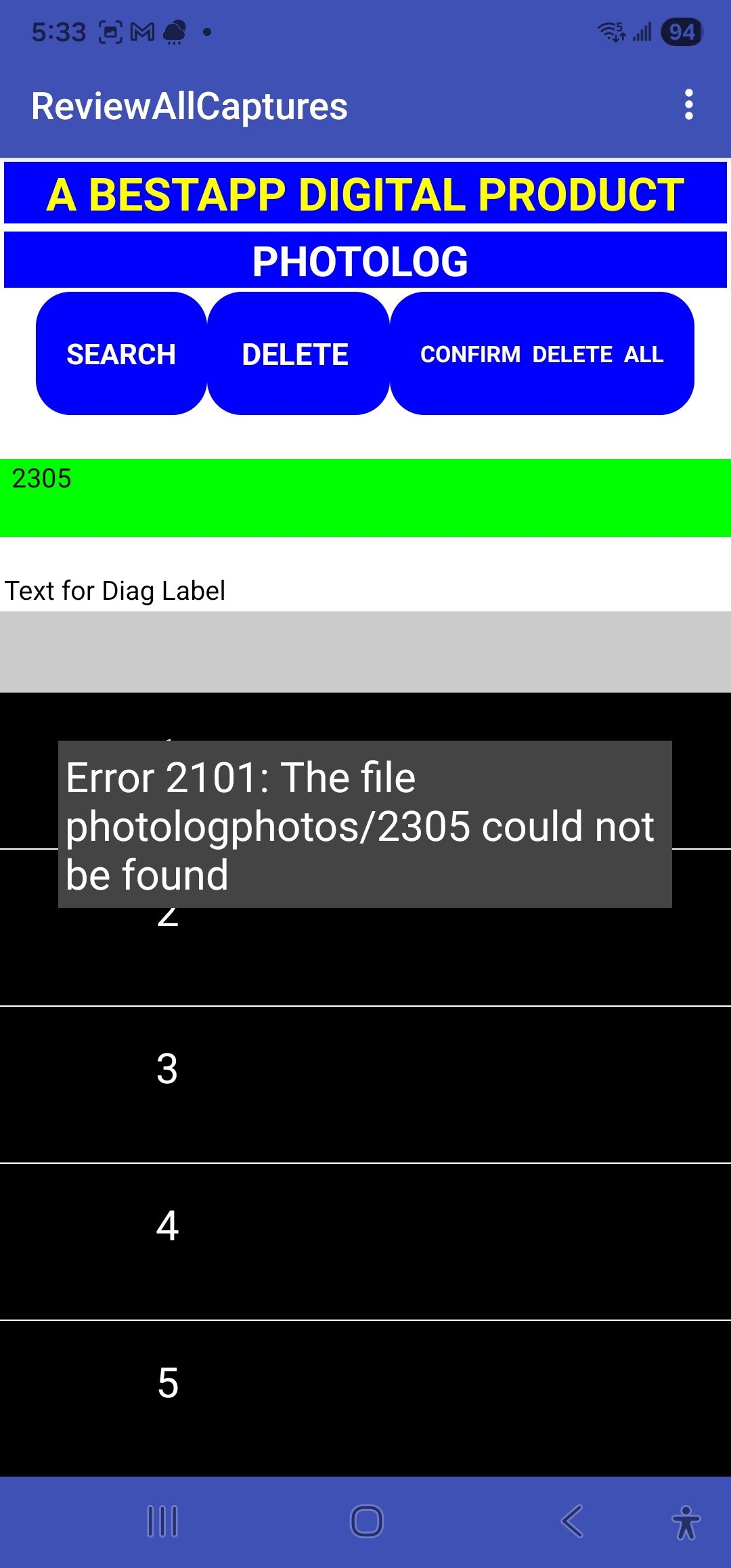
When I issue a read for the same record I get a record not found message. I attached the search(Read) blocks I am using that generate the error message
I have the File properties in designer set to allow write and read and have tried every possible combination of leading slash(s) / (ie none, /, //, ///) in the write path.
The file path shown is generated as an output when the file is saved. I will try using the entire file path on the read and see if that gets it done. 2305 is the user entered file name the file contains the following elements Date, location, image and Notes. but the file path seems to only be picking up the image path?? You can see in the create photo blocks where I build the list to be written.
First of all thank you for the valuable tip on how to raise DOIT on all blocks. That is going to save a bunch of guessing and experimentation. Also Thank you for responding.
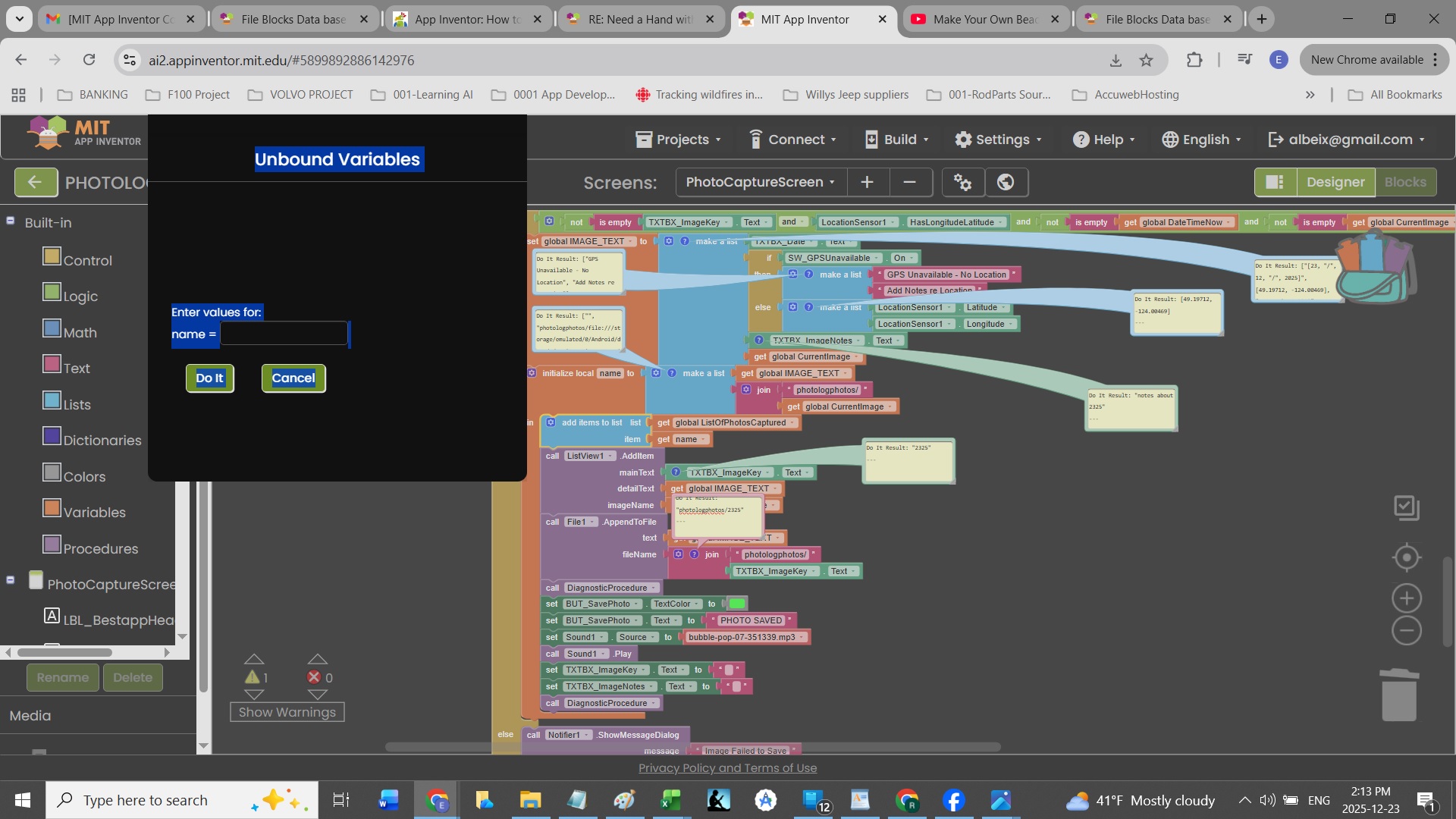
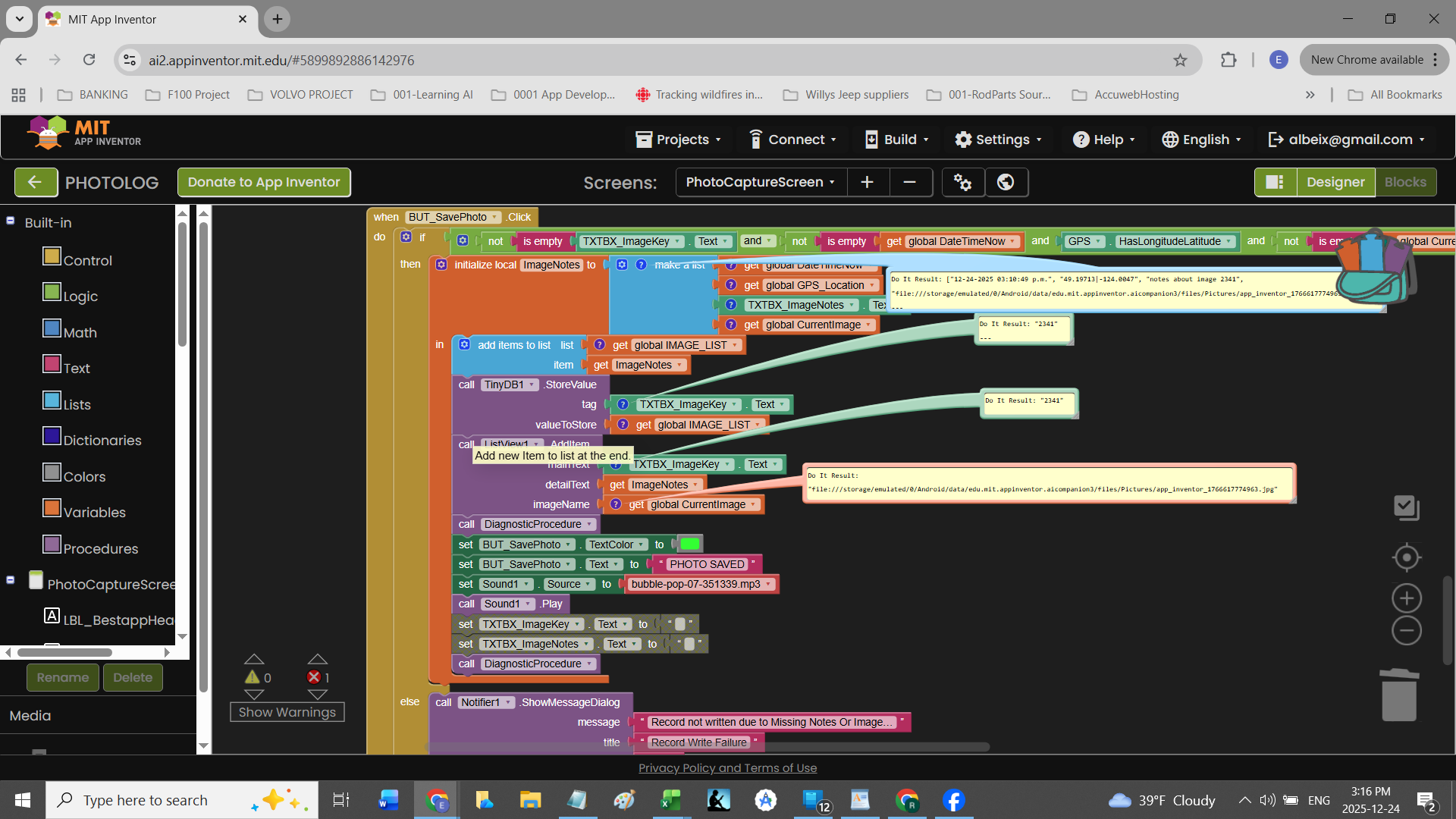
Per your request I have included a screen shot of the save image and notes routing with DOIT windows showing. As you will see when I right clicked on the Ad items to list list block I got a message regarding a Unbound variable???
Further to my earlier reply, If it will help I can send you the App as it stands so you can import is and see exactly what is happening and when.
Briefly using my new found skill at raising DOIT notes during the take a photo/write process I see that the list I build prior to writing the record is not being populated as expected. What I do not understand is why?
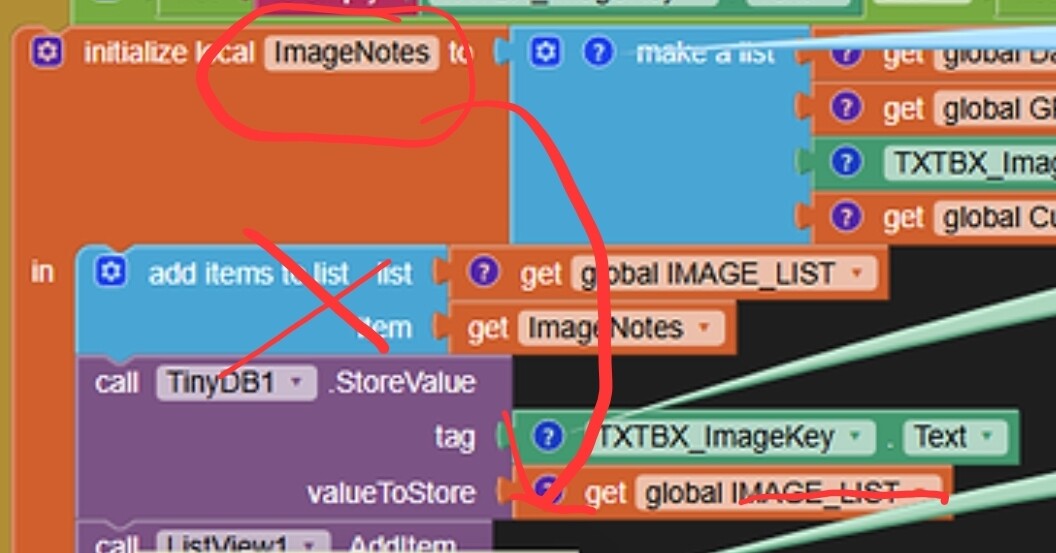
you found just out, that Do it does not work on local variables...
how do you want it to be and how is it currently?
Just post only a screenshot of the corresponding blocks. This helps us to not have to search for the relevant blocks ourselves
Taifun
The Apps purpose is to allow users to take photos of anything they find interesting or mission critical. The App then adds date, time and GPS co-ordinate information to the file saved with the photo. To that the user enters a relatable key that they can use to search the file and bring up the saved image as well as their own notes. Notes are in the format as seen below.
System Date in format - MM-dd-yyyy
System Time in format - hh:mm:ss a
System Location from GPS is GPS standard Lat and Long format
User entered notes about the image.
THE IMAGE
The following block with the Save routine DOIT displays is where the information is assembled. I have added my own comments in BLOCK LETTERS to each DOIT result
Why are you using files to store your data? If you store a list in a file, later after reading the file again the data only looks like a list, but is not a list anymore. Therefore usually you convert a list into csv format before storing in a file and convert it back from csv format to a list after reading the file
Also as @Anke already tried to explain, ImageToFindKey is your image identifier and not your data
It would be much easier to use TinyDB... use your image identifier as tag and store global IMAGE_TEXT as value
Later use TinyDB.GetValue to read the value again
I considered using tiny DB but was concerned about it's limited capacity. Perhaps that is not so much a worry as the images are compressed before writing.
That said I will give TinyDB a go and see how that works out.
You did not store the images in the file nor will you store them in TinyDB... these are stored in the file system
You only store a link to the images in TinyDB as you are doing it currently in the text file
 Taifun.