Error: ENOENT: no such file or directory, open '/tmp/ext_xxx/assets/images/media.png
Here’s a clean and clear version in English, tailored for AixGenerator documentation or guidelines:
Icon Reference Requirement for AixGenerator Extensions
In AixGenerator, the icon reference in extensions must always be declared exactly as shown below:
@DesignerComponent(
        version = 1,
        description = "Simple extension to convert words (pt-BR) into integer numbers (long)",
        iconName = "icon.png"
)
Important rule
The icon file must be named exactly:
icon.png
And it must be correctly included in the extension assets.
No other file name or path should be used.
Common Error and How to Fix It
If you encounter an error similar to the one below:
{
  "error": "ENOENT: no such file or directory, open '/tmp/ext_26398728_2ca9eed9-ba47-4bf5-964b-aef11a9d1022_1769270441883/assets/images/media.png'",
  "fastLogs": "",
  "packageName": "com.yourpackage",
  "extensionName": "ExoVideoPlayer"
}
What this means
This error usually indicates that the extension is trying to load an icon file that does not exist or is incorrectly referenced.
What the user must check
Ensure the icon file is named exactly: icon.png
Ensure the annotation uses:
iconName = "icon.png"
Make sure the file is present in the correct extension assets directory
Tip
Most ENOENT icon-related errors in AixGenerator are caused by:
Wrong icon file name
Wrong icon path
Using a name different from icon.png
Keeping this standard avoids build and packaging issues.
@Component(
version = 1,
versionName = "1.0",
description = "Hardware and system utility extension for battery status, device model, SDK level, vibration, and clipboard.",
iconName = "icon.png"
)
public class DeviceUtils extends AndroidNonvisibleComponent {
public DeviceUtils(ComponentContainer container) {
    super(container.$form());
}

@Function("Vibrates the phone for specified milliseconds.")
public void Vibrate(int milliseconds) {
}

@Function("Copies text to Android system clipboard.")
public void CopyToClipboard(String text) {
}

@Property("Returns DeviceModel property.")
public String DeviceModel() {
    return "1.0";
}

@Event("Fired when battery level drops.")
public void OnBatteryLow(int level) {
    EventDispatcher.dispatchEvent(this, "OnBatteryLow", level);
}
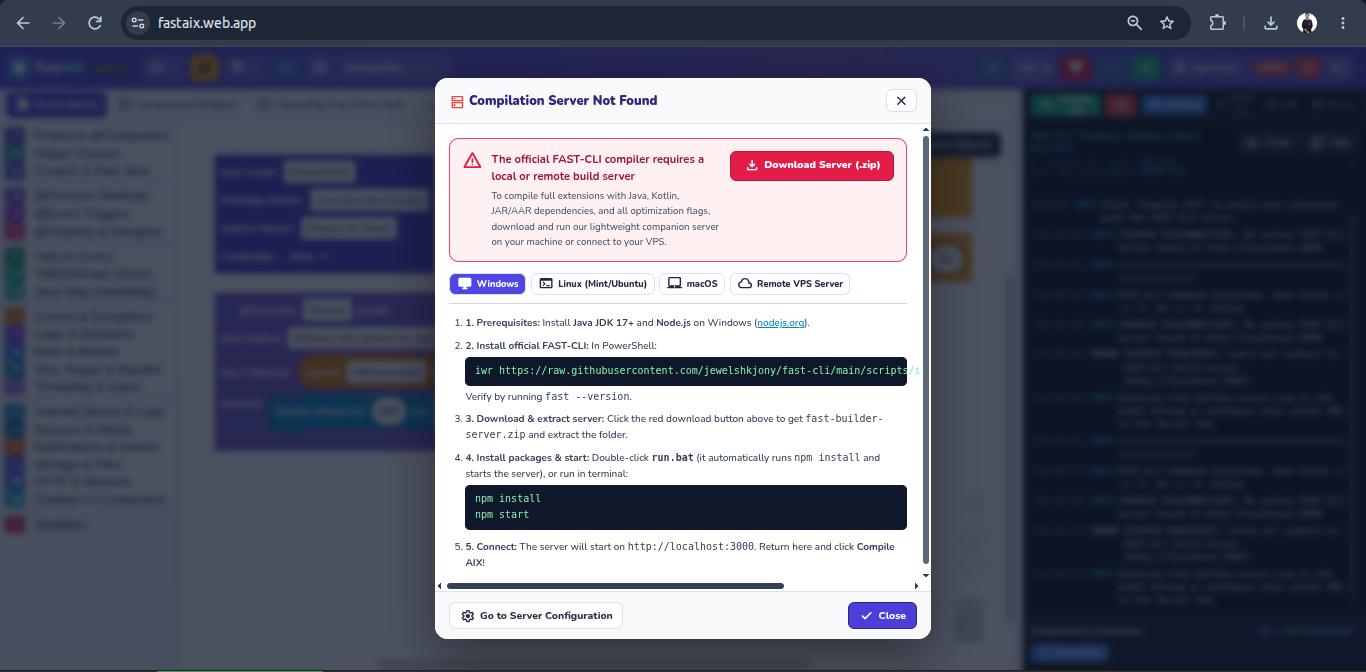
I have removed the in-browser compilation option. You will now need to run the server—available for direct download—on your own machine in order to compile with 'fast' installed.
ok, installed on my pc ( running on localhost:3000 ):
server output
C:\Users\Davide\Documents\Android\fastaix\fast-builder-server>run
"============================================================================"
"  FastAIX Local Build Server for MIT App Inventor & Kodular Extensions"
"  Fast-CLI by Jewel: https://github.com/jewelshkjony/fast-cli"
"============================================================================"

"[INFO] Starting local build server..."
"(If port 3000 is busy, it will automatically switch to port 3001 or next free port)"
"Keep this window open while using FastAIX Studio in your browser!"

================================================================
 FastAIX Build Server v2.1.0 is active!
 Listening on: http://localhost:3000
 Endpoint:     http://localhost:3000/health
 Security:     Anti-RCE, Anti-Traversal, High-Concurrency Ready
================================================================
but when I click compile AIX an error appear on the command window
:
server error on pc
node:internal/child_process:458
    throw new ErrnoException(err, 'spawn');
          ^

Error: spawn EINVAL
    at ChildProcess.spawn (node:internal/child_process:458:11)
    at spawn (node:child_process:813:9)
    at execFile (node:child_process:349:17)
    at Server.handleRequest (C:\Users\Davide\Documents\Android\fastaix\fast-builder-server\server.js:326:5)
    at process.processTicksAndRejections (node:internal/process/task_queues:104:5) {
  errno: -4071,
  code: 'EINVAL',
  syscall: 'spawn'
}

Node.js v24.21.0
Press any key to continue . . .
Good, this is now the output on the command window on my pc:
Summary
[FAST-CLI] Executing: fast build -r -s -b -dx -o -m -online in C:\Users\Davide\Documents\Android\fastaix\fast-builder-server\workspace\DeviceUtils_1793917496106_df902b58
[FAST-CLI OUTPUT]:
__           _
 / _| __ _ ___| |_
| |_ / _` / __| __|
|  _| (_| \__ \ |_  (v8.0.0-free)
|_|  \__,_|___/\__| (29.10.26.22.11)


WARNING: A restricted method in java.lang.System has been called
WARNING: java.lang.System::load has been called by org.fusesource.jansi.internal.JansiLoader in an unnamed module (file:/C:/Users/Davide/AppData/Local/Fast/fast.jar)
WARNING: Use --enable-native-access=ALL-UNNAMED to avoid a warning for callers in this module
WARNING: Restricted methods will be blocked in a future release unless native access is enabled

x java.io.FileNotFoundException: AndroidManifest.xml is not exists at: C:\Users\Davide\Documents\Android\fastaix\fast-builder-server\workspace\DeviceUtils_1793917496106_df902b58\src\AndroidManifest.xml
        at com.jewel.fast.repacked.Build.<init>(.java:129)
        at com.jewel.fast.Fast.main(Fast.java:115)
AndroidManifest.xml is present but in the parent directory ( C:\Users\Davide\Documents\Android\fastaix\fast-builder-server\workspace\DeviceUtils_1793917496106_df902b58\AndroidManifest.xml )
this is the message on the fastaix console:
fastaix console
[23:35:49]INFOTerminal cleared.

[23:35:50]INFO=======================================================

[23:35:50]INFOFAST-CLI Command Execution: fast build -r -s -b -dx -o -m -online

[23:35:50]INFO[DISPATCHING]: "build" -> http://localhost:3000/api/compile

[23:35:50]INFO- [FILES SYNCED]: 12 project files sent (Java source, fast.yml v8.1.0, assets, deps)

[23:35:51]INFO__ _

[23:35:51]INFO / _| __ _ ___| |_

[23:35:51]INFO| |_ / _` / __| __|

[23:35:51]INFO| _| (_| \__ \ |_ (v8.0.0-free)

[23:35:51]INFO|_| \__,_|___/\__| (29.10.26.22.11)

[23:35:51]INFOWARNING: A restricted method in java.lang.System has been called

[23:35:51]INFOWARNING: java.lang.System::load has been called by org.fusesource.jansi.internal.JansiLoader in an unnamed module (file:/C:/Users/Davide/AppData/Local/Fast/fast.jar)

[23:35:51]INFOWARNING: Use --enable-native-access=ALL-UNNAMED to avoid a warning for callers in this module

[23:35:51]INFOWARNING: Restricted methods will be blocked in a future release unless native access is enabled

[23:35:51]INFOx java.io.FileNotFoundException: AndroidManifest.xml is not exists at: C:\Users\Davide\Documents\Android\fastaix\fast-builder-server\workspace\DeviceUtils_1793918150238_a32a404f\src\AndroidManifest.xml

[23:35:51]INFO at com.jewel.fast.repacked.Build.<init>(.java:129)

[23:35:51]INFO at com.jewel.fast.Fast.main(Fast.java:115)

[23:35:51]OK>> FAST-CLI EXECUTION SUCCESSFUL!

[23:35:51]OKCreated AIX package: out/com.fast.deviceutils.aix (0.0 KB)
 Important rule
 What this means
 Tip