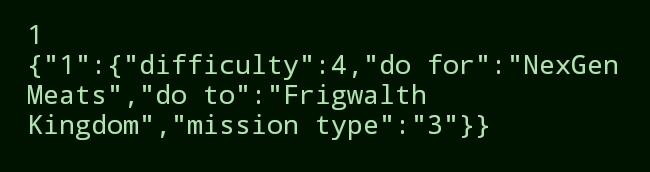
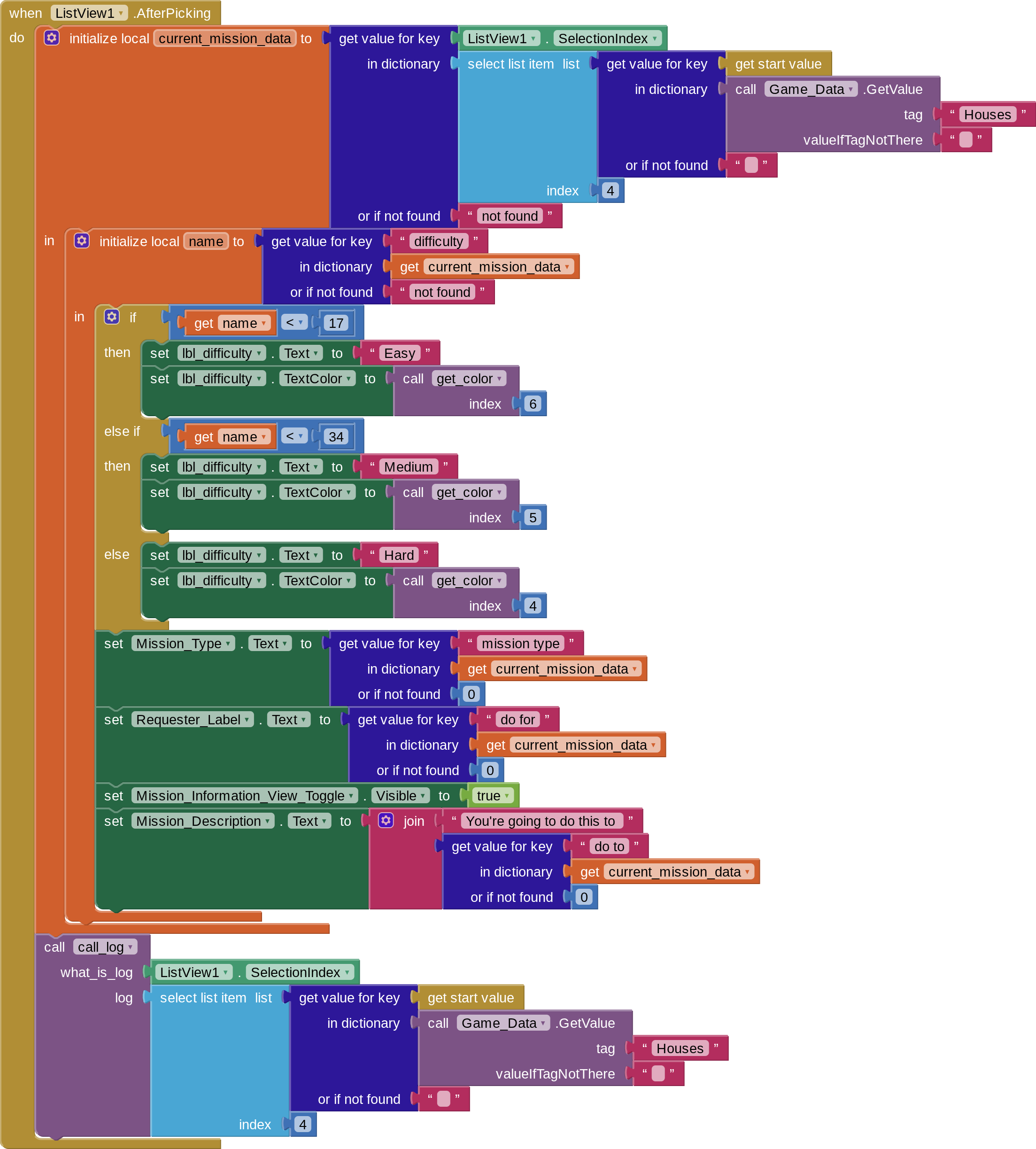
When I try to make a local variable to pull my mission data using the list index, it fails to find it. I can't figure out why. Can anyone help me figure out what I'm doing wrong? I also provided the result of the "call_log" function at the end of the block.
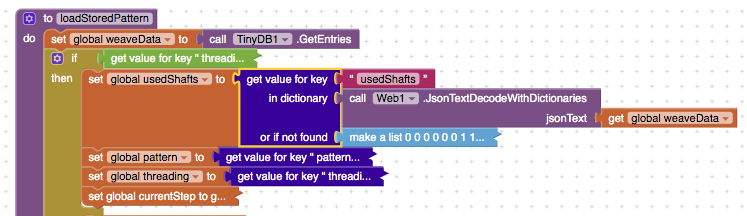
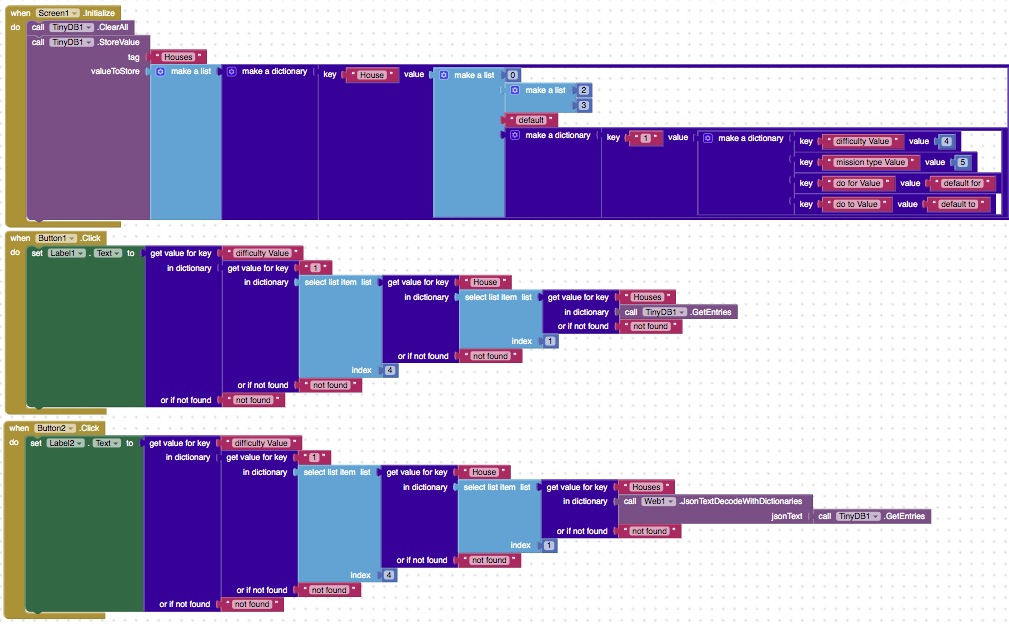
Probably I should let others with proper knowledge answer and I am not sure if this is helpful or not (and I do not quite understand what I am writing), but I also had similar problem. I do not quite remember what really happened, but it had something to do with how data is stored in dictionaries. I had to introduce some json decoding when I was reading back a list from a dictionary. I attach a screenshot of part of my code.
How do I check to see if I have a dictionary or json string? I created a dictionary with keys (what are being called to the text boxes and labels) and then passed the house to this page as the start value text. The calllog function is showing you the value of the selection index, and the value of thelist item holding the dictionary that I am trying to get keys out of on the page.
The first key in the dictionary is 1. The selection index is 1. But it can't find it.
Would it be better to rewrite the function that imports the house data from the CSV file (which the mission list gets added to later) as solely using dictionaries instead of a dictionary of lists where the 4th item in the list has another dictionary? Would that make the data easier for the mit app inventor to parse correctly when it reads or stores it?
Right now, my current data is created on the previous screen and stored in a tinydb like this:
TinyDB key: Houses
value: Dictionary {
Key: House
Value: List [
1: Integer
2: List [2-4 integers]
3: String
4: Dictionary {
Key: 1 Value: Dictionary {
Key: difficulty Value: Integer
Key: mission type Value: Integer
Key: do for Value: string
Key: do to Value: string
}
}
]
}
Thank you for this insight! If you look at the call log block, you'll see that it mirrors current_mission_data all the way up to the final get value for key block. I was attempting to illustrate that I had been able to successfully follow it all the way to there, but I can't seem to find the dictionary at that value (that is shown to exist in the log) to pull data from it.
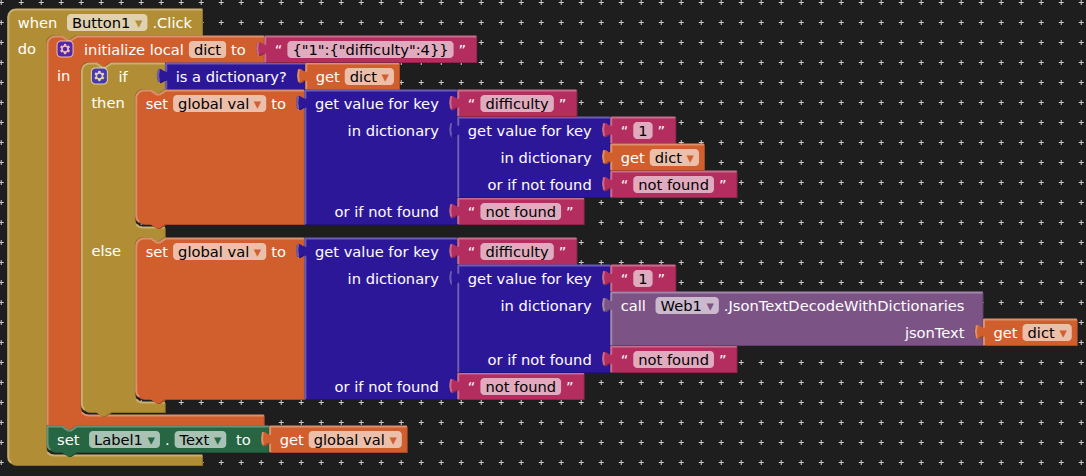
This does not answer your original question, but I took this as a learning opportunity to create a TinyDB database (with key "Houses" and a list of length 1 of a "House" dictionary, according to your description).
I could recall (by pressing Button 2) the "difficulty value" entry from the innermost dictionary when I used Json conversion when reading the TinyDB data, but I got an error message when I tried to access this data without Json conversion using Button 1.
Unless you have saved this to tinydb directly as a dictionary, this will be treated as a json string when you call it back. With your data in this format, you should be able to traverse the dictionary at any level and return the data you require.