Firebase Cloud Messaging receiver extension. Developed by Hridoy.
 Specifications
 Package: com.hridoy.fcm
 Size: 1 MB
 Version: 2.0.0
 Minimum API Level: 14
 Updated On: 26-05-2026 SAST
 Built using: FAST v6.1.0
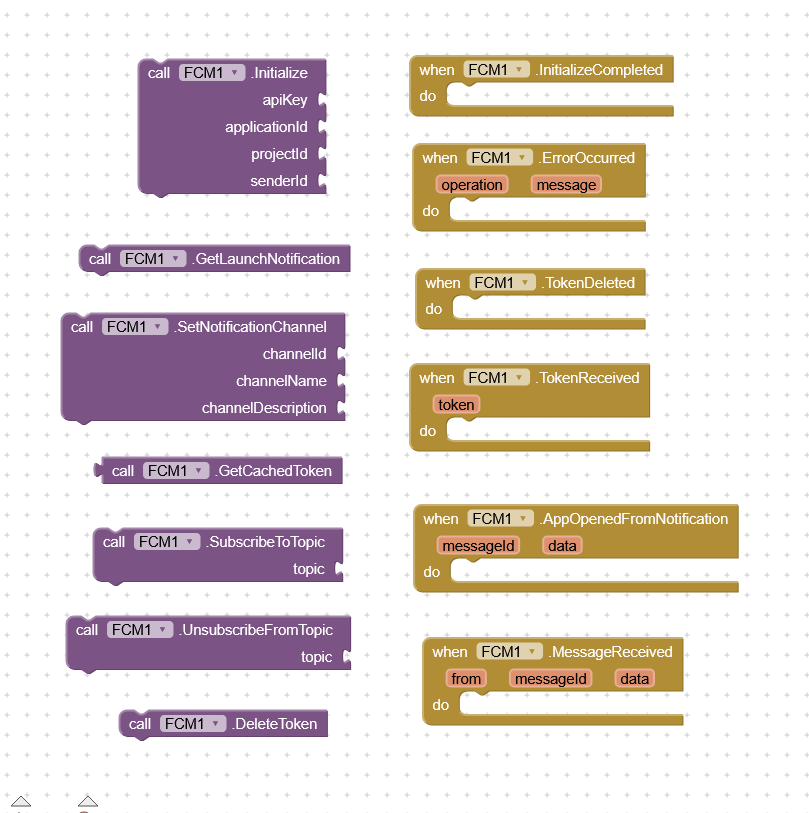
All Blocks
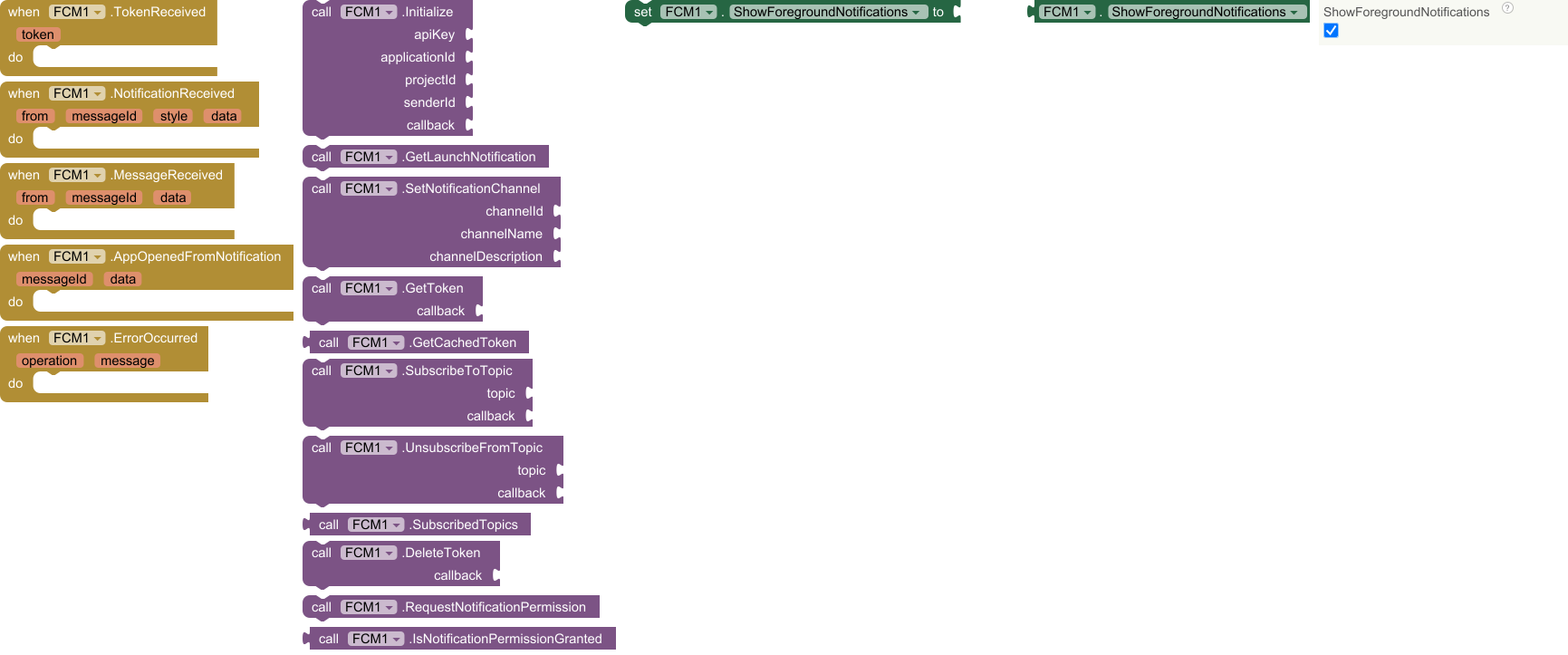
Events
Events (5)
1. TokenReceived
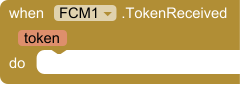
Fired when the FCM token is automatically refreshed by Firebase.
Send the new token to your server immediately.
| Parameter | Type | Desciption |
|---|---|---|
| token | text | new FCM registration token |
2. NotificationReceived
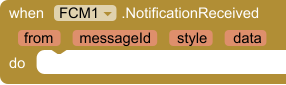
Fired when a notification-type FCM message arrives.
Always fires in foreground.
| Parameter | Type | Description |
|---|---|---|
| from | text | sender ID |
| messageId | text | unique message identifier |
| style | dictonary | notification style data in dictonary |
| data | dictonary | extra data payload in dictonary |
3. MessageReceived
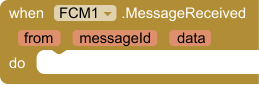
Fired when a data-only FCM message arrives.
Delivered regardless of app state. No notification is shown.
| Parameter | Type | Description |
|---|---|---|
| from | text | sender ID |
| messageId | text | unique message identifier |
| data | dictonary | extra data payload in dictonary |
4. AppOpenedFromNotification
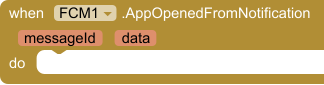
Fired when the user taps a notification and the app opens.
Two scenarios:
• App killed — call GetLaunchNotification() in Screen.Initialize
• App in background — fires automatically via onResume
| Parameter | Type | Description |
|---|---|---|
| messageId | text | ID of the tapped notification |
| data | dictonary | extra data payload in dictonary |
5. ErrorOccurred
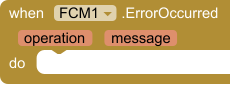
Fired when any FCM operation fails outside of a callback context.
| Parameter | Type | Description |
|---|---|---|
| operation | text | name of the method that failed |
| message | text | error description |
Methods
Methods (11)
1. Initialize
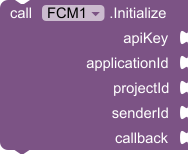
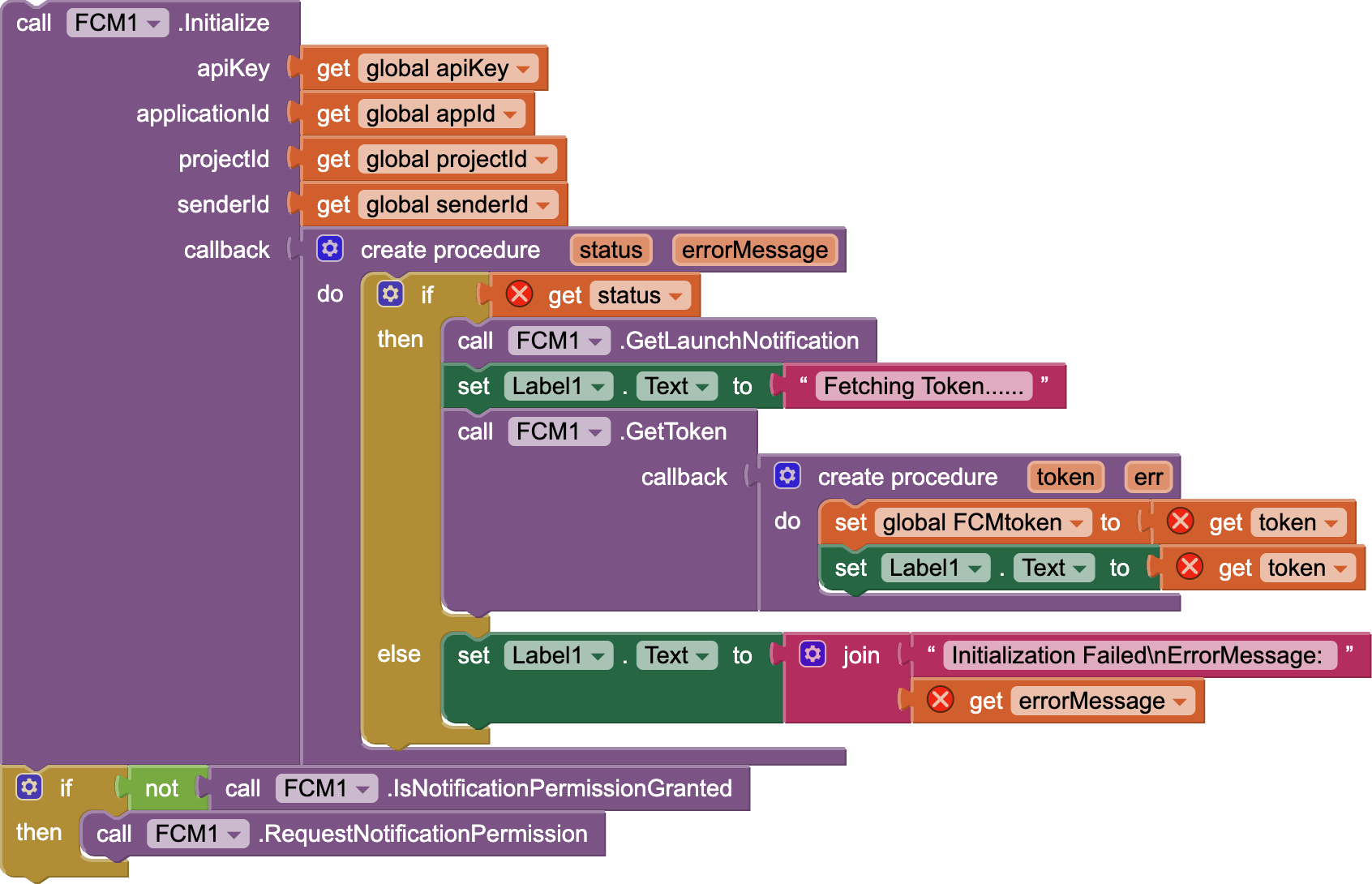
Initializes Firebase with your project credentials.
Call this once at app startup before any other FCM method.
| Parameter | Type | Description |
|---|---|---|
| apiKey | text | Web API key |
| applicationId | text | App ID (e.g. 1:123:android:abc) |
| projectId | text | Project ID (e.g. my-app-123) |
| senderId | text | Sender ID / Cloud Messaging number |
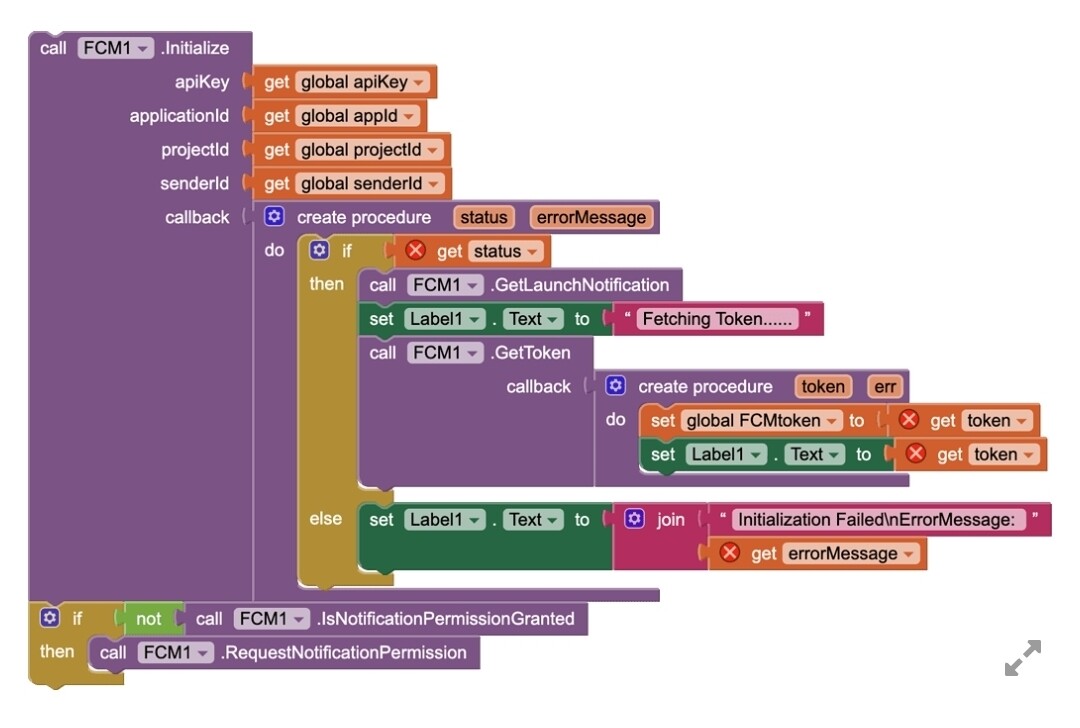
| callback | procedure | Need 2 param: • status (boolean: true = success, false = failure) • errorMessage (text: empty if success) |
2. GetLaunchNotification

Call this in Screen.Initialize to check if the app was opened
by tapping a notification while the app was killed or in background.
If the app was opened from a notification tap, fires
AppOpenedFromNotification immediately.
If the app was opened normally, does nothing.
Recommended call order in Screen.Initialize:
-
call FCM.Initialize(...)
-
In Initialize callback (status = true):
→ call FCM.GetLaunchNotification()
→ call FCM.GetToken(...)
3. SetNotificationChannel
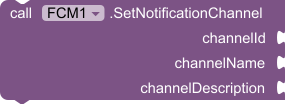
Configures the Android notification channel for all FCM notifications.
Call before the first notification is displayed.
No-op on Android 7 and below.
| Parameter | Type | Description |
|---|---|---|
| channelId | text | unique ID (e.g. 'my_channel') |
| channelName | text | name shown in system settings |
| channelDescription | text | description shown in system settings |
4. GetToken
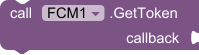
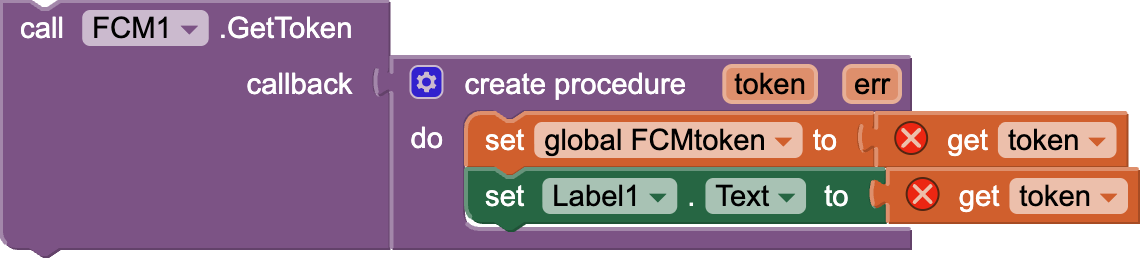
Retrieves the current FCM registration token from Firebase.
Always fetch fresh before sending to your server.
| Parameter | Type | Description |
|---|---|---|
| callback | procedure | Need 2 parameters: 1) token (text: FCM token, empty if failed) 2) errorMessage (text: empty if success) |
5. GetCachedToken

Returns the last known FCM token from local cache.
Returns empty string if no token has been fetched yet.
Use GetToken() to retrieve a fresh token from Firebase.
- Return type:
text
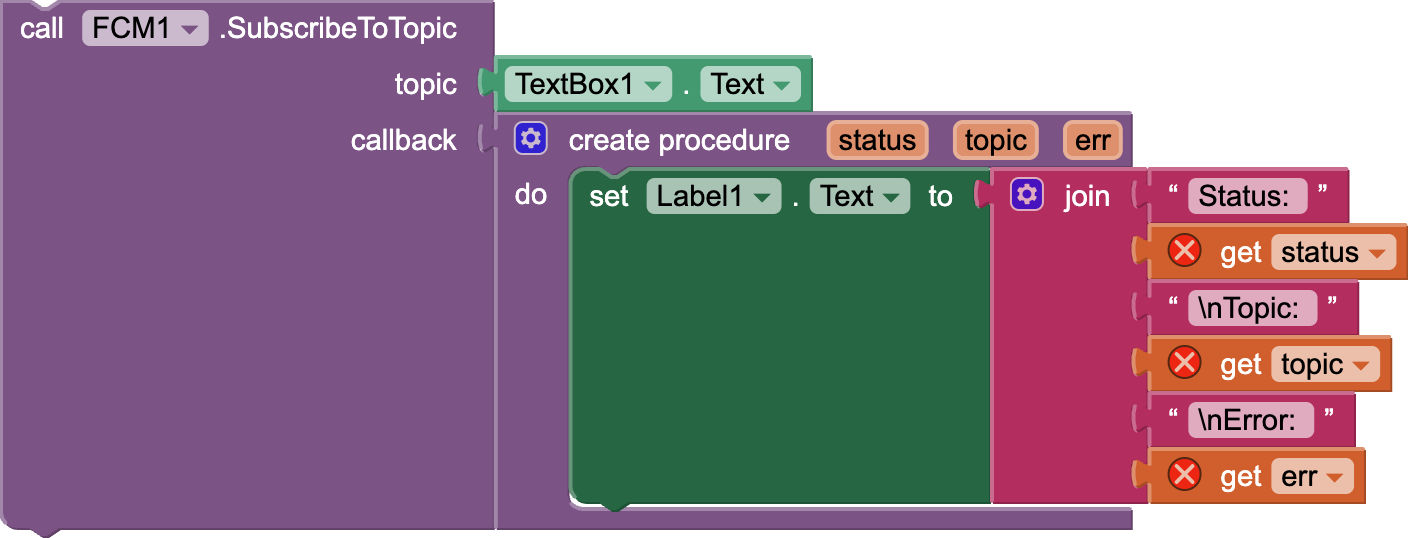
6. SubscribeToTopic
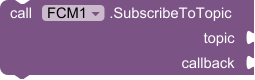
Subscribes this device to an FCM topic.
Checks local cache first — skips Firebase call if already subscribed.
Topic names must match [a-zA-Z0-9-_.~%] and be under 900 chars.
| Parameter | Type | Description |
|---|---|---|
| topic | text | the topic name |
| callback | procedure | Need 3 parameters: 1) status (boolean: true = success, false = failure) 2) topic (text: the topic name) 3) errorMessage (text: empty if success) |
7. UnsubscribeFromTopic
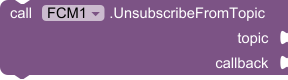
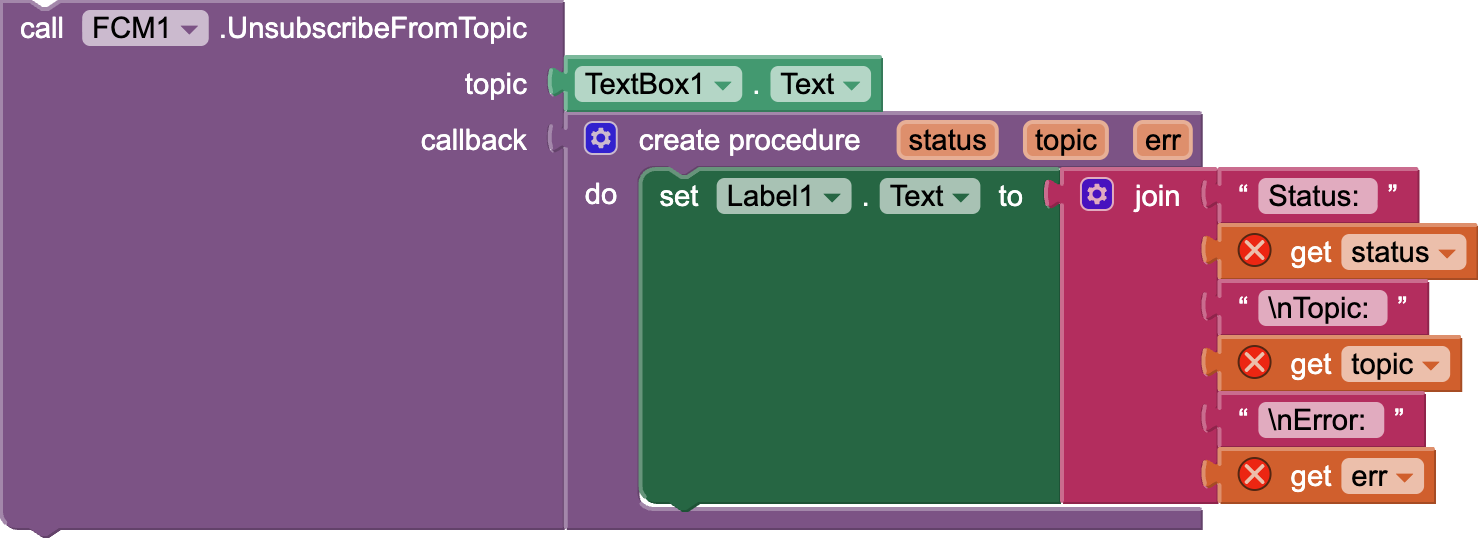
Unsubscribes this device from an FCM topic.
| Parameter | Type | Description |
|---|---|---|
| topic | text | the topic name |
| callback | procedure | Need 3 parameters: 1) status (boolean: true = success, false = failure) 2) topic (text: the topic name) 3) errorMessage (text: empty if success) |
8. SubscribedTopics

Returns the list of topics this device is currently subscribed to.
Reads from local cache. No network request.
Returns empty list if not subscribed to any topics.
- Return type:
list
9. DeleteToken
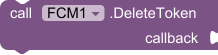
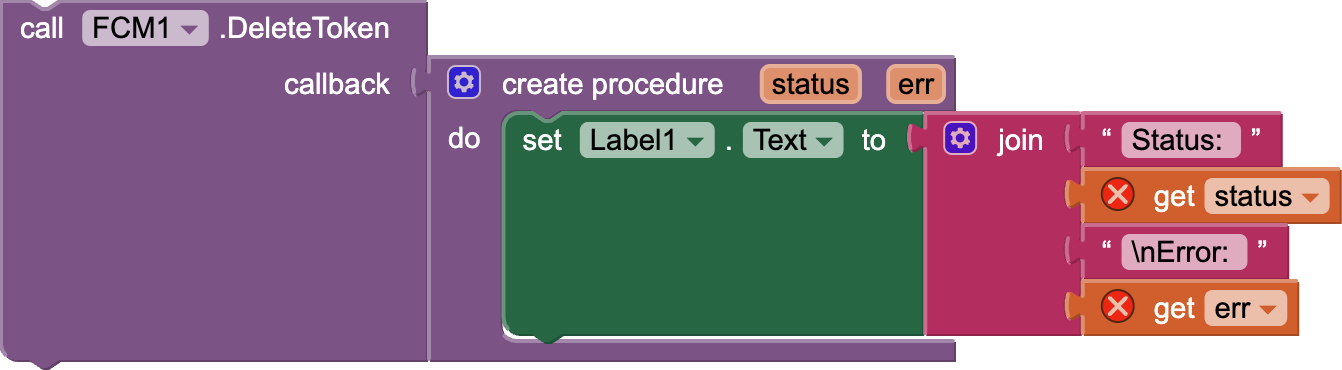
Deletes the current FCM registration token.
Use on user logout to stop receiving targeted notifications.
A new token is generated on the next GetToken() call.
| Parameter | Type | Description |
|---|---|---|
| callback | procedure | Need 2 parameters: 1) status (boolean: true = success, false = failure) 2) errorMessage (text: empty if success) |
10. RequestNotificationPermission

Requests POST_NOTIFICATIONS runtime permission on Android 13+.
No-op on Android 12 and below.
11. IsNotificationPermissionGranted

Returns true if POST_NOTIFICATIONS permission is granted.
Always returns true on Android 12 and below.
- Return type:
boolean
Properties
Properties (1)
1. ShowForegroundNotifications


Controls whether notifications are shown when the app is in foreground.
Resets to true each session — call in Screen.Initialize to change.
• true = show notification (default)
• false = suppress, only fire NotificationReceived event
- Input type:
boolean
Usage
You have to upload
google-services.jsonto assets
Demo
Download Latest v2.0.0
Event based methods v2.0.0
ChangeLog
v1.0.1
- Uses updated proguard rules for R8 shrinker
- AIX size reduced to
974 KB
aix : com.hridoy.fcm.aix (974.0 KB)
aia : FCM_v1_0_1.aia (729.9 KB)
v1.0.2
- Replaced R8 with ProGuard
- App freeze at OnMessageRecieved() bug fixed
aix :com.hridoy.fcm.aix (972.7 KB)
aia : FCM_v1_0_2.aia (979.4 KB)
v2.0.0 (Latest)
Breaking Changes
- NotificationRecived() event now sends styles insted of title,body
New Features
- Small Icon Support (Full image URL or Asset image)
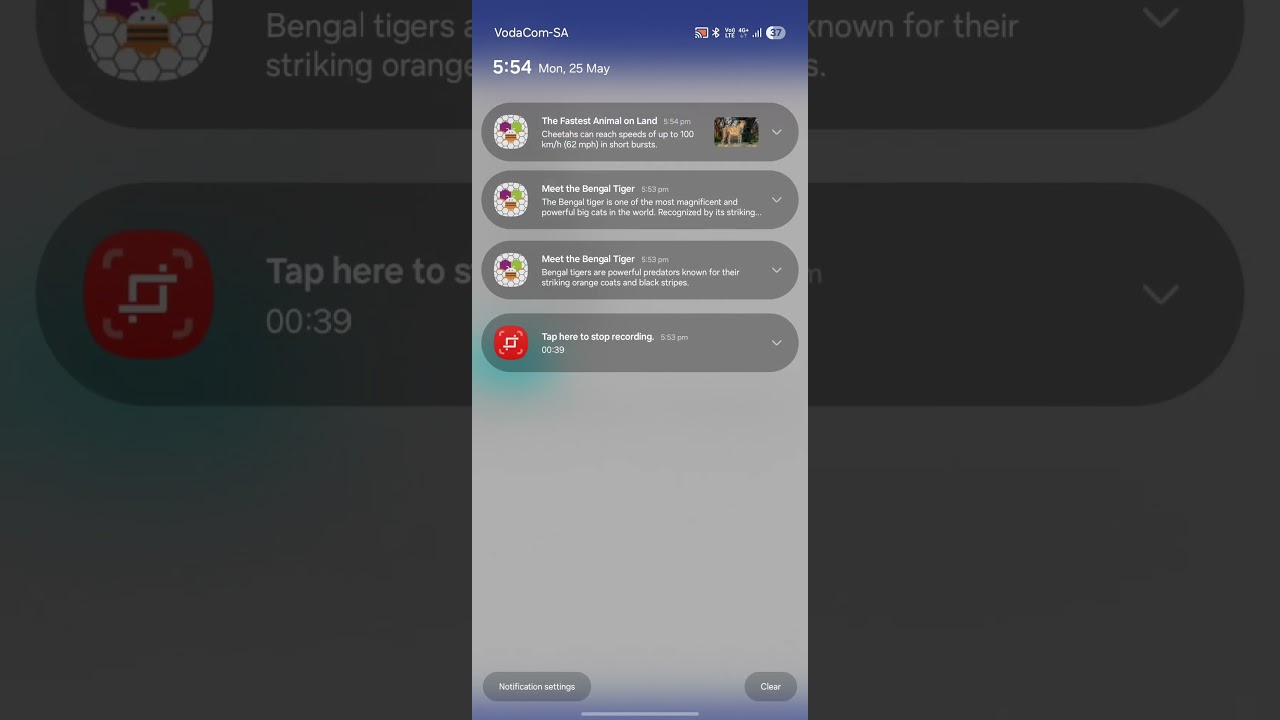
- Different Notification Types Added (5)
- Basic
- Big Text
- Big Picture
- Individual Messages
- Group Messages

 Update - v1.0.1