🧩 ChatKaroUI
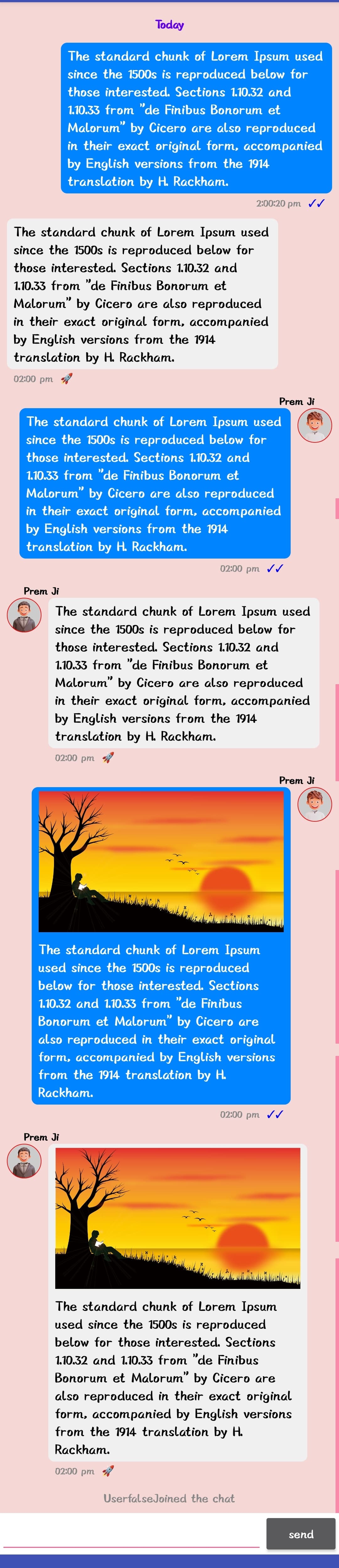
ChatKaroUI is a customizable advanced chat component extension with text, images, reply quotes, star/bookmark, HTML/Markdown rendering, swipe-to-reply, link previews, export/import, and more — built on RecyclerView, LinearLayout, and FrameLayout.
 Specifications
 Use Place: An extension for
 MIT App Inventor 2, Kodular, Niotron, Android Builder.
 Author: Prem_Gupta
 Package: com.prem.chatkaroui
 Size: 82 KB
 Version: 3.3
 Minimum API Level: 14
 Built On: 2025-09-01T18:30:00Z
Updated On: 2026-03-31T18:30:00Z
 Help URL: Telegram
 Built & documented using: FAST v5.7.0
 Latest Aix: Download Link v3.3 (81.0 KB)
Old Version Aix
Download Link v1 (42.0 KB)
Download Link v1.1 (42.4 KB)
Latest Aia: Download Link v3.3 (273.2 KB)
Old Version Aia
Download Link v1.1 (233.0 KB)
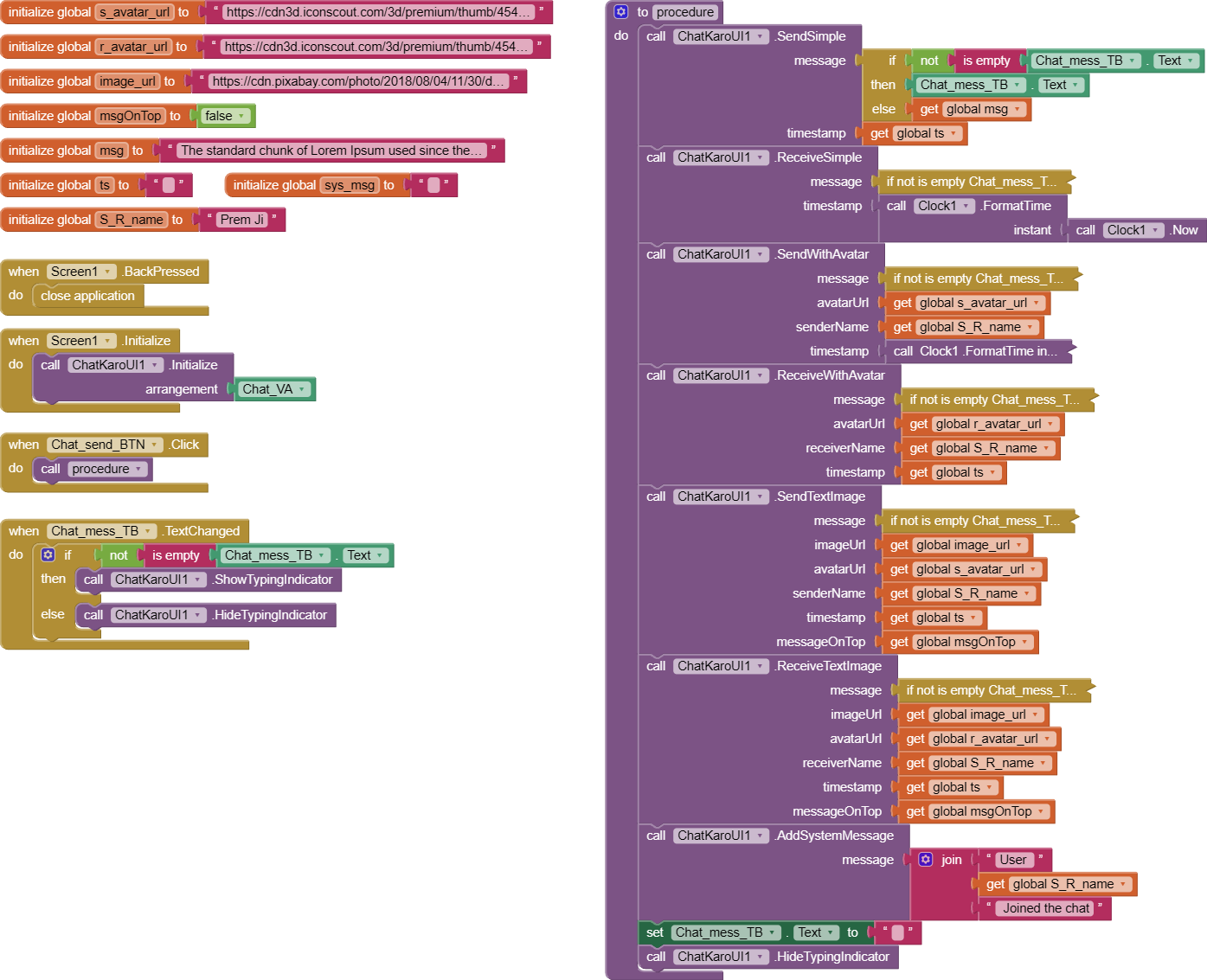
Total Blocks of Extension:
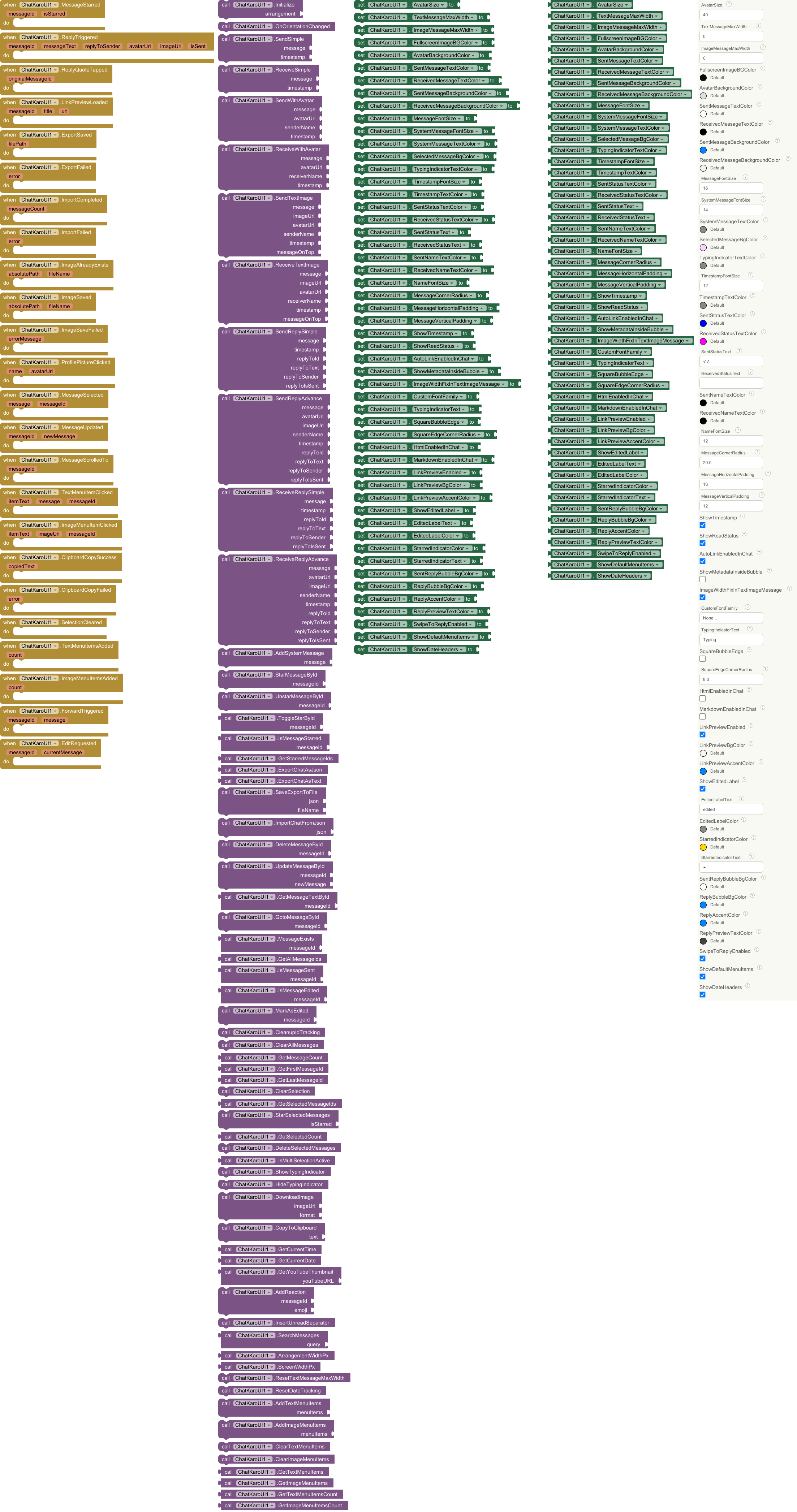
Events :
ChatKaroUI has total 8 events.
1. ImageMenuItemClicked
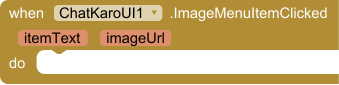
Triggered when image menu item is clicked
| Parameter | Type |
|---|---|
| itemText | text |
| imageUrl | text |
2. ImageAlreadyExists
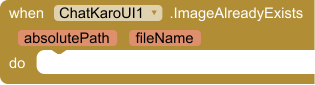
Called when the image already exists and was not re-saved.
| Parameter | Type |
|---|---|
| absolutePath | text |
| fileName | text |
3. ImageSaved
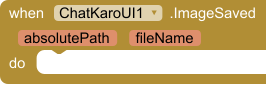
Called when an image is saved successfully. Returns absolute path and file name.
| Parameter | Type |
|---|---|
| absolutePath | text |
| fileName | text |
4. ImageSaveFailed
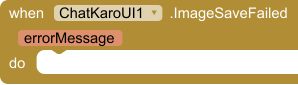
Called when saving an image fails. Returns the error message.
| Parameter | Type |
|---|---|
| errorMessage | text |
5. ProfilePictureClicked
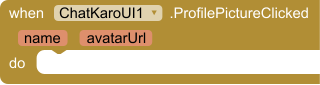
Triggered when profile picture is clicked
| Parameter | Type |
|---|---|
| name | text |
| avatarUrl | text |
6. MessageSelected
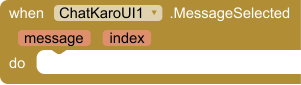
Triggered when message is selected
| Parameter | Type |
|---|---|
| message | text |
| index | number |
7. ClipboardCopySuccess
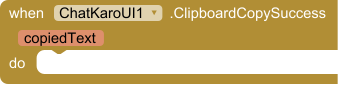
Fires when text is successfully copied to clipboard
| Parameter | Type |
|---|---|
| copiedText | text |
8. ClipboardCopyFailed
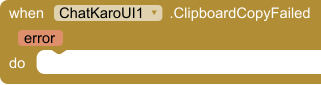
Fires when copying to clipboard fails
| Parameter | Type |
|---|---|
| error | text |
Method s:
ChatKaroUI has total 25 methods.
1. Initialize

Initialize the chat UI in a VerticalArrangement. This must be called before adding any messages.
| Parameter | Type |
|---|---|
| arrangement | component |
2. SendSimple
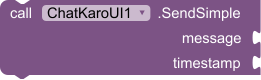
Send a simple message without avatar or name
| Parameter | Type |
|---|---|
| message | text |
| timestamp | text |
3. ReceiveSimple
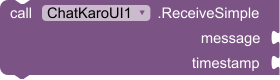
Receive a simple message without avatar or name
| Parameter | Type |
|---|---|
| message | text |
| timestamp | text |
4. SendWithAvatar
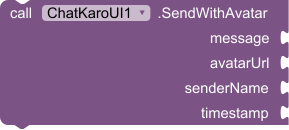
Send a message with avatar and sender name
| Parameter | Type |
|---|---|
| message | text |
| avatarUrl | text |
| senderName | text |
| timestamp | text |
5. ReceiveWithAvatar
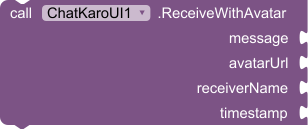
Receive a message with avatar and sender name
| Parameter | Type |
|---|---|
| message | text |
| avatarUrl | text |
| receiverName | text |
| timestamp | text |
6. SendTextImage
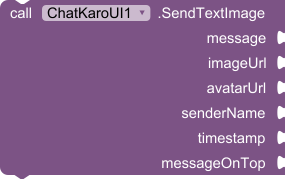
Send a message with both text and image
| Parameter | Type |
|---|---|
| message | text |
| imageUrl | text |
| avatarUrl | text |
| senderName | text |
| timestamp | text |
| messageOnTop | boolean |
7. ReceiveTextImage
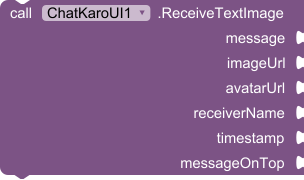
Receive a message with both text and image
| Parameter | Type |
|---|---|
| message | text |
| imageUrl | text |
| avatarUrl | text |
| receiverName | text |
| timestamp | text |
| messageOnTop | boolean |
8. AddSystemMessage

Add system systemMessage (e.g., 'User joined')
| Parameter | Type |
|---|---|
| message | text |
9. DownloadImage
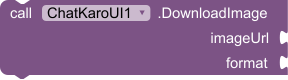
Downloads an image from the URL, saves it to chat images folder under ASD as PNG or JPG. Fires ImageSaved, ImageAlreadyExists or ImageSaveFailed.
| Parameter | Type |
|---|---|
| imageUrl | text |
| format | text |
10. ResetTextMessageMaxWidth

Reset max width to 80% of screen width
11. ShowTypingIndicator

Show typing indicator
12. HideTypingIndicator

Hide typing indicator
13. DeleteMessage

Delete message by position (1-based index)
| Parameter | Type |
|---|---|
| index | number |
14. ClearAllMessages

Clear all messages
15. GetMessageCount

Get total message count
- Return type:
number
16. ClearSelection

Clear message selections
17. GetSelectedCount

Get number of selected messages
- Return type:
number
18. DeleteSelectedMessages

Delete selected messages
19. AddImageMenuItem

Add custom item to image menu
| Parameter | Type |
|---|---|
| itemText | text |
20. ClearImageMenuItems

Clear custom image menu items
21. ResetDateTracking

Reset date tracking for new conversations
22. GetYouTubeThumbnail

Get YouTube thumbnail URL from a full URL or video ID.
- Return type:
text
| Parameter | Type |
|---|---|
| youTubeURL | text |
23. GetCurrentTime

Get current timestamp formatted as hh:mm a
- Return type:
text
24. GetCurrentDate

Get current date formatted as yyyy-MM-dd
- Return type:
text
25. CopyToClipboard

Copy text to clipboard
| Parameter | Type |
|---|---|
| text | text |
Setters: & Gette rs:
ChatKaroUI has total 33 setter properties and total 31 getter properties.
1. AvatarSize


Get and Set avatar size in DP
- Input type:
number
2. TextMessageMaxWidth


Get and Set max width for text messages in DP
- Input type:
number
3. ImageMessageMaxWidth


Get and Set max width for image messages in DP
- Input type:
number
4. FullscreenImageBGColor


Get and Set background color for fullscreen image viewer
- Input type:
number
5. AvatarBackgroundColor


Get and Set background color for avatars
- Input type:
number
6. SentMessageTextColor


Get and Set text color for sent messages
- Input type:
number
7. ReceivedMessageTextColor


Get and Set text color for received messages
- Input type:
number
8. SentMessageBackgroundColor


Get and Set background color for sent messages
- Input type:
number
9. ReceivedMessageBackgroundColor


Get and Set background color for received messages
- Input type:
number
10. MessageFontSize


Get and Set font size for messages
- Input type:
number
11. SystemMessageFontSize


Get and Set font size for messages
- Input type:
number
12. SystemMessageTextColor


Get and Set text color for system systemMessages
- Input type:
number
13. SelectedMessageBgColor


Get and Set background color for message selection
- Input type:
number
14. TypingIndicatorTextColor


Get and Set text color for typing indicator
- Input type:
number
15. TimestampFontSize


Get and Set text size for timestamps
- Input type:
number
16. TimestampTextColor


Get and Set text color for timestamps
- Input type:
number
17. SentStatusTextColor


Get and Set text color for sent status
- Input type:
number
18. ReceivedStatusTextColor


Get and Set text color for received status
- Input type:
number
19. SentStatusText


Get and Set status text for sent messages
- Input type:
text
20. ReceivedStatusText


Get and Set status text for received messages
- Input type:
text
21. SentNameTextColor


Get and Set text color for sender names in sent messages
- Input type:
number
22. ReceivedNameTextColor


Get and Set text color for sender names in received messages
- Input type:
number
23. NameFontSize


Get and Set font size for sender names
- Input type:
number
24. MessageCornerRadius


Get and Set corner radius for message bubbles
- Input type:
number
25. MessageHorizontalPadding


Get and Set horizontal padding inside message bubbles
- Input type:
number
26. MessageVerticalPadding


Get and Set vertical padding inside message bubbles
- Input type:
number
27. ShowTimestamp


Get and Set whether timestamps are shown
- Input type:
boolean
28. ShowReadStatus


Get and Set whether read status indicators are shown
- Input type:
boolean
29. AutoLinkEnabledInChat


Get and Set the current state of link detection
- Input type:
boolean
30. ShowMetadataInsideBubble


Get and Set whether metadata is shown inside bubble
- Input type:
boolean
31. ImageWidthFixInTextImageMessage


Get and Set whether metadata is shown inside bubble
- Input type:
boolean
32. CustomFontFamily


Sets the custom font family for messages. Provide the path to the font file (e.g., 'myfont.ttf').
- Input type:
text
Use Some ChatUI Extension OS C ode:
Thank You @White_Tiger 

Want to contri bute:
Want to D onate:
Thank you for reading this.
Hope this helps ! 
 , any one can send PR of feathers and update


