Scroll to the first post and find the Downloads section. It takes less than a minute.
vanta
August 5, 2023, 2:40am
268
This has already been answered ... please use the
The Model u can use this options
[image]
Like this
[image]
The answer: it was removed because it was using GPT-3. The new models are GPT-3.5 and GPT-4, which are upgraded versions of GPT-3, and are cheaper.
You also might want to consider the new ChatBot component, as it does not require an API key (but has quotas).
Kevinkun:
vanta
August 5, 2023, 12:58pm
272
Vanta, as I have said, the red Model block is removed. Please refer to my last post on how to set the model with the latest version.
1 Like
vanta
August 5, 2023, 1:06pm
276
thx so much and btw how to change the model to AI image?
There is another block that asks the AI to create an image. Please check the first post (the documentation) next time. Thanks.
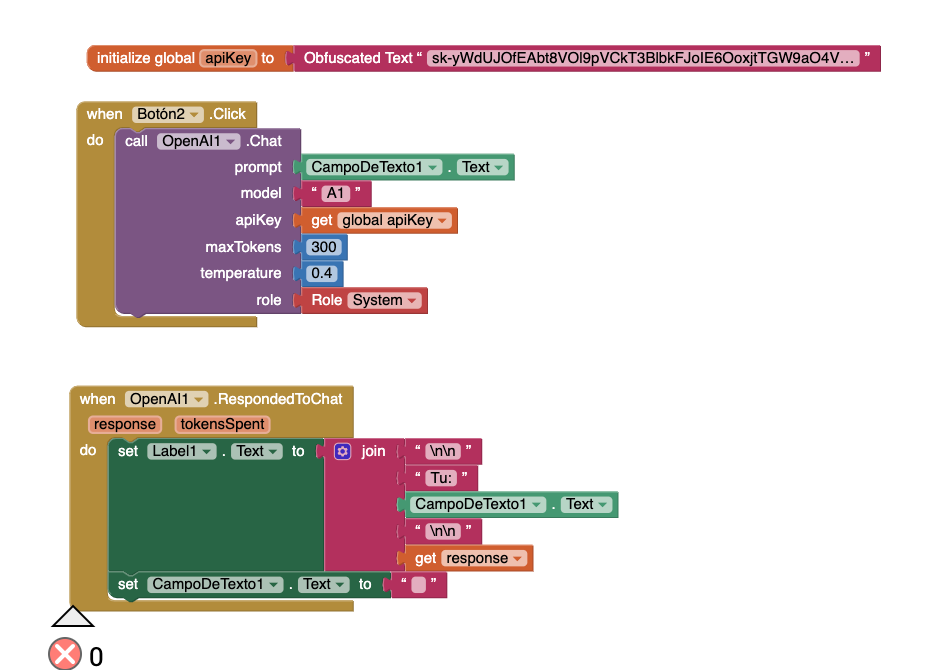
I currently have these blocks but idk what to but on the model part
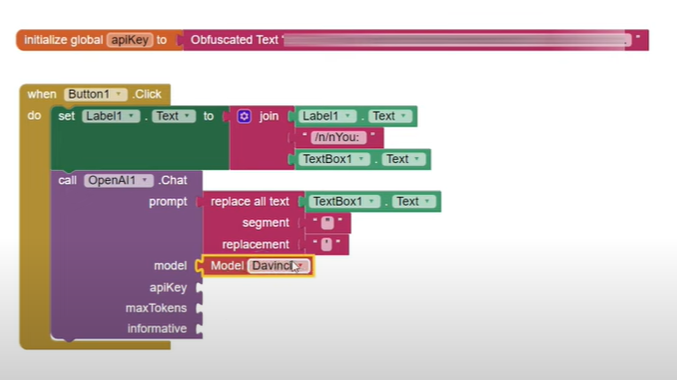
any one who can help meee for this Chat Gpt extension in Mit App Inventor ( i jut guided myself from this Youtube video
Create an AI ChatBot App with OpenAI's ChatGPT in MIT App Inventor || AI ChatBot || MIT App Inventor - YouTube but how the block structure has change and idk what to do
Hello Elena,
Apart from following YouTube tutorials, please also read the documentation (the first post) of the extension. The documentation is official, and describes what you should put in every parameter, while tutorials might not age well after updates.
For your question, the red Model block was removed. This has been answered many times. What you should do now is also described in the first post.
Thanks!
but i do not get any response after putting any prompt in the text (whether i change the role to user, system or assistante
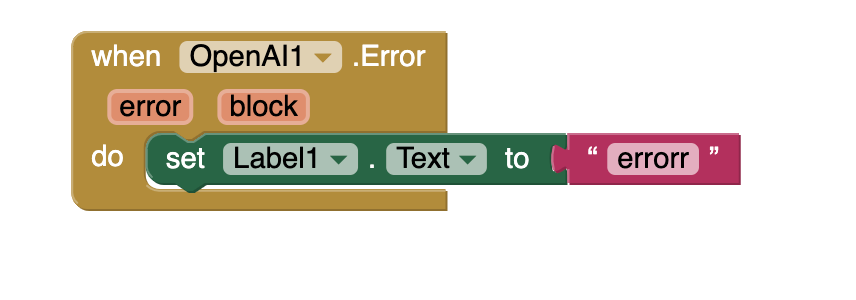
There may be an error. For this, you need the Error event to keep track of the error, and display it on the screen.
Yeah, i added it and it seems to be an error... but idk where tho. i dont get it
Please show the error message.
i added this, and appears "error" each time. idk how to know which is the specific error tho :c
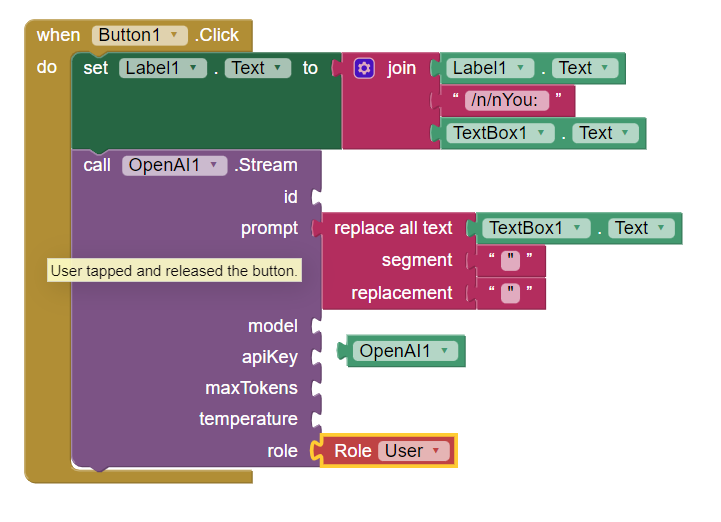
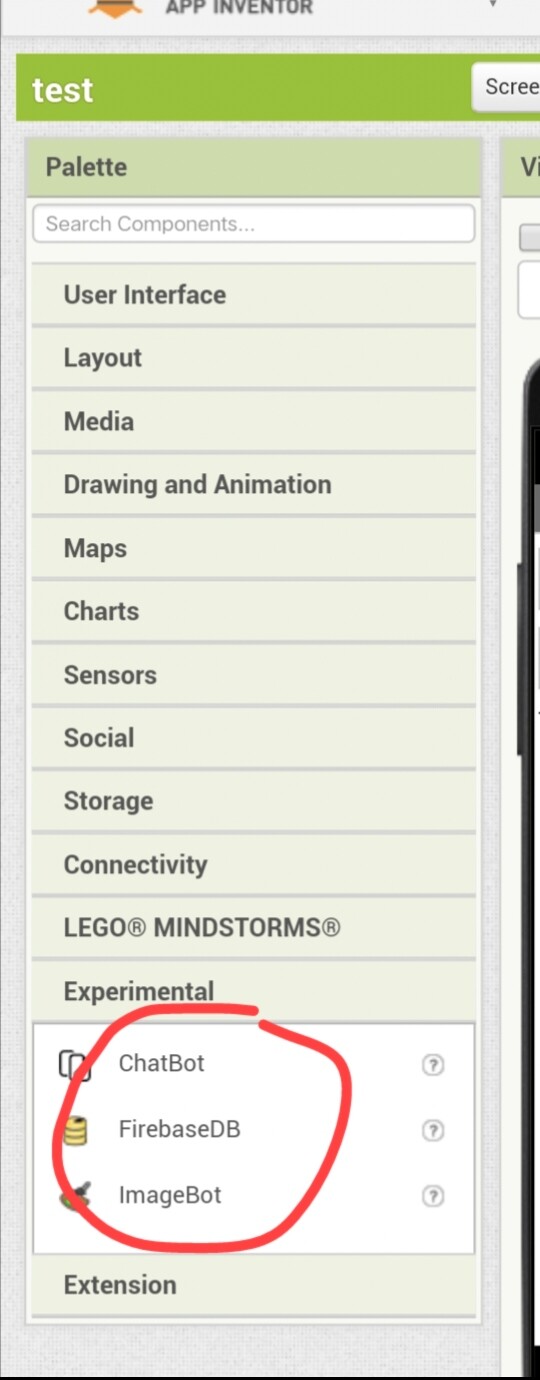
 Search function next time.
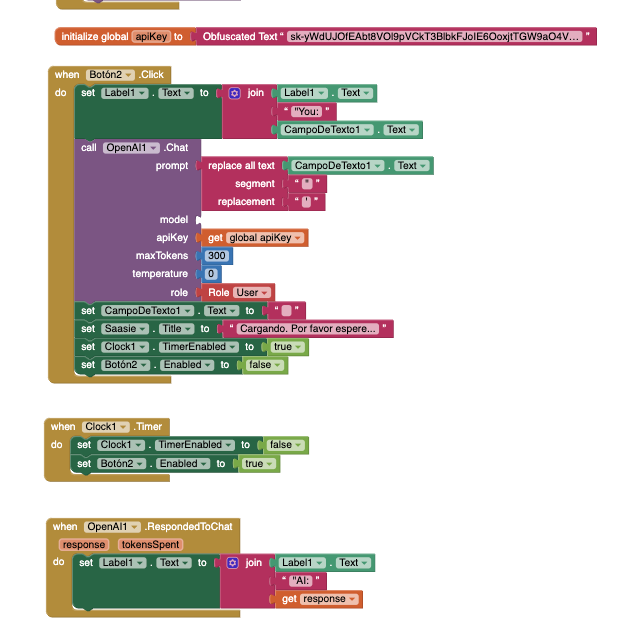
 any one who can help meee for this Chat Gpt extension in Mit App Inventor ( i jut guided myself from this Youtube video
  I have another question. I have this