What would the file save path look like in iOS if it works like the image on Android?
Does this even work on iOS? Is it possible to save the file?
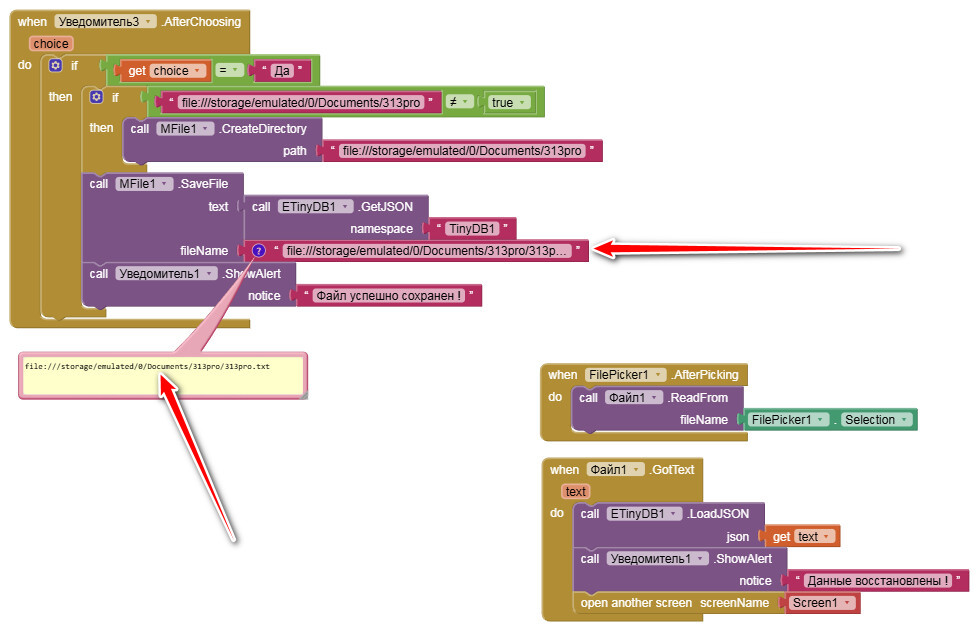
On iOS it doesn’t work like Android — you can’t use paths like
file:///storage/emulated/...
iOS does not allow direct access to arbitrary file system paths like that.
What works on iOS
- You can only save files using:
- App Inventor’s private storage
- Or use components like File / Sharing / Download that follow iOS rules
So instead of a full path, just use something like:
backup.json
App Inventor will automatically save it in the app’s internal storage.
Where can I see an example of saving and reading a file? I probably can't do it myself...
Hmm, and that would be?
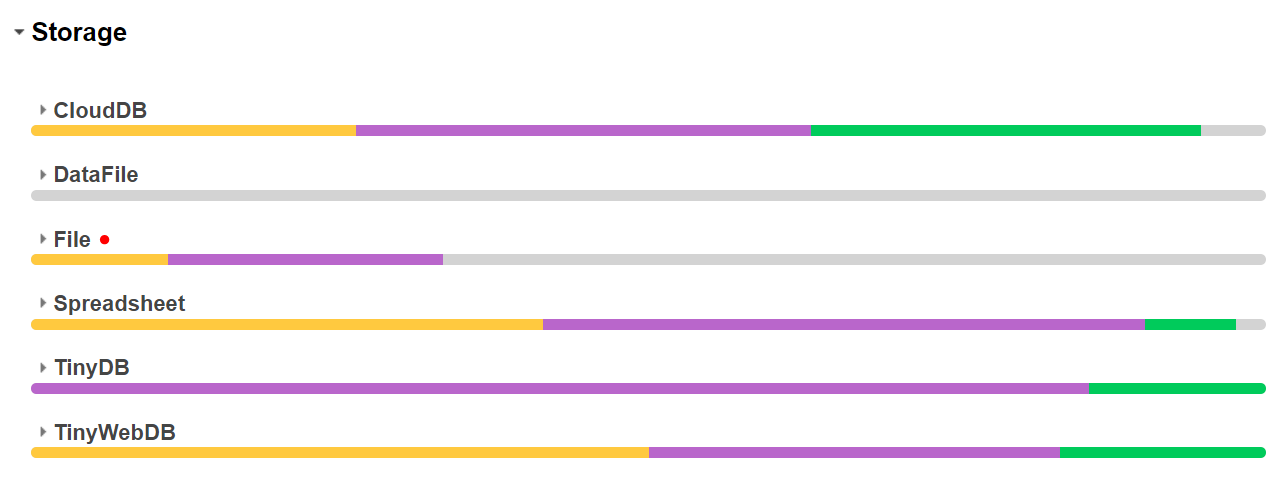
See also here: https://doesappinventorrunonios.com/
With the File component you can save and read a text file, but you can't check if this file exists or see/get the path of this file. The FileScope concept does not work on iOS.
Here is an example of the Canvas and Web component, where you can see/get full paths:
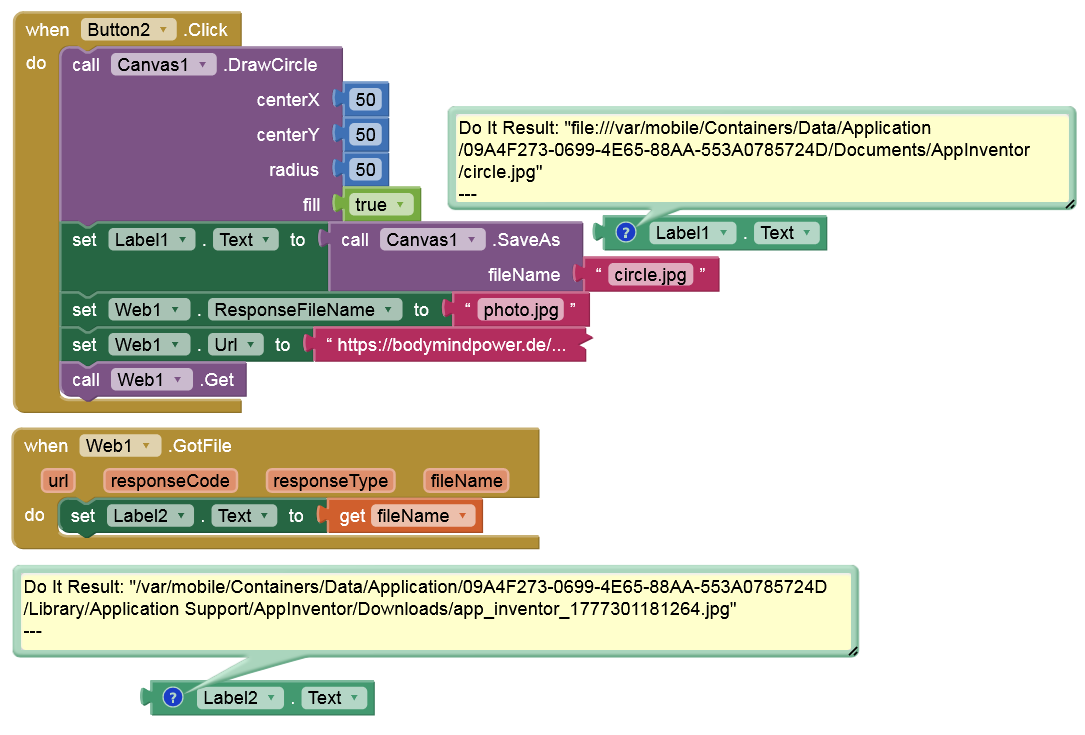
As you can see, the ResponseFileName method unfortunately doesn't work on iOS. I've already pointed this out to Evan Patton.
Apart from that, these paths are "ephemeral" (volatile) and do not "survive" a reinstallation, as they are likely running in a temporary sandbox.
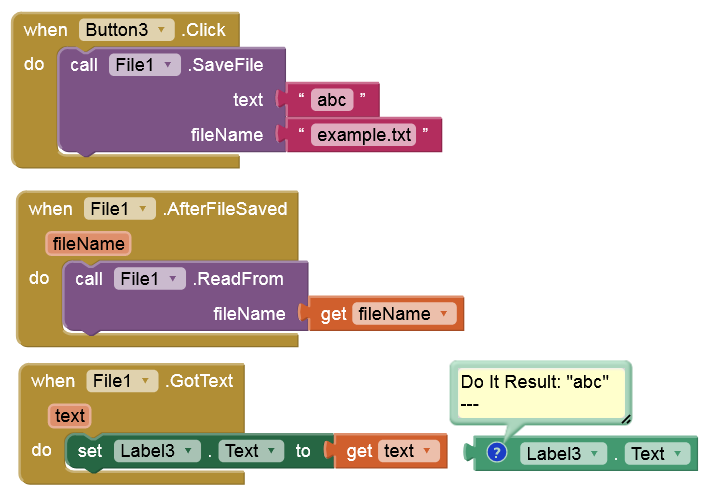
+1 to Anke’s answer — that’s the right way to do it on iOS.
Just to add: those full paths you see are internal and can change, so it’s best not to rely on them. Always use just the filename with the File component.
1 Like
Yeah, that makes sense. Thanks for pointing that out.
So basically on iOS:
- we shouldn’t rely on
ResponseFileNameor full paths - and files are not persistent across reinstalls
Best approach is just to use the File component with a filename and treat it as app-internal storage.
For one of my iOS apps, I need to download several large audio files via the Web component on the first launch, otherwise the app size limit will be exceeded. Since there's no way to check if the audio files exist, I can only solve this with a workaround. On the app's launch, I try to play the first audio file (path stored in TinyDB) using a Player component (muted). I then use a timer to check if IsPlaying is true. If it is, everything is fine; otherwise, the download restarts.
This seems to be a broader limitation on iOS, so I’ve opened an issue to track it properly:
It would be great to have a direct file existence check instead of relying on workarounds like this.
1 Like
This topic was automatically closed 7 days after the last reply. New replies are no longer allowed.