See e.g. here:
1 Like
I'll see what I can do about it this week.
2 Likes
| App Inventor Source Code | Extension Template Repository | |
|---|---|---|
| Link | mit-cml/appinventor-sources | mit-cml/extension-template |
| Download Size |  ~500 MB Requires whole App Inventor sources |
 < 60 MB Only required libraries |
| Publishing an open-source extension | You need to publish the code separately |
You can just fork the repository and add your code inside, and people will able to compile it without changing anything |
| Stability | As it contains the full source code, it will compile the extensions as expected. |
 As Extension Template Repository is new, some errors may occur as @Anke reported on #29. |
| Build Steps | Same, the command isant extensions |
Same, the command isant extensions |
| Requires Additional Software | Apache Ant JDK |
Apache Ant JDK |
16 Likes
The extension template repository has been updated to support the latest version of App Inventor (v185). With this change I've split the repository into two parts. All of the App Inventor dependencies are now published in a separate repository at https://github.com/mit-cml/extension-deps. The template repository stores a reference to that repository through a git submodule dependency.
- If you merge from this repo to get an update, you should run
git submodule update --initafter merging to get the dependencies. - If you're cloning a fresh template, GitHub seems to drop the submodule. In this case, run the
upgrade-appinventor.shscript included in the repository to get the dependencies.
As we release new versions of the App Inventor companion, developers should run upgrade-appinventor.sh to ensure they compile their extensions against the latest version of App Inventor.
8 Likes
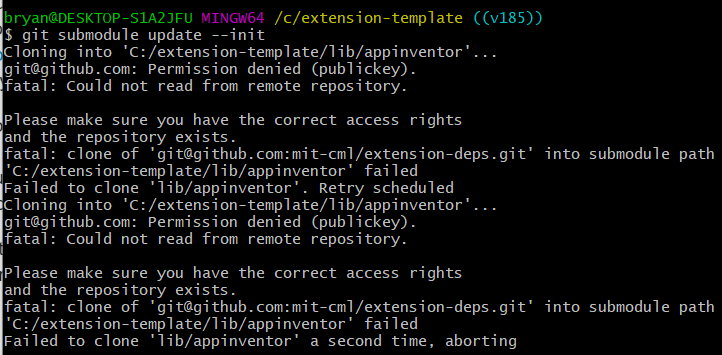
Hi, I am trying to build an extension but when I run git submodule update --init it shows this

After a few tries the dialog box no longer popup
1 Like
I am also facing same issue.
But files are getting downloaded successfully.
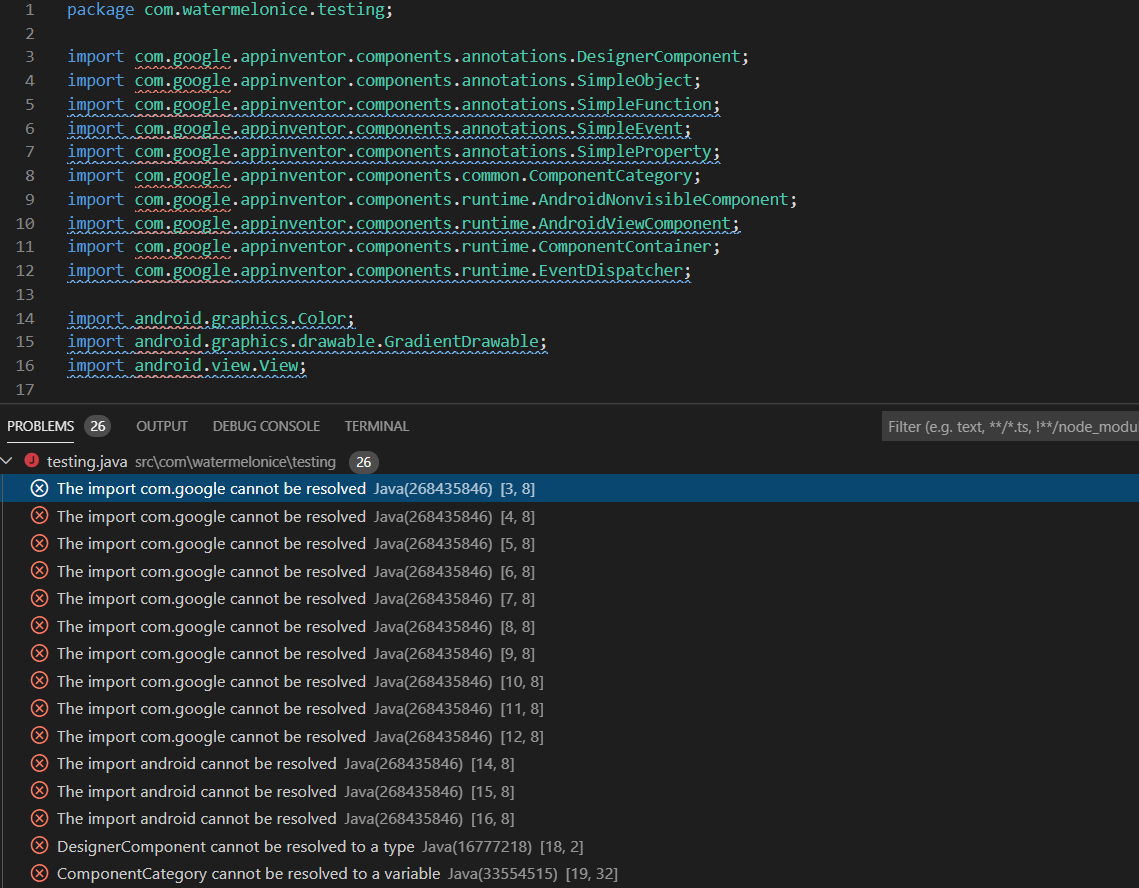
After that when I try to compile extension it shows android package not found.Probably because I don't know how to use extension deps repo.
1 Like
Better is to use older version until all bugs get fixed.
How can I get the old version? I am not familiar with that.
1.I can send you.
2.Some extension developers still use old version in their repos.
1 Like
Yes, I get a similar issue after trying to build a fresh template:
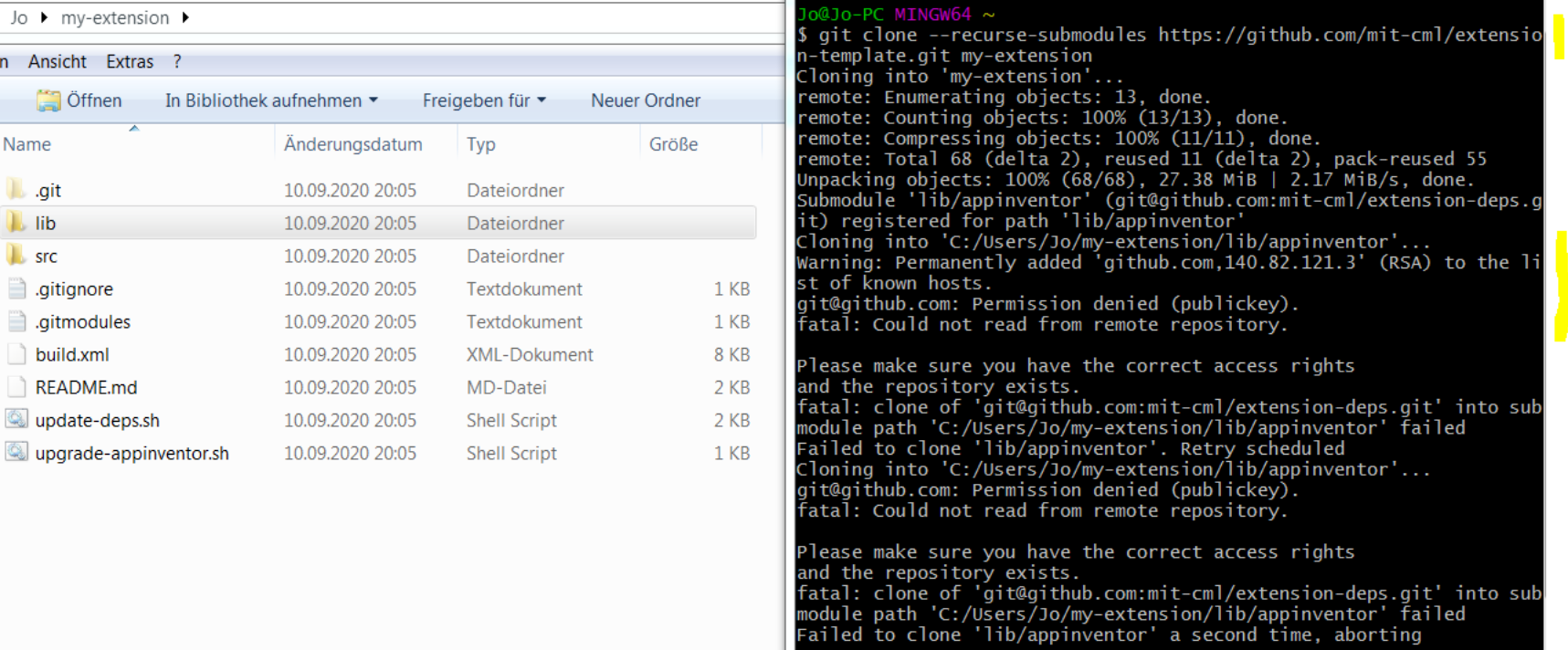
The "my-extension" dir is created, but there are no libs (or I cannot find them).
Yes, but where are the libs?
Maybe this link will help (unfortunately I'm not familiar with git):
ssh -vT git@github.com
Thanks! 
That solution will only work on Mac and Linux and not on Windows.
Also, it is just because of an unknown host.
But what for windows?
I've updated the gitmodule configuration to use HTTPS for the dependency repo rather than SSH. If you've already checked it out, you can do:
git submodule deinit .
git pull
git submodule update --init
You should get a message back like:
Submodule 'lib/appinventor' (https://github.com/mit-cml/extension-deps.git) registered for path 'lib/appinventor'
Submodule path 'lib/appinventor': checked out '477586b7e1901db30ed6b8e76cf524c4a05b2802'
If you had trouble with the submodule update operation, you may also see it download the commits from the server.
3 Likes
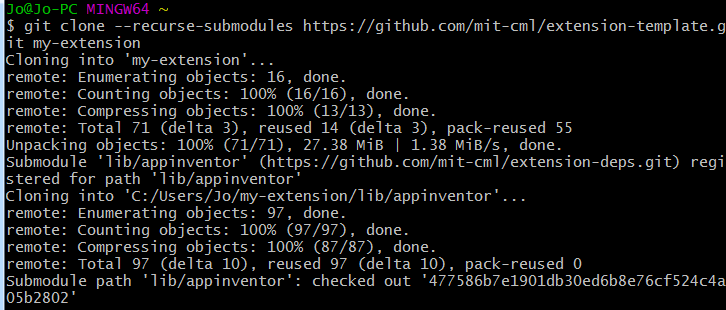
Thanks for updating.
I used this only to update and it works perfectly 
1 Like
Thanks all for the feedback. As we continue to build out the extension system please let me know when you encounter any other issues.
1 Like