TIMAI2
September 26, 2021, 4:43pm
5
When in companion, run Do It on this block
what is the output ?
use Do it to debug your blocks, see also tip 4 here https://puravidaapps.com/learn.php Live Development, Testing, and Debugging Tools
Trying to push the limits! Snippets Tutorials Extensions Pura Vida Apps by
1 Like
Sir,
.
Please refrain from creating multiple topics on the same issue, you can reply back in the same post.
Do It is only enabled when you are connected to the Companion or an Emulator.
Edit: The post has now been merged.
If you're going to post a result, it's better to do it on the main topic...
Edit: The post has now been merged.
TIMAI2
September 27, 2021, 8:27am
13
You could expand the comments box so that we can see the entire Do It, or copy the text and paste it here.
1 Like
Do It Result: {"deviceQueueItem":{"confirmed":"false","data":"AQID","fPort":"10"}}
TIMAI2
September 27, 2021, 8:44am
15
"Looks" OK.
Try passing that json string as a text:
1 Like
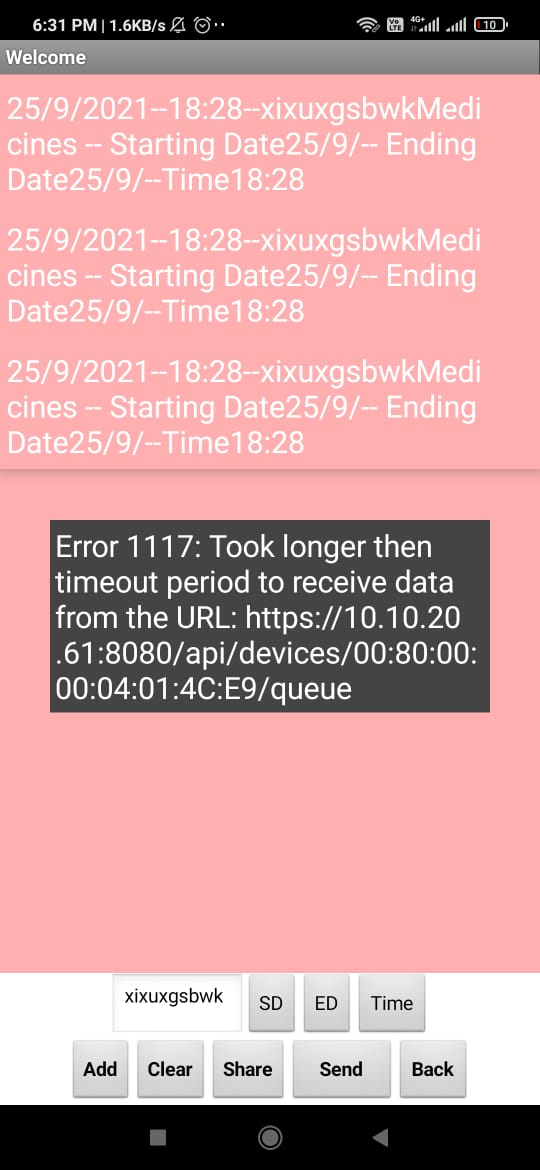
I tried , But it's not working.
You should run the Do It on the call block, not the Text block.
TIMAI2
September 27, 2021, 9:07am
20
That will not return an output in a comments box, it will just run the blocks
1 Like
OK ,
TIMAI2
September 27, 2021, 9:16am
22
Are you sure your device eui is correct? The chirpstack documentation is somewhat terse but it doesn't show the use of the xx:xx:xx:xx:xx:xx format, just xxxxxxxxxxxxx
1 Like
Device EUI is correct. 00:80:00:00:04:01:4C:E9
TIMAI2
September 27, 2021, 9:25am
24
You could try removing all the : ?
1 Like
Same error existed after removing : .
TIMAI2
September 27, 2021, 9:33am
26
Last thing I can think of...replace the setHeaders with this (adding your API Token):
also, are you sure it is an https:// request ? Have you tried http:// ?

 Taifun.