Hello.
I've created a small app to get the latitude and longitude coordinates of a point for a trip.
The user can get them in various ways:
They can get the coordinates corresponding to their current location,
Or by typing an address,
Or by moving a map until the desired point is in the center.
Everything works perfectly, except that when prompted the user doesn't grant the app permission to access their detailed location.
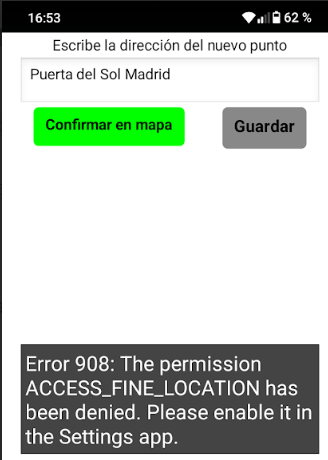
In that case, the app upon launch repeatedly displays “Error 908: The permission ACCESS_FINE_LOCATION has been denied. Please enable it in the Setting app”, until (with some difficulty) the app can be closed.
Now there's no way to fix it, unless the user knows how to clear the app's storage data (so it requests permission again upon launch), or the user knows how to go into the app's settings and grant the permission manually.
Does anybody know if is there any way to make for the app to prompt the user again, or at least that the error 908 occurs only once per launch?
Yes. The device has location set to on.
It seems to be another way to manually grant the permission, By looking for the specific app in the Location menu.
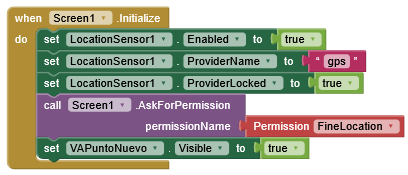
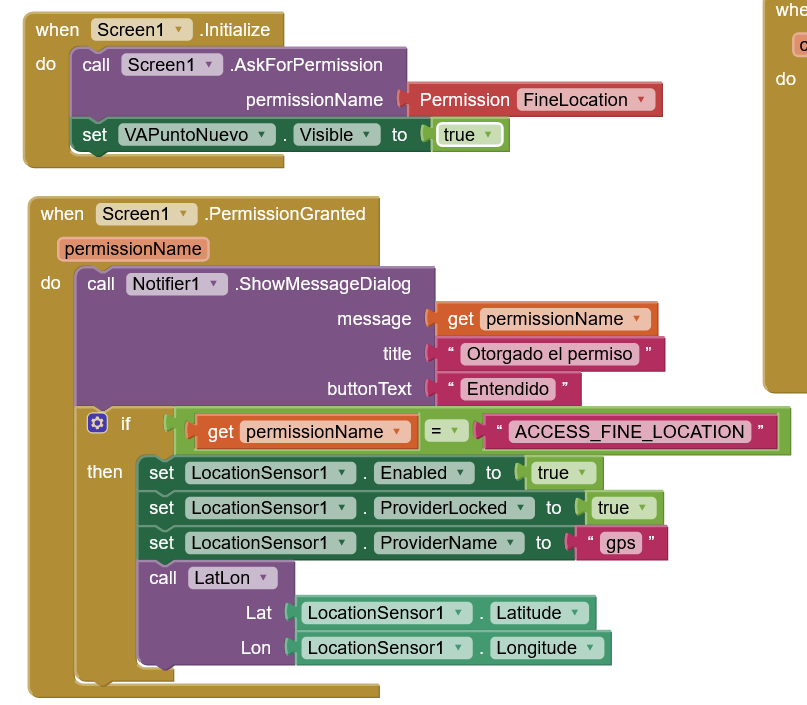
I believe that setting LocationSensor .enabled to true is what makes the app to promp the user to give permission, but only the first time it launches the app.
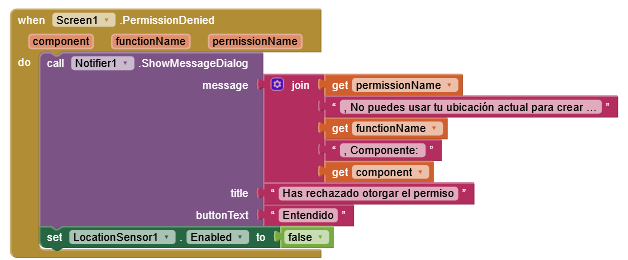
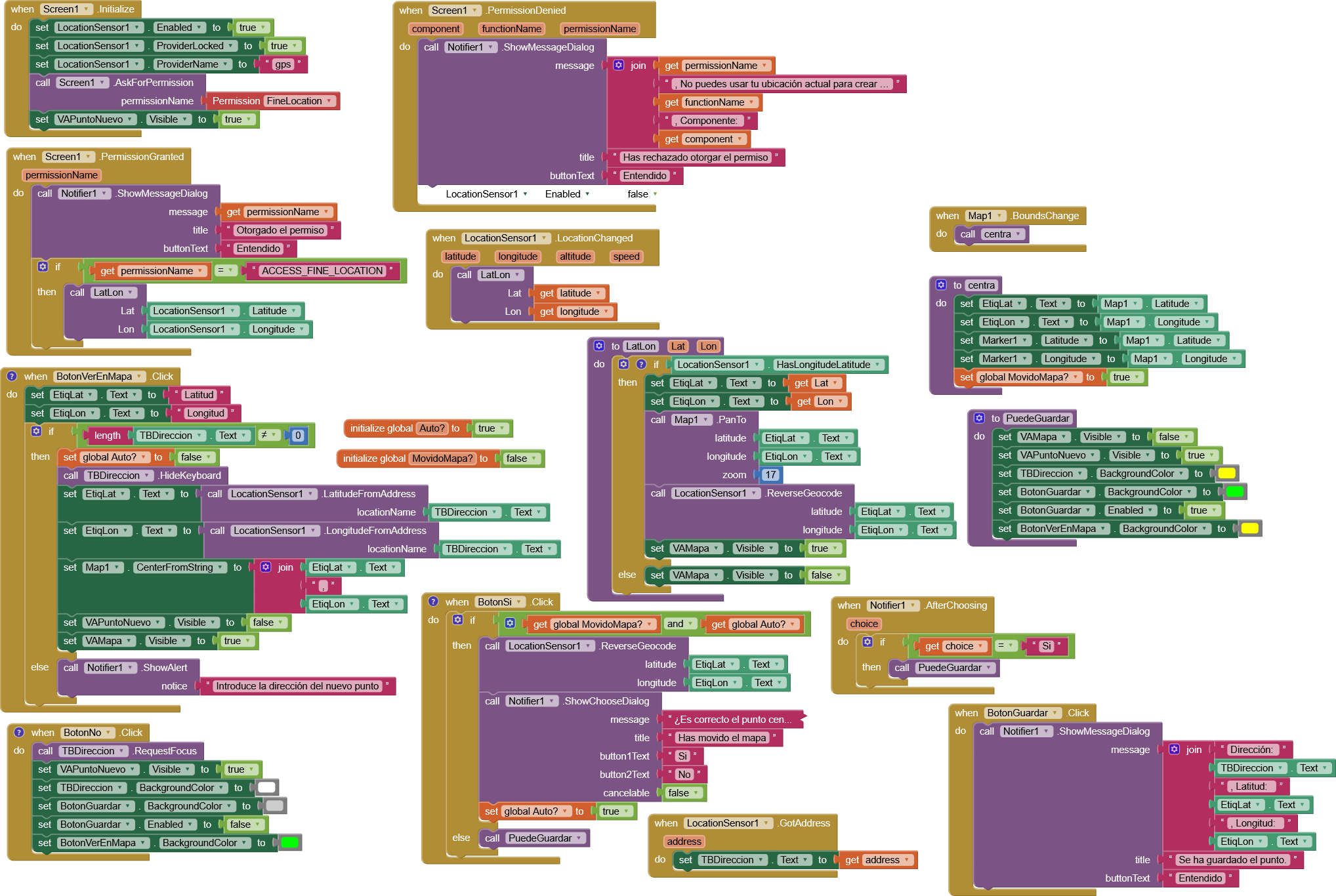
I just discovered that exists a when Screen1 .PermissionDenied block.
Perhaps I could use it to check if the user didn’t grant the FINE_LOCATION one, and request it again before giving the user accees to this part of the funcionality of the app.
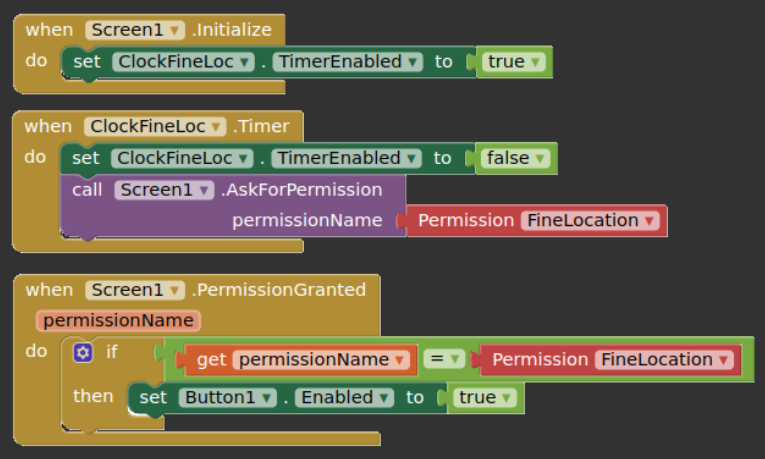
If Location Sensor is enabled in the Designer, permission is requested automatically, but without triggering the PermissionGranted and PermissionDenied events. Therefore, you should disable it in the Designer, enable it in the Screen.Initialize event, and request permission manually there.
We discussed this topic/problem many years ago (probably in the old AI2 forum).
By the way.
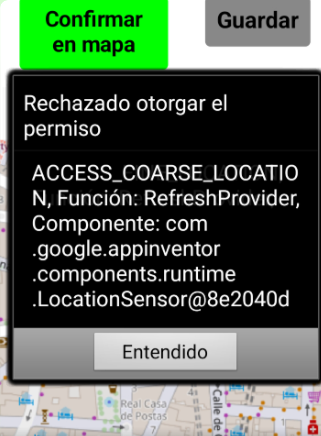
The problem for the error appearing continously seems to be the Function: RefreshProvider.
I also tried to lock the provider to gps with this blocks, but it didn’t work to stop the error appearing continously.
My devices are a cuople of Xiaomi (Redmi 14C and A5), with Android 15.
I’m using the APK file.
Once I began to capture the error (with the when Screen1 .PermissionDenied block and the notifier) and disable the LocationSensor, this message is shown only once, instead of the Error 908 many times at start.