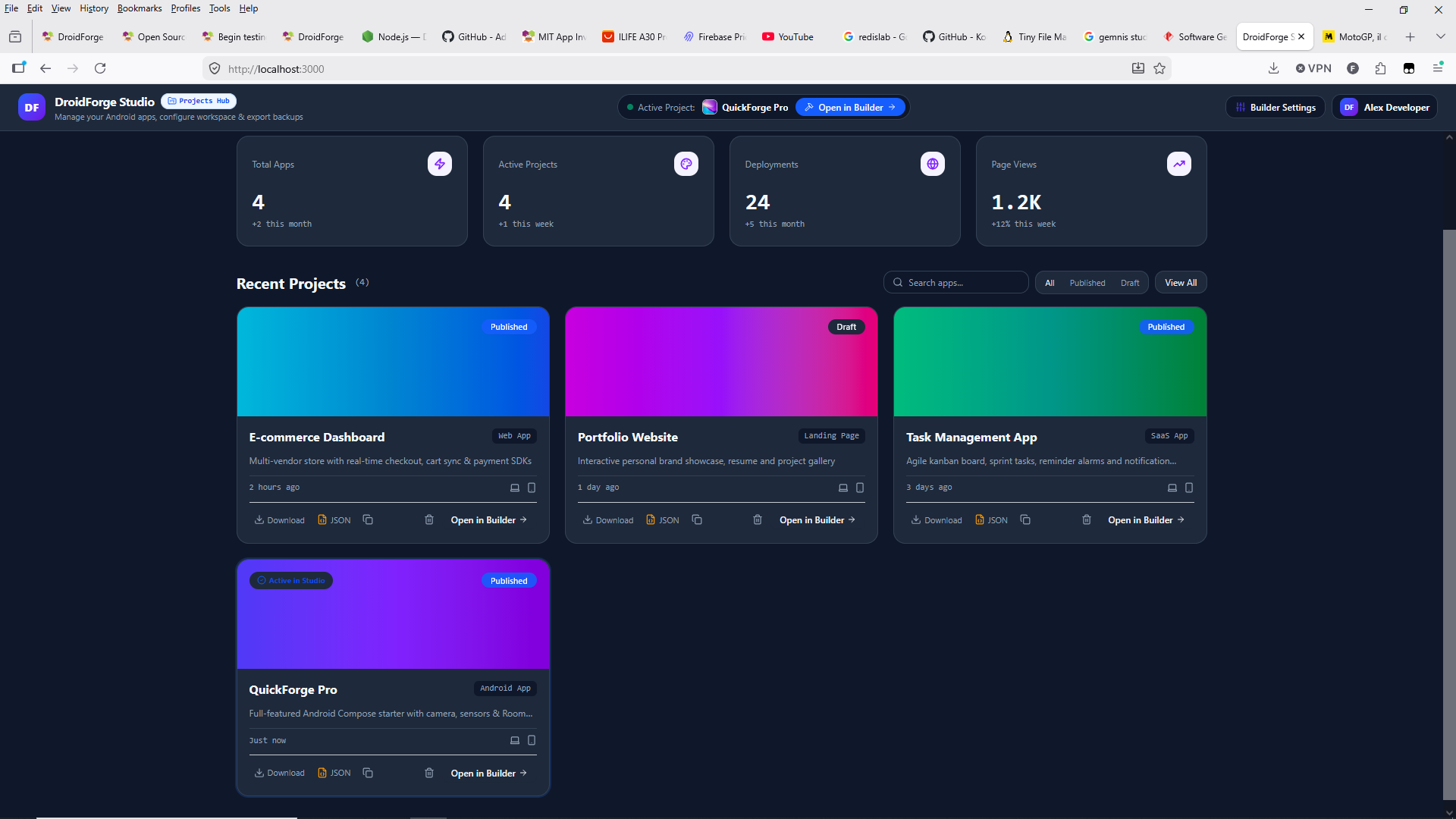
Hello everyone! 
First of all, thank you so much for taking the time to download, test, and share your feedback about DroidForge Studio. I genuinely appreciate everyone who has reported issues or taken the time to explore the project.
I am fully aware that DroidForge Studio still has many bugs, limitations, and unfinished features. The project is currently under active development, and this is exactly why I decided to make the source code publicly available on GitHub — so developers can explore it, test it, identify problems, suggest improvements, and hopefully contribute to its development.
Regarding the issues reported:
1. Windows BAT launcher issue: Thank you for investigating the batch script and identifying the problem with the parentheses. I've been working on improving the launcher scripts, error handling, and startup process so users can run the builder more reliably.
2. Reported security vulnerabilities: I appreciate this being pointed out. I'll review the dependency security reports, investigate the affected packages, and address the issues as part of the ongoing development process.
3. Default "Alex Developer" profile: Thank you for noticing this as well. The default profile behavior needs improvement so that demo information and actual user authentication are clearly separated.
I appreciate all three reports. They help me identify areas that need attention.
What I'm Actually Trying to Build 
DroidForge Studio is not intended to be just another simple drag-and-drop Android app builder.
My long-term goal is to develop a complete hybrid, multi-language, and multi-platform application development environment where beginners and experienced developers can work together using visual programming, traditional coding, or AI-assisted development.
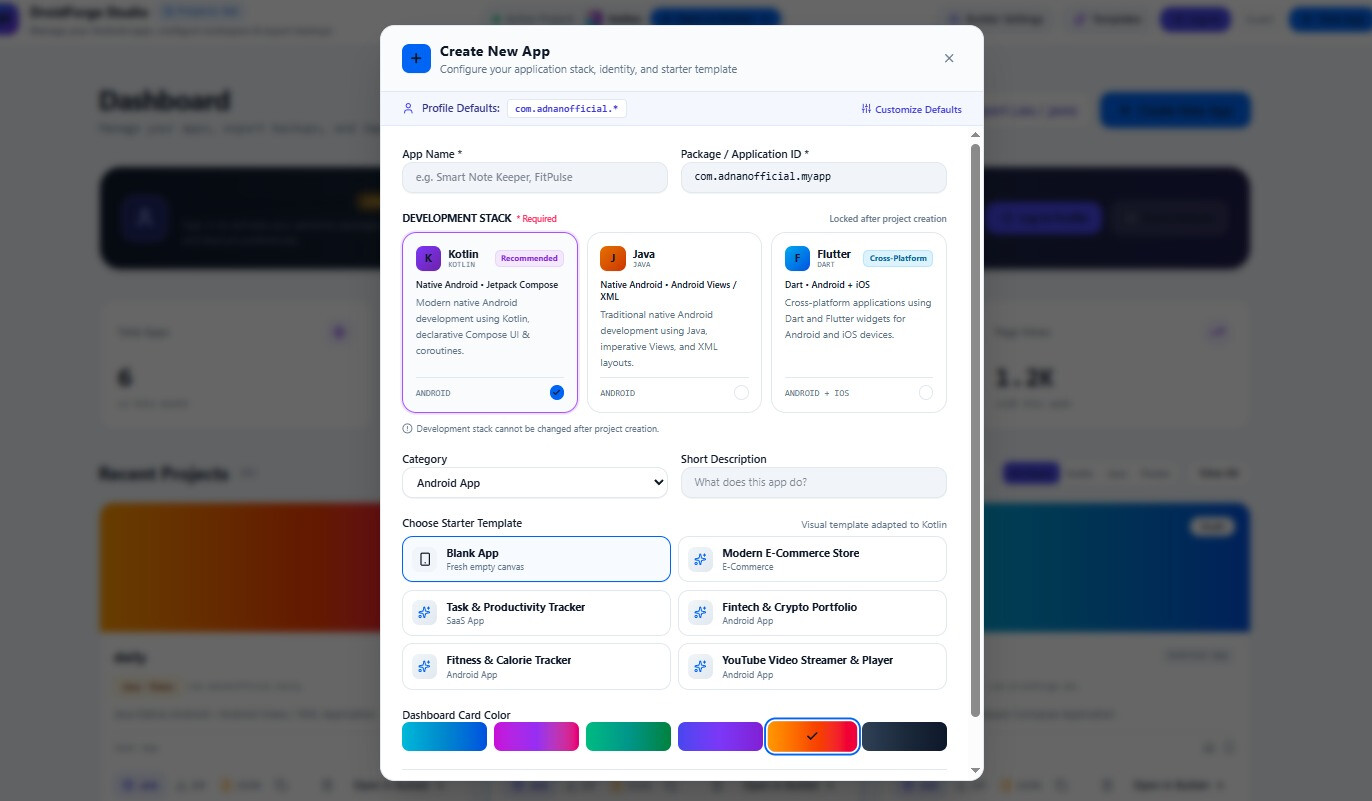
I'm currently working towards supporting three major development stacks:
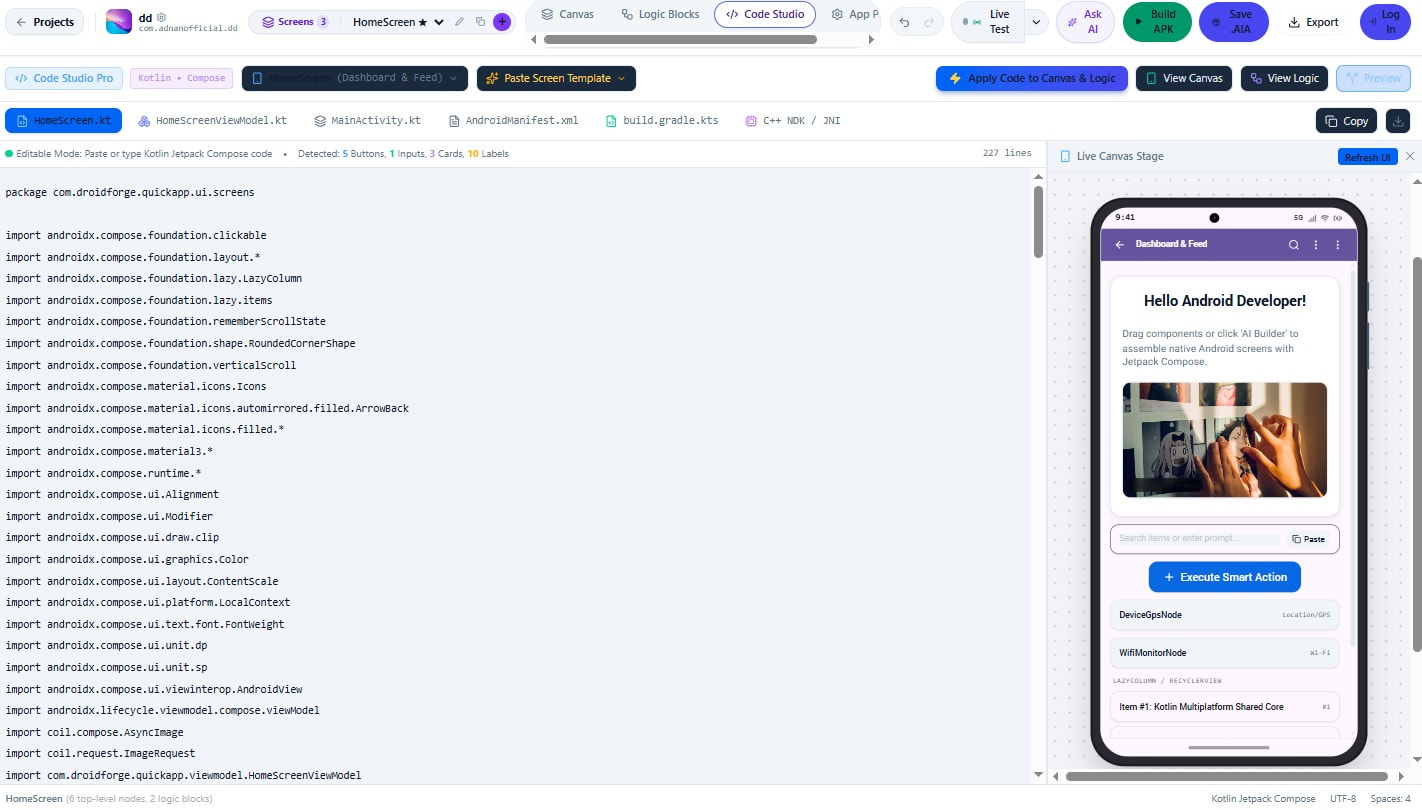
 Kotlin + Jetpack Compose — Native Android development.
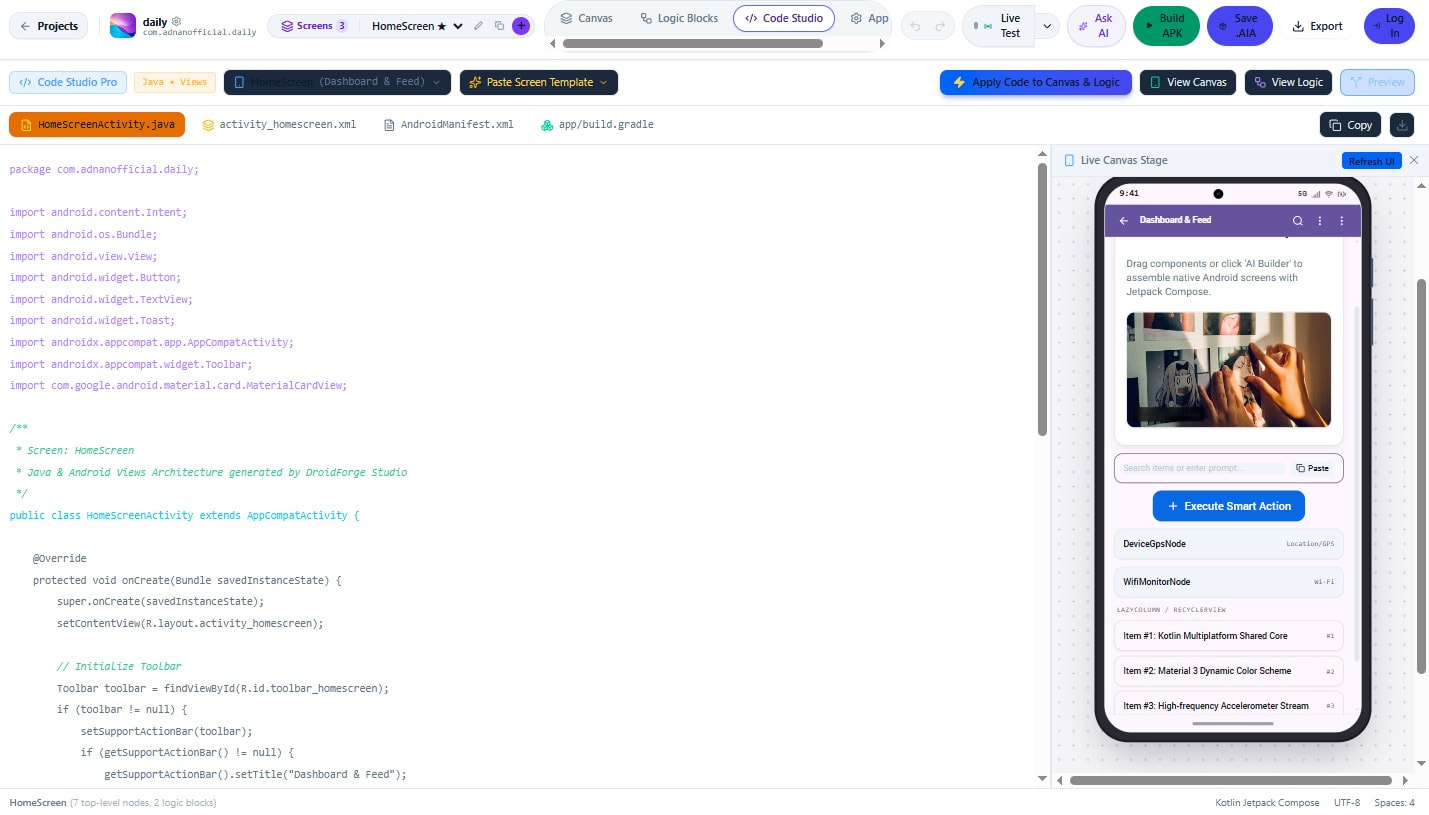
 Java + Android Views/XML — Native Android development.
 Dart + Flutter — Cross-platform Android and iOS development.
The idea is that when someone creates a new project, they will be able to choose their preferred development stack.
For example, if a developer selects Java, the builder should provide Java-specific source files, Android components, methods, events, dependencies, and native Android project generation.
If Kotlin is selected, the environment should work with Kotlin and Jetpack Compose.
If Flutter is selected, the builder should provide Dart files, Flutter widgets, Flutter packages, and Android/iOS project structures.
These are major architectural features that are still being developed, not something I am claiming is already fully completed.
Multiple Ways to Build an Application
I want DroidForge Studio to support different development workflows within the same environment.
1. Visual Drag & Drop Development
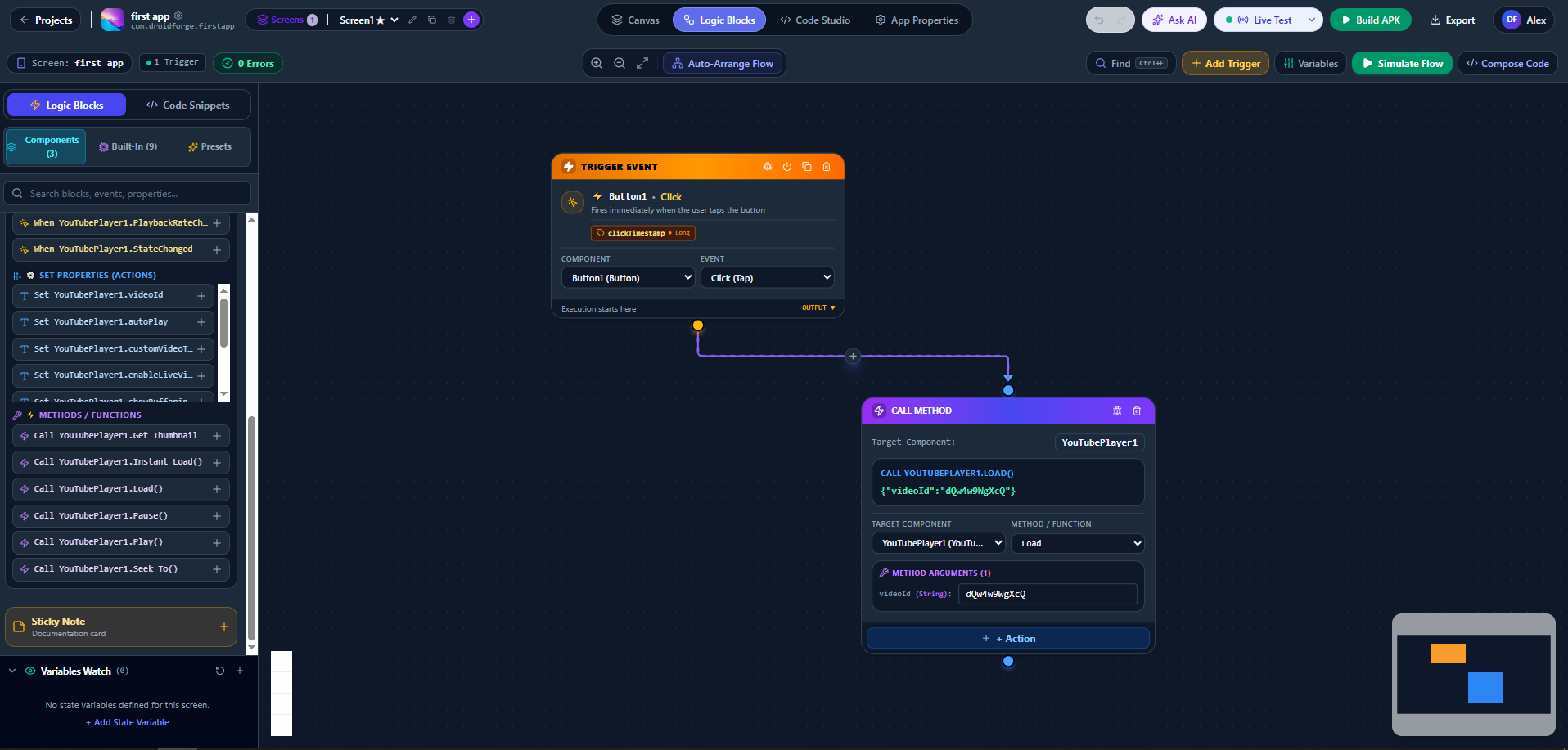
For people who don't want to write code, there is a visual Canvas where they can add components, configure properties, connect logic blocks, and design application screens.
2. Traditional Code Development
Developers who prefer writing code should be able to use Code Studio, create files, paste existing code, add dependencies, and work directly with the selected development language.
3. Connected Canvas, Code, and Logic Blocks
This is one of the most important ideas behind DroidForge Studio.
The goal is to connect all three development environments so they work together instead of functioning as completely separate editors.
For example, when a developer adds a component or configures an action through the visual interface, the corresponding code should be generated.
Likewise, when supported code is written or modified in Code Studio, the builder should be able to recognize the relevant components, properties, events, and actions and synchronize them with the Canvas and Logic Blocks.
I'm still improving this synchronization system, and making it reliable across multiple languages is one of the bigger technical challenges.
4. AI-Assisted App Development 
I also want people who have little or no programming experience to be able to build applications using AI.
The idea is to allow developers to configure their preferred AI provider, such as Google's Gemini or Anthropic's Claude, using their own API credentials.
Users should eventually be able to describe the application they want, generate screens, create components, implement logic, and modify existing projects through AI assistance.
For example:
"Create a food delivery app with login, restaurant listings, a shopping cart, and an order tracking screen."
The AI should understand the selected development stack and generate compatible UI, components, logic, and code.
Custom Components and Flutter Widgets
Another important part of the project is the ability to create and add custom components.
I don't want DroidForge Studio to remain limited to a fixed number of built-in components.
Developers should be able to create their own reusable components, define properties, events, and methods, configure the required dependencies, and add their own implementation code.
For Flutter, this means working with Dart and Flutter widgets rather than trying to reuse native Android components directly.
Some experimental support is already being explored, but expanding the component and widget ecosystem will take time.
The long-term goal is to make the builder extensible enough that developers can add the functionality they need without waiting for every component to be built into the core system.
Why I Made It Open Source 
I know this is an ambitious project, and I also know that there is still a lot of work to do.
I'm not claiming that DroidForge Studio is currently a finished replacement for MIT App Inventor, Kodular, Flutter, or Android Studio.
I'm simply trying to bring together ideas from visual programming, native Android development, cross-platform development, and AI into one development environment.
I decided to share the source code early because I believe feedback from experienced developers is extremely valuable, especially from communities like MIT App Inventor and Kodular.
Whether you are an experienced programmer, a visual app developer, or someone interested in experimenting with new development tools, your suggestions are welcome.
If you encounter bugs, compatibility problems, missing components, or architectural issues, please feel free to report them on GitHub. Contributions and pull requests are also welcome.
GitHub Repository:
https://github.com/Adnan10p/droidforge-studio
Thank you again to everyone who has tested DroidForge Studio so far.
Your feedback is helping me understand what needs to be improved, and I hope we can gradually turn this experimental project into a useful development tool for the community.**
DroidForge Studio Developer**
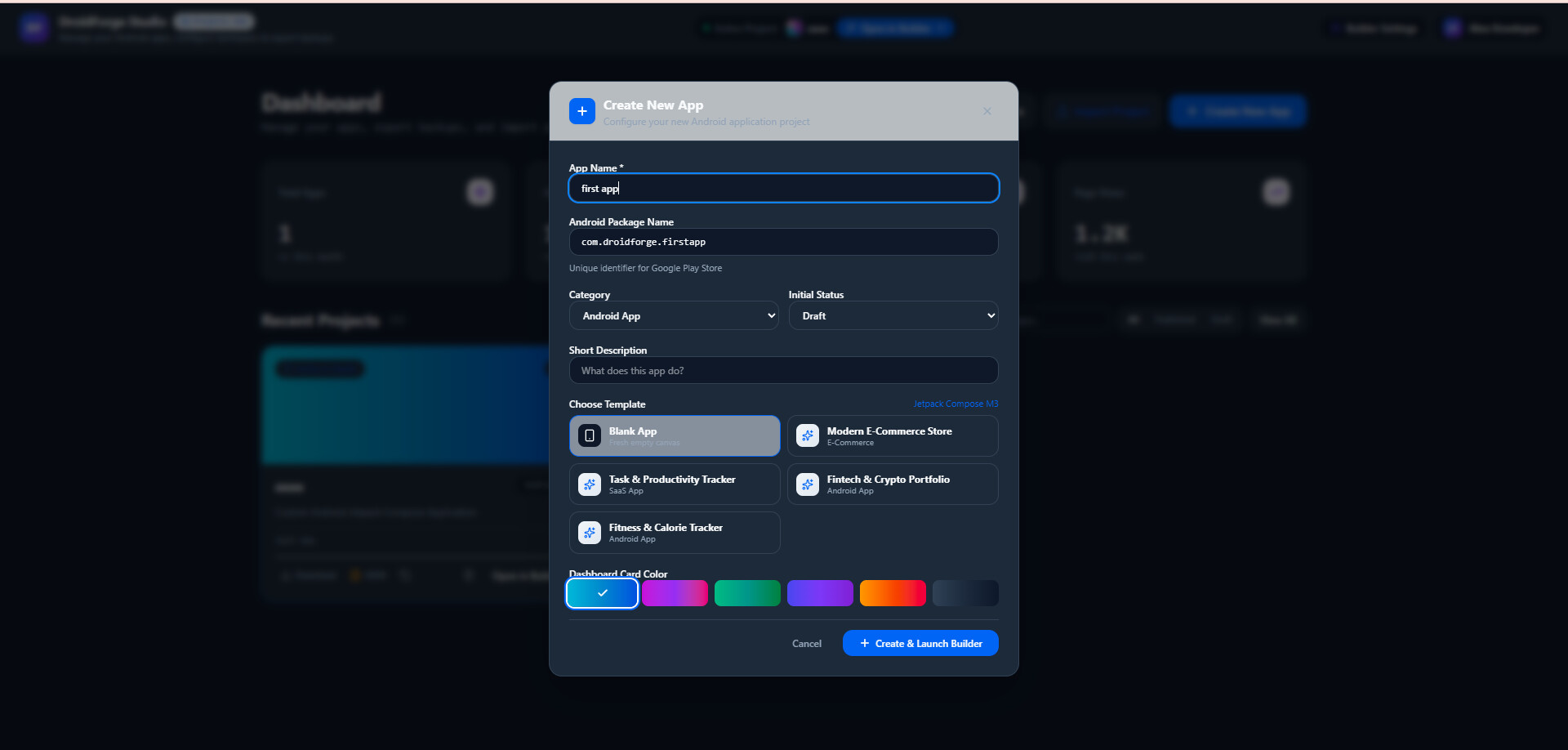
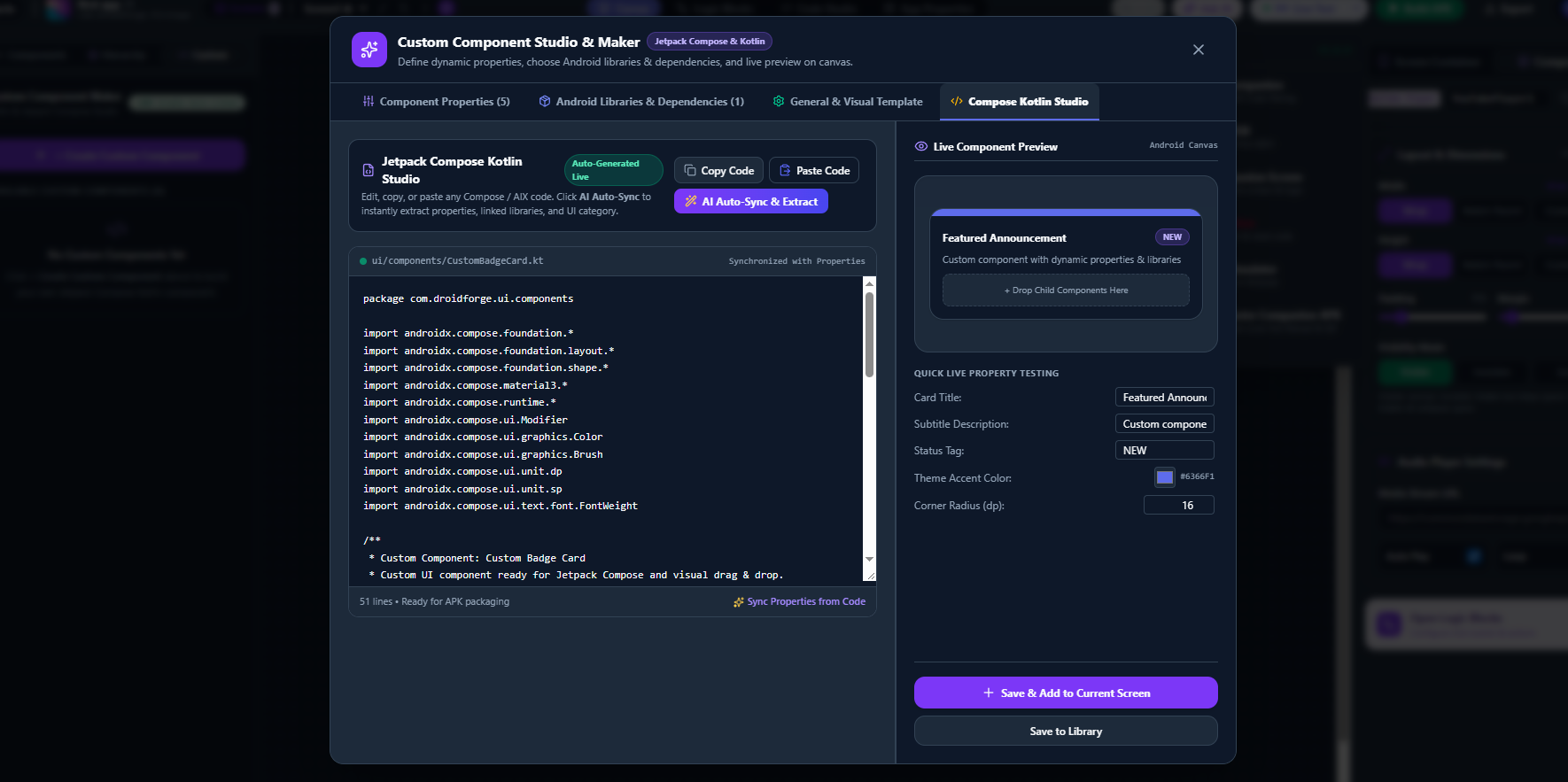
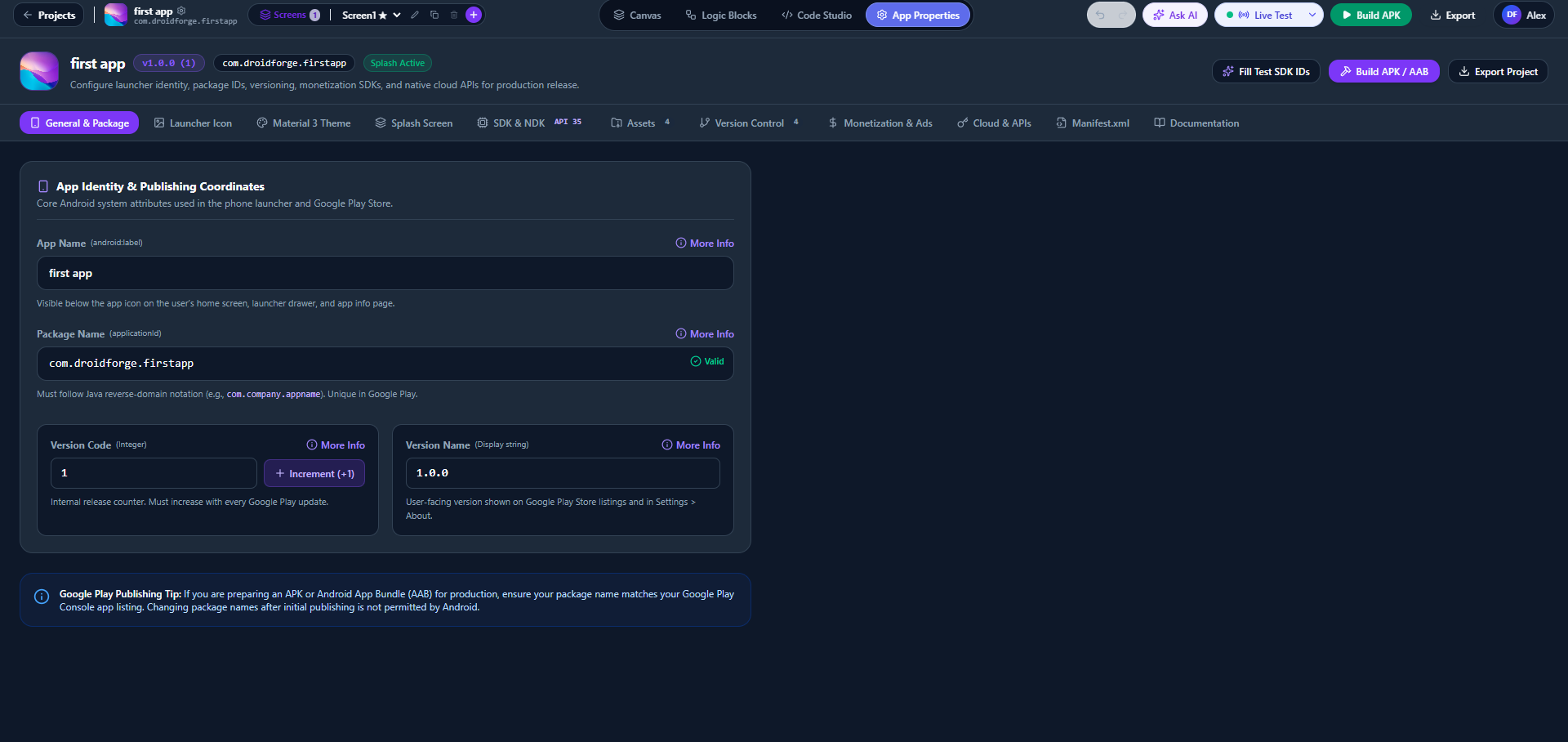
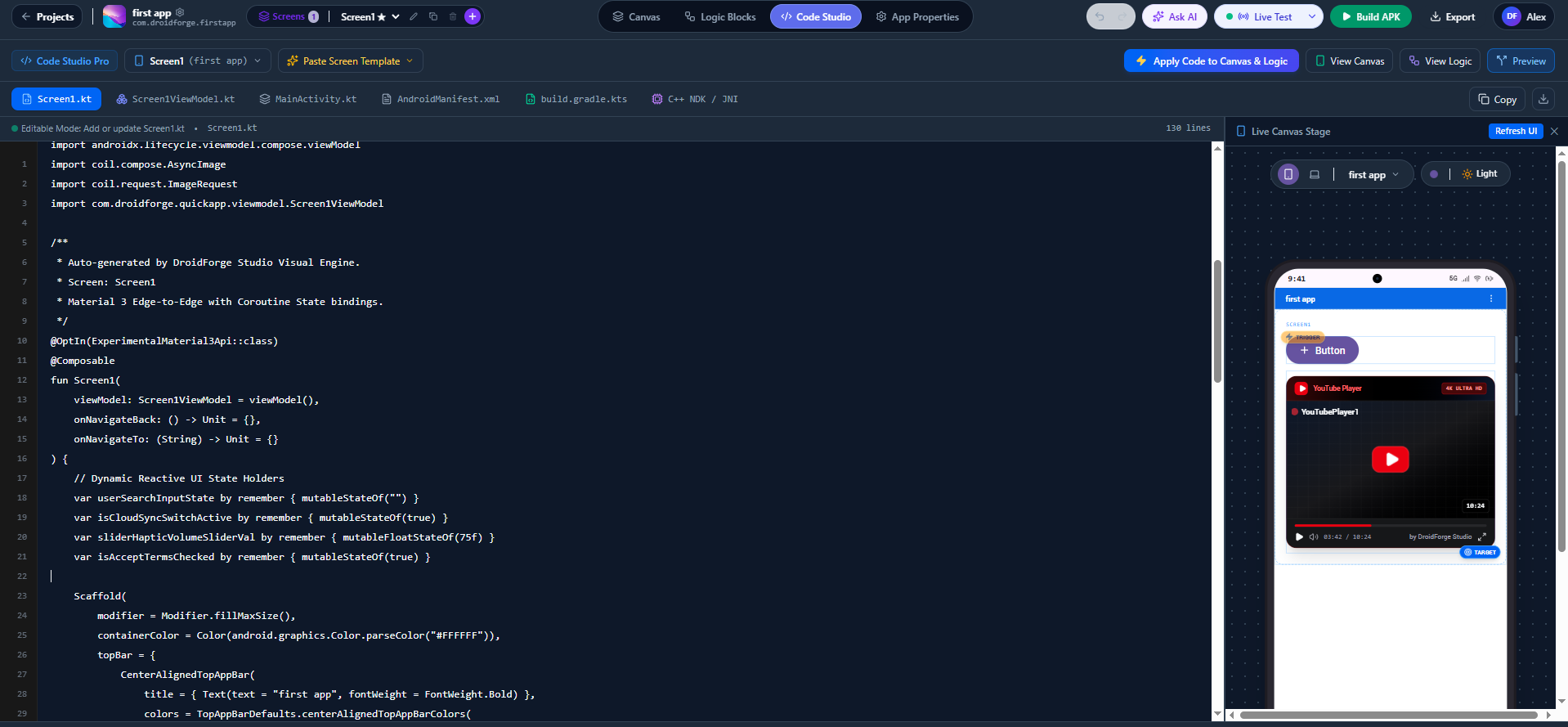
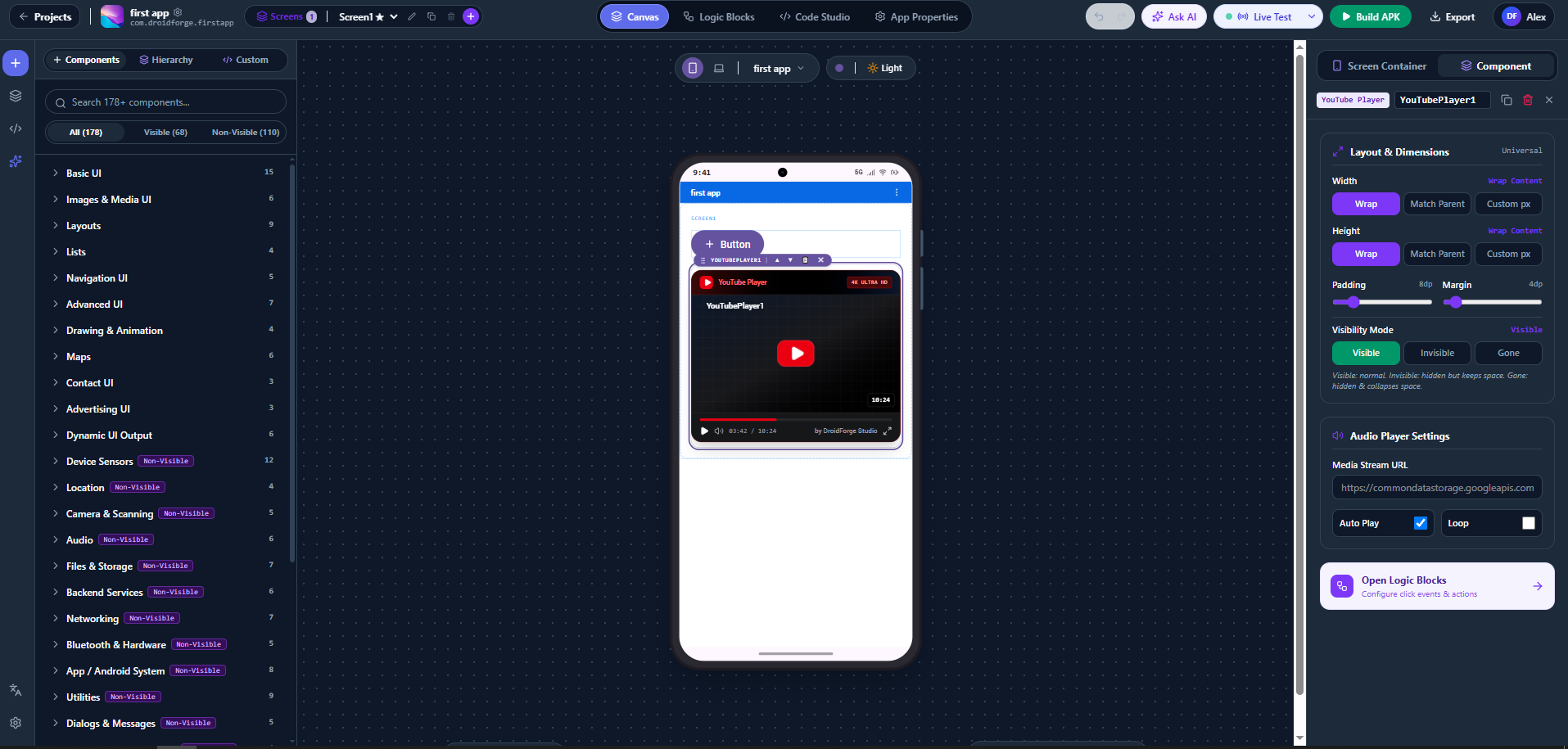
 Visual Drag & Drop Canvas for Android UI design
 Component-aware Logic Blocks with events, properties and methods based on components used on the screen
 Visible and Non-Visible Android Components
 Live Testing / Companion workflow
 Jetpack Compose + Kotlin Code Studio
 Ability to move between Canvas, Logic and Code
 Native APK building
 Android project/code export
 Custom Component Studio
 Support for defining Android libraries/dependencies for custom components
 App-level configuration for package name, version, SDK, assets, manifest and related Android settings
 Cheers

 ) I'll wait for someone else to succeed and let us know. Cheers,