I would like to use hexadecimal color codes in block editor. Since it is available in designer I thought I just copy the code from it. Well, turned out I was wrong. What the heck. I want to select elements by comparing hexadecimal color codes, but seems what available in the designer is kind of just a hint. I was naive again. I am too tired to figure out myself, but is it possible to convert that hex code in the designer to a one that usable in block editor? I mean I can make a hex to decimal converter, but I think that is not enough because there is a hex to base10 block in the editor but I could not make it work. I do not know how opacity integrated in the math.
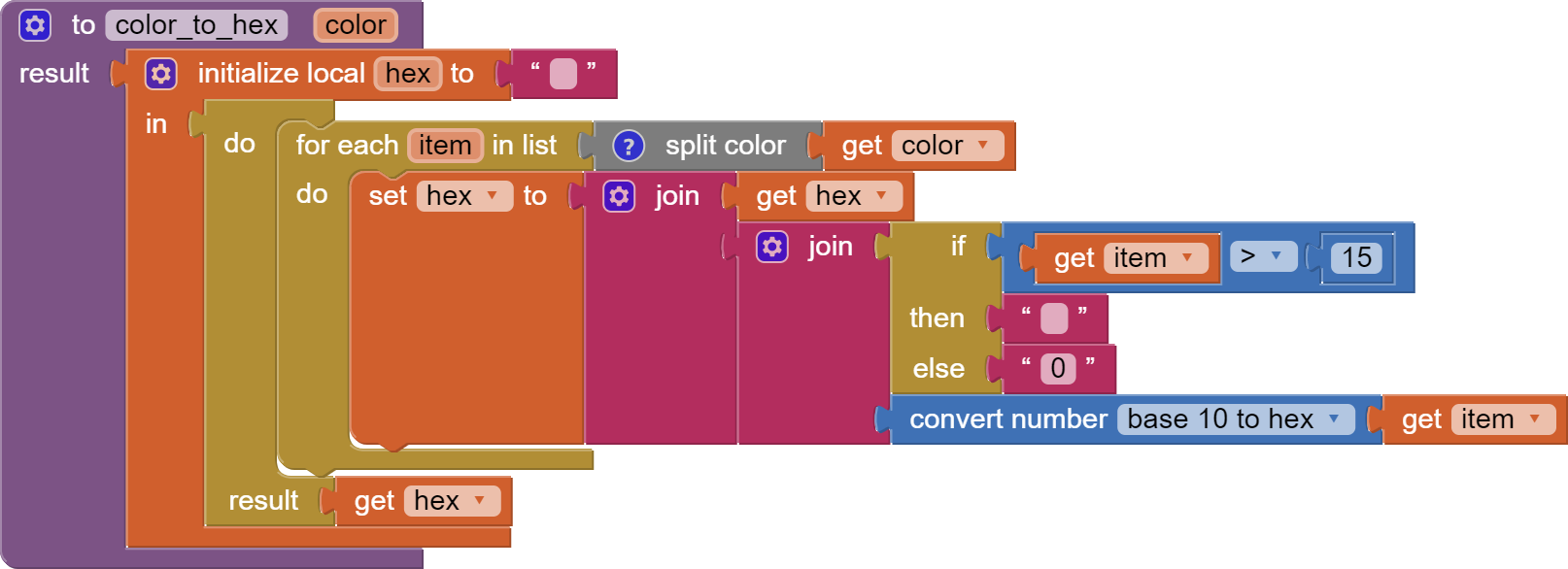
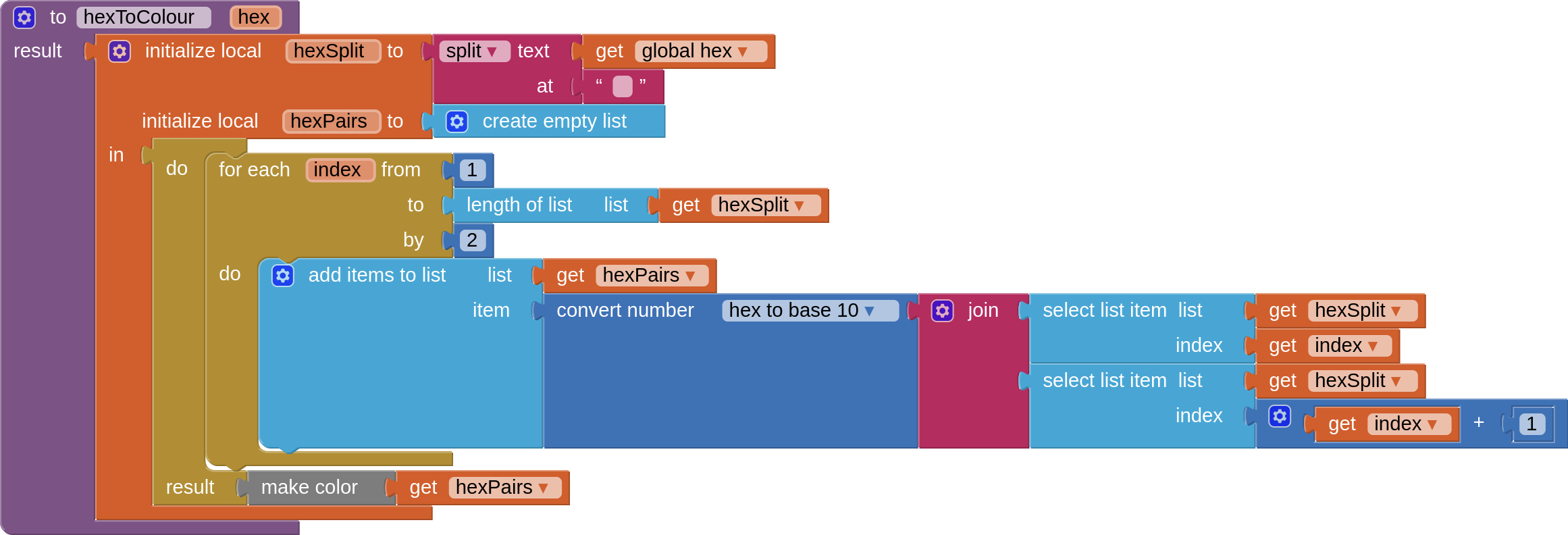
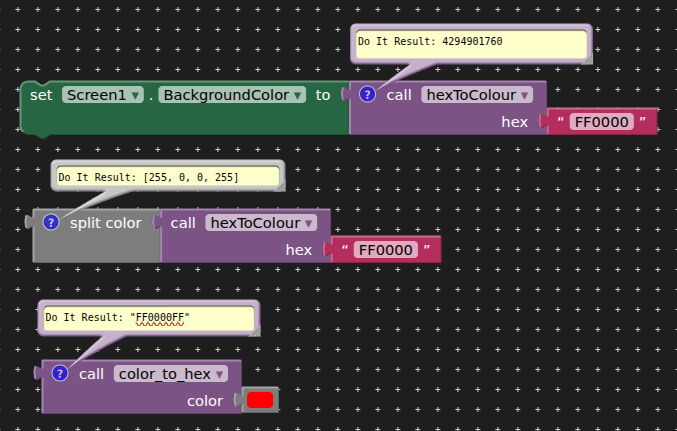
Ok, so far I understand it and mostly figured out myself the RGB to hex conversion.
The problem is I want to copare with a color that the app gives back. For example textcolor or backgroundcolor of an element.And the conversion does not seems to work for that. I try tom ake a test app fast.
OK. It is working. I just tried to use the hex as the AI2 use in block, put the alfa to the begining of the hex that is why it did not work first time. Thank you.
OK. One more question. How do you compare the RGBA code of the elements. I tried it with the make color block, but does not work.
Like this:

I tried without the color making blocks on the left side of compare still did not work.
Color blocks is a mess.
You could break down the two colors into R1,G1,B1 and R2,G2,B2 then compute the 3 dimensional distance between the two colors in RGB space:
ABS(R1-R2) + ABS(G1-G2) + ABS(B1-B2)