Even though the device is running above SDK 30, when I deny location access for the first time, the app enters a loop, freezes, and then closes.
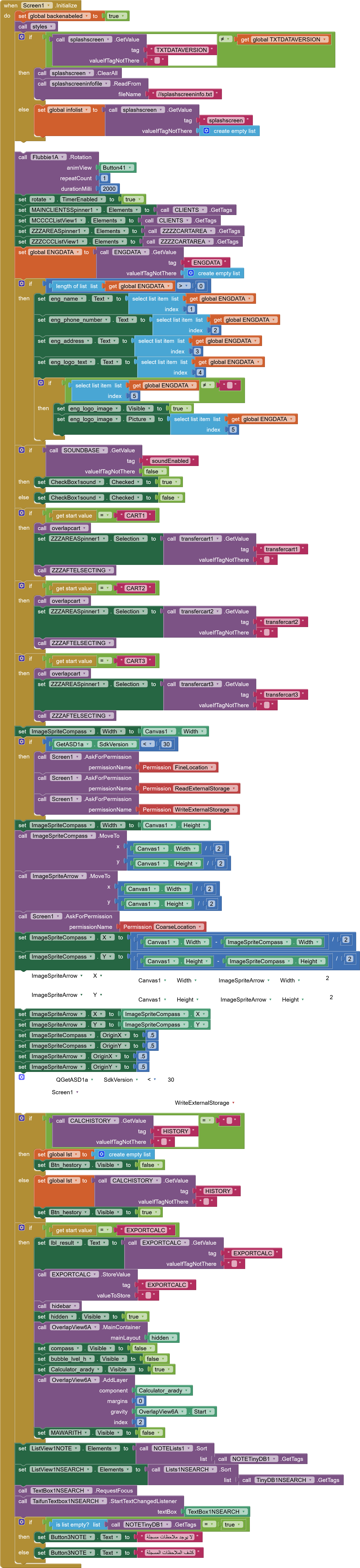
Do you have anorher Screen1.Initialize event in your project? Deactivate this one and show us a screenshot of the other one
Taifun
Please show us a screenshot of your PermissionDenied event
Taifun
No PermissionDenied event
Click on the red X to show the error message.
Show it to us.
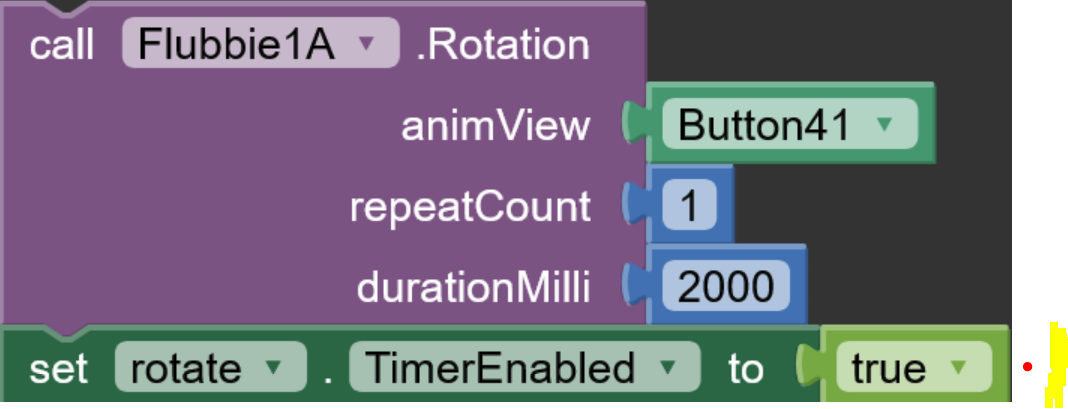
Show us the Timer event.
Furthermore, you have to request the permissions one after the other, and for that you need the .PermissionGranted event.
1) Disable LocationSensor on Screen.Initialize
Do NOT request permission and do NOT start the sensor when the screen initializes.
set LocationSensor1.Enabled to false
2) Request permission only when the user clicks a button
Example: “Start Compass” or “Enable GPS”.
call Screen1.AskForPermission Permission_FineLocation
3) When permission is granted → enable the sensor
when Screen1.PermissionGranted
    set LocationSensor1.Enabled to true
4) When permission is denied → show a simple message
Do NOT retry requesting permission automatically.
when Screen1.PermissionDenied
    show alert "Location permission is required to enable this feature."
5) Fix the ErrorOccurred loop (MOST IMPORTANT PART)
Inside Screen.ErrorOccurred, you must ignore Error 1101 completely.
if errorNumber = 1101
    do nothing   // ignore the error to prevent the loop
else
    show your normal error dialog
 Without this step, the notifier will fire repeatedly and the app will freeze.
 Final Result
 No more looping
No freezing when permission is denied
LocationSensor only runs when permission is granted
App works normally on Android 13, 14, and 15
As I said
So if storage permissions are needed for your app, you should follow my advice.
1 Like
This topic was automatically closed 7 days after the last reply. New replies are no longer allowed.