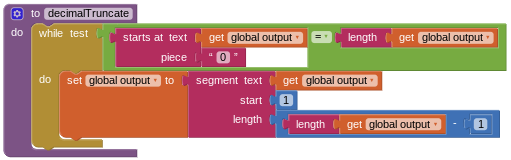
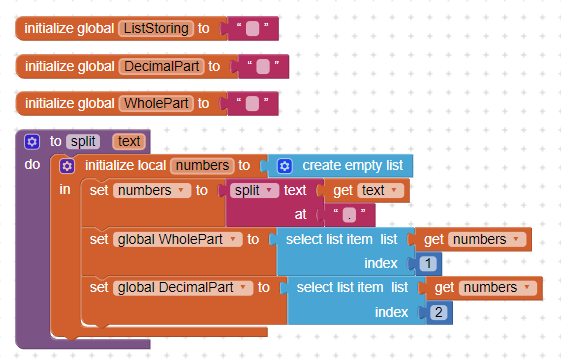
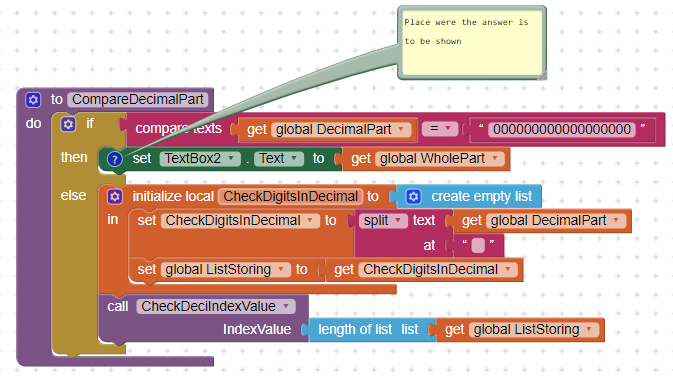
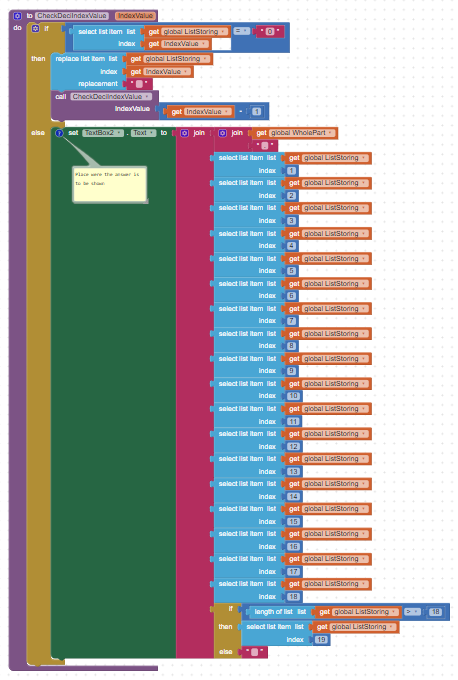
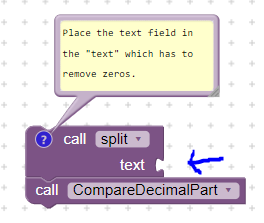
I'm trying to make a calculator app, and when the answer comes out to a decimal, the result has a lot of zeros on the end of it (i.e 0.500000). I'm trying to remove these zeros, and I have a "while" block testing if the last character is a zero, then using a segment block to extract the text without the last character. This isn't working, and I'm still getting the same results. I've posted my code here (I store the output of the calculation in a variable called "global output" and call the decimalTruncate procedure if global output has a "." in it).
Returns the given number rounded to the closest integer. If the fractional part is < .5 it will be rounded down. It it is > .5 it will be rounded up. If it is exactly equal to .5, numbers with an even whole part will be rounded down, and numbers with an odd whole part will be rounded up. (This method is called round to even.)
or
format as decimal
Formats a number as a decimal with a given number of places after the decimal point. The number of places must be a non-negative integer. The result is produced by rounding the number (if there were too many places) or by adding zeros on the right (if there were too few).
Here are some resources to help you learn to use the AI2 tools. A very good way to learn App Inventor is to read the free Inventor's Manual here in the AI2 free online eBook App Inventor 2 Book: Create Your Own Android Apps ... the links are at the bottom of the Web page. The book 'teaches' users how to program with AI2 blocks.
The built-in rounding functions work as a temporary solution, but I want a way to round only when there's unnecessary zeros at the end. (i.e show the full 1.45836583 but round 1.5000000 to 1.5)